CheeseGuard — Zone Protection & Server Admin
- By
Zone protection, group flags, chunk regeneration and server management — all from an in-game GUI. Also built for Cobblemon servers.
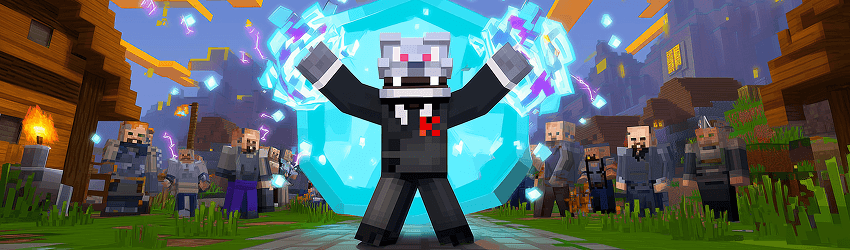
A powerful, lightweight server protection and administration mod for Fabric 1.21.1
CheeseGuard gives server operators full control over zone-based protection, chunk regeneration, and server management — all through a clean, intuitive in-game GUI. No config files to edit, no commands to memorize. Just open /cg and manage everything visually.
Built with Cacademy servers in mind, but works great on any Fabric server.
🗺️ Zone Protection
Define rectangular protection zones anywhere in any dimension. Each zone is fully customizable with 27 independent flags covering everything from basic griefing protection to Cobblemon-specific rules.
Protection flags (members and owners are always exempt):
- Block breaking and placing
- Interactions (chests, doors, NPCs)
- PvP and entity damage
- Item use (buckets, flint & steel…)
- Explosions (TNT, creepers)
- Item drop and pickup
- Ender pearl teleportation
- Zone entry and exit
Behavioral flags (apply to everyone, including members):
- Natural mob spawning and mob grief
- Fire spread, leaf decay, ice melt, snow form, vine growth
- Fall damage and hunger
- Redstone mechanisms
- Flight (elytra and creative)
- Cobblemon: flying mounts, ground mounts, Pokémon summoning
Each flag has three states: allow ✅, deny ❌, or default (no rule). Default flags are inherited from the zone's group or fall back to always-allowed.
👥 Members & Ownership
Each zone has an owner and an optional member list. Owners and members bypass all protection flags automatically — they can always interact with, build in, and enter/exit their own zones.
A Test Mode button lets operators experience the server exactly as a non-member player would, without permanently giving up their permissions.
🎨 Zone Groups
Create named groups with shared flag configurations and assign multiple zones to the same group. Changing a group's flags instantly applies to all associated zones — perfect for keeping rules consistent across large multi-zone areas.
Groups also support advancement requirements, so entire categories of zones can be gated behind player progression.
🏗️ Zone Hierarchy
Build complex nested protection systems with parent–child zone relationships. A child zone always overrides its parent's flags, letting you define exceptions inside larger zones without conflicts.
Example: A global "Spawn" zone with PvP disabled containing an "Arena" sub-zone where PvP is explicitly enabled.
📜 Entry & Exit Conditions
Configure custom messages for zone entry and exit, with full Minecraft color code support. Additionally, gate zone access behind Minecraft advancements — players without the required advancements will be blocked with a configurable denial message.
🛠️ Wand Selection Tool
Select zone corners with an in-game wand item:
- Left-click a block → set corner 1
- Right-click a block → set corner 2
Zone boundaries are shown with color-coded particles via the Visualization toggle, making it easy to see exactly where every zone begins and ends.
📦 Chunk Sets (Chunk Regeneration)
Create named sets of chunks that can be deleted from disk on demand, causing Minecraft to regenerate them fresh on next load. Ideal for resource world resets without restarting or reconfiguring anything.
- Add chunks by your current position with configurable radius (single chunk to 11×11 and beyond)
- Add entire region files with a single entry
- Label entries for easy identification
- Teleport to any entry to inspect before executing
- Confirmation screen before any irreversible action
🖥️ Server Management
Schedule server restarts, stops, or maintenance mode directly from the GUI with countdown timers. Available delays: 1m, 5m, 15m, 30m, and 1h. All scheduled actions broadcast countdown announcements to connected players and can be cancelled at any time.
⚙️ Technical Details
| Loader | Fabric |
| Minecraft version | 1.21.1 |
| Side | Server + Client (GUI is client-side) |
| Dependencies | Fabric API |
| Optional | Cobblemon (for Cobblemon-specific flags) |
🔒 Permission System
All CheeseGuard commands and the GUI require operator level 2 or higher. Standard players cannot access the management interface.
🚀 Getting Started
- Install the mod on both server and client.
- Join the server as an operator.
- Type
/cgto open the GUI. (also available with keybind) - Use the Wand to select two corners and click + Créer to create your first zone.
- Configure flags, add members, and set up groups as needed.
📝 Commands
/cg                     Open the GUI
/cg wand                Get the selection wand
/cg pos1                Set corner 1 at your position
/cg pos2                Set corner 2 at your position
/cg create <name>       Create a zone from current selection
/cg delete <name>       Delete a zone by name
CheeseGuard — Zone Protection & Server Admin Team

![CheesePurse [Numismatic AutoLoot] project image](https://media.forgecdn.net/avatars/thumbnails/1686/465/256/256/639070978816346169.png)