


Check Engine
- By




Check Engine tells you why your modpack won't work, in plain English, and how to fix it. It catches problems before the loader gives up, explains crashes after they happen, and never changes gameplay.
- 🛑 Pack won't start? Find out in seconds, right after you press Play: "Create is missing, so 15 mods can't load. Fix: install Create 6.0 or newer."
- 💥 Game crashed? The next launch tells you what happened and how to fix it.
- 🔄 Worked yesterday? It lists what you added, removed or updated since the last launch that worked.
- 🤝 Need help? One command makes a file to share, with your personal info blanked out.
Made for pack makers, server owners and anyone who's ever stared at "Mod loading has failed" wondering which of 400 mods is the problem. Just put the jar in your mods folder: no config, nothing to set up.

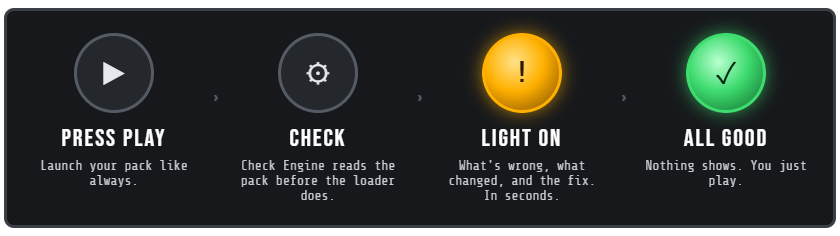

Press Play on a 400-mod pack that can't start, and Check Engine tells you right away, before the loading screen: what's wrong, what changed since it last worked, and the fix. Quit closes the game instantly instead of waiting for the whole pack to load just to see the error. Show full error opens the full report.
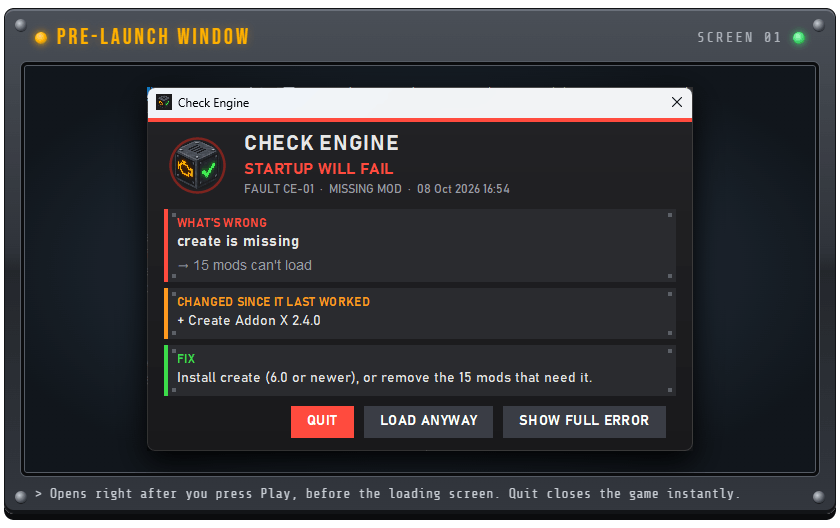
If the last launch crashed and nothing changed since, it warns you before you sit through the same load again. Don't want the window? Set launch_popup=false in checkengine/settings.properties.

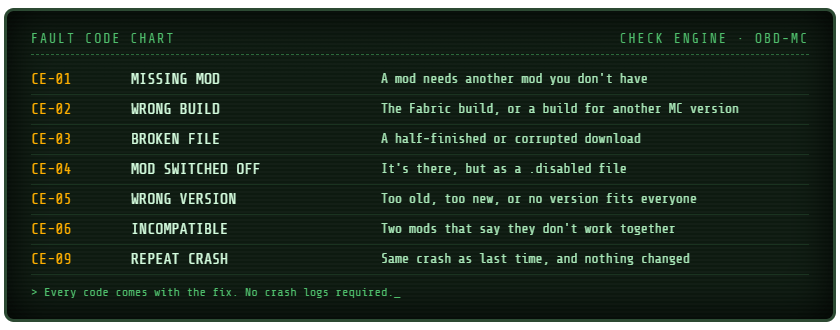
- Root causes, not error lists: "Create is missing" instead of one error per addon, with every mod it stops (including mods that only need those mods). The biggest problem comes first.
- The real reason: if a "missing" mod is actually there as the Fabric build, a build for another Minecraft version, a broken download or a switched-off file, Check Engine says so, and how sure it is.
- What changed: "Changed since it last worked: you added X." Check Engine remembers every launch that worked.

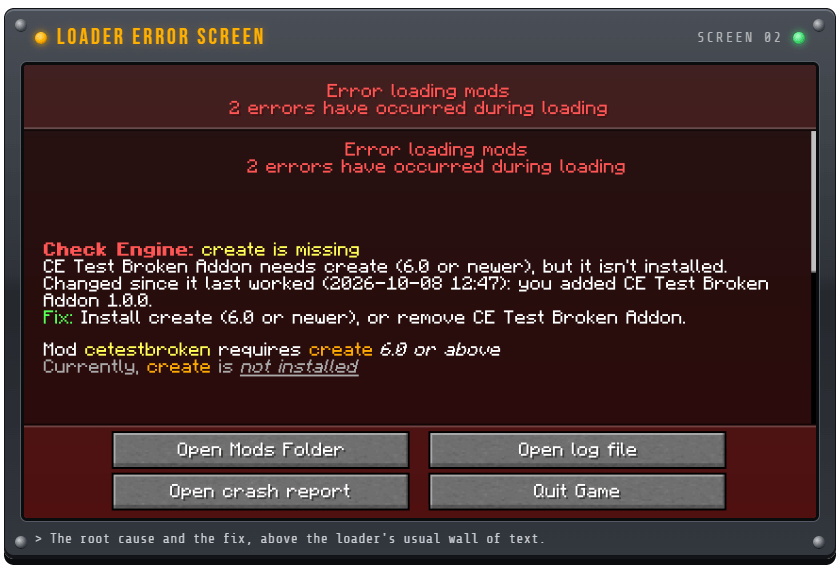
If you load anyway (or the window is off), Check Engine also explains why on the loader's own error screen, above the usual wall of text. It uses the loader's own rules, so it only speaks up when the pack really won't start: it can never be the reason a working pack stops.

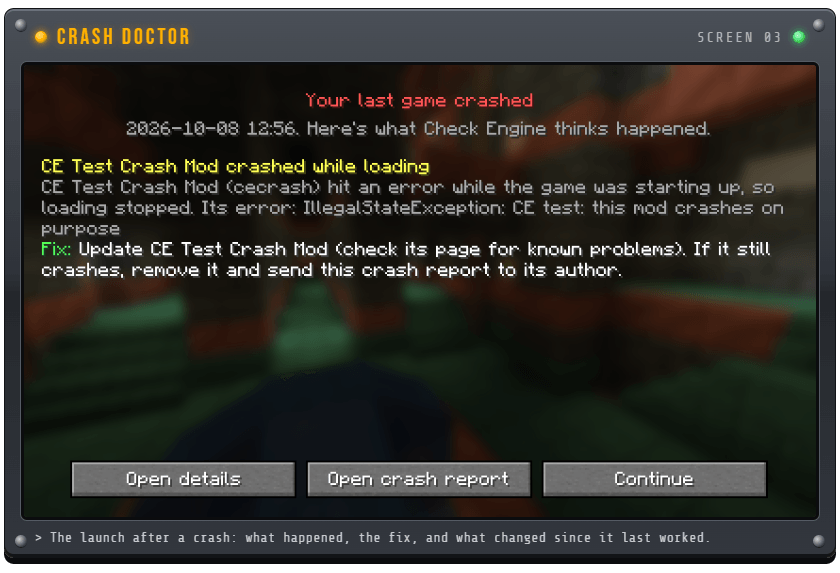
After a crash, the next launch opens with "Your last game crashed": what happened in plain English, the fix, and what changed since the pack last worked. Each crash is explained once, and old crash reports from before you installed Check Engine are ignored.

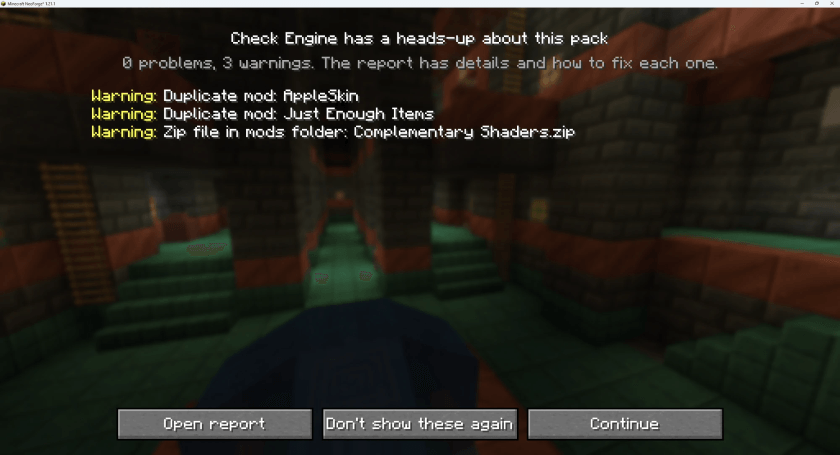
Every time the game starts, Check Engine checks the whole pack. If something's wrong, you get a clear screen before the title screen (saved to checkengine/boot-report.txt). If everything's fine, you'll never see it. It finds:
- Duplicate mods: two versions of the same mod, and which one actually loads
- Missing dependencies and hidden missing mods (a mod uses another mod's code without listing it)
- Wrong versions, incompatible mods and the wrong loader (Fabric or Forge mods in a NeoForge pack)
- Broken downloads: half-finished jars and .zip files in the wrong folder
- Client-only mods on a server
- Memory: how much RAM the pack needs, and whether it's getting enough
Every report starts with the pack health ("394 jars: 392 OK, 2 with warnings, 0 can't load") and a fix these first list.

When a server kicks you for mismatched mods, you get a clear list of what's missing and which versions don't match, instead of a wall of text.

| Command | What it does |
|---|---|
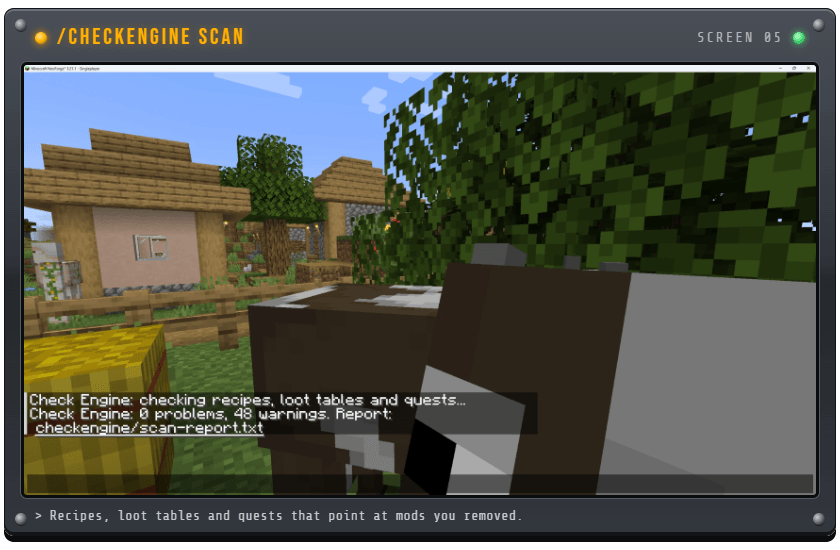
| /checkengine scan | Checks every recipe, loot table and FTB Quests file for items from mods that aren't installed (the stuff that silently breaks after you remove a mod). Report: checkengine/scan-report.txt |
| /checkengine startup | How long the last startup took, and which mods were slowest |
| /checkengine export | One zip with the reports, mod list, latest log and newest crash report, ready to drag into Discord. Your Windows user name, player name and IP addresses are blanked out first. |
Scan and startup need op/cheats. Export works for anyone in singleplayer.

Download the jar for your version and put it in the mods folder. Works on the client, the server, or both. It's one jar: the early check and the mod are packed together.
| Minecraft | Loader | Java |
|---|---|---|
| 26.1.2 | NeoForge | 25 |
| 1.21.1 | NeoForge | 21 |
| 1.20.1 | Forge | 17 |
Check a pack without launching it: there's also a free standalone checker, Check Pack.bat, on GitHub. Drag a modpack folder onto it and it runs the same check without starting the game. It can also explain your last crash report, build a server pack, compare your pack with a server and make a help file.


Can it stop a pack that works?
No. It only says "Startup will fail" when the loader is already about to refuse, using the loader's own rules. Everything else is a heads-up you can dismiss.
Will the window slow my game down?
No. It only appears when the pack can't start or the last launch crashed with no changes since. A healthy pack loads exactly as before.
Does it change anything in my pack?
No. It only reads files and writes its reports to a checkengine folder.
Does it need to be on the server too?
No, it works on client, server or both. On a server it checks the pack at startup, explains crashes in the log and adds the commands.
Can I put it in my modpack?
Yes, please do. It's MIT licensed. Your players get a clear message instead of a confusing crash. It's already in Beyond the Crank.
It flagged something that works fine.
Please tell me (see below). Every false alarm gets fixed first.

Check Engine is brand new, and the best way to make it better is real packs. Tell me when:
- It flagged something that works fine (a false alarm)
- It missed a problem that crashed your game
- You have an idea for something it should check
Leave a comment, or open an issue on GitHub with your help file from /checkengine export. Check Engine is free and open source (MIT): github.com/Uanme37/CheckEngine
Check Engine Team
