


ChatSphere
- By




ChatSphere
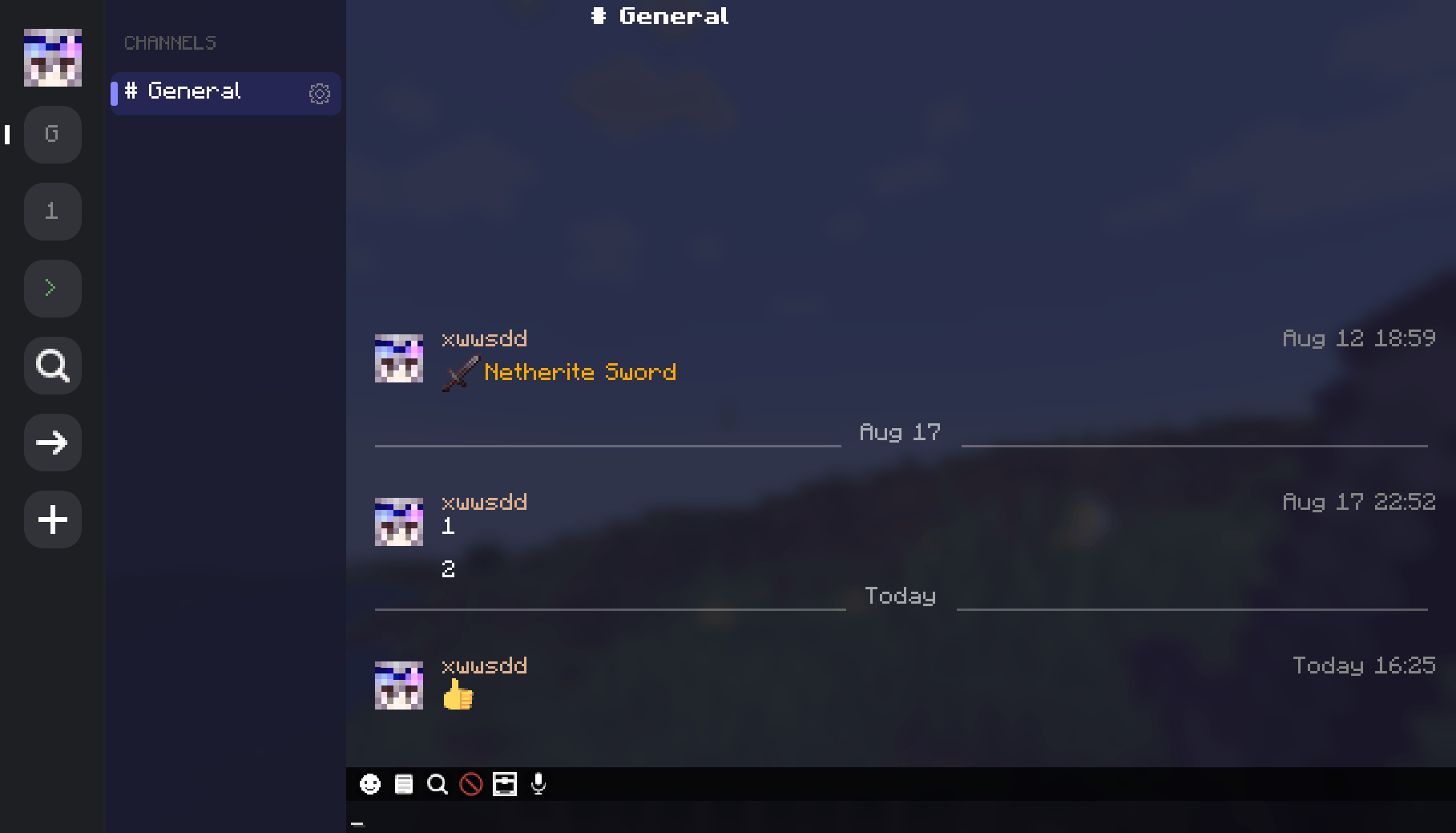
A modern instant-messaging chat mod for Minecraft 1.21.1 (NeoForge & Fabric) and 1.20.1 (Fabric). Replaces vanilla chat with channels, private messaging, emoji, voice rooms, and a full GUI.
Works on the client side — in singleplayer or on vanilla/plugin servers (with "Allow Vanilla Connection" enabled, then restart), it runs in local storage mode. On NeoForge or Fabric servers, install on both sides for channel sync, private messaging, and voice chat.
Features
- Channel system: public/private, invite codes, sub-channels, explore
- Private messaging,
/msgand/tell - Custom emoji — local or server-shared, png/gif, animated
- 349 built-in emoji with search and
:shortcode:autocomplete - Voice rooms via Simple Voice Chat or PlasmoVoice
- Command console with history inside the chat window
- Message search, quote reply, right-click menu
- Member management: admins, mute, kick, invites, ownership
- Anti-spam duplicate merging
- Settings GUI; in-game server config for ops
- No Chat Reports compatible
Controls
| Key | Action |
|---|---|
T |
Open chat GUI |
/ |
Open chat in command mode |
F7 |
Open settings |
Configuration
Client — press F7
| Tab | Options |
|---|---|
| UI | Timestamps, sender name, avatar, dark theme, preserve input, right sidebar, channel toggle |
| Bubbles | Own/other color (ARGB), corner radius |
| Skin | Avatar cache toggle, custom API URL |
| NCR | NCR compatibility toggle, safety status display, preventsChatReports setting (when No Chat Reports is installed) |
| Behavior | Chat history limit, scroll limit |
| Sound | Master toggle, @mention / whisper / system / public sounds, screen popup |
Server — config/chatsphere-server.toml
| Option | Default | Description |
|---|---|---|
| Anti-Spam | true |
Collapse duplicate messages |
| Max Chat History | 200 |
Messages stored per conversation |
| Enable Channels | true |
Toggle the channel system |
| Explore Enabled | true |
Public channel discovery |
| Explore Min Members | 2 |
Min members to appear in explore |
| Backup Interval | 30 min |
Server data backup frequency |
| Prevents Chat Reports | true |
Advertise preventsChatReports in server status (NCR section in client UI) |
Storage
ChatSphere/
├── client/singleplayer/<world>/
├── client/multiplayer/<server>/
└── server/
    ├── channels.json
    └── backups/
Server data auto-backs up every 30 minutes (configurable).
FAQ
Does the mod need to be on the server? It works on the client alone in local mode. Install on both sides to unlock channel sync, private messaging across players, and voice chat.
Which voice chat mods are supported? Simple Voice Chat and PlasmoVoice. Both work simultaneously if installed.
How do I join a channel? Use the → button and enter an invite code, or browse public channels from the Explore screen (search icon next to →).
How do I create a channel? Click + next to the Channels header, or type #name in the input and press Enter.
Where is my data stored? Client data in ChatSphere/client/ per world/server. Server data in ChatSphere/server/.
Can I use this in a modpack? Yes.
Commands
| Command | Description |
|---|---|
/chatsphere help |
Show help |
/chatsphere list |
List all channels |
/chatsphere info &lt;name&gt; |
Channel details |
License
GNU LGPLv3
Emoji by twemoji (Twitter / CC-BY 4.0).
The ChatSphere Team
