


ChatLanes
- By
82944f0d82764f3b1851939301bd6631fb496cd8.png
fea38754c991121af5d11d6556409a629e038388.png
27d7c4cfb37323eca2fed3067904f21893c81695.png
da54e4d7a8375f645902b3dc9d17efc4e8bb44f9.png
f3c872f60f03e085bbb51f98303f7f0b70af055d.png
Description
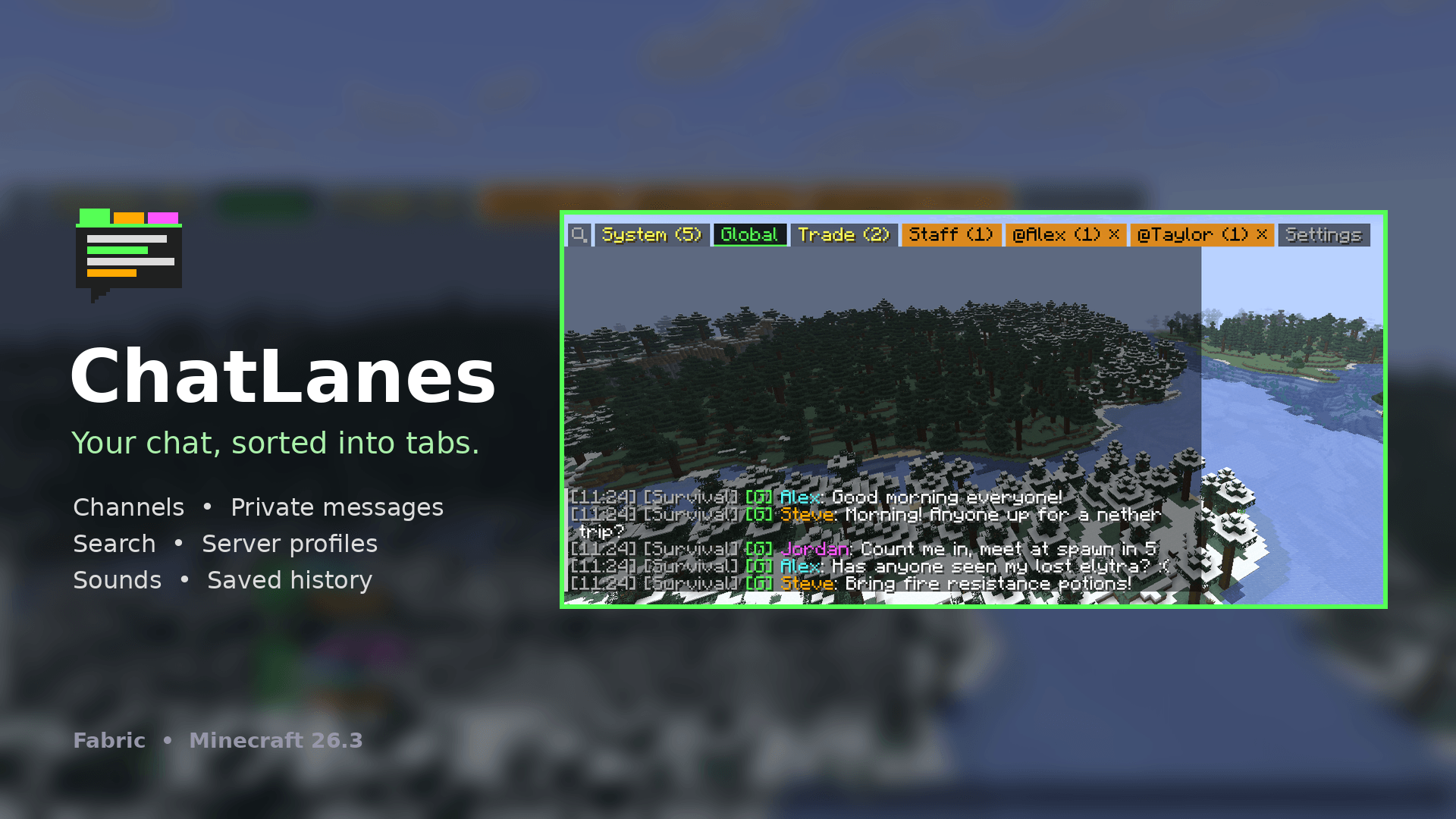
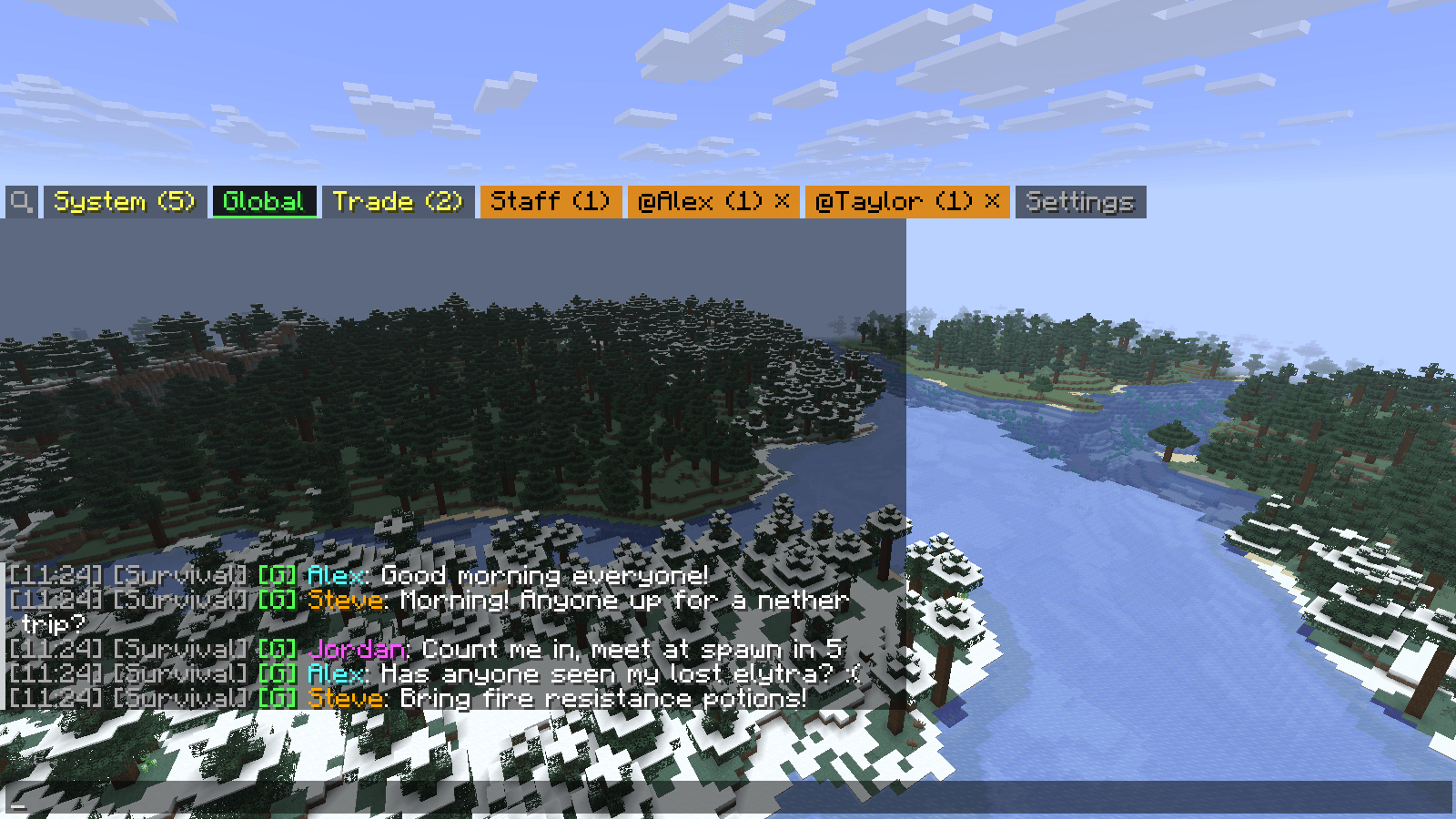
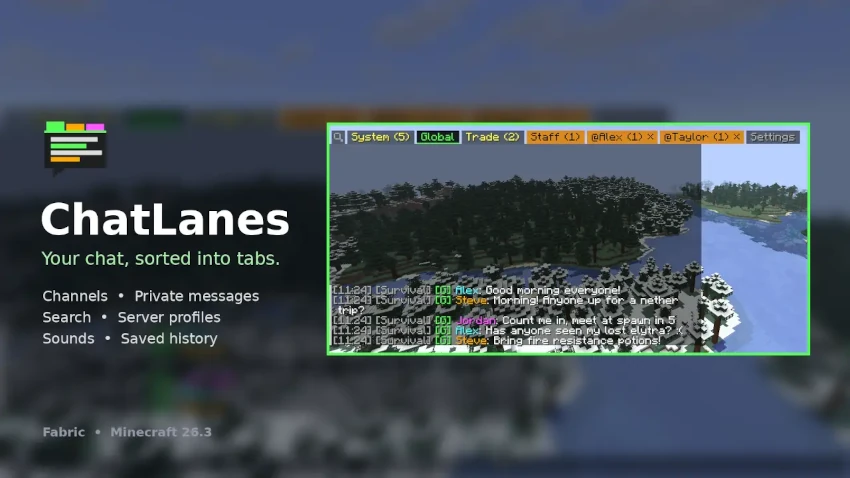
ChatLanes sorts your Minecraft chat into tabs – so global chat, trade offers, private messages and server output no longer get mixed into one endless wall of text.
✨ Features
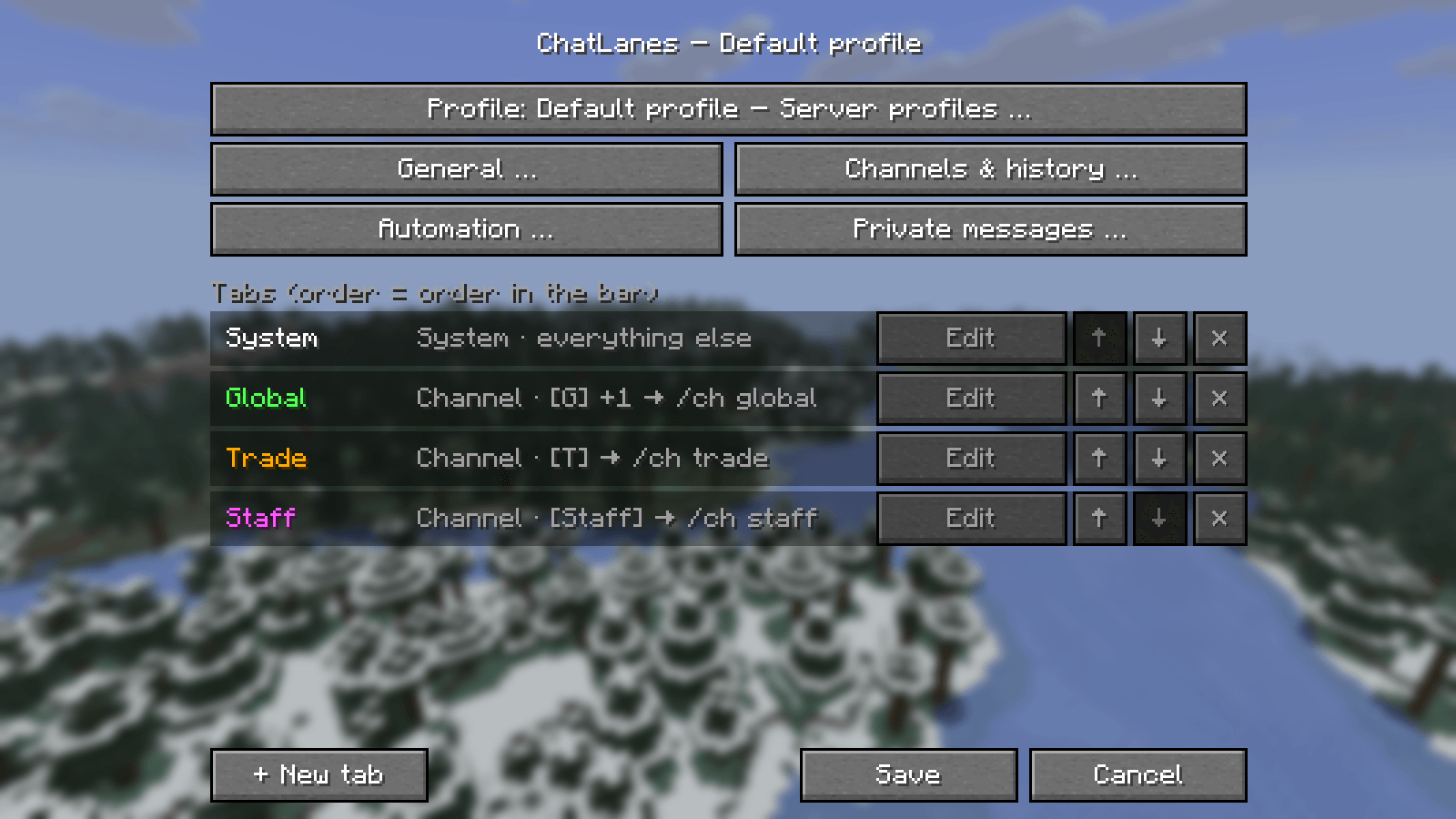
Tabs for every channel
- Create as many tabs as you like – each one picks up messages by a simple tag like
[G], by text or by regex - Server prefixes like
[Survival]in front of the tag are skipped automatically - A System tab collects everything that doesn't belong anywhere else
- Pull extra messages into a channel with additional rules – even the complete output of a command such as
/list - Live test right in the editor: type a chat line and see instantly which tab it lands in
Private messages
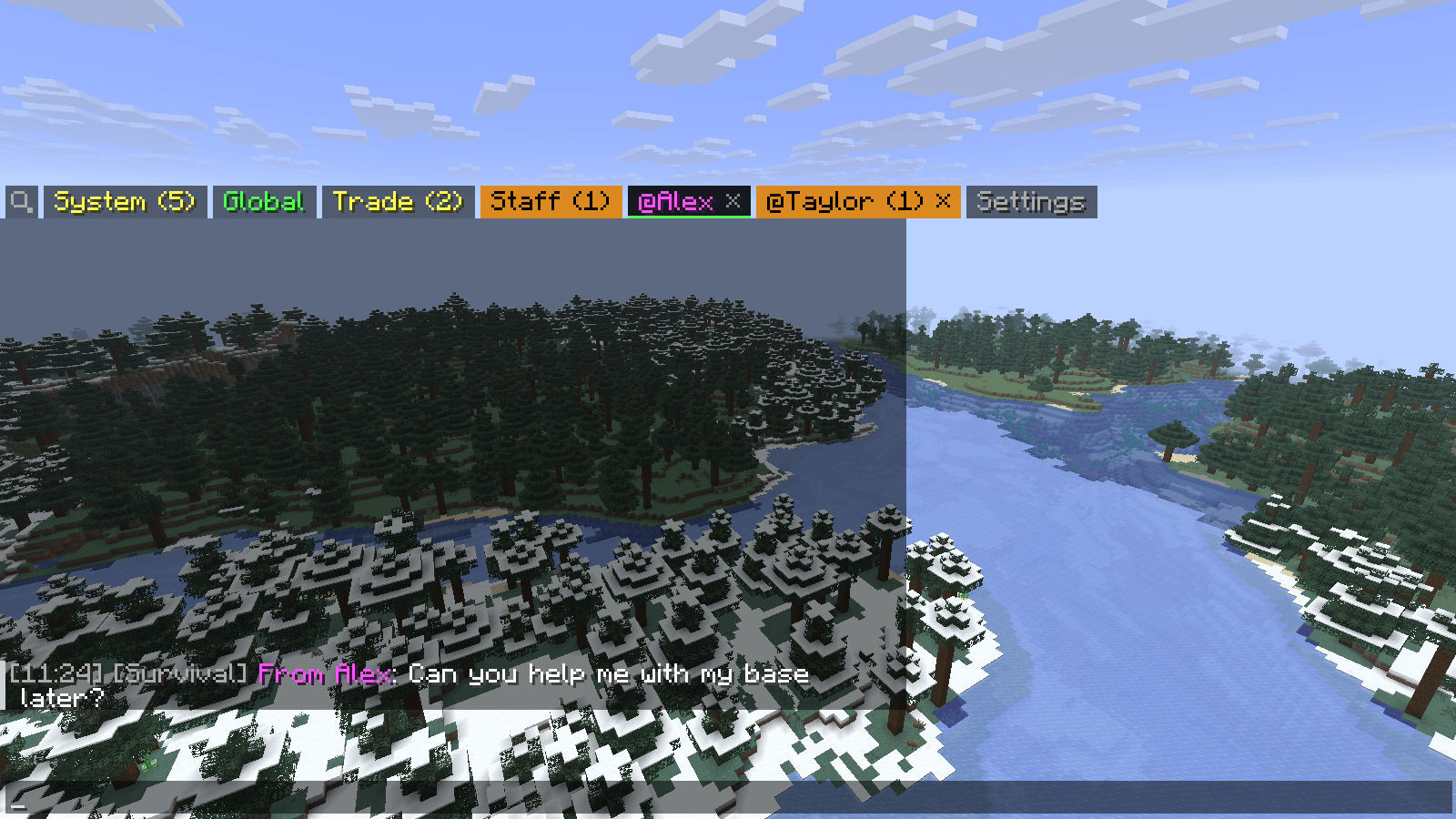
- A separate tab is created automatically for every player who messages you (
@Name) - Typing in a PM tab sends
/msg <player> …for you (command configurable) - Unread PM tabs blink, closed tabs stay closed until the player writes again
- Close a tab with the ×
Never miss a message
- Unread counters like
Global (3)– per tab on or off - Custom sound and volume per channel (20+ Minecraft sounds with preview)
- Optional timestamps in front of messages (
[14:05]), globally or per channel - Tabs can stay visible while the chat is closed – always, never or only when something is unread
Smart channel switching
- Selecting a tab can send its switch command to the server (e.g.
/ch global), so you type directly into that channel - Default tab that is selected every time you join, optionally returning to it automatically after a while
- Briefly show system output: after a command or a block click (e.g. a block-logging tool), the view jumps to the System tab for a few seconds and back again – messages you missed in the meantime are shown again
Search & history
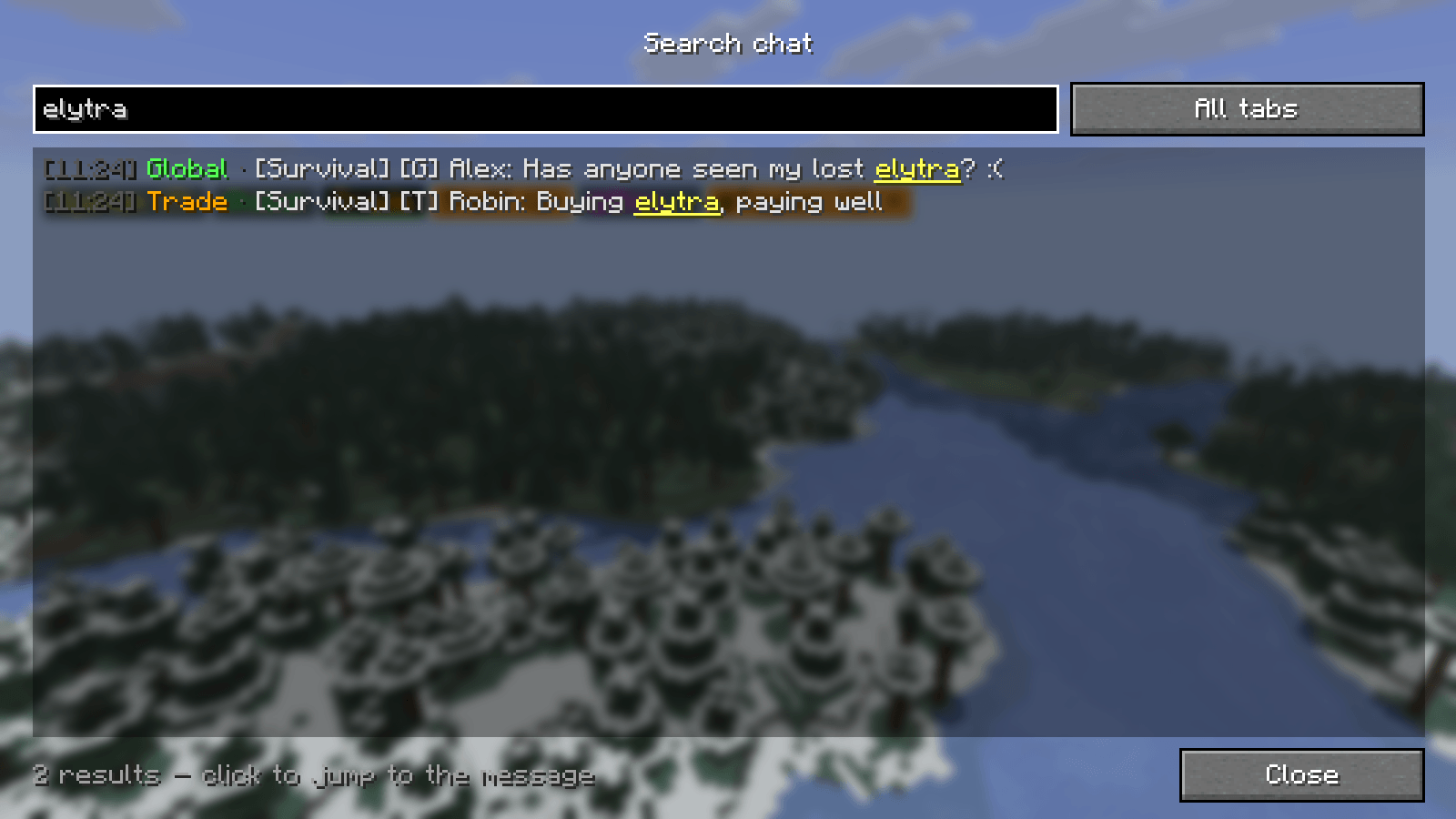
- Search the whole chat history with Ctrl+F or the 🔍 icon – click a result to jump right to the message
- Messages of all tabs are saved per server and restored into the right tabs on your next login
Server profiles
- Every server gets its own profile with its own tabs and settings
- Choose whether ChatLanes is on or off on new servers – turned off, the chat looks exactly like vanilla
- Manage all known servers in one list
Comfortable settings
- Full in-game settings menu: key K, command
/chatlanes, "Settings" in the tab bar or Mod Menu - English and German, independent of your Minecraft language
- Item picker with all items for block-click detection
- Built-in update check
📦 Installation
- Install Fabric Loader and Fabric API for Minecraft 26.3
- Put
chatlanes-x.y.z.jarinto yourmodsfolder - Join a world or server and press K to set up your tabs
💡 Quick start
The default profile comes with three tabs: System, Global ([G]) and Trade ([T]). Open the settings with K, click Edit on a tab and adjust the tag and switch command to match your server – the live test tells you immediately whether it works.
❓ FAQ
Does it work on any server? Yes. ChatLanes is client-side only and works with any server chat that marks its channels with a tag or text.
Can I use it in modpacks? Yes – ChatLanes is MIT-licensed.
Something isn't sorted correctly? Open the tab editor, paste the chat line into the test field and adjust the detection. Issues and ideas are welcome on GitHub.
ChatLanes Team
