


ChatGuard
Advanced chat protection with profanity filter, anti-spam, timestamps, mentions, and macros
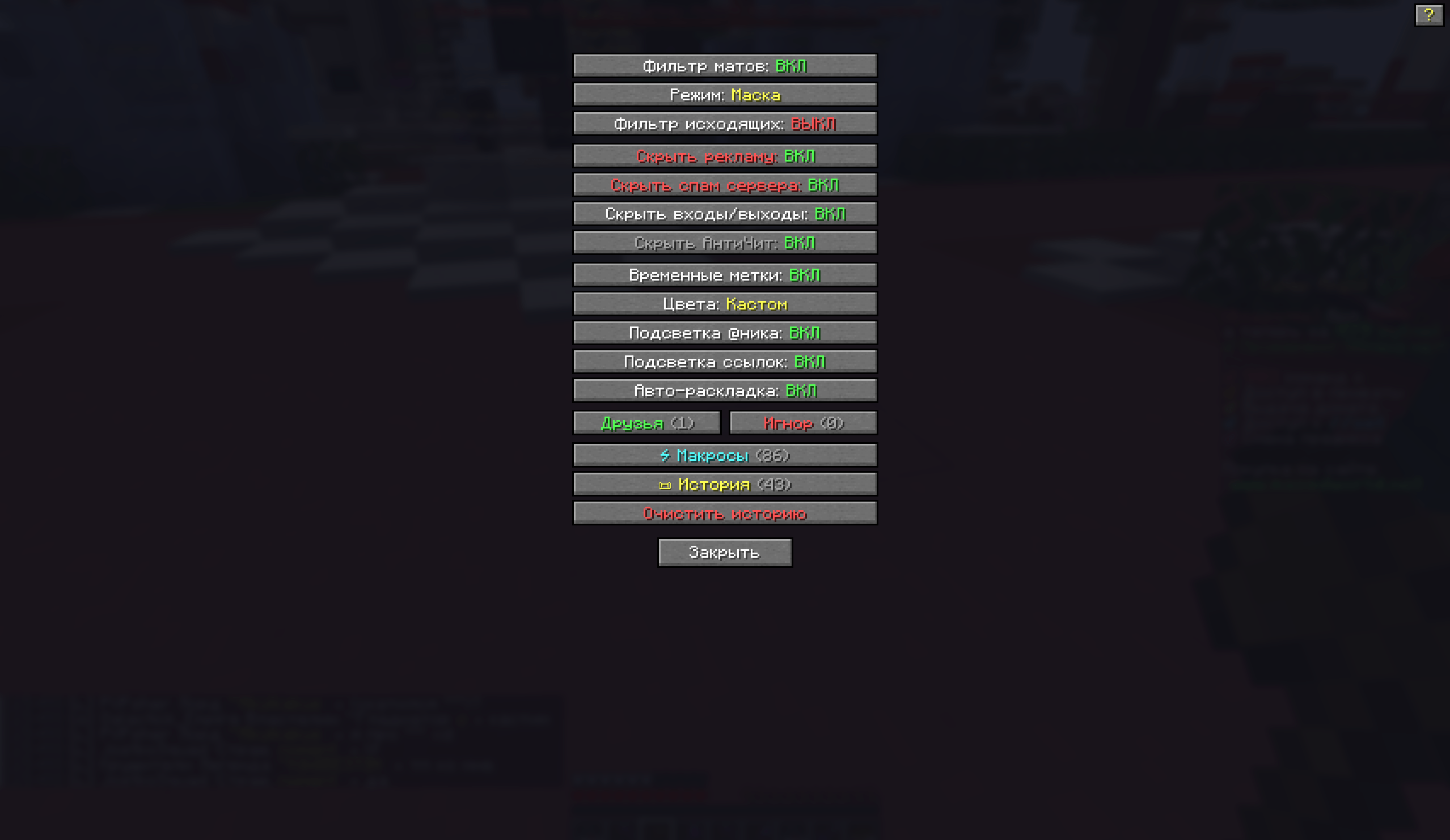
Снимок ÑкÑана 2025-12-17 154918.png
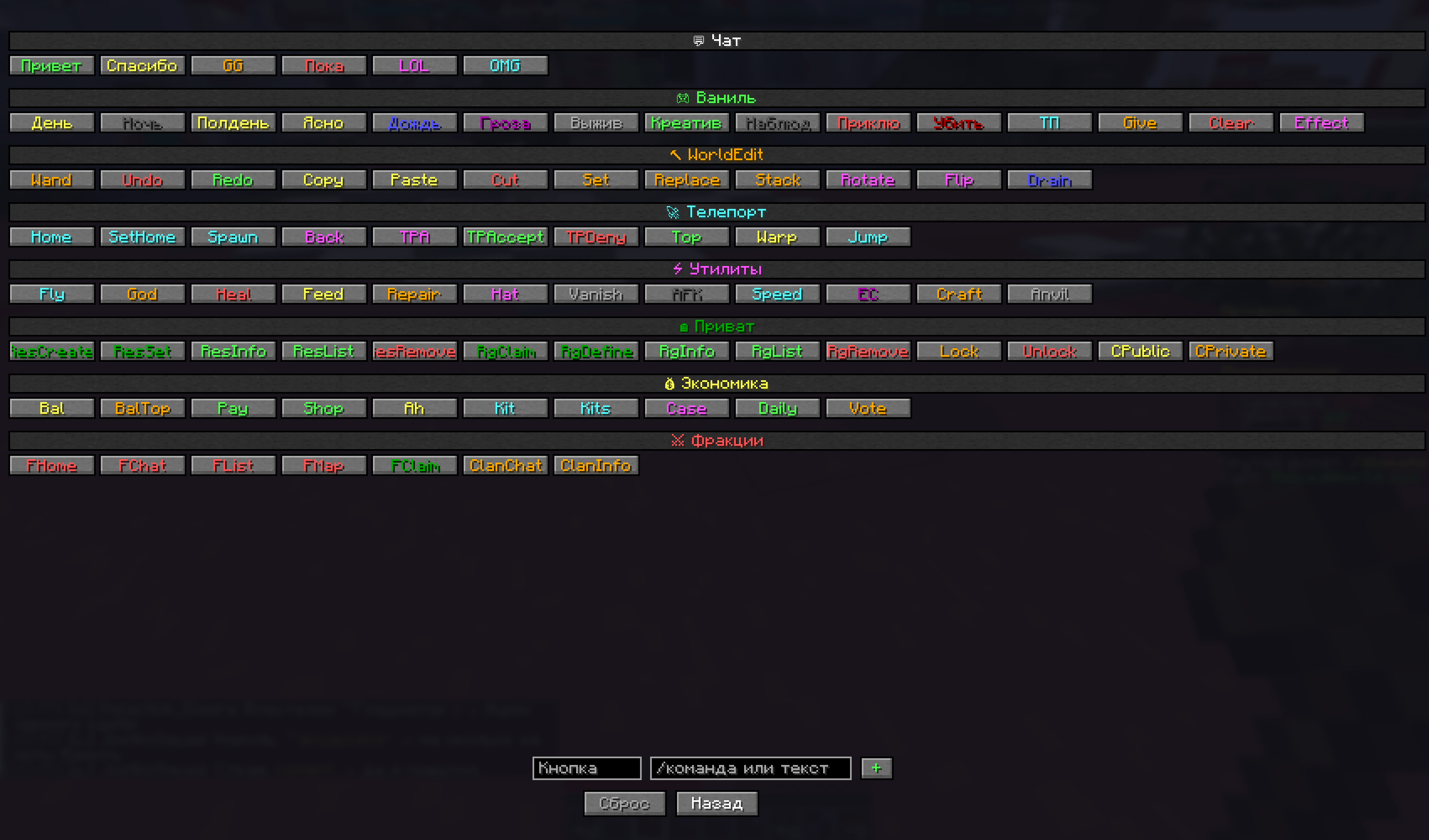
Снимок ÑкÑана 2025-12-17 154934.png
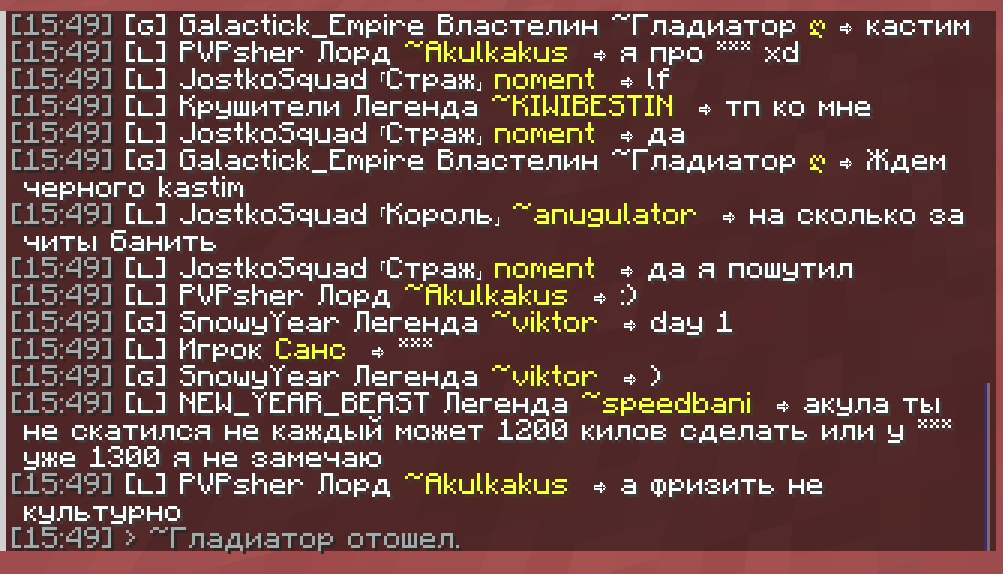
Снимок ÑкÑана 2025-12-17 154955.png
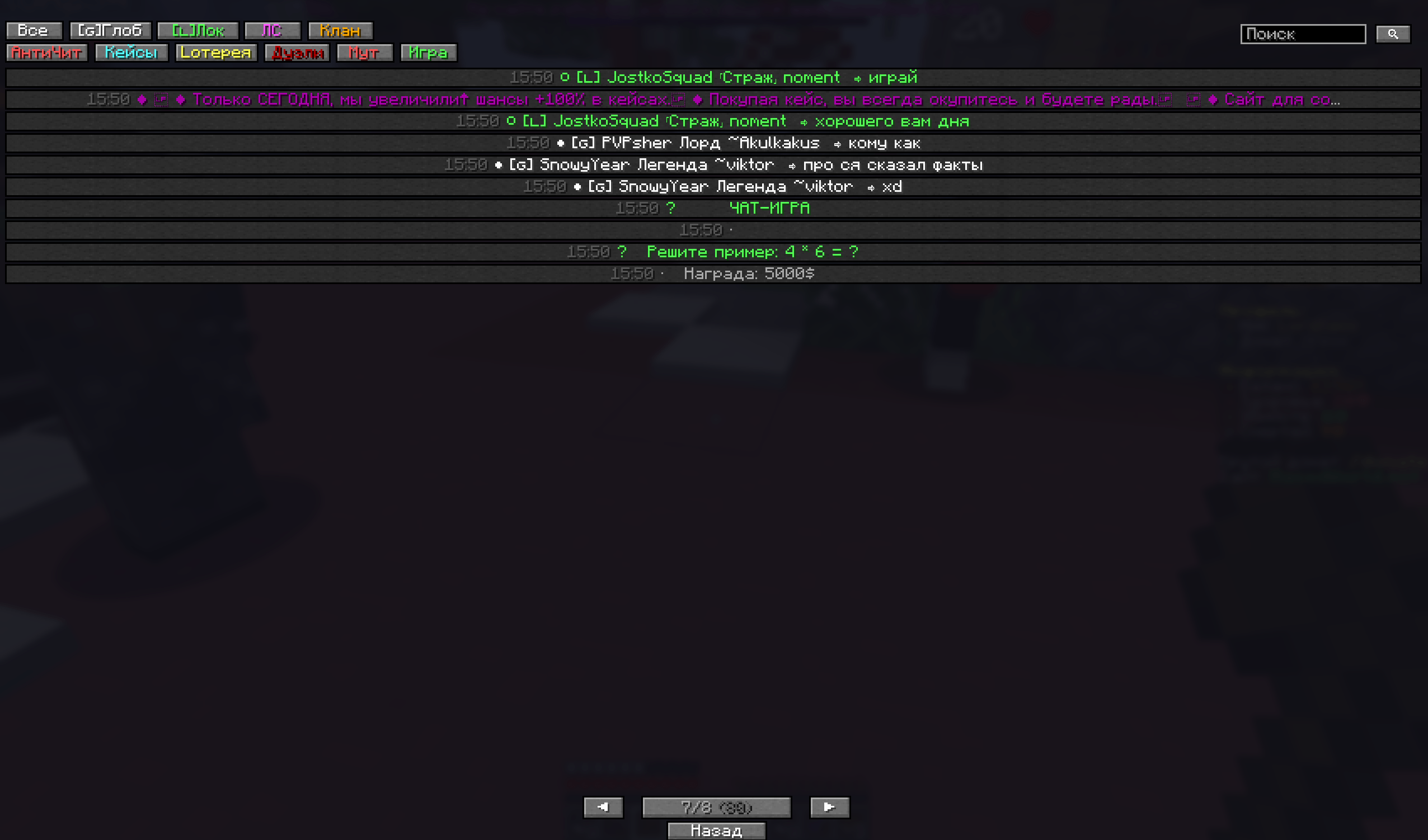
Снимок ÑкÑана 2025-12-17 155123.png
Description
🛡️ ChatGuard
Advanced Chat Protection & Enhancement Mod for Minecraft 1.21.x (NeoForge)
Make your Minecraft chat cleaner, safer, and more convenient!
✨ Key Features
🚫 Content Filtering
| Feature | Description |
|---|---|
| Profanity Filter | Automatically replaces swear words with ***. Supports Russian & English |
| Bypass Detection | Catches disguised words: f*ck, sh1t, @ss and other leet-speak variants |
| Anti-Spam | Blocks repeated messages and compresses them to message (x3) |
| Ad Filter | Hides Discord, VK, Telegram links and donation ads |
| Server Spam | Hides annoying server messages about privileges and promotions |
🎨 Chat Enhancements
| Feature | Description |
|---|---|
| Timestamps | Adds [14:25] before each message for easy navigation |
| Mention Highlighting | Highlights messages where your nickname is mentioned |
| Color Modes | Original (server colors), Clean (no colors), Minimal (only nick colored), Custom (your colors) |
| Auto Layout Fix | Automatically fixes ghbdtn → привет when you forget to switch keyboard layout |
👥 Player Management
| Feature | Description |
|---|---|
| Ignore List | Completely hides messages from selected players |
| Friends List | Marks friends' messages with a star ★ for quick recognition |
📜 Chat History
| Feature | Description |
|---|---|
| Full History | Saves all session messages with browsing capability |
| Categories | Global, Local, Private, System, Clan chat tabs |
| Search | Quick keyword search functionality |
⚡ Quick Macros
| Feature | Description |
|---|---|
| Preset Commands | Teleport, weather, time, game modes |
| Categories | Vanilla commands, Essentials, WorldEdit, Economy |
| Custom Macros | Add your favorite phrases and commands |
🔇 Hide System Messages
- ✅ Ads and promotional messages
- ✅ Server spam
- ✅ Player join/leave notifications
- ✅ Anticheat messages
- ✅ Mute/ban notifications
⌨️ Commands
| Command | Description |
|---|---|
.cg help |
Show all commands |
.cg history |
Open chat history |
.cg ignore <name> |
Add player to ignore list |
.cg unignore <name> |
Remove from ignore list |
.cg friend <name> |
Add to friends |
.cg unfriend <name> |
Remove from friends |
.cg filter |
Toggle profanity filter |
.cg layout |
Toggle auto-layout fix |
.cg color |
Cycle color themes |
⚙️ Settings
Press ESC → Click ChatGuard button in the pause menu
Available settings:
- All filter toggles
- Player list management
- Macro access
- Chat history
- Command help
📦 Installation
- Download and install NeoForge for Minecraft 1.21.x
- Download
ChatGuard-mc1.21.x-neoforge-1.2.0.jar - Place the JAR file in your
.minecraft/modsfolder - Launch the game!
📋 Requirements
- Minecraft: 1.21.x (1.21.1 - 1.21.10)
- Mod Loader: NeoForge 21.1+
- Java: 21+
- Side: Client only
🌐 Compatibility
- ✅ Works on any server (client-side mod)
- ✅ Multiplayer compatible
- ✅ Works with most chat-related mods
- ✅ Optimized for Russian servers like MasedWorld
ChatGuard Team
