
promotional bannermobile promotional banner

Chat Selects

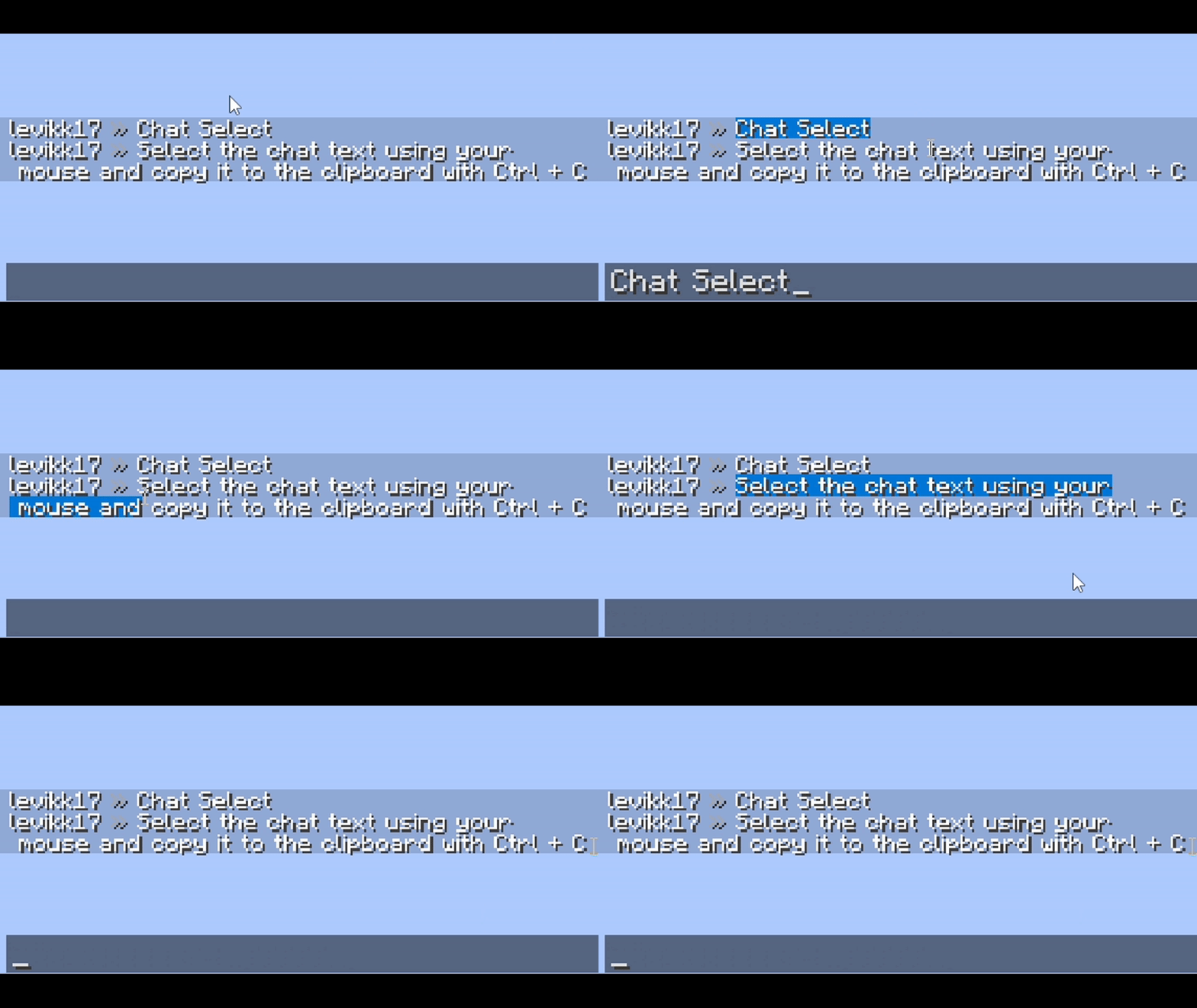
Select the chat text using your mouse and copy it to the clipboard with Ctrl + C
item image
levikk | Chat Selects
Create your game server with affiliate logo
Create Server
affiliate banner image

Description

Chat Selects by levikk

EN

Select messages in the chat by clicking and dragging the cursor, then press Ctrl+C to copy them. Double-click to select a word. The selected text is highlighted in blue; this color can also be customized in the configuration file.

If you have any suggestions or questions, just dm me on Discord: LeviyTapoKK

Config

The configuration file is located at:

.minecraft\config\chatselect.json

It is created automatically on the first launch and looks like this:

{
  "selectionColor": "#FF0078D7"
}

RU

Выделяйте сообщения в чате, зажав левую кнопку мыши и перетаскивая курсор, затем нажмите Ctrl+C, чтобы скопировать их. Двойной щелчок позволяет выделить слово. Выделенный текст подсвечивается синим; этот цвет можно изменить в файле конфигурации.

Если у вас есть какие-либо предложения или вопросы, просто напишите мне в Discord: LeviyTapoKK

Конфиг

Файл конфигурации находится здесь:

.minecraft\config\chatselect.json

Он создаётся автоматически при первом запуске и выглядит так:

{
  "selectionColor": "#FF0078D7"
}

Chat Selects Team

profile avatar
Owner
Forgeborn tier icon
  • 11
    Followers
  • 25
    Projects
  • 116.6K
    Downloads

More from levikkView all