Chaos Roller Deluxe
- By
Screenshot 2026-11-03 183938.png
Screenshot 2026-11-03 184021.png
Screenshot 2026-11-03 184041.png
Screenshot 2026-11-03 184050.png
download (2).png
Description
Chaos Roller Delux
What is it?
Chaos Roller Delux is a Minecraft mod for shared worlds and servers. Its main feature is a timed enchantment roll: at intervals set by the server, the mod enchants the item a player is holding. Enchantments can end up on unusual items, which can create combinations that normal Minecraft would not allow.
The mod also adds special enchantments, three custom items, combat abilities, starter rewards, teams, and commands for players and server operators. The server and each player’s client need the mod installed.
Getting started
-
Wait for a roll: The HUD shows when the next enchantment roll is due. The enchantment is applied to the item in your main hand.
-
Build up enchantments: A roll can raise an enchantment already on the item. Rolls have a level stacking limit.
-
Try unusual combinations: The mod expands enchantment compatibility, including allowing enchantments to be combined on items through an anvil. Some enchantments still need the right item or equipment slot for their special effect to activate.
-
Check controls: Open Minecraft’s Options → Controls and look for the Chaos Roller Delux category. The listed keys can be changed there.
-
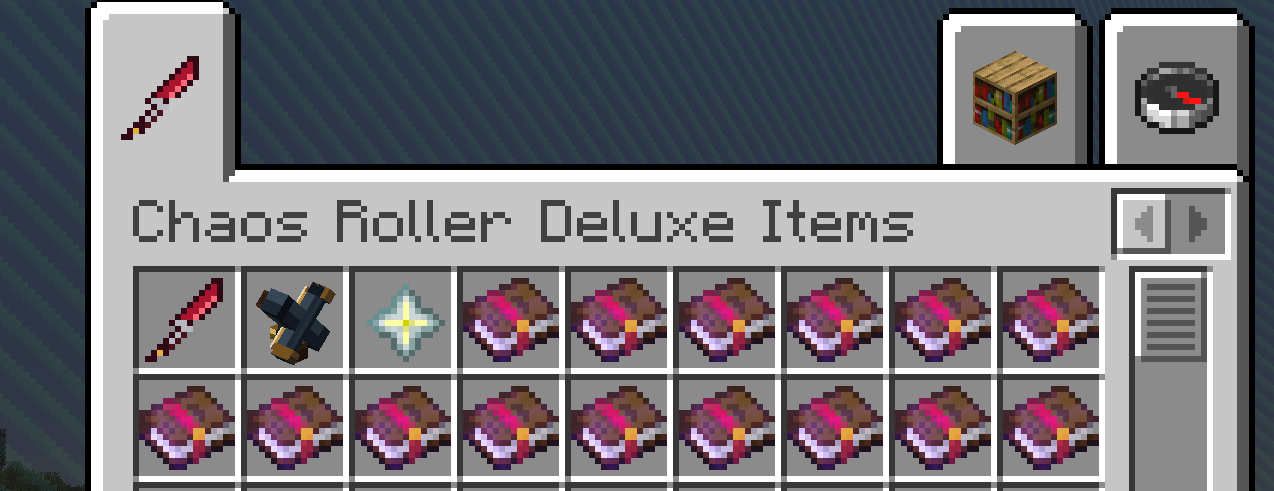
Find the custom gear: The creative inventory has a Chaos Roller Delux Items tab with the mod’s gear and custom enchantment books.
Custom items
Blood Dagger
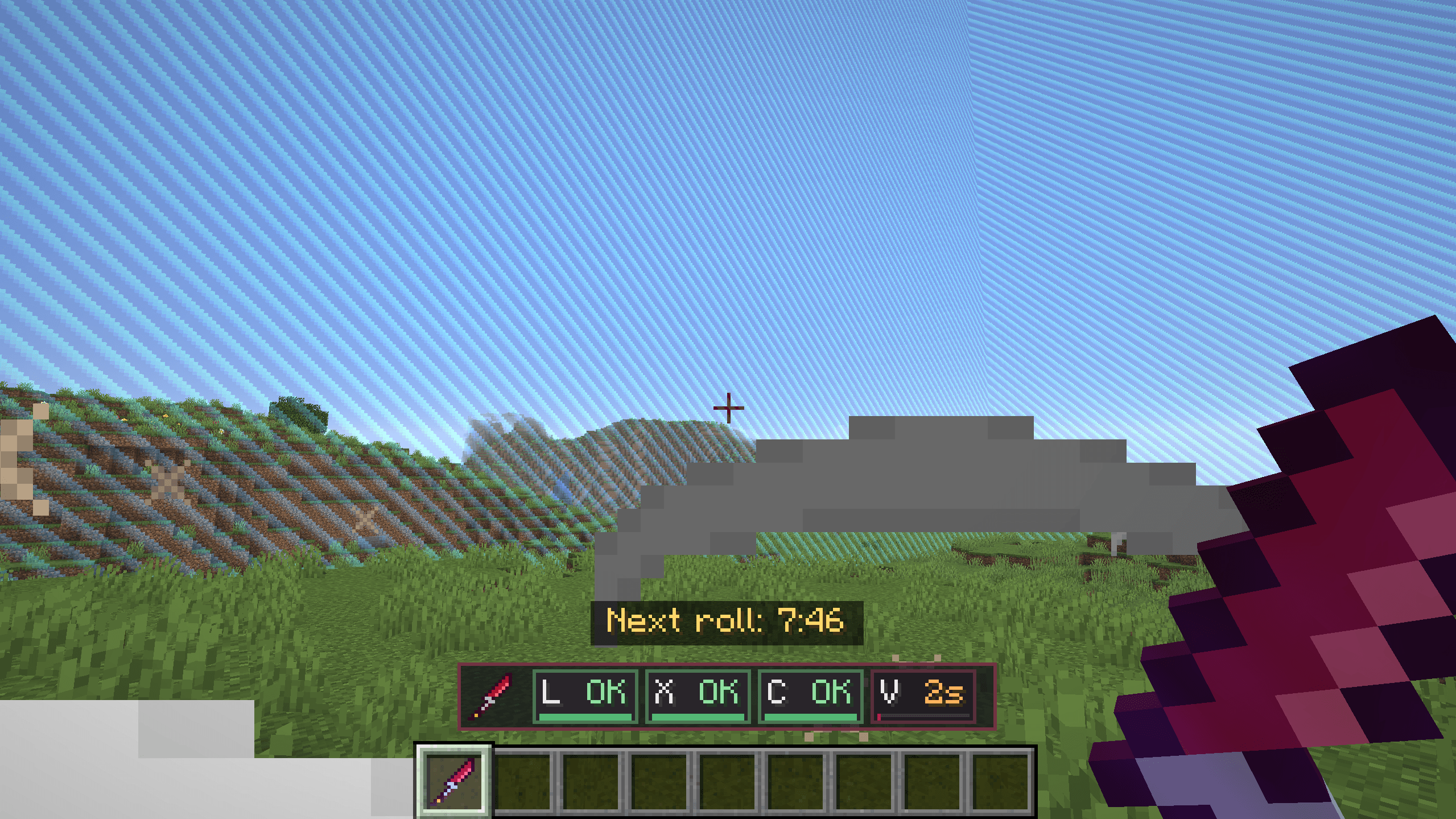
The Blood Dagger is a custom modeled melee weapon with stronger base damage than a Netherite sword. It also has three abilities, shown on its HUD:
-
X — Slide and Cut: Dashes forward and damages enemies in front of you.
-
C — Explosive Darts: Fires a spread of explosive projectiles.
-
V — Blood Storm: Attacks nearby enemies and knocks them away.
The abilities have cooldowns. Efficiency shortens their cooldowns, and Infinity removes them. The dagger can also receive compatible enchantments, including Ricochet and Transference.
A player who gets a kill with the Blood Dagger earns one temporary extra heart. Those bonus hearts are removed when that player dies.
Crafting recipe:
Netherite Ingot | Diamond       | Netherite Ingot
Diamond         | Nether Star   | Diamond
Netherite Ingot | Diamond       | Netherite Ingot
Overdraw Crossbow
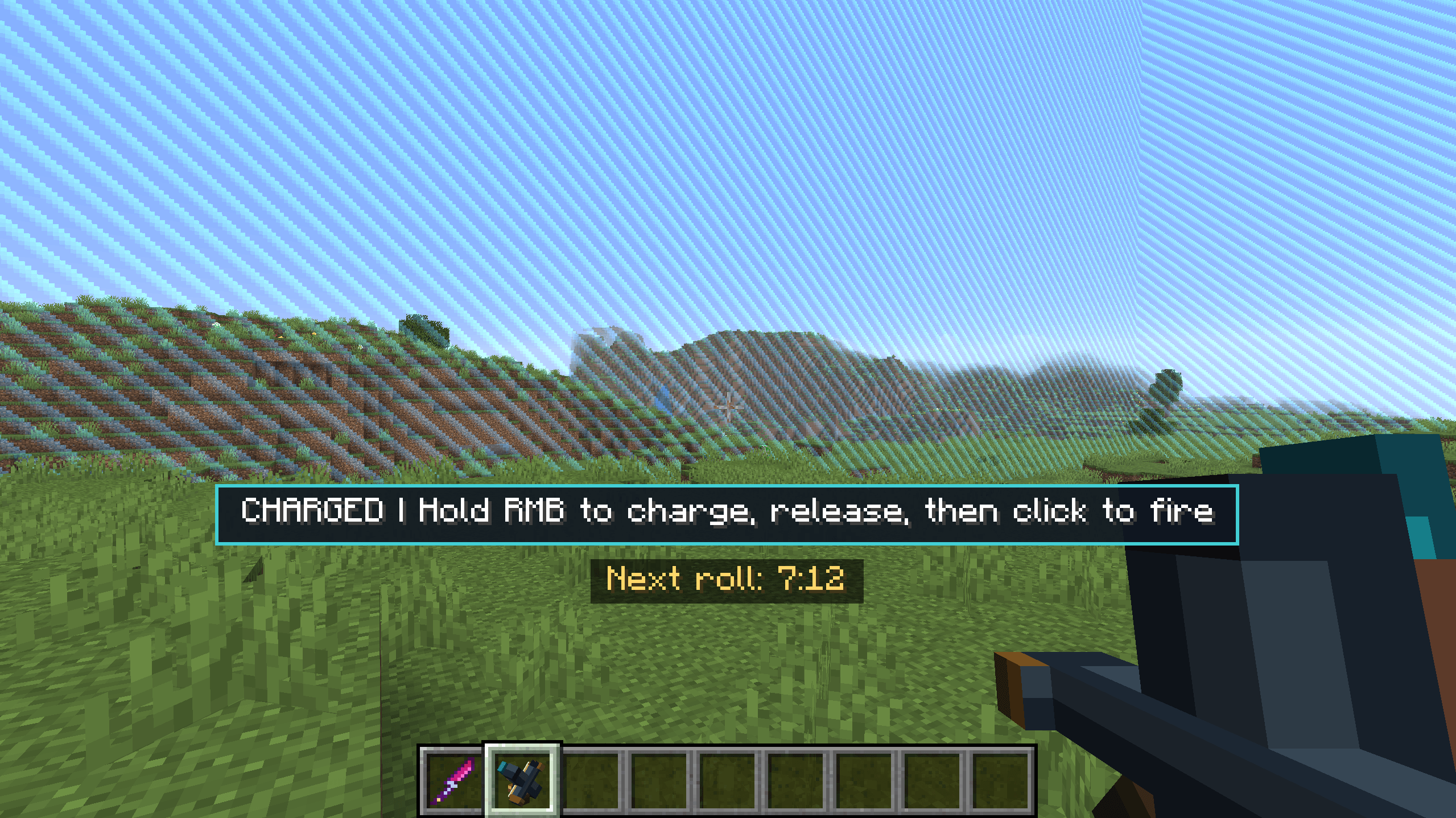
The Overdraw Crossbow is a custom 3D crossbow with two firing modes:
-
Standard mode: Fires like a normal crossbow.
-
Charged mode: Press left-click to switch modes. Hold right-click to charge for up to five seconds, release to finish charging, then right-click again to fire. A longer charge makes the arrow faster and more damaging. The arrow ricochets before continuing its normal flight.
Press G to activate Overdraw Burst. It temporarily boosts the next charged shots; it has its own cooldown. Multishot and compatible crossbow enchantments can work with the Overdraw Crossbow.
Crafting recipe:
Netherite Ingot | Diamond       | Netherite Ingot
Diamond         | Nether Star   | Diamond
Netherite Ingot | Diamond       | Netherite Ingot
Banishment Token
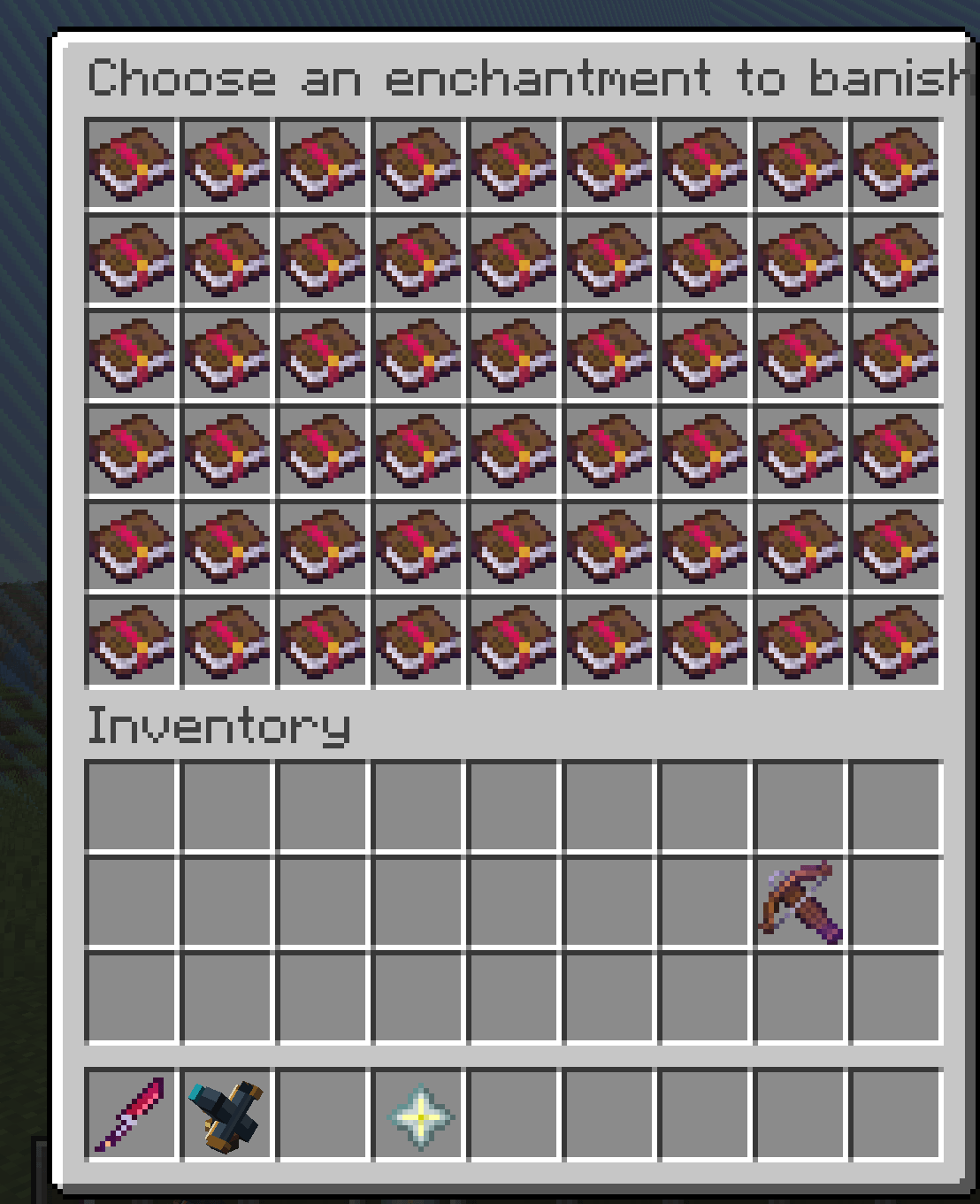
Use the token to open a menu, then click an enchantment to exclude it from future rolls. The token is consumed when you make a selection. You can craft as many tokens as you have materials, but each token removes only one enchantment from the roll pool.
Crafting recipe:
Netherite Ingot | Diamond       | Netherite Ingot
Diamond         | Nether Star   | Diamond
Netherite Ingot | Diamond       | Netherite Ingot
Operators can turn token exclusions on or off with /banishrolls true or /banishrolls false.
GOD enchanted book
GOD is a special enchantment, separate from the regular random roll pool. When a GOD item is equipped, its other enchantments can be boosted to one level above their normal maximum. Having a GOD item equipped also grants Speed and Haste. A GOD item in either hand prevents fall damage. A GOD mace can automatically attack nearby enemies while you are close to the ground.
The GOD book recipe uses four Netherite Ingots, four End Crystals, one Dragon Egg, and one Book:
Netherite Ingot | End Crystal     | Netherite Ingot
End Crystal     | Dragon Egg      | End Crystal
Netherite Ingot | Book            | Netherite Ingot
The recipe is intentionally hidden from the recipe book and can be crafted only once per world. Operators control whether crafting is enabled with /godbook true or /godbook false.
Custom enchantments
Vortex I
A trident or spear impact creates a three-second pull at the landing point. Nearby non-player enemies, dropped items, experience orbs, and arrows are drawn toward it. On a mob hit without Channeling, Vortex also adds impact damage. The trident is returned to its owner after the effect ends.
Implosion I
Implosion is for tridents.
-
With Channeling: The impact briefly freezes nearby non-player enemies. After about one second, the field bursts, dealing heavy damage and knocking them away. Nearby dropped items and experience are collected for the thrower.
-
Without Channeling: On a mob hit, it adds a large burst of impact damage, launches the target away, and sends the trident flying backward.
Ricochet I–III
Arrows and thrown tridents bounce on impact. Each level adds a bounce. After its bounces are used, the projectile continues with its regular behavior. Ricochet can also work with explosive arrows, including the Blood Dagger’s darts.
Siphon I–III
Each successful hit restores half a heart and costs the weapon durability. Level III costs two durability per hit. If you miss and break a recent hit streak, you take a small health penalty.
Lightness I–III
Lightness gives a chance to dodge an incoming attack. Its chance increases with your armor and the Lightness levels on your worn armor, up to a maximum dodge chance.
Inner Thorns I–III
Inner Thorns increases the damage you deal, but also increases the damage you receive. Wearing more pieces with the enchantment increases its effect, so it rewards aggressive play at greater risk.
Soul Binded I
Two allied teammates must both wear Soul Binded on their chest armor and stay within 12 blocks of each other. While they meet those conditions, both receive small, regular healing and a short Regeneration effect.
Vampiric I–III
A successful weapon hit heals you based on the damage you dealt. Higher levels heal more, up to a per-hit limit.
Karma I–III
A successful weapon hit poisons the target. Higher levels make the poison stronger, and a player target’s experience level can increase the poison’s strength and duration.
Transference I–III
When you successfully hit an enemy with the Blood Dagger, your active effects—including helpful effects—move from you to that enemy. The transferred effects last 5, 10, or 15 seconds depending on the level. This can remove a useful effect from you, so choose when to use it.
Little Guys I–III
When you are attacked, there is a chance to summon allies that target your attacker. Higher levels summon more powerful and more numerous creatures. They cannot be attacked and disappear after two minutes.
Dying Wish I
When its Totem of Undying activates, it calls down lightning around you.
One Last Hit I
When its Totem of Undying activates, your next attack kills its target, but you die immediately afterward. If you do not land that attack within about ten seconds, you die when the window expires.
Self Destruction I
This totem ability is activated manually by using the enchanted totem. It consumes the totem, creates an explosion, and kills you. It does not wait to activate automatically on lethal damage. When a roll offers Self Destruction, you must accept it before it is put on your totem; /enchantchoice true accepts and /enchantchoice false declines.
Other enchantment interactions
The mod expands how enchantments work on items beyond their usual vanilla uses. For example:
-
Multishot can work with bows, crossbows, tridents, and the Blood Dagger’s darts.
-
Sharpness can add damage to ranged attacks when the weapon has it.
-
Blast Protection on a bow or crossbow can make its arrows explode on impact.
-
Riptide can launch you when used with an eligible enchanted item, and a held Riptide item prevents fall damage.
-
Lunge can be activated on a mace with the middle mouse button by default.
-
Quick Charge and Efficiency can make eligible weapons attack or activate faster.
Custom enchant effects can be switched off by an operator. The enchantment may remain on an item, but its special behavior will be inactive.
Menus and player tools
-
/teamsopens the team menu. -
/killlistshows your tracked player kills. -
/dummystandsummons a damage target for two minutes. It reports each hit and a running total for the summoning player. The command has a 30-second cooldown.
New players who have less than one hour of recorded playtime can receive three starter rewards as they reach playtime milestones: bread and torches, then an iron pickaxe and cooked beef, then a shield and iron ingots.
Operator commands
Commands marked here as operator commands require operator permissions.
-
/rolls,/rolls true,/rolls false— check, enable, or pause automatic rolls. -
/rollinterval <seconds>— set the interval between rolls. -
/enchantroll— trigger a roll for everyone. -
/rigroll <players> <enchantment> [level]— force a specific enchantment roll. -
/enchants— see which custom effects are on or off. -
/enchants <name> <true|false>— toggle one custom enchant’s effect. -
/enchants all <true|false>— toggle all custom enchant effects. -
/banishrolls <true|false>— enable or disable Banishment Token exclusions. -
/godbook <true|false>— enable or disable crafting the GOD book. -
/blooddagger— give yourself a Blood Dagger. -
/removeenchant <player> <enchantment>— remove a chosen enchantment from the target player’s held item. -
/resetdragon— restart the Ender Dragon fight. -
/resetall— perform a broad world reset. It clears online inventories, loaded containers and item frames, advancement progress, Blood Dagger bonus hearts, and starter reward claims; it also resets the dragon fight, removes dropped weapons namedDNU-SWTorDNU-SWT OP, returns the command user to ground level at their current location, and sets the world border to 100 blocks. Use this only when you intend to clear that world data.
Chaos Roller Delux is meant to make each roll an opportunity for a surprising build: combine unusual vanilla enchantments, experiment with the custom gear, and decide whether each powerful effect is worth its drawback.
Chaos Roller Deluxe Team