promotional bannermobile promotional banner

CC : My Peripheral Extender

Handy ComputerCraft: Tweaked peripherals for Create: Aeronautics on NeoForge
instruction.png

instruction.png

instruction2.png

instruction2.png

Description

CCPE — CC Peripheral Extender

Handy ComputerCraft: Tweaked peripherals for Create: Aeronautics on NeoForge
What's Included

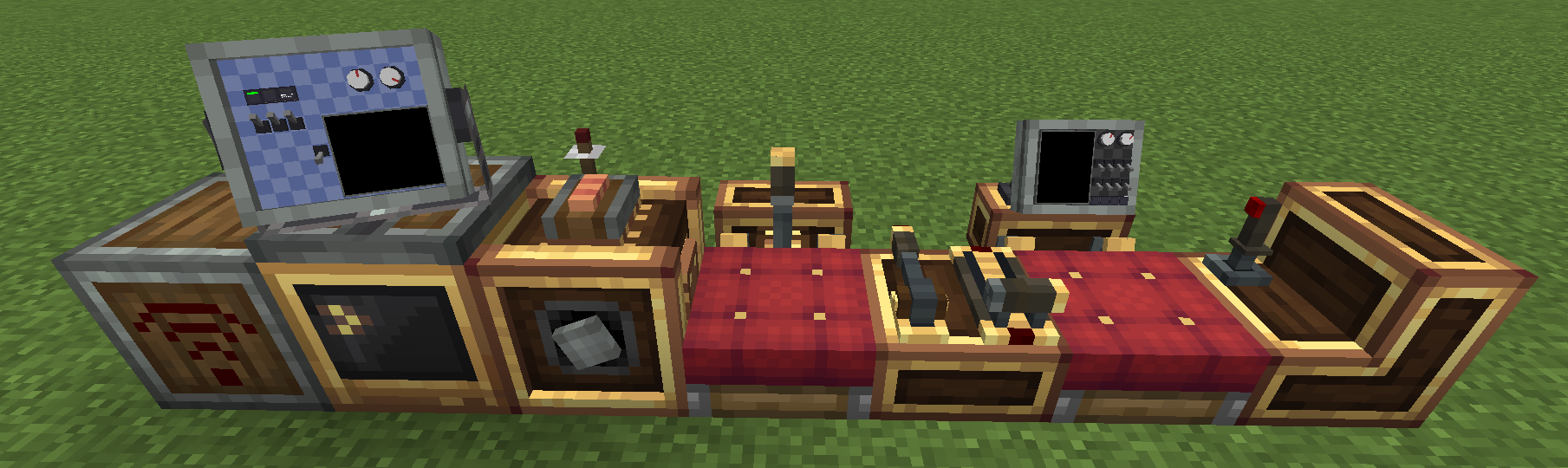
  • Micro Peripheral Extender — wireless NBT reading for any block; wireless redstone signal control; remote peripheral access
  • Redstone Transceiver — wireless read and transmit of Create Redstone Link signals
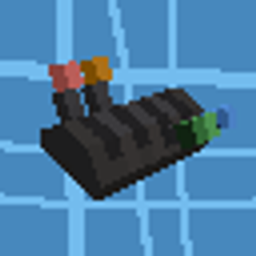
  • Electronic Transmission — a rotation speed controller designed specifically for CC:T control

Features

📡 Wireless Block Reading

1

CC:Tweaked requires computers to be directly adjacent to target blocks for peripheral access. While many mods add peripheral support for their blocks, not every block has it.

CCPE adds a Peripheral Extender. Attach the sensor to any block, set a channel number, and wirelessly read that block's data from Lua — no cables, no distance limits.

  • Read NBT via pe.get(channel, path) or pe.getAll(channel)
  • Path syntax: "Items[0].Count", "ForgeData.CustomName", etc.

Data refreshes every server tick (50ms), Lua reads take ~0.02ms/call — ideal for high-frequency monitoring.

local pe = require("ccpe.pe")
local data = pe.getAll(1)              -- read full NBT of block on channel 1
local cnt  = pe.get(1, "Items[0].Count")  -- read a specific field by path

🔌 Peripheral Proxy

  • pe.getPeripheral(ch) — wirelessly access the attached block's CC:T peripheral methods

🧭 Navigation Table Integration (requires simulated:navigation_table)

Method Return Description
pe.getNavTargetPos(ch) {x, y, z} Target world position
pe.getNavSelfPos(ch) {x, y, z} Self world position
pe.getNavDistance(ch) number Distance to target (meters)
pe.getNavRelativeAngle(ch) number Bearing angle (degrees, 0~360)

🚀 Physics Data (requires Sable/physics structure)

Method Return Description
getPhysicsPos(ch) {x, y, z} World position (m)
getPhysicsOrientation(ch) {x, y, z, w} Rotation quaternion
getPhysicsCenterOfMass(ch) {x, y, z} Center of mass (world coordinates)
getPhysicsMass(ch) number Mass (kg)
getPhysicsChainMass(ch) number Total mass of physics body chain (kg)
getPhysicsGravityForce(ch) number Gravity force (N)
getPhysicsChainGravityForce(ch) number Total gravity force of physics body chain (N)

Velocity methods require sensor attached to simulated:velocity_sensor

Method Return Description
getPhysicsVelocity(ch) {x, y, z} Ground velocity (m/s)
getPhysicsAirVelocity(ch) {x, y, z} Airspeed, wind subtracted (m/s)
getPhysicsAngularVelocity(ch) {x, y, z} Angular velocity (rad/s)

📶 Wireless Redstone

  • pe.setRedstoneOutput(ch, 0-15) — transmit redstone signal (main thread)
  • pe.getRedstoneOutput(ch) — read transmitted signal
  • pe.getRedstoneInput(ch) — read received signal

📻 Redstone Transceiver

2

Allows computers to directly read and transmit Create Redstone Link signals — no need to place multiple redstone link blocks next to your computer.

Each transceiver uses Banners to configure multiple channels, each bound to a pair of redstone frequency items. Access via channel number from Lua:

local r = peripheral.find("ccpe:redstone_transceiver")

-- Read the Create redstone network signal on channel 3
local signal = r.getRedstoneSignal(3)

-- Transmit a full signal to the Create network on channel 7
r.setRedstoneSignal(7, 15)
Method Description
getRedstoneSignal(channel) Read the Create Redstone Link signal bound to the channel (0–15)
setRedstoneSignal(channel, 0-15) Transmit a redstone signal to the Create network bound to the channel (main thread)

🎛️ Electronic Transmission

3

How is it different from the RotationSpeedController? Using Create's RotationSpeedController as a peripheral (calling setTargetSpeed()) triggers RotationPropagator.handleRemoved(), which cascades through the entire downstream sub-network clearing all sources. This causes unexpected behavior (e.g. stepper servos from Aeroworks running wild when speed changes). Simulated's AnalogTransmission lacks a CC:T interface and is difficult to fine-tune.

The Electronic Transmission uses detachKinetics() + attachKinetics() to gently refresh the network without disrupting downstream devices.

Electronic Transmission (ccpe:transmission_peripheral) does not accept redstone signals — Lua control only. Place it in a kinetic network to adjust downstream speed in real time.

local t = peripheral.find("ccpe:transmission_peripheral")

-- Ratio mode: downstream = upstream × ratio
t.setRatio(0.5)   -- reduce to 50%
t.setRatio(3.0)   -- boost to 3× (capped at 256 RPM)

-- Target speed mode: directly set downstream speed (0–256, 2 decimal places)
t.setTargetSpeed(128.56)
print(t.getTargetSpeed())  -- 128.56

-- Query current state
print(t.getRatio())
Method Description
setRatio(ratio) Set speed ratio (≥0), enters ratio mode (main thread)
getRatio() Get current ratio
setTargetSpeed(speed) Directly set downstream speed 0–256.00, enters target mode (main thread)
getTargetSpeed() Get target speed

Calling setRatio switches to ratio mode; calling setTargetSpeed switches to target mode. Actual output is capped at 256 RPM in both modes.


🏗️ Chunk & Physics Body Loading

The sensor can keep its target area loaded:

Mode Description Use Case
Off No loading Short-range use
Load Chunk Uses vanilla setChunkForced on the sensor's chunk Prevent the block's chunk from unloading
Load Physics Body Registers Sable force-load ticket + PORTAL ticket that follows movement Prevent aircraft/physics bodies from being unloaded by Sable's distance optimization

Physics body mode automatically tracks the structure's movement, relocating PORTAL tickets to the body's current chunk. Bearing connection chains are refreshed every 5 seconds.

Config (config/ccpe-common.toml):

  • sensorChunkLoadEnabled — enable chunk loading
  • sensorMaxForceLoad — max concurrent loaded sensors
  • sensorPortalTicketRadius — PORTAL ticket radius

Quick Start

local pe = require("ccpe.pe")

-- Read a chest's inventory
local items = pe.getAll(1)
for k, v in pairs(items) do print(k, v) end

-- Navigation guidance (sensor on navigation table required)
local target = pe.getNavTargetPos(2)
local dist   = pe.getNavDistance(2)
local angle  = pe.getNavRelativeAngle(2)
print(string.format("Target: %.0fm away, bearing %.1f°", dist, angle))

-- Physics data
local mass = pe.getPhysicsMass(3)
local com  = pe.getPhysicsCenterOfMass(3)
print(string.format("Mass: %.1f kg, COM: %.1f, %.1f, %.1f", mass, com.x, com.y, com.z))

-- Wireless redstone
pe.setRedstoneOutput(4, 15)  -- power the sensor on channel 4

-- Create redstone link control
local redstone = peripheral.find("ccpe:redstone_transceiver")
redstone.setRedstoneSignal(5, 15)  -- transmit to Create network on channel 5
redstone.getRedstoneSignal(3)      -- read Create network signal on channel 3

-- Electronic transmission control
local trans = peripheral.find("ccpe:transmission_peripheral")
trans.setTargetSpeed(200)  -- set downstream speed to 200 RPM
trans.setRatio(0.75)       -- switch to ratio mode: 75% output

Requirements

  • NeoForge 1.21.1
  • CC:Tweaked 1.118.0+
  • Create 6.0.10+
  • Simulated (Create: Aeronautics) 1.3.0+
  • Sable 2.0.3+

Performance

Read operations ~0.02ms/call, redstone write operations ~50ms/call.

The CC : My Peripheral Extender Team

profile avatar
  • 1
    Projects
  • 19.2K
    Downloads