CBC-Navigators
- By
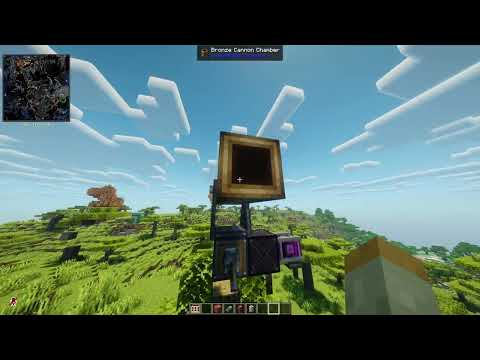
Adds three tiers of fire-control blocks for Create: Big Cannons. Enter target coordinates and the navigator calculates and sets your cannon's aim automatically.
Description
CBC Navigators
Fire control computers for Create: Big Cannons. Instead of eyeballing elevation and traverse by hand, punch in a target's coordinates and let a navigator block calculate and set the cannon's aim for you — gated by mechanical calculation time, range, and (on the punch-card tiers) resource consumption, so it's a real machine to build and power, not an instant win button.
This is an unofficial, third-party addon for Create: Big Cannons, not affiliated with or endorsed by its authors.
CBC Navigators adds a family of kinetic-powered "computer" blocks that link to a cannon mount and aim it for you. Punch in X/Y/Z target coordinates, give the block some rotational speed to power its calculation, and once it finishes it writes the correct yaw and pitch straight onto the mount. No more manual trig.
There are three tiers, each a genuine trade-off rather than a straight upgrade path:
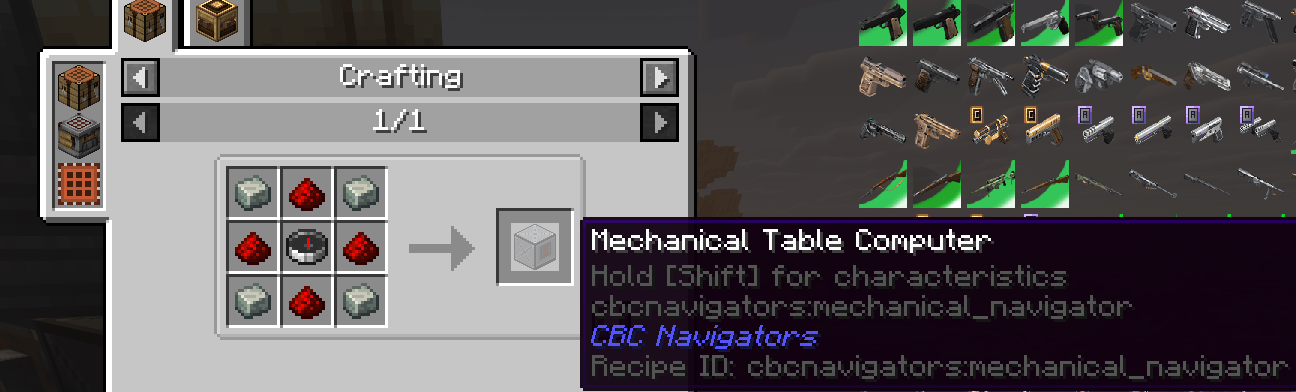
- Tier 1 — Mechanical Table Computer. Cheap, simple, crafted at a vanilla crafting table. Opens its own GUI, no consumables needed. Big range, but a coarse, "line of sight" solve with heavy random spread and no elevation compensation — a rough battery gun, not a sniper.
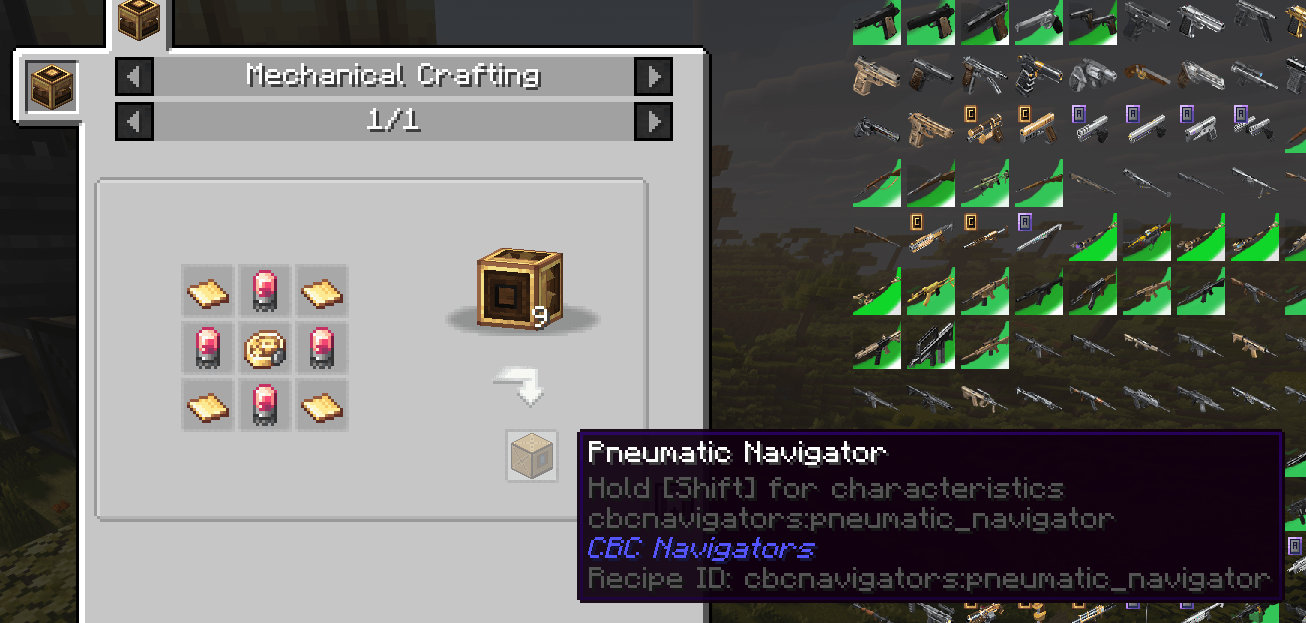
- Tier 2 — Pneumatic Navigator. Built on Create's mechanical crafting table. Uses disposable Punch Cards: punch a target, powder charge count, barrel length, propellant, and projectile onto a card at a loading station, then feed the card into the navigator. Runs a real parabolic ballistics simulation (gravity + drag) and compensates for height, with much tighter accuracy — at the cost of a consumed card per shot and manual charge selection.
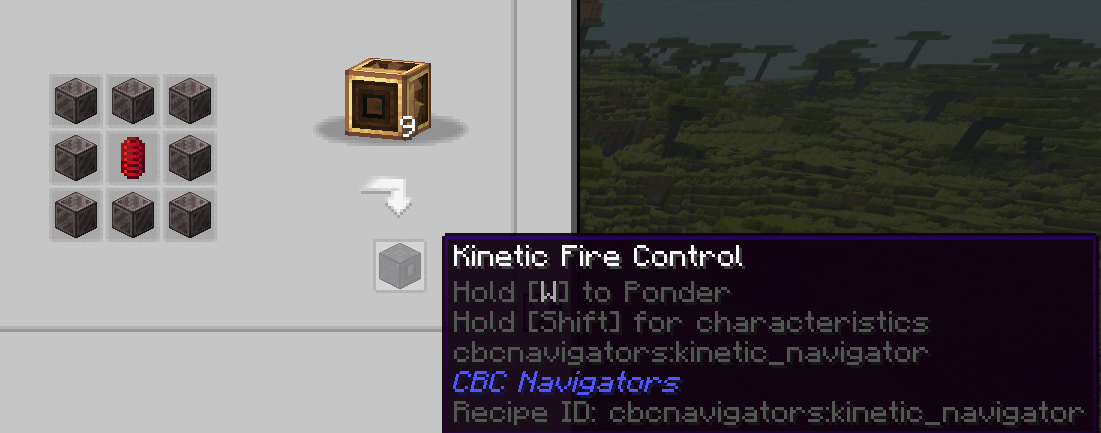
- Tier 3 — Kinetic Fire Control. The top tier. Links to a free-rotating Cannon Mount instead of a Fixed one, so it isn't limited to a ±45° traverse arc. Sets full-precision floating-point aim (no whole-degree rounding), has zero spread, and doesn't just solve the angle — it searches every configured projectile × every powder charge count and recommends the cheapest combination that actually lands the shot.
All three still have to be built: placed facing the right kind of mount, wired into a rotational power source, and (for tiers 2/3) fed the right ammunition data. The calculation itself takes real time that scales with RPM, so a bigger gearbox is a legitimate way to make your fire control faster, not just a decoration.
Every balance number (range, spread, calc speed, drag/gravity constants, max powder charges, per-projectile drag multipliers) is exposed in the server config, so pack/server admins can retune the whole mod without touching code.
Requires: NeoForge, Minecraft 1.21.1, Create 6.0.7–6.1.0, and Create: Big Cannons 5.11.0+.
How it all works
The shared idea
Every navigator is a small KineticBlockEntity: it needs an incoming rotation (a shaft, same as any Create machine) to actually run its calculation. No power, no result — it just sits at "Awaiting target" forever. More RPM = faster calculation, down to a small floor so it can't be trivially instant even with an absurd gear ratio.
Once it has a target and enough power, it counts up "calculation ticks" over real time and then, when done, computes a yaw/pitch and pushes it onto whichever cannon mount it's linked to.
Linking to a mount
Tiers 1 and 2 link to a Fixed Cannon Mount. Place the navigator directly against the mount's face — the block automatically faces whatever you clicked when placed. The Fixed Mount's own trim range is hard-capped to ±45° around its placement facing (that's Create: Big Cannons' own limit), which is what keeps these two tiers feeling like defensive battery guns rather than free turrets.
Tier 3 links to a Cannon Mount (the free-rotating one), the same way — place it facing the mount block. This one isn't limited to ±45°; it can traverse and elevate through the mount's full real range, whatever that cannon was built with.
If the navigator isn't facing a valid mount, or the mount hasn't been assembled yet (Cannon Mounts need a redstone signal on their assembly input before Create: Big Cannons builds the actual contraption), the navigator will just report that status and refuse to solve.
Tier 1 — Mechanical Table Computer
- Craft: vanilla crafting table, andesite alloy + redstone + compass.
- Use: right-click it to open a coordinate GUI (X/Y/Z), type a target, hit Calculate. The window stays open and shows live status.
- Behavior: big default range (400 blocks), but a large random lateral spread (10–25 blocks at the target's distance, config-tunable) and — by default — no compensation for the target being above or below the mount. It's a "point it roughly that way and pray" solver, appropriate for a starter battery.
- No consumables. Nothing to feed it besides rotation and a target.
Tier 2 — Pneumatic Navigator
- Craft: Create's mechanical crafting table, brass sheets + electron tubes + precision mechanism.
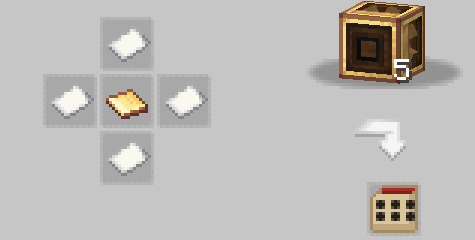
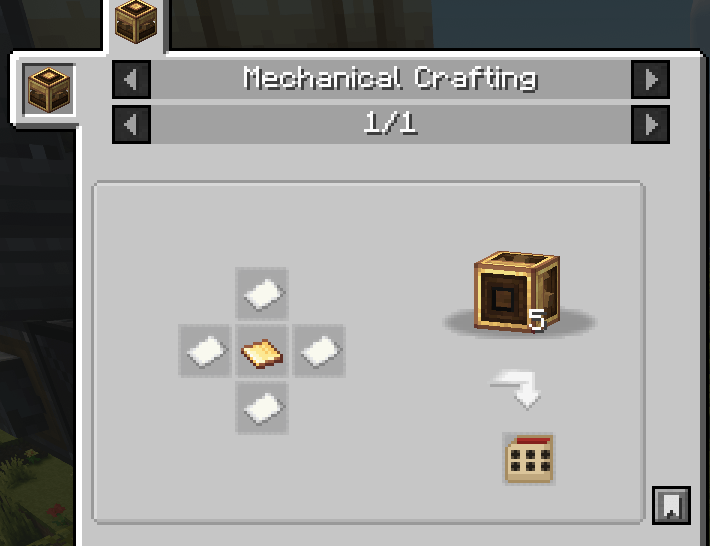
- The Punch Card is the whole interface. Craft a card (paper + brass sheet, also on the mechanical crafting table), then away from the cannon:
- Right-click a block with the card → punches that block's coordinates as the target.
- Right-click empty air → cycles the barrel length (0–your configured max cannon length) stored on the card.
- Shift + right-click the cannon mount → resets barrel length back to 0.
- Shift + right-click empty air → cycles the powder charge count 1–10.
- Shift + right-click a propellant block → punches that propellant's real charge power onto the card, so the solve matches whatever you're actually going to load.
- Shift + right-click any other block → punches it as the projectile type (used for its drag multiplier in the ballistics solve).
- Hover the card in your inventory to see a live tooltip: current target, charges, projectile, propellant, barrel length, this card's estimated working range, and its real expected accuracy — so you can tell before you fire whether the settings actually reach your target.
- Load it: right-click the navigator with a punched card to insert it (right-click empty-handed to take an unfired card back out). Once the navigator has enough rotation, it solves, applies the aim, and consumes the card.
- Behavior: runs a genuine parabolic simulation (gravity + drag, both config-tunable) using the card's own charge count × propellant strength for muzzle velocity, and does compensate for height. Tighter spread than tier 1 (2–5 blocks by default) but still real.
Tier 3 — Kinetic Fire Control
- Craft: Create's mechanical crafting table — a ring of 8 Nethersteel Blocks around a Recoil Spring in the center.
- Use: right-click opens its own GUI directly (no card required to fire) — type X/Y/Z and hit Calculate, same as tier 1. The window keeps polling and updating live: it'll show a "connect the cannon" / "not assembled" hint while it can't solve, "Calculating…" while it's working, and once done, a Recommendation block with the powder charge count and projectile it worked out, plus the predicted miss distance.
- You still have to tell it what's loaded, if you want it to know:
- Shift + right-click a propellant block on the navigator → records real propellant strength.
- Shift + right-click a projectile block on the navigator → records that as "currently loaded," so the recommendation search prefers not to suggest a swap when what you already have loaded does the job just as well.
- Shift + right-click empty-handed → cycles barrel length the same way tier 2's card does. Getting this right matters a lot: a barrel length of 0 aims from the mount block itself, not the real muzzle, and will undershoot anything with an actual barrel.
- A Punch Card still works here too, just as a convenience: shift+right-click one onto the navigator to copy over whatever propellant/projectile was already punched on it at a loading station, or plain right-click with a card that has a punched target to feed that target straight in. Tier 3 does not consume the card, and ignores its charge count — it works that out itself.
- The recommendation search: rather than you picking a charge count and hoping, tier 3 tries every configured projectile × every charge count (1 up to a configurable max) and picks whichever combination hits with the fewest charges, preferring your currently-loaded projectile on ties. This is also the only tier that sets exact, unrounded floating-point pitch/yaw — the other two get trimmed to whole degrees by Create: Big Cannons' own Fixed Mount — and the only one with zero built-in spread, since the whole point of this tier is "as accurate as the simulation allows."
Quick setup checklist
- Build (or find) a Fixed Cannon Mount (tiers 1/2) or a Cannon Mount (tier 3) and assemble a cannon on it as normal for Create: Big Cannons.
- Place the matching navigator tier directly facing that mount.
- Give the navigator a rotational power source — a shaft is enough, but more RPM means a faster solve.
- Tier 1 / Tier 3: right-click the navigator, type target coordinates, hit Calculate. Tier 2: prep a Punch Card away from the cannon (target + charges + barrel length + propellant + projectile), then right-click the navigator with it to load it.
- Wait for the calc to finish (progress is driven by RPM — a bigger gearbox speeds this up). The mount's aim updates automatically once it's done.
- Load and fire the cannon yourself as usual — navigators only aim it, they don't load or pull the trigger.
Configuration
All balance numbers (max range, spread, calculation speed, gravity/drag constants, default propellant strength, max powder charges tier 3 will try, per-projectile drag multipliers, and tier 3's solve tick budget) live in the mod's server config file, one section per tier, and can be freely retuned per pack/server without any code changes.
CBC-Navigators Team