Cards and Boosters
- By
Create fully customizable collectible cards and booster packs for your Minecraft server.
Capture d'écran 2026-09-24 110843.png
Sans titre-2.png
screen.png
Description
markdown
Cards'n'Boosters
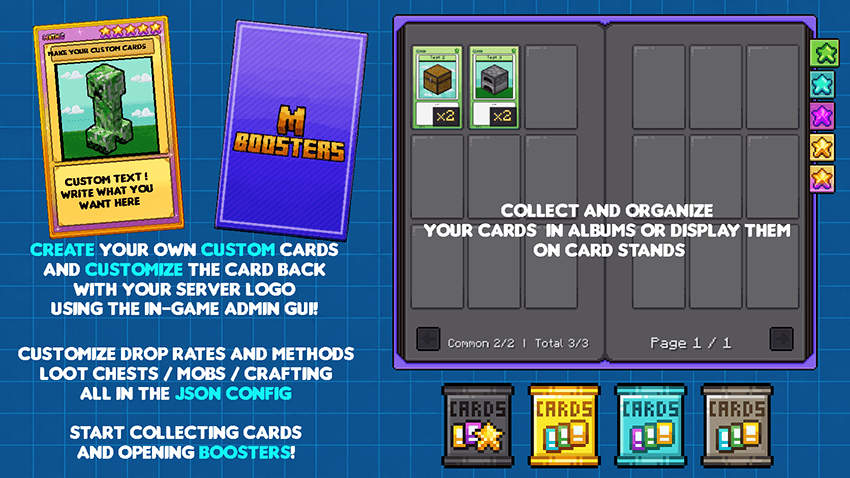
Create fully customizable collectible cards and booster packs for your Minecraft server.
Design your own cards, choose their rarity and drop weight, organize them in albums, display them on card stands, and configure exactly how players obtain boosters.
Features
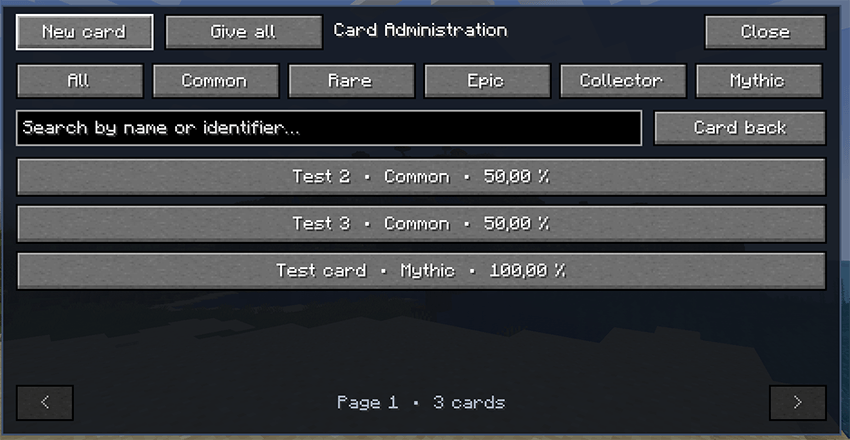
- Create cards directly from the in-game administration menu
- Add custom PNG artwork, titles, descriptions, talents, and weaknesses
- Five rarities: Common, Rare, Epic, Collector, and Mythic
- Four booster tiers: Iron, Gold, Diamond, and Netherite
- Three cards inside every booster
- Animated booster-opening screen
- “New Card!” indicator for cards obtained for the first time
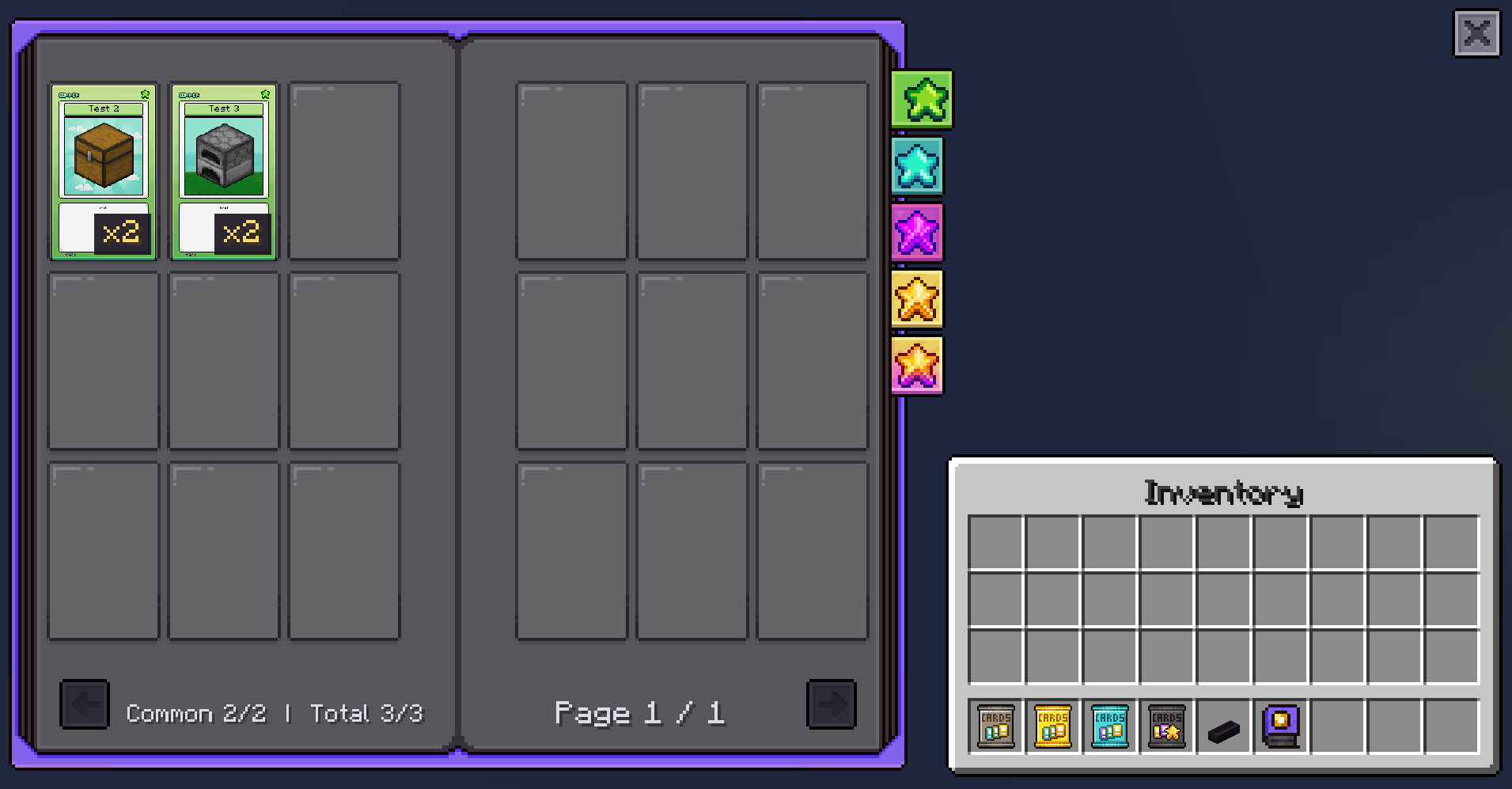
- Paginated albums organized by rarity
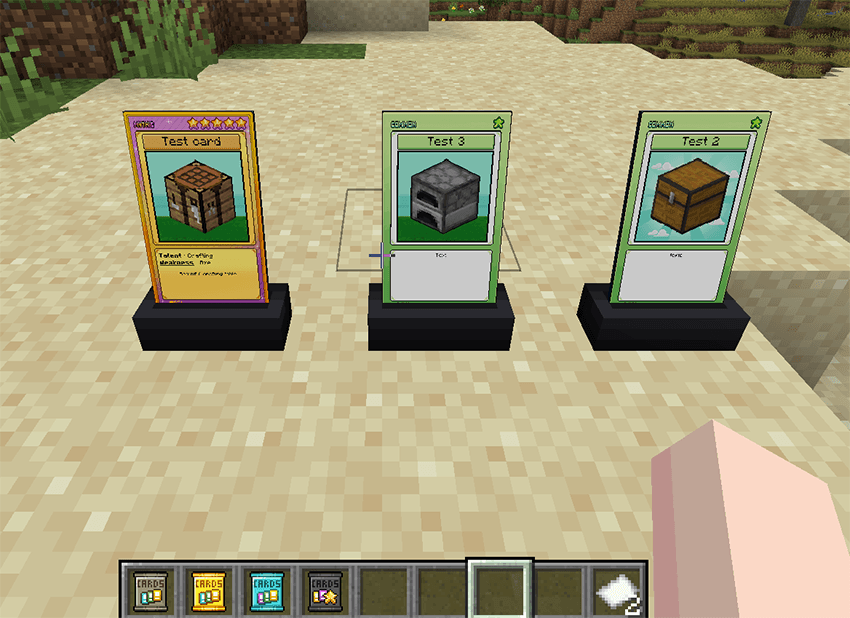
- Card display stands
- Optional server logo on the back of every card
- Configurable crafting recipes, mob drops, chest loot, rarity rates, and Luck bonuses
- English and French interface
- Card data and artwork are synchronized automatically with connected players
How It Works
Server administrators create and manage cards with:
/cardsnboosters admin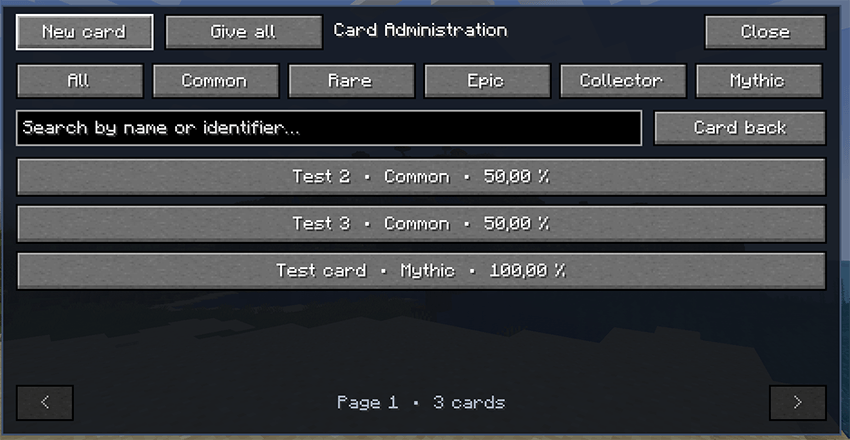
Each card can have:
- A custom title
- PNG artwork
- A description
- A talent
- A weakness
- One of the five available rarities
- A relative drop weight
The relative drop weight determines how frequently a card appears compared with other cards of the same rarity.
For example, if three Common cards have weights of 100, 50, and 25, the first card is twice as likely to appear as the second and four times as likely as the third.
Once created, cards and artwork are stored on the server and synchronized automatically with players.
Configuration
All server files are stored together inside:
config/cardsnboosters/The folder contains:
settings.json: booster rates, crafting, chest loot, mob drops, and Luck bonusescards.json: custom card definitionscard_numbers.json: permanent card numbers, assigned separately for each rarityimages/: custom card artworkback_logo.png: optional logo displayed on the standard card back
settings.json is generated automatically when the server starts for the first time.
Complete Configuration Example
{
  "booster_card_rates": {
    "iron": {
      "common": 75.0,
      "rare": 20.0,
      "epic": 4.5,
      "collector": 0.45,
      "mythic": 0.05
    },
    "gold": {
      "common": 55.0,
      "rare": 30.0,
      "epic": 12.0,
      "collector": 2.7,
      "mythic": 0.3
    },
    "diamond": {
      "common": 35.0,
      "rare": 35.0,
      "epic": 22.0,
      "collector": 7.0,
      "mythic": 1.0
    },
    "netherite": {
      "common": 20.0,
      "rare": 30.0,
      "epic": 30.0,
      "collector": 17.5,
      "mythic": 2.5
    }
  },
  "luck_bonus_per_level": {
    "rare": 1.5,
    "epic": 0.9,
    "collector": 0.35,
    "mythic": 0.1,
    "max_level": 2
  },
  "crafting": {
    "enabled": true,
    "boosters": {
      "iron": true,
      "gold": true,
      "diamond": true,
      "netherite": true
    }
  },
  "chest_loot": {
    "enabled": false,
    "entries": [
      {
        "loot_table": "minecraft:chests/simple_dungeon",
        "chance": 8.0,
        "boosters": {
          "iron": 80.0,
          "gold": 18.0,
          "diamond": 2.0,
          "netherite": 0.0
        }
      },
      {
        "loot_table": "minecraft:chests/end_city_treasure",
        "chance": 15.0,
        "boosters": {
          "iron": 0.0,
          "gold": 20.0,
          "diamond": 60.0,
          "netherite": 20.0
        }
      }
    ]
  },
  "mob_drops": {
    "enabled": true,
    "chance": 0.1,
    "require_player_kill": true,
    "looting_affects_chance": false,
    "filter_mode": "include",
    "mobs": [
      "minecraft:zombie",
      "minecraft:skeleton",
      "minecraft:creeper"
    ],
    "boosters": {
      "iron": 70.0,
      "gold": 22.0,
      "diamond": 7.0,
      "netherite": 1.0
    }
  }
}
Booster Card Rates
booster_card_rates determines the rarity of each card found inside a booster.
Every booster contains three cards, and a rarity is rolled separately for each one.
In the default Iron booster configuration:
- Common:
75% - Rare:
20% - Epic:
4.5% - Collector:
0.45% - Mythic:
0.05%
The values are treated as relative rates. Keeping their total at 100 makes them easy to read as percentages, but another total will still work and will be normalized automatically.
Luck Bonus
luck_bonus_per_level improves the result when a player has the Luck effect.
For every Luck level, the default configuration adds:
+1.5to Rare+0.9to Epic+0.35to Collector+0.1to Mythic
The same total is removed from Common, so Luck improves rare-card results without increasing the total probability.
max_level limits how many Luck levels can affect booster openings.
Crafting
"crafting": {
  "enabled": true,
  "boosters": {
    "iron": true,
    "gold": true,
    "diamond": true,
    "netherite": true
  }
}enabledcontrols all built-in booster recipes- Each booster can also be enabled or disabled individually
- Setting a booster to
falseremoves its default crafting recipe
This makes it possible to keep only selected booster tiers craftable.
Chest Loot
{
  "loot_table": "minecraft:chests/simple_dungeon",
  "chance": 8.0,
  "boosters": {
    "iron": 80.0,
    "gold": 18.0,
    "diamond": 2.0,
    "netherite": 0.0
  }
}
This example gives a dungeon chest an 8% chance to contain one booster.
If a booster is selected:
- Iron has a relative weight of
80 - Gold has a relative weight of
18 - Diamond has a relative weight of
2 - Netherite is disabled for this chest because its weight is
0
Each chest type uses its exact Minecraft loot-table ID and can have its own chance and booster distribution.
Setting chest_loot.enabled to false disables all chest injection. Setting an entry’s chance to 0 disables only that entry.
Mob Drops
"mob_drops": {
  "enabled": true,
  "chance": 0.1,
  "require_player_kill": true,
  "looting_affects_chance": false,
  "filter_mode": "include",
  "mobs": [
    "minecraft:zombie",
    "minecraft:skeleton",
    "minecraft:creeper"
  ],
  "boosters": {
    "iron": 70.0,
    "gold": 22.0,
    "diamond": 7.0,
    "netherite": 1.0
  }
}
With this configuration:
- Eligible mobs have a
0.1%chance to drop one booster - The mob must be killed by a player
- Looting does not modify the chance
- Only zombies, skeletons, and creepers are eligible
- A successful drop selects a booster using the configured relative weights
Use "filter_mode": "include" to allow only the listed mobs.
Use "filter_mode": "exclude" to allow every mob except those listed.
If looting_affects_chance is enabled, each Looting level increases the base chance by 50%.
Setting the global chance to 0 disables mob booster drops. Setting a booster weight to 0 prevents that booster tier from dropping from mobs.
Important
Restart the server after changing settings.json, especially when modifying crafting recipes or chest loot. Minecraft needs to rebuild the relevant data safely.
JSON does not support comments. Do not place explanatory // lines inside the configuration file.
Requirements
- Minecraft 1.21.1
- NeoForge 21.1
- The mod must be installed on both the server and every connecting client
The Cards and Boosters Team


Owner