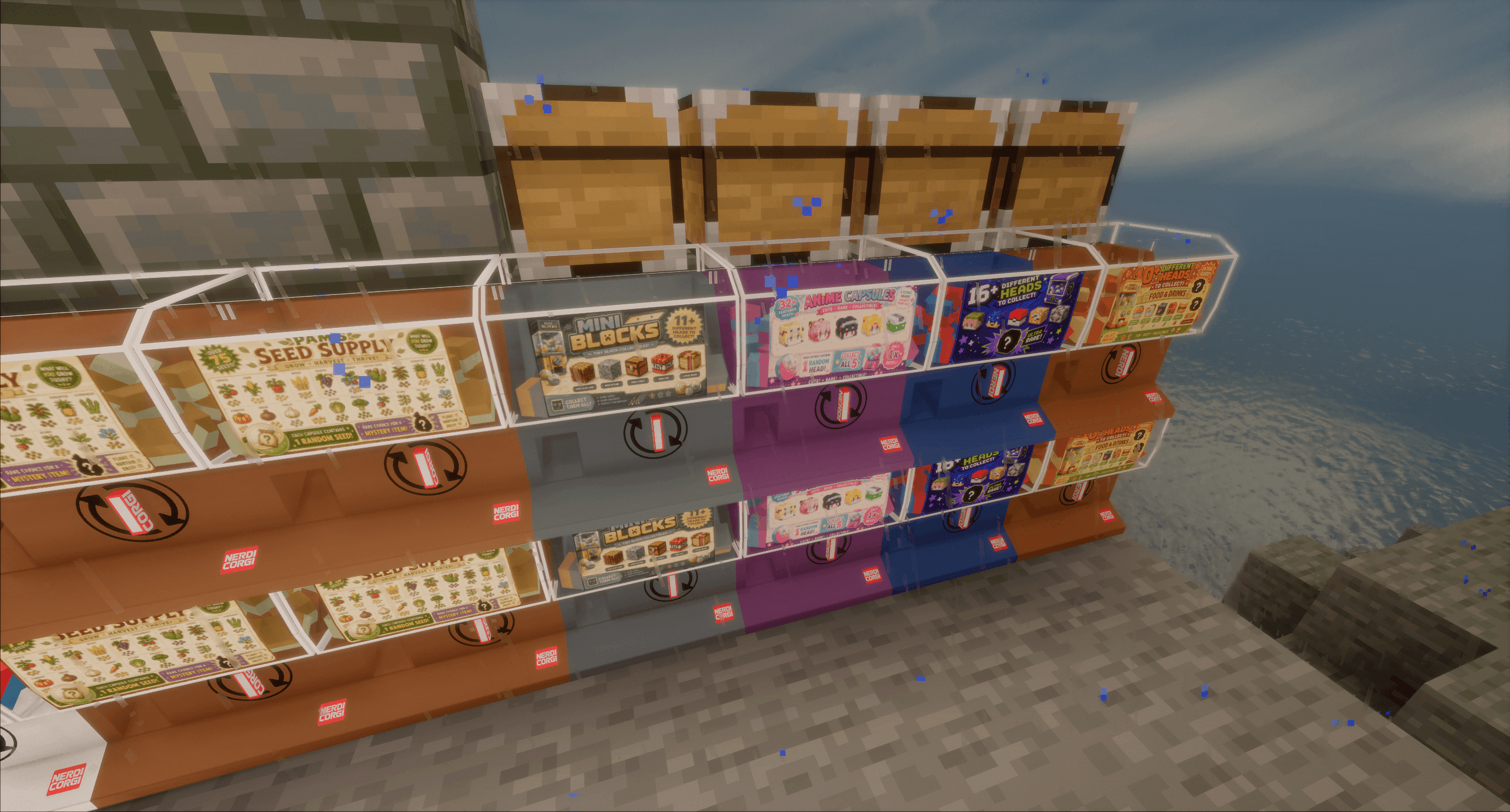
I need to rework my website, but eventually I'll have scripts available for all of these player head machines.
Description
-------
MOD LICENCE:
You are all allowed to use these mods as well as put them in your packs. We are still sorting out a licence and getting things sorted.
PS. My programmer friend reminded me that "All Right Reserved" means "No one can put in packs".
-------
This is a HIGHLY configurable mod that allows server admins for multiplayer modpacks to quickly and easily add interactive capsule machines to their world that function as EXTREMELY customizable loot boxes -- and change them on the fly -- all without having to reboot the server. If you're familiar with Gashapon Machines IRL, this is as close as I could make them.
Here's what you get:
✅ Ability to award items from any mod.
✅ Ability to run commands as awards.
✅ Ability to set custom costs per machine.
✅ Ability to update a machine and have all copies everywhere update.
✅ Capsule Machines that are not player-breakable.
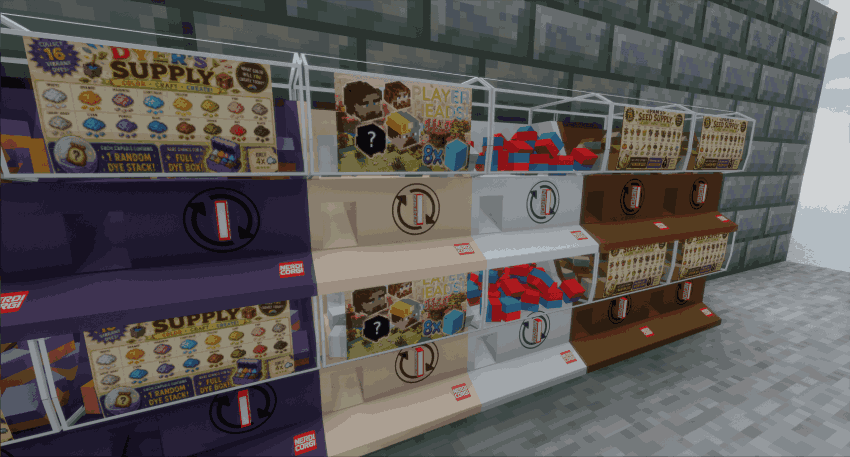
✅ Capsule Machines that look good one their own or stacked like authentic gashapon machine!
✅ Highly customizable Capsule Machines with script-controled graphics, colors, and matching capsules!
✅ Powerful commands for refreshing existing machines or composing new ones.
✅ Extremely Granular Dispensing conditions such as time ranges (both IRL and game time!), scoreboard requirements, and more!
✅ Capsule Machines and Capsules that don't appear in the creative menu or JEI!
✅ The ability to disable globally disable a machine if it turns out your script isn't how you want it to be.
✅ An incredibly easy scripting system!
✅ The ability for new Capsule Machine graphics and textures to automatically be sent to your players without them having to log out and back in!
To get started, simply ensure that both the server and the client have the mod installed and hop in game. This will create a "capsule-config" directory inside of your server's config folder. By default there will already be three files in this directory - two example scripts, and an image with the same name as one of the sample scripts.
To make your own capsule machine you're going to want to create a new TXT file in the capsule-config directory. It's important that you make this file with no spaces in it's name! This means "building supplies.txt" is no good, but "buildingsupplies.txt" or "building_supplies.txt" work great!
Inside this text file you're going to copy the example code and then expand it as you see fit. Below, in the spoilers, I've included a example script for a "Dye Dispenser" capsule machine. It's set up to cost 4x iron nuggets, not use a poster (we'll get back to this later!), and to stand an equal chance of awarding a full stack of each dye color (but a super small chance of receiving a shulkerbox containing a full stack of each dye color!)
::Dye Supply Capsule Machine Config Script
::Dispenses full stacks of Minecraft dyes.
::Very rare jackpot: a shulker box containing a full stack of all 16 dyes.

Machine_Name={Dye Supply}
Machine_Body_Color={#4F465C}
Machine_Enabled=True

Capsule_Name={Dye Capsule}
Capsule_Name_Color={#D4B483}
Capsule_Name_Bold=True
Capsule_Name_Italic=False
Capsule_Name_StrikeThrough=False
Capsule_Name_Obfuscated=False

Capsule_Lore={A splash of color for your next project!}
Capsule_Lore_Color={#8FA6A0}
Capsule_Lore_Bold=False
Capsule_Lore_Italic=True
Capsule_Lore_StrikeThrough=False
Capsule_Lore_Obfuscated=False

Capsule_Item_Color1={#7A5C8E}
Capsule_Item_Color2={#C58B57}

::If you want to use a poster, make a 256x156 png with the same name as this script and set Use_Poster to True
Use_Poster=False

Cost={4xminecraft:iron_nugget}
CostFailure={You need 4 Iron Nuggets to buy a Dye Capsule!}

Dispense_Conditions{
	Once_Per_Real_Day=False,
	Once_Per_Game_Day=False,
	Once_Ever=False,
	Game_Time=False,
	Game_Time_Range={0,23999},
	Real_Time=False,
	Real_Time_Range={0000,2359},
	Available_Inventory=1,
	Scoreboard_Name={},
	Scoreboard_Value={}
}

Condition_Failure={You need at least one empty inventory space to receive a Dye Capsule!}

::Dispense_Actions are actions additional the dispense of a capsule that you can make your machine do. Adjust scoreboard values, send a message. Anything you can do with a command!
Dispense_Action1={}
Dispense_Action2={}
Dispense_Action3={}
Dispense_Action4={}
Dispense_Action5={}

::Within the Capsule_Loot_Table below, you can have up to 256 entries per machine.
::You can have up to 3 rewards per entry.
::All rewards within an entry mush share a single weight.
::If that doesn't make sense, scroll down and check entry 17 where we have two rewards (one as an item type and one as a command type)

Capsule_Loot_Table{

Entry1{
	Type1{item},
	Value1{minecraft:white_dye},
	Count1{64},
	Weight{20}
	},

Entry2{
	Type1{item},
	Value1{minecraft:orange_dye},
	Count1{64},
	Weight{20}
	},

Entry3{
	Type1{item},
	Value1{minecraft:magenta_dye},
	Count1{64},
	Weight{20}
	},

Entry4{
	Type1{item},
	Value1{minecraft:light_blue_dye},
	Count1{64},
	Weight{20}
	},

Entry5{
	Type1{item},
	Value1{minecraft:yellow_dye},
	Count1{64},
	Weight{20}
	},

Entry6{
	Type1{item},
	Value1{minecraft:lime_dye},
	Count1{64},
	Weight{20}
	},

Entry7{
	Type1{item},
	Value1{minecraft:pink_dye},
	Count1{64},
	Weight{20}
	},

Entry8{
	Type1{item},
	Value1{minecraft:gray_dye},
	Count1{64},
	Weight{20}
	},

Entry9{
	Type1{item},
	Value1{minecraft:light_gray_dye},
	Count1{64},
	Weight{20}
	},

Entry10{
	Type1{item},
	Value1{minecraft:cyan_dye},
	Count1{64},
	Weight{20}
	},

Entry11{
	Type1{item},
	Value1{minecraft:purple_dye},
	Count1{64},
	Weight{20}
	},

Entry12{
	Type1{item},
	Value1{minecraft:blue_dye},
	Count1{64},
	Weight{20}
	},

Entry13{
	Type1{item},
	Value1{minecraft:brown_dye},
	Count1{64},
	Weight{20}
	},

Entry14{
	Type1{item},
	Value1{minecraft:green_dye},
	Count1{64},
	Weight{20}
	},

Entry15{
	Type1{item},
	Value1{minecraft:red_dye},
	Count1{64},
	Weight{20}
	},

Entry16{
	Type1{item},
	Value1{minecraft:black_dye},
	Count1{64},
	Weight{20}
	},

Entry17{
	Type1{item},
	Value1{minecraft:shulker_box[minecraft:container=[{slot:0,item:{id:"minecraft:white_dye",count:64}},{slot:1,item:{id:"minecraft:orange_dye",count:64}},{slot:2,item:{id:"minecraft:magenta_dye",count:64}},{slot:3,item:{id:"minecraft:light_blue_dye",count:64}},{slot:4,item:{id:"minecraft:yellow_dye",count:64}},{slot:5,item:{id:"minecraft:lime_dye",count:64}},{slot:6,item:{id:"minecraft:pink_dye",count:64}},{slot:7,item:{id:"minecraft:gray_dye",count:64}},{slot:8,item:{id:"minecraft:light_gray_dye",count:64}},{slot:9,item:{id:"minecraft:cyan_dye",count:64}},{slot:10,item:{id:"minecraft:purple_dye",count:64}},{slot:11,item:{id:"minecraft:blue_dye",count:64}},{slot:12,item:{id:"minecraft:brown_dye",count:64}},{slot:13,item:{id:"minecraft:green_dye",count:64}},{slot:14,item:{id:"minecraft:red_dye",count:64}},{slot:15,item:{id:"minecraft:black_dye",count:64}}]]},
	Count1{1},
	Type2{command},
	Value2{msg @s [Dye Capsule] WOAH! You just a super rare prize! a shulker containing a full stack of every dye!},
	Count2{1},
	Weight{1}
	}

}
Once you've got a new script in your capsule-config directory, just run "/capsulemachine compose {whatever_you_called_your_txt}" So for the example I gave in the spoilers above, that would be "/capsulemachine compose dyesupplies"
That will add a capsule machine to our system which we can verfiy with "/capsulemachine list" Once you've clicked "[GET]" next the capsule machine(s) you want, you can place them in the world. Don't like something about the machine? Just change your script and run "/capsulemachine refresh dyesupplies" -- Or maybe you'd like to add a poster, like I said I'd get back to earlier?
Posters are easy!
It's really just three steps.
1) Make sure "Use_Poster=" is set to "True" in your script.
2) Put a 256x156 png image in the capsule-config folder using the same name as your script (so, in our example, dyesupplies.png).
3) Run the "/capsulemachine refresh dyesupplies" command and bake the new texture into every copy of the Dye Supplies Capsule Machine across your server.
Here, I'll even give you an example poster: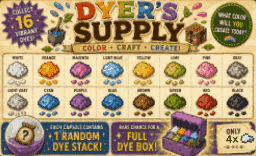
(Don't say I've never done anyhting for you :P)
If you follow the steps above, you'll end up with this machine in your game, despite the fact that it didn't ship with the mod!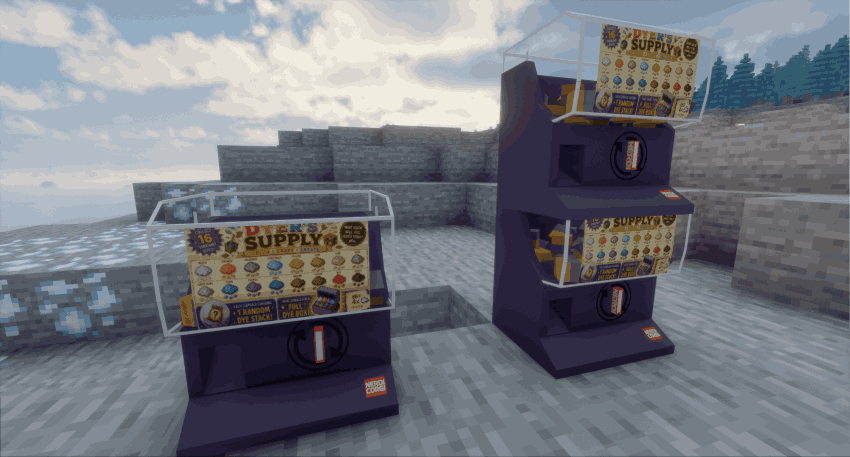
The Capsule Machine Team