Campfyre
- By
1 welcome.png
2 your invite.png
3 the campfyre screen.png
4 hand over the world.png
Description
One world for your whole friend group
With Campfyre your friends can share a single survival world without the need for a server. The person who is online opens it and the others then join in. When that person logs off, the world is passed on to the next player rather than kicking everyone.
There is no renting involved and no port forwarding.
Campfyre is currently in beta testing; it functions, but bugs should be expected. if you encounter one, send me a message on Discord treekh. Each report is helpful.
How to use it
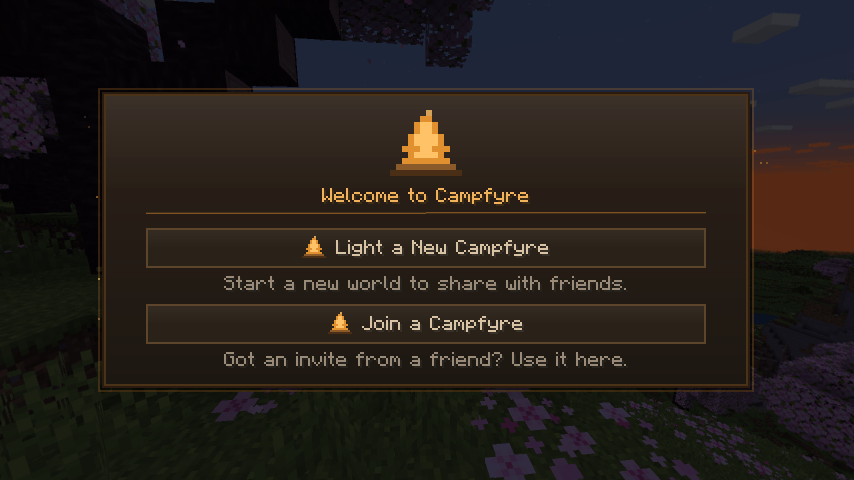
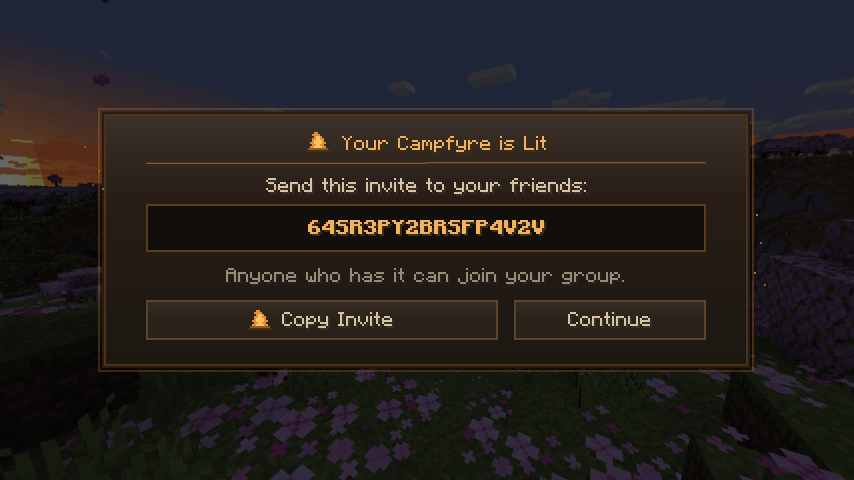
One friend clicks the flame button on the title screen (the one beside the language button), chooses "Light a New Campfire", and passes the invitation code to the group. 2. All the rest do the same and press the Flame button, then select 'Join a Campfire' and paste in the code. 3. The friend who starts it selects 'Create the Shared World' and gives it a name. The rest of them then click 'Join' when it has been opened.
When the host leaves
When the host leaves normally, the world is saved and passed on to the next person who was playing; they then open it and, on a screen which shows who is taking over, everyone else is shifted over. This process usually takes between 10 and 20 seconds.

When their game crashes or the internet connection is lost, the following player will reopen the world using the most recent backup, typically within half a minute. Each player maintains a backup copy in the background and this backup is updated once a minute (up to once every five minutes on a computer with a slow performance), so the maximum amount of game play that you will lose is that which took place since the last backup was refreshed.
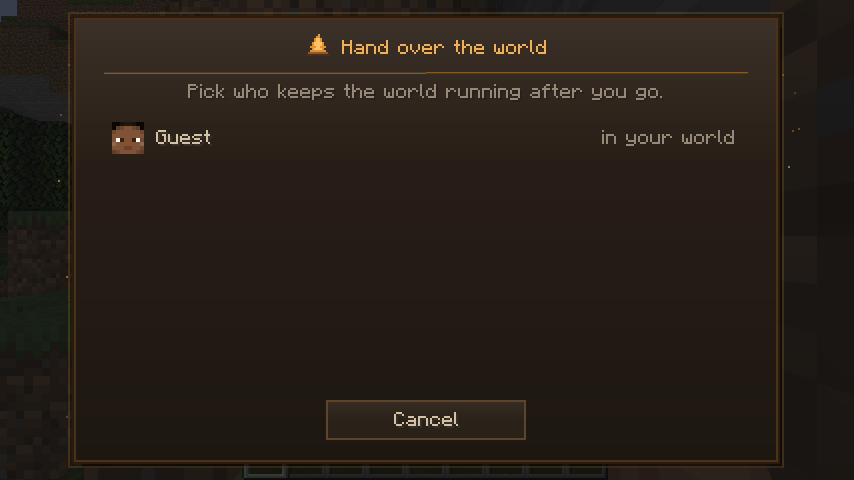
Wishing to leave but still wanting the world to continue? Then use Hand over the world and select the person who gets it.
Good to know
The same version of Minecraft and the same version of Campfyre are required by everyone. The Campfyre screen will show you which players need to update. Your mods must also match, just as they should in any multiplayer world, and anyone whose mods do not match will be listed as having "mods differ".
It requires Fabric Loader and Fabric API; it is available only on the client side and has no function on a dedicated server.
Certain routers are quite strict and will prevent two friends from connecting directly. In such a case, Campfyre forwards the connection via one of the other friends in the group, encrypting it so that the friend acting as an intermediary does not see anything. If no one can be reached, it simply lets you know instead of endlessly spinning.
A problem known to exist is that if two players are in the same house their router stops them from detecting each other. This issue is listed as something to be fixed.
Privacy and your connection
There is neither a Campfyre server nor an account, and none of your information is gathered; all the activity takes place directly between the computers belonging to your group.
To find each other and connect, it uses:
– The public BitTorrent DHT, the one that the torrent applications use. Your group is assigned a secret key which is derived from your invite code, so that no one can find it or join it without the code. Just as with any torrent application, other computers on that network are able to see your IP address.
- The public STUN servers offered by Google and Cloudflare serve to inform your game of its own public address.
- If your router permits it, enable UPnP so that one port can be opened while the game is running.
The communication between you and your friends is encrypted.
Which one should I download?
Select the option that corresponds to your version of Minecraft. If you don't know which one to choose, it's located in the bottom-left corner of the title screen.
| File | Minecraft versions |
|---|---|
| campfyre-1.0.0-mc1.20.1 | 1.20.1 |
| campfyre-1.0.0-mc1.20.2 | 1.20.2 |
| campfyre-1.0.0-mc1.20.3-1.20.4 | 1.20.3, 1.20.4 |
| campfyre-1.0.0-mc1.20.5-1.21.1 | 1.20.5, 1.20.6, 1.21, 1.21.1 |
| campfyre-1.0.0-mc1.21.2-1.21.4 | 1.21.2, 1.21.3, 1.21.4 |
| campfyre 1.0.0 mc1.21.5 | 1.21.5 |
| campfyre-1.0.0-mc1.21.6-1.21.8 | 1.21.6, 1.21.7, 1.21.8 |
| campfyre-1.0.0-mc1.21.9-1.21.10 | 1.21.9, 1.21.10 |
| campfyre 1.0.0 mc1.21.11 | 1.21.11 |
Something not working?
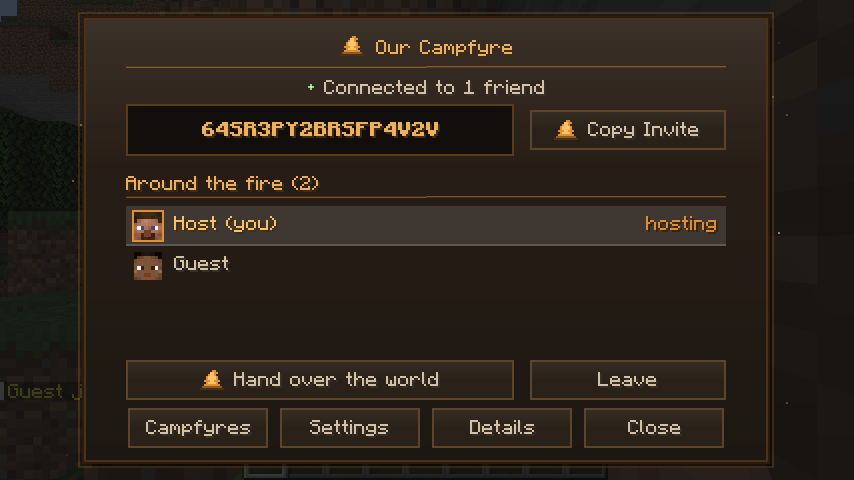
When you open the Campfyre screen and select Details, it explains in simple terms what the problem is. The Copy report option copies a summary of that information and never contains your invite code or IP address.
Send it my way via Discord (treekh) by including a message that explains what took place. If possible, also attach your game log, it's located at logs/latest.log in your Minecraft folder. you should only send the log in a private message and not in a public one, as it may contain your invite code and your friends' IP addresses.
Campfyre Team