Cadence: Metal x Shaders
- By
Minecraft on Apple Silicon, rebuilt on Metal. A native Metal renderer that runs shader packs like BSL and Complementary smoothly on your Mac, with no Sodium, Iris or OpenGL needed.
New-Project-1-1.png
1-noon-coast.jpg
2-sunset.jpg
Description
Your Mac was made for this.
Apple Silicon Macs are powerful machines, but Minecraft has never really known how to use them. It still runs on OpenGL, a graphics system Apple stopped supporting years ago, and shader packs push it from struggling to unplayable.
The Mac community has long needed a mod that leverages the strengths of Apple Silicon, making the game playable on their often fanless or lower-memory devices. Unlike any other mod, it allows the player to have both high performance and shaders for unprecedented performance and stunning visuals with no compromise.
Cadence rebuilds the game around Metal, the graphics API built for mac so that Mac's can finally run the game without having to pass through slow transition layers that normally make Minecraft stutter.
Shaders, finally playable on a Mac
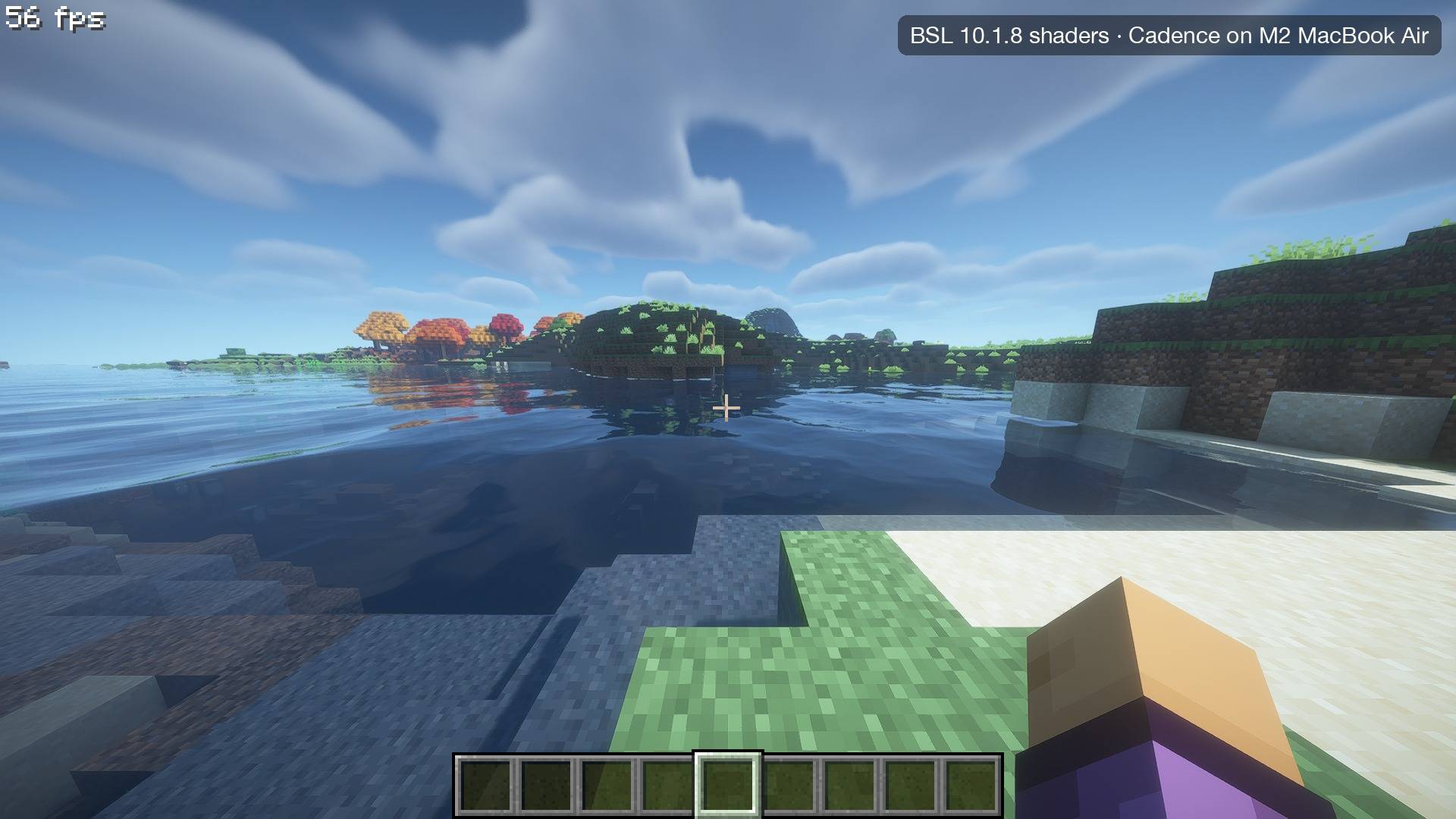
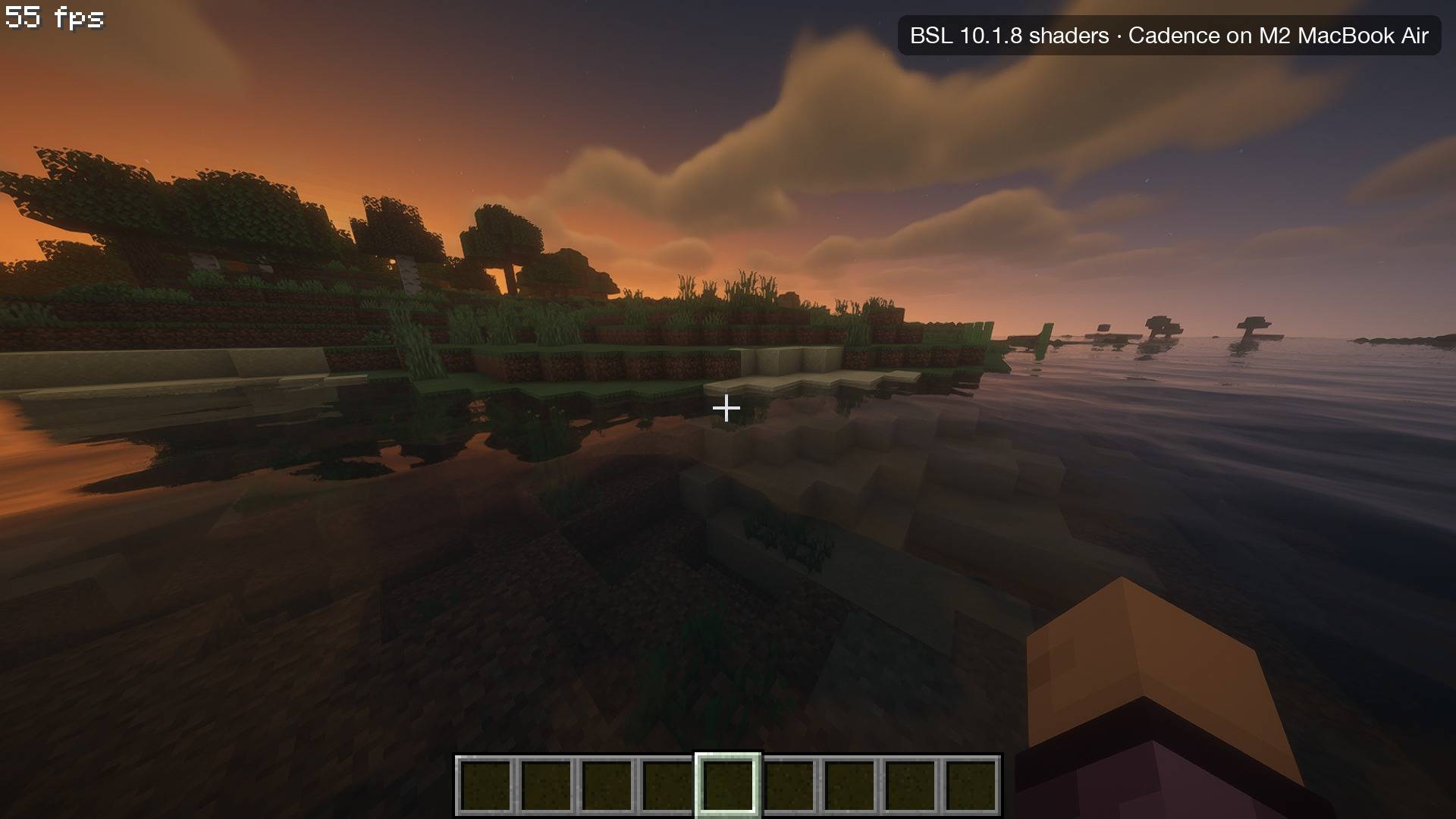
Beautiful lighting, reflective water, drifting clouds and real shadows, without your fps collapsing. Cadence runs popular shader packs natively on Metal, with no extra mods needed. Some shaders may not function.
When a session gets heavy, Cadence quietly lowers the internal resolution and sharpens the image back up with Apple's MetalFX upscaling. You keep the look and lose the stutter.

Tested and working:
BSL · Complementary Reimagined · Complementary Unbound · Bliss · MakeUp UltraFast · I Like Vanilla · Insanity · Sildur's Vibrant · Sildur's Enhanced Default · VanillaEX · Pegasus
Most of these hold 50-60 fps on an M2 MacBook Air (8GB Unified Memory).
Built to stay smooth
- Steady frame rates. Cadence aims for a consistent experience, not just a high peak number.
- Heat control. On fanless Macs, Cadence keeps temperatures in check instead of letting your Mac overheat and throttle mid-game.
- Smart suggestions. If a shader pack is too much for your Mac, Cadence suggests the gentlest preset that keeps it looking great.
- Faster everywhere. Quicker startup, faster terrain loading and lower memory use.
Cadence is in alpha. It's under active development, so expect the occasional bug and back up your worlds.
Technical details
- Native Metal renderer replacing Minecraft's OpenGL pipeline, written for Apple Silicon (M1 and newer).
- Shader-pack support: OptiFine/Iris-format packs are translated from GLSL to SPIR-V to Metal and cached on disk. Compute passes, custom images, per-buffer blend modes, custom uniforms and Iris feature flags are supported.
- Auto resolution: internal render scale adjusts to hold your target frame rate. Temporal anti-aliasing history is preserved across resolution changes, and output is upscaled with MetalFX.
- Iris-accurate behaviour where it matters, so packs look the way their authors intended.
- Compatibility: requires Minecraft 26.3, Fabric Loader 0.19.5+ and an Apple Silicon Mac. Cadence replaces Sodium and Iris, so remove them. Mods that draw with OpenGL directly can't run alongside the Metal renderer. Far terrain is available as an experimental option.
Shader packs aren't included; download them from their authors.
Optimizations
<details> <summary>Every performance optimization, and how it works</summary>Cadence is built on mcopt's native Metal renderer, which replaces Minecraft's OpenGL renderer and draws terrain through its own fast path. Everything below was added on top of that. Unless noted, each is on by default and has a switch to turn it off.
Shader packs
- Auto resolution with MetalFX. The shader pack renders at 50–100% of your window size, then Apple's MetalFX upscaler restores the full image. Cadence measures how long the GPU spends on each frame and adjusts the scale to hold your target frame rate. It lowers resolution quickly when needed, raises it cautiously, and backs off if it keeps bouncing. The pack's anti-aliasing history is carried across every resolution change, so the image doesn't break up into noise when the scale moves.
- Conservative depth. Shader packs with 3D-looking textures (parallax) write their own depth for every pixel. That normally stops the GPU from skipping terrain hidden behind other terrain, so everything gets shaded, even what you can't see. Cadence tells the GPU those packs only ever push surfaces deeper, which lets it skip hidden pixels again. About 20% faster on Pegasus, with an identical picture.
- Fast shader math. Pack shaders compile with Metal's relaxed math mode, the same freedom PC graphics drivers give them. BSL and Complementary run about 1.5× faster on the GPU, Bliss 2.2×, with the same picture.
- Translation cache. Packs are translated GLSL → SPIR-V → Metal once and cached on disk. Reloading a pack takes a fraction of a second instead of several seconds.
- Shadow updates every other frame. The shadow map is redrawn every second frame and reused in between, shifted to match the camera. This roughly halves shadow cost (setting: Shadow Updates).
- Shadow receiver culling. Shadow-casting chunks that can't cast a shadow onto anything you can see aren't drawn into the shadow map. That's about half of them, saving 5–7 ms per frame on BSL. Cadence checks each pack before enabling this.
- Shadow compile culling. Chunks that would only ever appear in the shadow map, and can't shadow anything visible, aren't even built.
- Far shadow proxies. Distant shadow casters are drawn as simple height maps instead of full chunk geometry.
- Skipped work. Mipmaps are rebuilt only when their buffer actually changed, in one GPU command. Shadow buffers no shader reads aren't attached. Full-screen passes that overwrite everything skip loading the old contents.
- Smaller vertices. Shader-pack terrain uses a compact 44-byte vertex format instead of 64 bytes, with no loss of information. That means less memory and less bandwidth.
- Smarter chunk rebuilds. Changing a pack setting that doesn't affect terrain keeps the already-built chunks. Pack block data is looked up once per block instead of for every block, air included, making reloads about 35% faster.
- GPU occlusion culling. Chunks hidden behind closer terrain are culled on the GPU with a depth pyramid before they're drawn.
Terrain and chunks
- Faster meshing. While building a chunk's mesh, block states, lighting and biome tint are read once into flat arrays. Vanilla looks them up repeatedly through small caches. That's about 38% less CPU time per chunk (33% with shaders), with results checked to be exact.
- Back-face group culling. Each chunk's faces are sorted into groups by the direction they face. Groups that point away from the camera (or from the sun, for shadows) aren't drawn at all.
- Faster chunk queue. The list of chunks waiting to be built is kept sorted. Vanilla rescans the whole list every time it picks the next one, which cost up to 14% of the CPU while loading with shaders.
- Packed draw lists. Per-frame chunk draw commands are stored as pooled, packed numbers instead of thousands of small objects, so there's less garbage collection.
- Smaller chunk buffers. GPU chunk memory grows in 32 MB steps instead of 128 MB, so it doesn't reserve memory it never uses.
Entities and particles
- Hidden entity culling. Mobs, block entities and particles behind walls aren't drawn. With shaders, each one is drawn only in the passes that can actually see it.
- Cheaper particle physics. Particles skip their collision search when there's no block nearby to hit.
Memory
- Region release. A finished chunk build frees its copy of the surrounding world data, which vanilla kept around. That saves about 120 MB after exploring.
- Heap tuning. On Macs with 16 GB or less, Java's memory use follows what the game actually needs instead of growing to the launcher's maximum. Unused native memory is returned to macOS every 30 seconds.
- Lighter fonts and chunk locks. Font glyph data is packed into one array, and each chunk section uses one small lock instead of five objects.
- Leaving a world frees it. GPU buffers, shadow data and caches are released when you quit to the menu, and queued chunk builds are dropped so saving isn't held up.
Your Mac
- Heat control. Cadence reads macOS's thermal state. When your Mac gets warm, it holds a steady frame rate instead of letting it overheat and throttle. It lowers frame rate slowly, raises it slowly after cooling, and remembers where your Mac warmed up so it settles instead of flip-flopping.
- Background frame cap. When Minecraft isn't the active app, it drops to 15 fps to save power and heat.
- Low Power Mode and memory pressure aware. Cadence responds to macOS Low Power Mode and memory warnings, and gives its threads the right macOS priorities.
- Quality suggestions. If a shader pack is still too heavy at the lowest resolution, Cadence suggests the gentlest lighter preset once (for example "Medium is faster").
Credits
Cadence is open source and builds on two great projects: mcopt by Noah Dunnagan (Apache-2.0) and the shader loader from minecraft-metal-renderer by Kausik Velaga and contributors (MIT).
Licensed under Apache-2.0. Source code and bug reports: github.com/BattledGamerCF/Cadence
Not affiliated with Mojang or Microsoft.
Cadence: Metal x Shaders Team