Bubble Anyway
- By
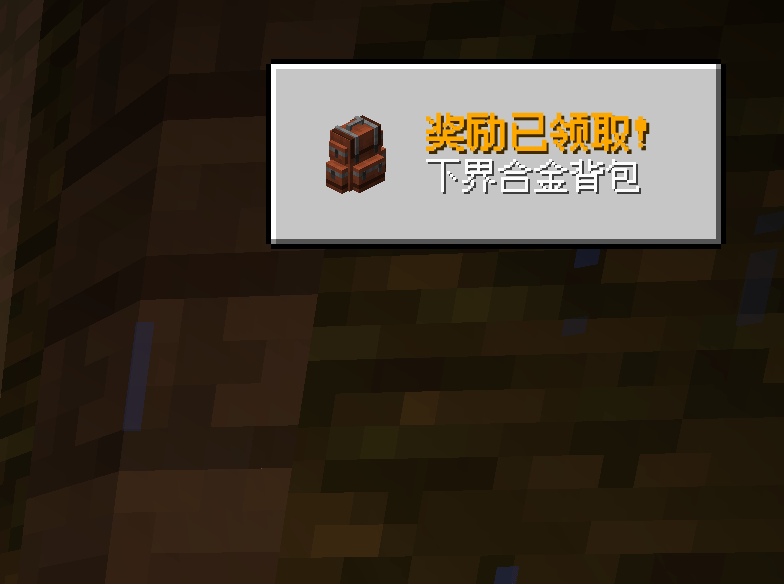
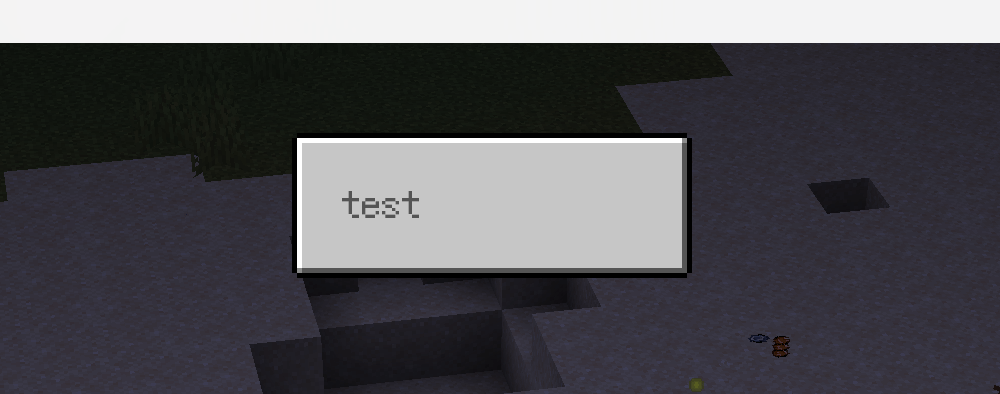
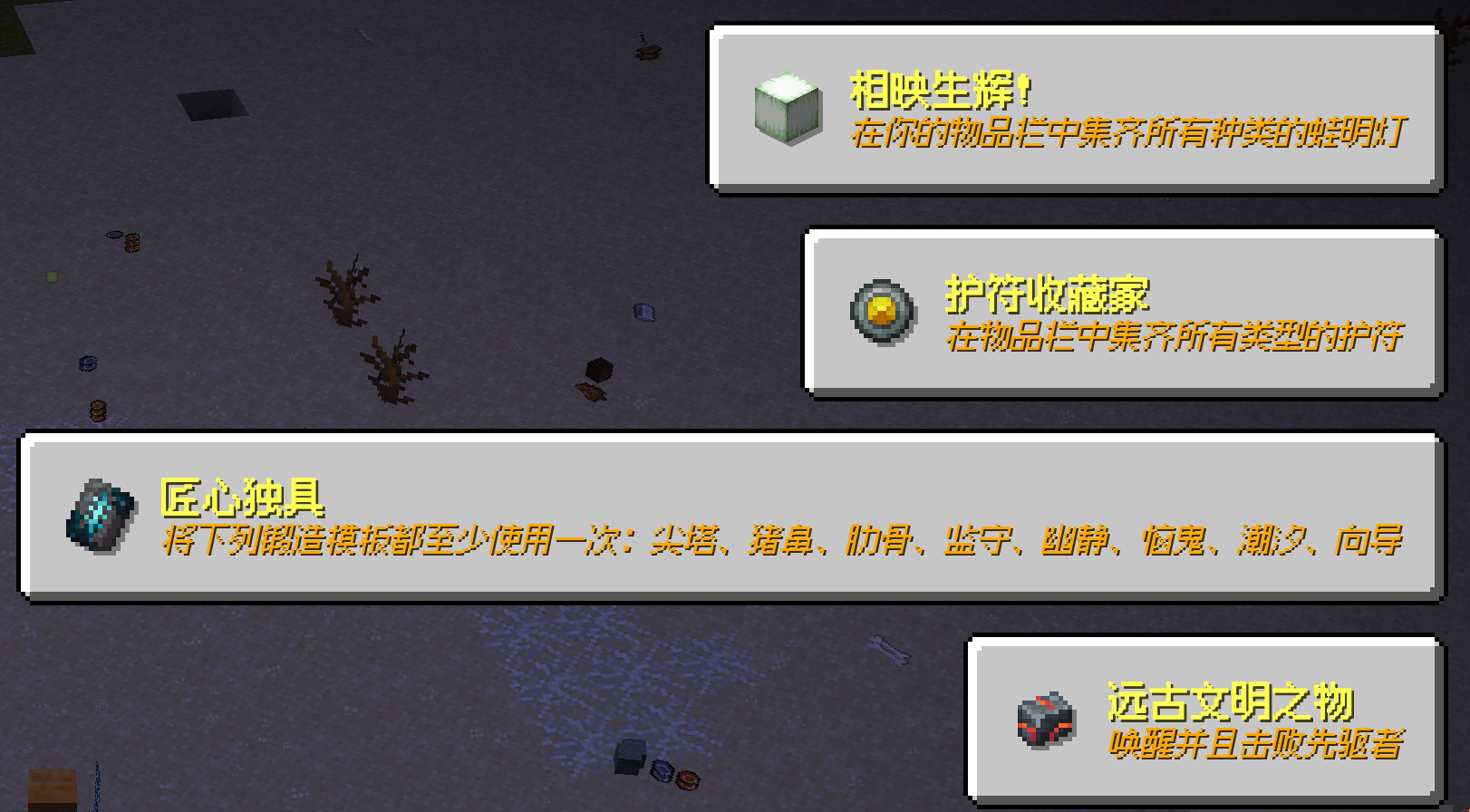
Bubble Anyway is a universal information notification overlay for Minecraft. It lets commands, server events, KubeJS, and client scripts display clear, customizable message bubbles above most vanilla and modded GUI screens.
QQ20260927-201719.png

QQ20260927-202128.png
QQ20260927-202136.png
QQ20260927-202016.png
DxEVIL | Bubble Anyway
Create a server, get 25% off your first month

Description
Bubble Anyway
Bubble Anyway is an API-first information notification overlay for Minecraft. Other mods can call the provided API directly from quest completion, machine state changes, achievements, login events, or any other game event and display clear, customizable message bubbles above most vanilla and modded GUI screens. Commands and KubeJS are also available for integrations that do not need a direct Java dependency.
Features
- Display multiple bubbles at the same time, with priority, replacement, IDs, and per-player clearing.
- Give other mods a direct Java API for player-specific, multi-player, and server-wide notifications without executing commands.
- Trigger bubbles from server events, commands, server-side APIs, KubeJS, or client-side KubeJS scripts.
- Render over most HUD and GUI screens through a high-priority overlay layer.
- Automatically size bubbles from their text, line breaks, wrapping, and item icons. Fixed minimum width and height are also supported.
- Use nine anchors:
TOP_LEFT,CENTER_TOP,TOP_RIGHT,CENTER_LEFT,CENTER,CENTER_RIGHT,BOTTOM_LEFT,CENTER_BOTTOM, andBOTTOM_RIGHT. - Use
FADEor slide-in animations from the left, right, top, or bottom edge of the screen. - Customize text color, size, alignment, bold, italic, underline, strikethrough, obfuscated text, shadow, wrapping, and line breaks.
- Add a Minecraft item icon with configurable size, gap, and independent X/Y offsets for both the icon and text.
- Use custom background colors or PNG textures with nine-slice scaling.
- Play a configurable sound when a bubble appears. The default is the vanilla button click sound.
- Define reusable themes so a server can send a theme ID and text instead of repeating every visual setting in each message.
- Include two built-in nine-slice backgrounds:
bubble_anyway:textures/gui/background.pngandbubble_anyway:textures/gui/background_modern.png.
API For Other Mods
Bubble Anyway is designed to be embedded by other mods. A mod can trigger a bubble directly from its own Java event handlers without constructing a command or requiring the player to interact with chat.
The common server entry point is:
import com.bubbleanyway.api.BubbleServerApi;

// Call this from a server-side event, such as quest completion.
BubbleServerApi.showJson(player,
    "{\"id\":\"quest_complete\",\"text\":\"Quest complete!\",\"priority\":100}");

// Use a local theme and only send the text when the style is predefined.
BubbleServerApi.showTheme(player, "my_mod:quest_notice", "Quest complete!");
Available server-side integration methods include:
show(player, spec)andshow(players, spec)showJson(player, json)andshowJson(players, json)showAll(server, spec)andshowAllJson(server, json)showTheme(player, themeId, text)andshowThemeJson(player, themeId, overridesJson)showAllTheme(server, themeId, text)andshowAllThemeJson(server, themeId, overridesJson)clear(player),clear(players), andclearAll(server)
These APIs allow an addon mod to decide when a notification appears while Bubble Anyway handles layout, animation, text formatting, icons, sounds, themes, and delivery to the client. Theme-based calls also avoid repeating a large style JSON object for every event.
For KubeJS integrations, use BubbleKubeJSServerApi on the server or
BubbleKubeJSBindings on the client. This makes Bubble Anyway useful as a
shared notification service for quest, progression, economy, machine, and
content mods.
Supported Versions
| Loader | Minecraft |
|---|---|
| Forge | 1.19.2 |
| Forge | 1.20.1 |
| NeoForge | 1.21.1 |
| NeoForge | 1.26.1.2 |
| Fabric | 1.20.1 |
| Fabric | 1.21.1 |
All included targets are version 1.0.0. Install the file matching both your
Minecraft version and mod loader.
Command Example
/bubble show @a {"theme":"bubble_anyway:defualt","text":"Welcome to the server\nHave fun!"}The legacy JSON form is also supported:
/bubble show @a {"text":"Server restart in 5 minutes","anchor":"CENTER_TOP","y":18,"animation":"SLIDE_FROM_TOP","duration":100,"priority":200}Clear bubbles with:
/bubble clearClient KubeJS
const BubbleAnyway = Java.loadClass('com.bubbleanyway.kubejs.BubbleKubeJSBindings');

BubbleAnyway.showJson(JSON.stringify({
  id: 'local_notice',
  theme: 'bubble_anyway:defualt',
  text: 'Client KubeJS is ready\nThis bubble is local only.'
}));
Client KubeJS bubbles do not require a server command or server event.
Server KubeJS
const BubbleServer = Java.loadClass('com.bubbleanyway.kubejs.BubbleKubeJSServerApi');

PlayerEvents.loggedIn(event => {
  BubbleServer.showJson(event.player, JSON.stringify({
    id: 'welcome',
    theme: 'bubble_anyway:defualt',
    text: 'Welcome back!'
  }));
});
Server-side calls send the notification to the selected player, a collection of players, or everyone on the server.
JSON Example
{
  "id": "quest_complete",
  "theme": "bubble_anyway:morden",
  "text": "Quest complete!\nYou received a diamond.",
  "icon": "minecraft:diamond",
  "iconSize": 16,
  "iconGap": 6,
  "anchor": "CENTER_TOP",
  "y": 18,
  "animation": "SLIDE_FROM_TOP",
  "fadeIn": 8,
  "fadeOut": 12,
  "duration": 100,
  "priority": 100,
  "replace": true
}
When theme is present, unspecified fields are loaded from the local theme.
Explicit JSON fields override the theme for that bubble.
Themes
Default themes are copied to config/bubble_anyway/themes.json on first
startup. Existing user configuration is preserved. A theme can contain any
supported bubble field, so a complete theme only needs a theme ID and text at
call time.
Forge targets also support server data-pack themes and server-side theme synchronization. Other loader targets use the packaged/client configuration theme system.
Example configuration:
{
  "themes": {
    "my_mod:warning": {
      "textColor": "#FFFFFFFF",
      "backgroundColor": "#D9A83232",
      "padding": 10,
      "anchor": "CENTER_TOP",
      "y": 18,
      "animation": "SLIDE_FROM_TOP",
      "fadeIn": 8,
      "fadeOut": 12,
      "duration": 100,
      "priority": 200,
      "shadow": false
    }
  }
}
Use /reload on supported server configurations to reload theme data. The
client also reads local theme configuration without requiring the full theme
definition in every bubble packet.
Nine-Slice Backgrounds
Set background to a texture resource path and set backgroundBorder to the
edge size in pixels:
{
  "background": "bubble_anyway:textures/gui/background.png",
  "backgroundBorder": 8,
  "backgroundGuide": 1,
  "padding": 10
}
backgroundBorder keeps the four corners and four edge strips at their native
size while stretching only the center regions. backgroundGuide excludes
reference-line pixels from every slice and from the final rendering. This is
useful for a 66x66 source image containing 1-pixel guide lines between the
usable nine-slice regions.
Custom textures can be supplied by a resource pack or another mod. The PNG resource must be available on the client.
Important Compatibility Note
Bubble Anyway is designed to render above normal HUD and GUI content. A mod that draws directly after the overlay pass, replaces the screen framebuffer, or uses a custom rendering pipeline can still draw over it. Such screens may require loader- or mod-specific integration.
License
All Rights Reserved. See the repository license for usage permissions.
Bubble Anyway Team