


Boombox Radio
- By
A Minecraft Forge mod that adds a craftable radio block capable of streaming YouTube music and playlists directly in-game with comprehensive player controls including play, pause, stop, shuffle, and track skipping for enhanced gameplay immersion.
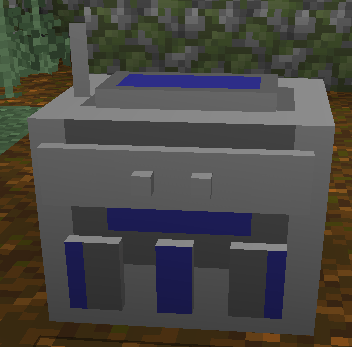
Boombox Radio Block
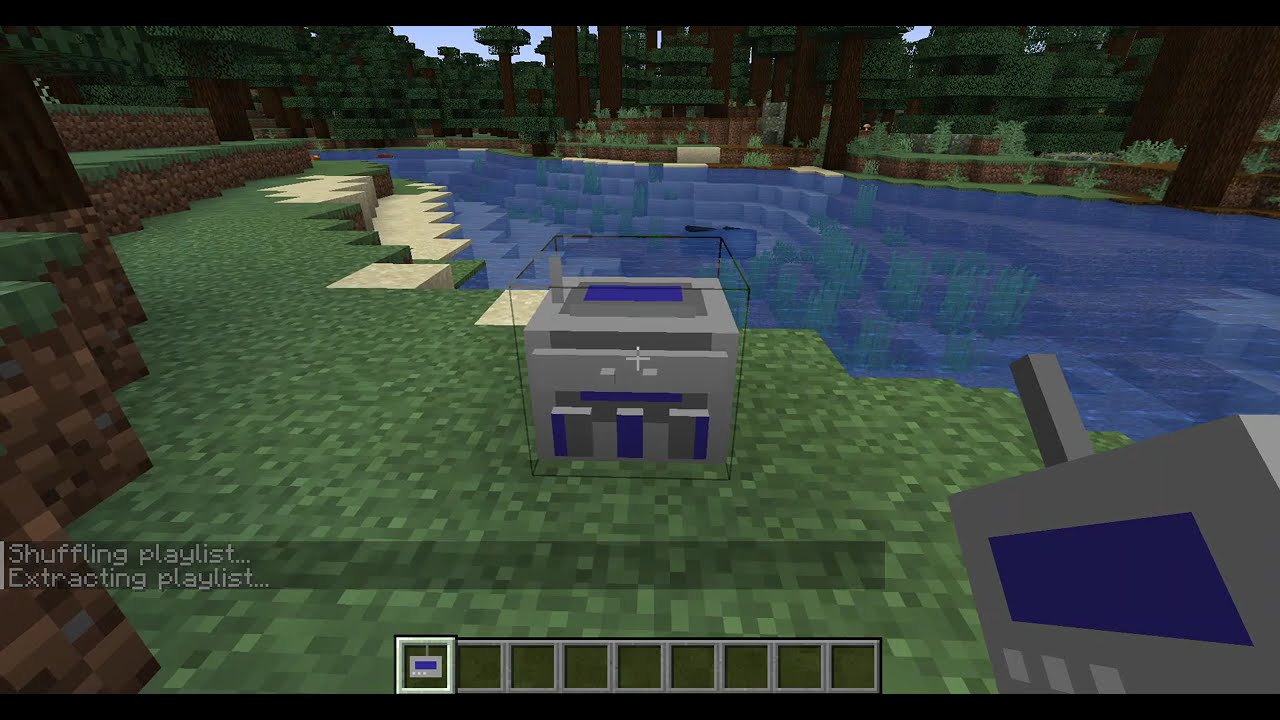
Description
# Radio Mod - Description
## Overview
Radio Mod transforms your Minecraft world into a personalized music experience by adding a fully functional radio block that streams music directly from YouTube. Whether you're building, exploring, or just relaxing in your base, enjoy your favorite tunes without ever leaving the game.
## Main Features
### 🎵 **Craftable Radio Block**
Add a decorative and functional radio block to your world. The radio can be crafted using a simple recipe and placed anywhere in your world, making it perfect for creating music rooms, entertainment areas, or ambient background music for your builds.
### 🎧 **YouTube Music Streaming**
Stream music directly from YouTube without downloading files. Simply paste any YouTube video URL or YouTube Music playlist URL into the radio's interface, and the mod handles the rest. The mod supports both individual videos and entire playlists, giving you access to millions of songs instantly.
### 🎮 **Full Music Player Controls**
Complete control over your music experience with an intuitive in-game GUI:
- **Play/Pause**: Start or pause playback at any time
- **Stop**: Completely stop playback and clear the current track
- **Shuffle**: Randomize playlist order for a fresh listening experience
- **Skip Next/Previous**: Navigate through playlist tracks with dedicated skip buttons
- **Real-time Status**: See current playback status and track information in the GUI
### 📻 **Playlist Support**
Full support for YouTube Music playlists with automatic track progression. When you load a playlist, the radio will automatically play through each track in sequence. The GUI displays your current position in the playlist (e.g., "Track 3/15"), and you can skip forward or backward through tracks at any time.
### 🎨 **User-Friendly Interface**
Right-click the radio block to open a clean, easy-to-use music player interface. The GUI features:
- URL input field for YouTube links
- Large, clearly labeled control buttons
- Real-time playback status indicators
- Playlist information display
- Automatic playlist detection (shuffle button appears for playlists)
## How to Use
### Crafting Recipe
Craft your radio using this recipe:
```
I R I
R C R
I I I
```
Where:
- **I** = Iron Ingot
- **R** = Redstone
- **C** = Compass
### Getting Started
1. **Craft a Radio** using the recipe above (also available in Creative mode under Tools & Utilities)
2. **Place the Radio** in your world by right-clicking on any block
3. **Open the Music Player** by right-clicking the placed radio block
4. **Enter a YouTube URL**:
- Single video: `https://www.youtube.com/watch?v=VIDEO_ID`
- YouTube Music: `https://music.youtube.com/watch?v=VIDEO_ID`
- Playlist: `https://music.youtube.com/playlist?list=PLAYLIST_ID`
5. **Click Play** and wait a few seconds for audio extraction
6. **Enjoy your music!** The audio streams in real-time while you play
### Controls Guide
- **Play Button**: Starts playback or resumes if paused
- **Pause Button**: Pauses the current track (can be resumed with Play)
- **Stop Button**: Stops playback completely
- **Shuffle Button**: Shuffles and plays a playlist in random order (only visible for playlist URLs)
- **Skip Next (▶▶)**: Advances to the next track in a playlist
- **Skip Previous (◀◀)**: Returns to the previous track in a playlist
## Technical Requirements
### Required Software
-**NONE - All handled by the CurseForge installer
### Minecraft Requirements
- **Minecraft Version**: 1.20.4
- **Mod Loader**: Minecraft Forge 49.2.0 or compatible (later)
- **Java Version**: Java 17 or higher
- **Internet Connection**: Required for streaming YouTube content
## How It Works
The mod uses a sophisticated audio streaming system:
1. **URL Processing**: When you enter a YouTube URL, the mod uses yt-dlp to extract the direct audio stream URL
2. **Audio Streaming**: With ffmpeg installed, audio streams in real-time without downloading files
3. **Playback**: The Java Sound API handles audio playback in a separate thread to prevent game lag
4. **Playlist Management**: For playlists, the mod extracts all video URLs and manages automatic progression
## Features in Detail
### Single Video Playback
Play any YouTube video as background music. Perfect for individual songs, podcasts, or any audio content. The mod extracts only the audio track, so you're not wasting bandwidth on video data.
### Playlist Management
Load entire YouTube Music playlists and let the radio play through them automatically. The mod tracks your position in the playlist and allows you to skip tracks as needed. Playlists can be played in order or shuffled for variety.
### Shuffle Mode
Randomize your playlist order with the shuffle feature. When you click shuffle, the mod randomizes the playlist queue before starting playback, ensuring a fresh listening experience every time.
### Real-Time Status
The GUI displays real-time information about playback:
- Current status (Playing, Paused, Stopped)
- Playlist position (e.g., "Track 5/20")
- Automatic status updates as tracks change
## Tips & Tricks
- **Multiple Radios**: Place multiple radios in different areas of your world for zone-based music
- **Playlist Variety**: Create themed playlists on YouTube Music for different moods or activities
- **Background Music**: Use the radio for ambient music while building or exploring
- **Server Compatible**: Works on both single-player and multiplayer servers (each player needs dependencies installed)
## Troubleshooting
### Common Issues
**Audio Not Playing**
- Verify the YouTube URL is valid and accessible
- Check that the video is not private or region-locked
- Check Minecraft logs for detailed error messages
**Playlist Not Loading**
- Verify the playlist URL is correct
- Make sure the playlist is public or you have access
- Some very large playlists may take longer to process
**Mod Not Loading**
- Ensure you're using Minecraft 1.20.4 with Forge 49.2.0 or later
- Check that Java 17 or higher is installed
- Verify the mod file is in the correct `mods` folder
## Legal Notice
⚠️ **Important**: This mod uses yt-dlp to extract audio from YouTube. Please ensure you comply with:
- YouTube's Terms of Service
- Copyright laws in your jurisdiction
- Fair use policies
This mod is for personal use only. Do not redistribute copyrighted content. The mod author is not responsible for any misuse of this software.
**Third-Party Tools Disclaimer**: The mod author is not affiliated with, endorsed by, or promotes the use of yt-dlp or ffmpeg. These tools are provided for educational and personal use purposes only. Users are responsible for ensuring their use of these tools complies with all applicable terms of service and local laws.
## Credits
- **Mod Author**: MarcJC
- **YouTube Extraction**: yt-dlp (https://github.com/yt-dlp/yt-dlp)
- **Audio Processing**: ffmpeg (https://ffmpeg.org/)
- **License**: MIT License
---
**Enjoy your music in Minecraft!** 🎵
The Boombox Radio Team
