BlueMap Skins 3D
- By
Full-body player skins on BlueMap — online models, greyscale offline markers, and 3D/Offline map toggles (NeoForge).
BlueMap Skins 3D
Full-body player skins on BlueMap for NeoForge — online models, greyscale offline markers, and in-map 3D / Offline toggles.
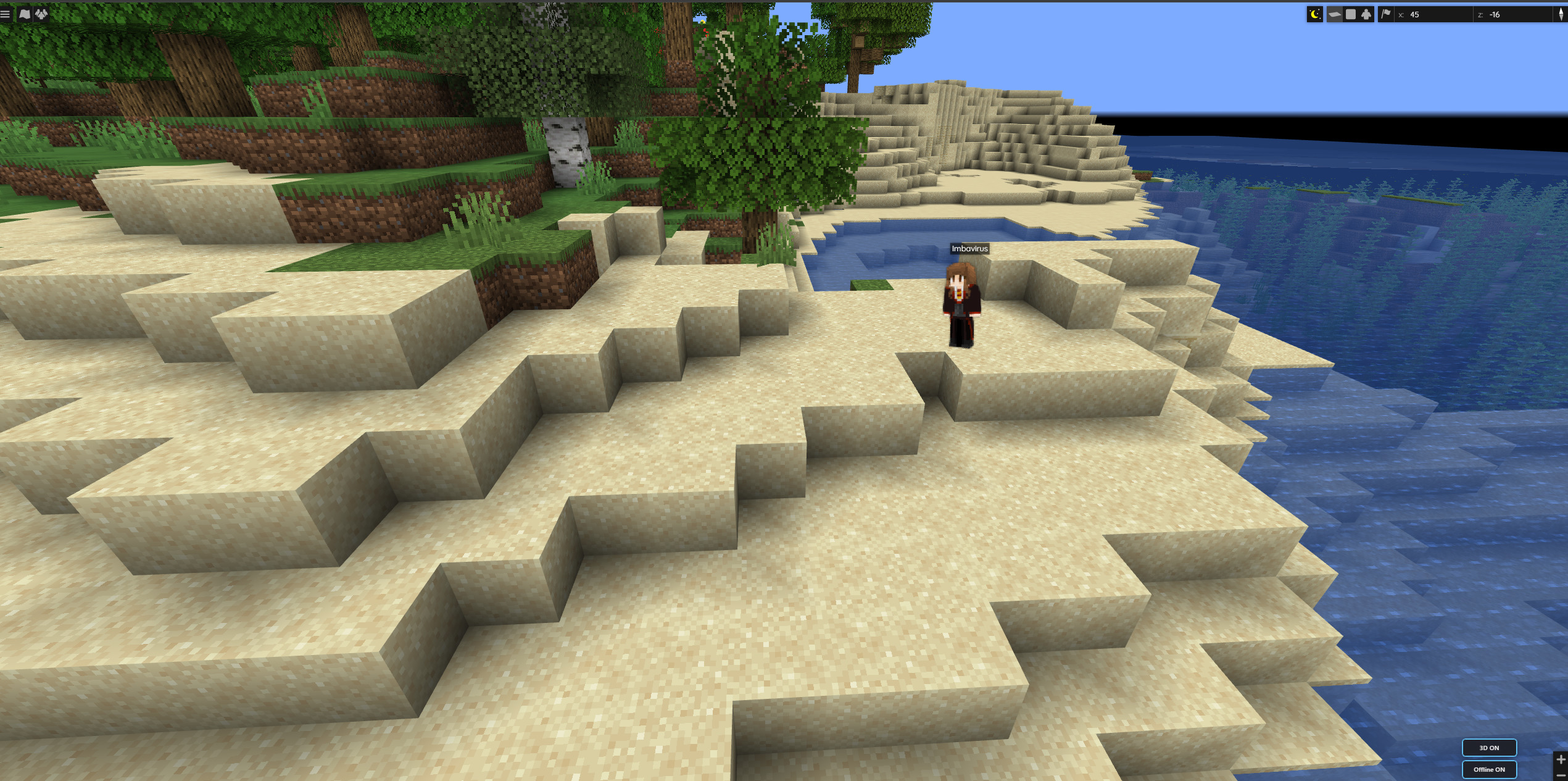
Online players show as full-body models with their real skin — about a real player height on the map.
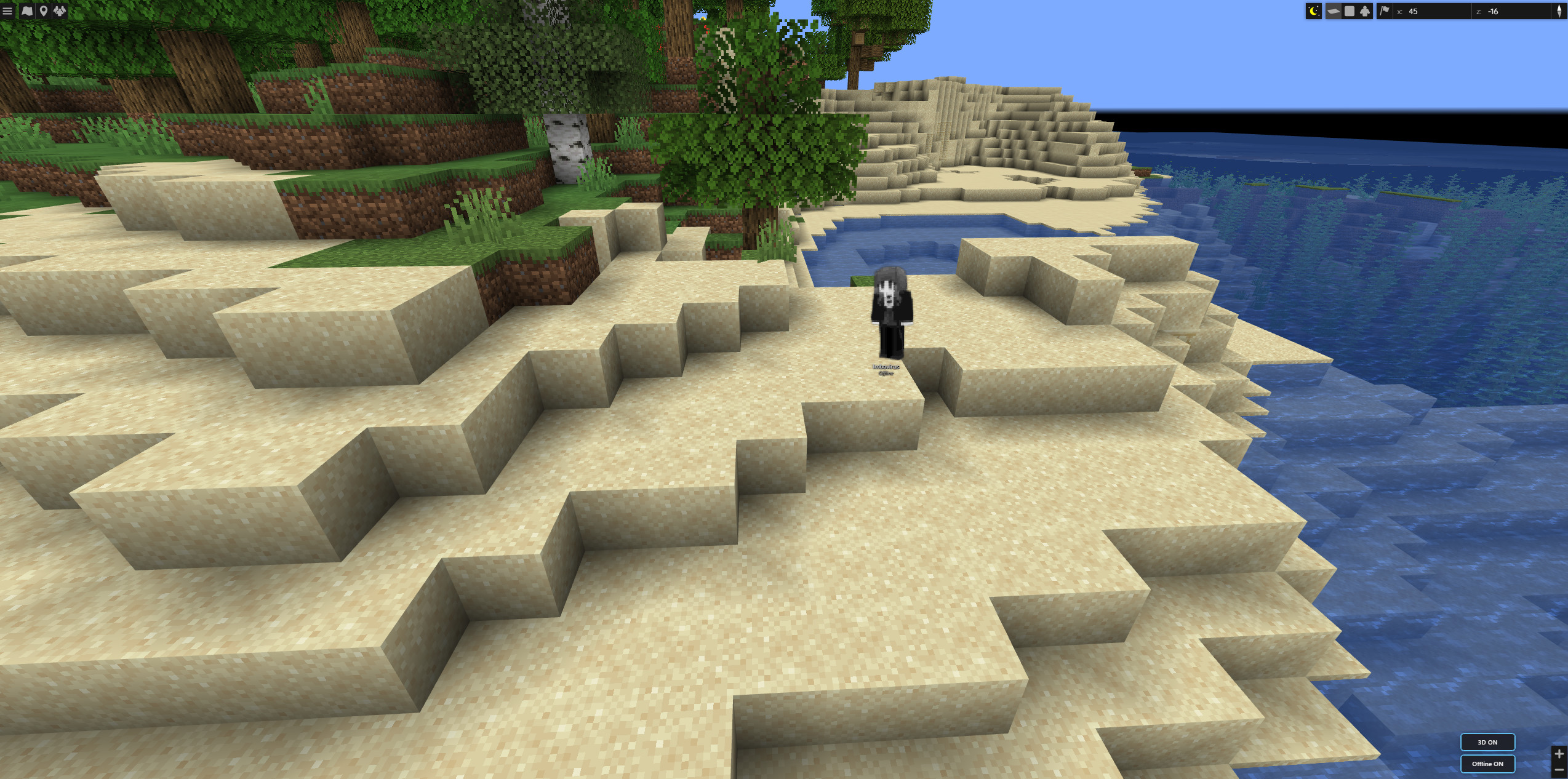
When they log off, the same marker goes greyscale and shows an Offline label so you can still find where they left off.
Features
- Full-body skins on the web map (optional; toggleable)
- Offline markers at each player’s last logout position (and dimension)
- World-scale bodies — ~1.8 blocks tall relative to the map as you zoom
- Facing follows in-game yaw when available
- Offline styling — greyscale + clear Offline label
- Map controls — 3D and Offline buttons on the BlueMap UI
- Config for expiry, banned players, hidden game modes, model defaults
Requirements
| Environment | Server only (dedicated or integrated). Clients do not need this mod. |
| Minecraft | 1.21.1 |
| Loader | NeoForge 21.1.217+ |
| Required mod | BlueMap (NeoForge) 5.0+ |
Server-side for map features (players don’t need this mod to appear on BlueMap).
Setup
- Install NeoForge + BlueMap on the server
- Add
3DBlueMapSkins-*.jartomods/ - Boot once and adjust config if needed
- Open BlueMap — use the 3D / Offline controls
Reload with /bluemap reload after config changes when available.
Config (highlights)
- ExpireTimeInHours — drop old logouts (
0= keep all) - HideBannedPlayers
- HiddenGameModes (e.g. spectator)
- ShowPlayerModels / AnimatePlayerModels
Credits
Based on BlueMap Offline Player Markers by TechnicJelle and contributors (MIT). NeoForge full-body skin UI for modern BlueMap.
Source: GitHub — neoforge branch
BlueMap Skins 3D Team

Owner