Blockspan
- By
A client-side Fabric mod that lets builders measure, label, color-code, and save build areas directly in the world.
2026-05-20_18.27.57.png
2026-05-20_18.28.39.png
2026-05-20_18.28.53.png
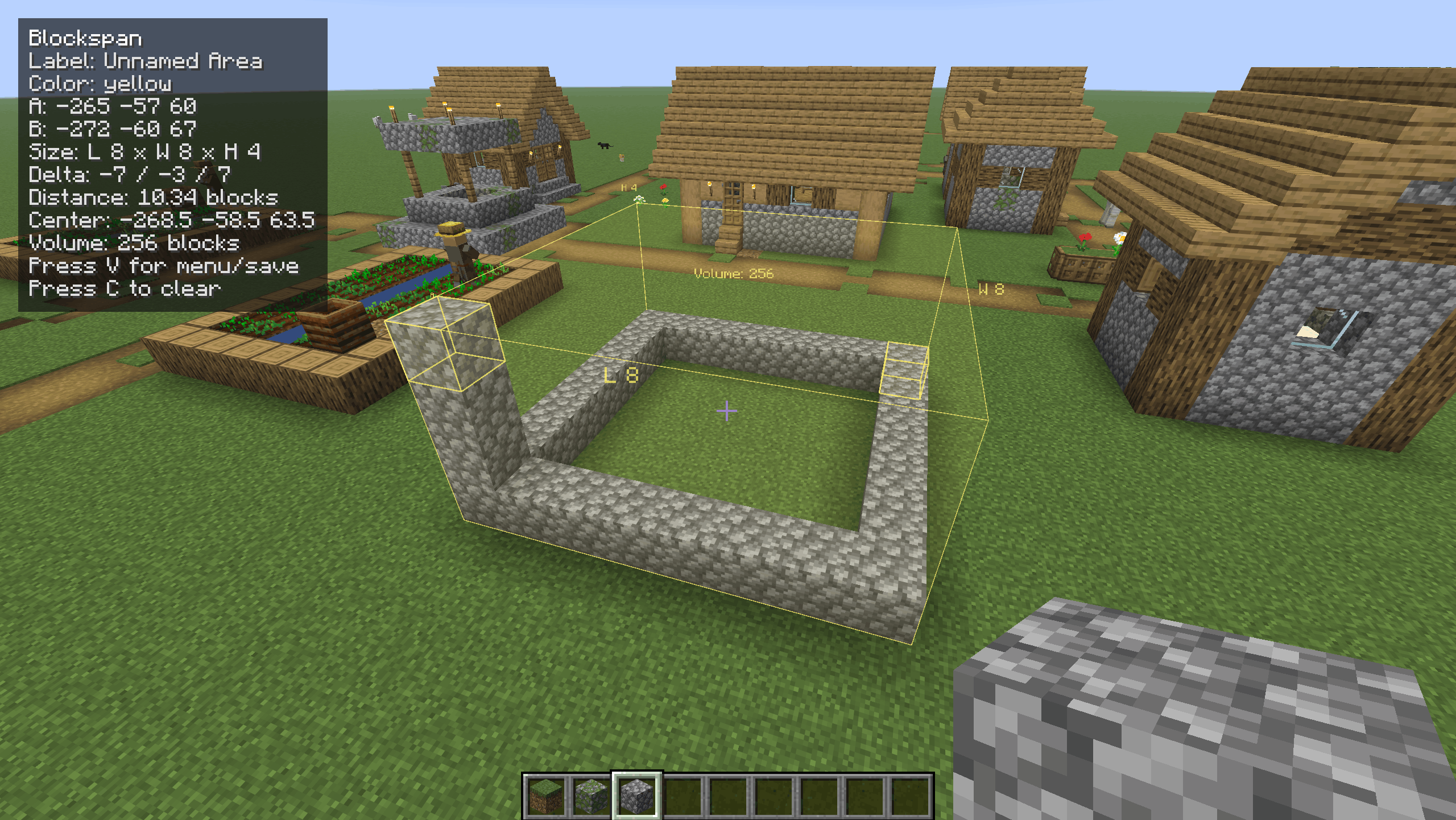
2026-05-20_18.31.38.png
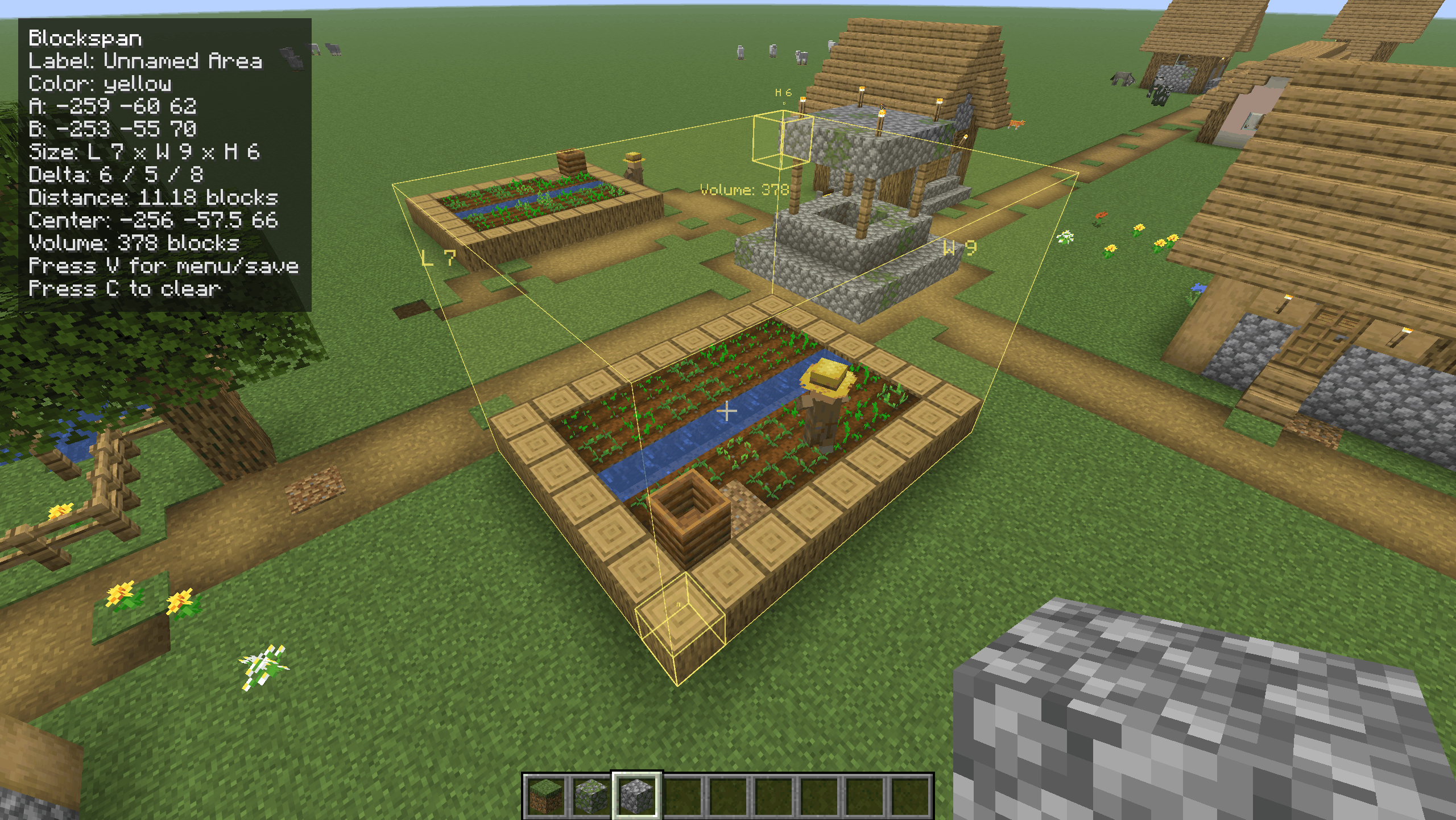
2026-05-20_18.32.15.png
Description
Blockspan
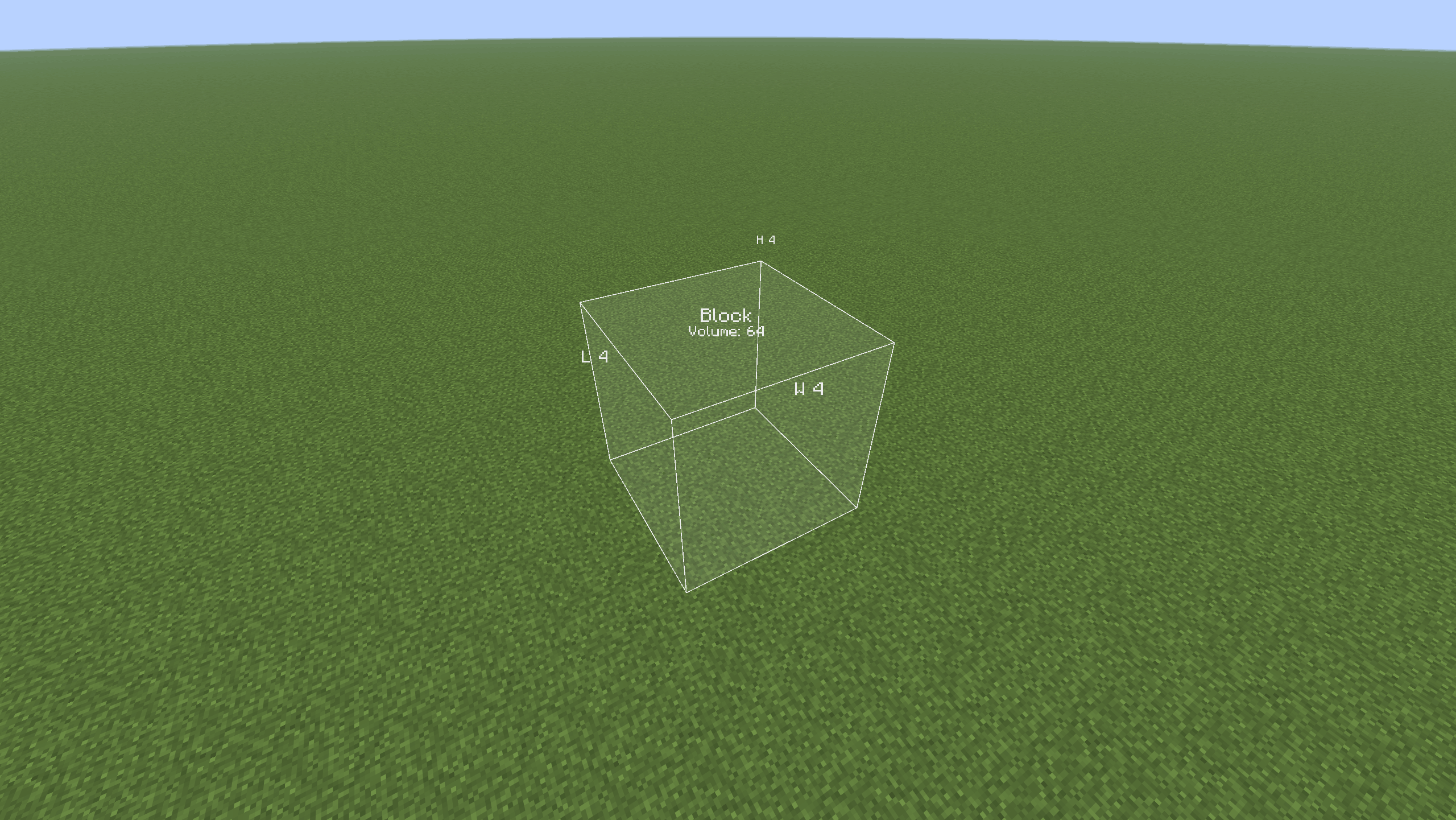
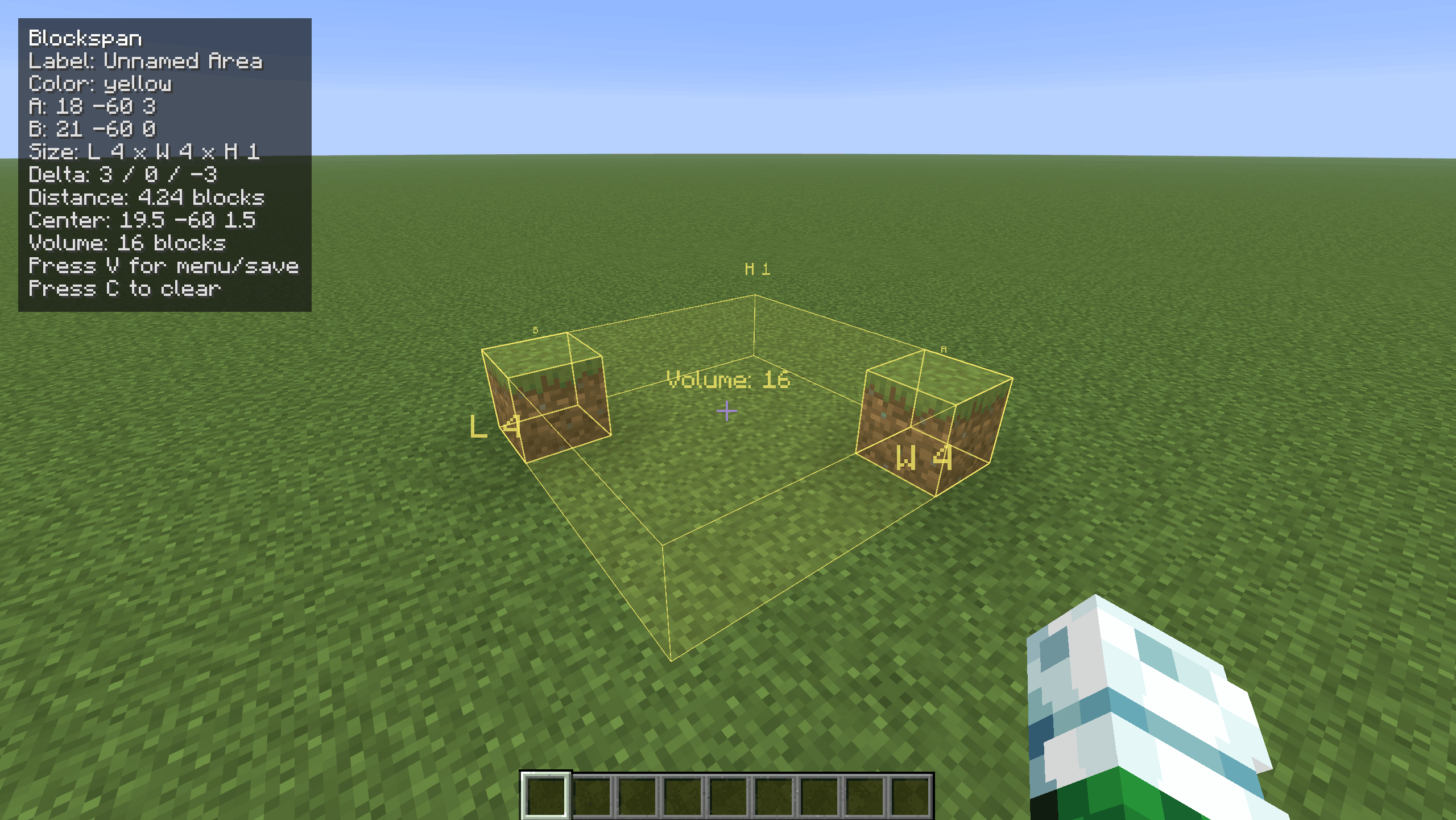
Blockspan is a client-side Fabric/Forge mod for builders who want quick, vanilla-feeling measurements while planning survival builds. Select two block positions and Blockspan shows a subtle in-world box with labels, dimensions, volume, distance, center point, and coordinates.
It is safe for survival worlds because it does not add blocks, items, entities, recipes, world generation, or server-required features. Saved areas are stored only in your local client config.
How to use
Look at a block and press R to set Point A. Look at another block and press R again to set Point B. The selected area will appear in the world with its length, width, height, and volume.
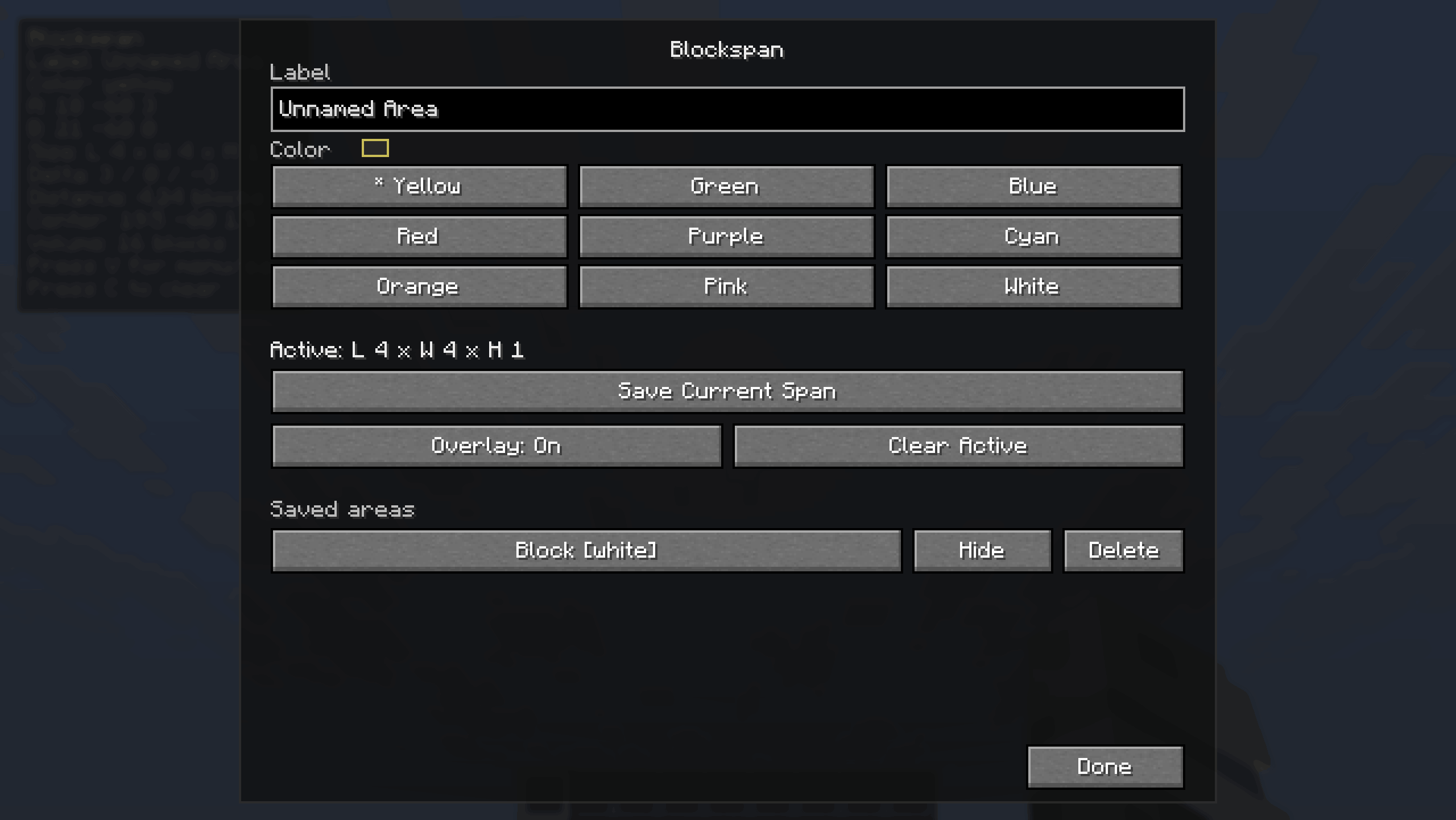
Press V to open the Blockspan menu, where you can rename the current area, choose a color, save it, hide/show saved areas, or delete saved areas.
Controls
R- Set the next pointSneak + R- Force set Point ASprint + R- Force set Point BC- Clear the active pointsB- Toggle the Blockspan overlayV- Open the Blockspan menu
Commands
All commands are client-side:
/blockspan label <name>- Set the current area label/blockspan color <color>- Set the current area color/blockspan colors- List available colors/blockspan save [name]- Save the current selected area/blockspan list- List saved areas in the current dimension/blockspan enable <name or id>- Show a saved area/blockspan disable <name or id>- Hide a saved area/blockspan toggle <name or id>- Toggle a saved area on or off/blockspan delete <name or id>- Delete a saved area/blockspan clear-saved- Delete all saved areas
Measurements
Blockspan uses inclusive Minecraft-style measurements. If Point A and Point B are the two ends of a wall, both endpoint blocks are counted.
The overlay can show:
- Point A and Point B coordinates
- Length, width, and height
- X/Y/Z delta
- Straight-line distance
- Center point
- Total cuboid volume
Requirements FABRIC
- Fabric Loader
- Fabric API
- Minecraft 26.1.2
Requirements FORGE:
- Forge
- Minecraft 26.1.2
Client-side only
Blockspan does not need to be installed on a server. It does not send packets, modify server data, or save anything into the world itself. Removing the mod will not damage or alter your saves.
The Blockspan Team