Blockshin Menu
- By
336A7A7C0CDFBCF7AA0241C249021CA7.jpg
CB33349D357091277B10450D1BC1403E.png
ECB74752671FE139BA9F27EE06B84394.png
D24AB95459DCF2113E3EEB7F2D5306CA.png
11EC4EA3652E2811E9B70547ECE07D06.png
Description
# Blockshin Menu
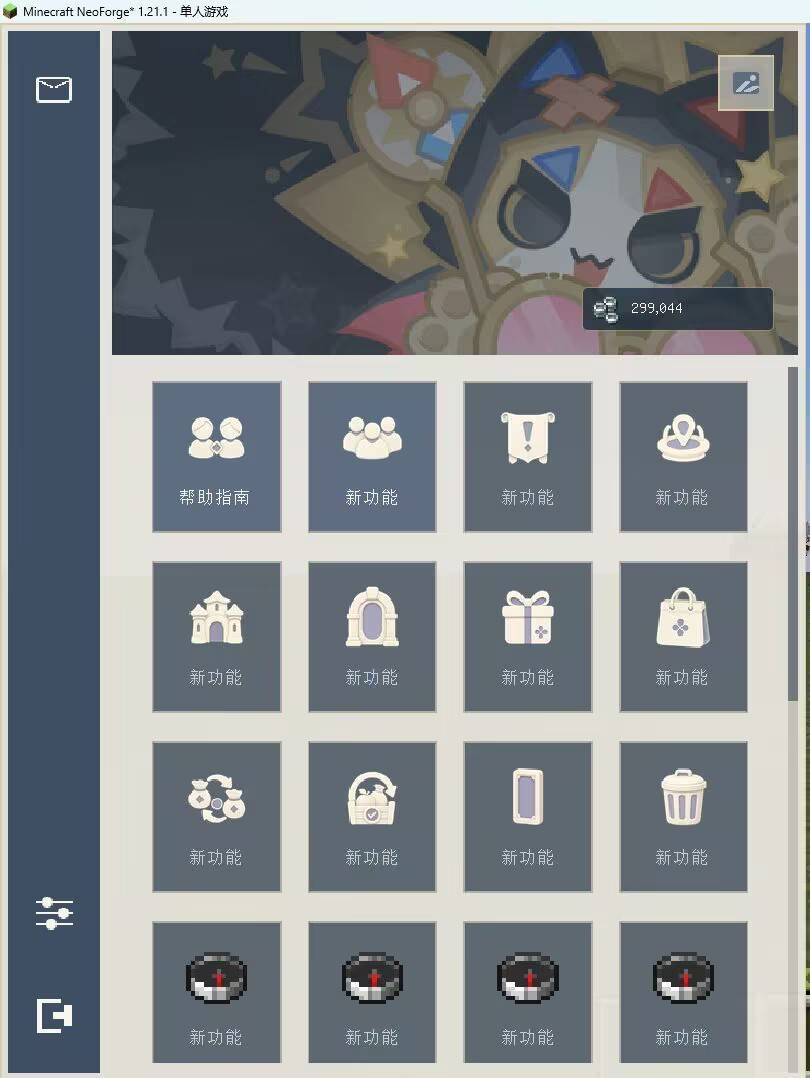
A server-menu mod for **Minecraft 1.21.1**. Inspired by the menu design language of Genshin Impact, Blockshin Menu provides an in-game managed main menu, daily rewards, and a mailbox system for servers. Visual assets are created with AI assistance.
## Features
- Open the menu with the default **V** key or **`/bm`**. The keybind can be changed in Minecraft's Controls settings.
- Sidebar navigation, profile-card backgrounds, a compact feature grid, scrollable lists, and smooth open/close animations.
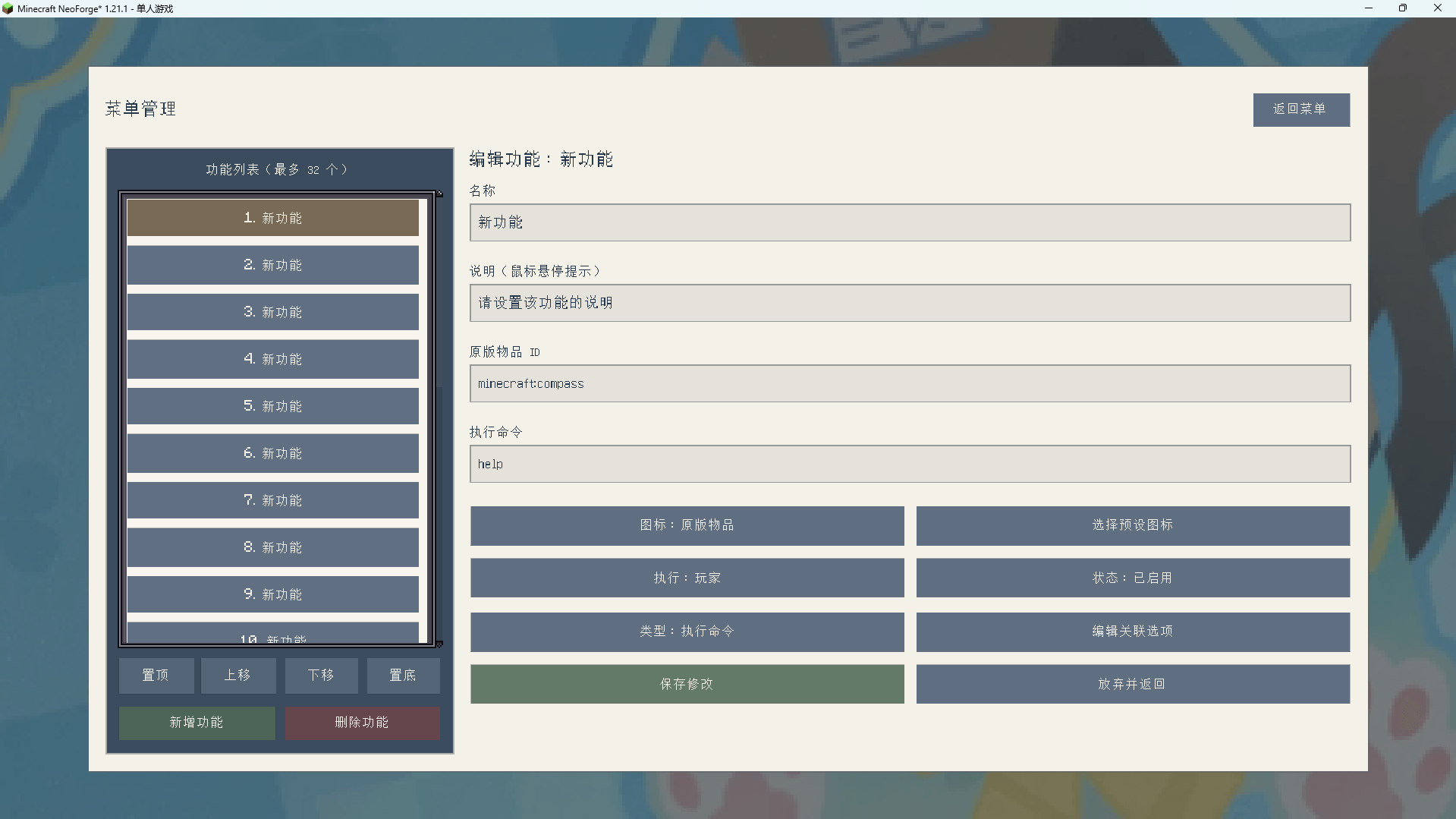
- Administrators can add, edit, delete, and reorder up to **32** feature entries directly in game.
- Each entry can execute either a player command or a server command, and can use a vanilla item or a built-in preset icon.
- Supports flexible submenus for any grouped functions.
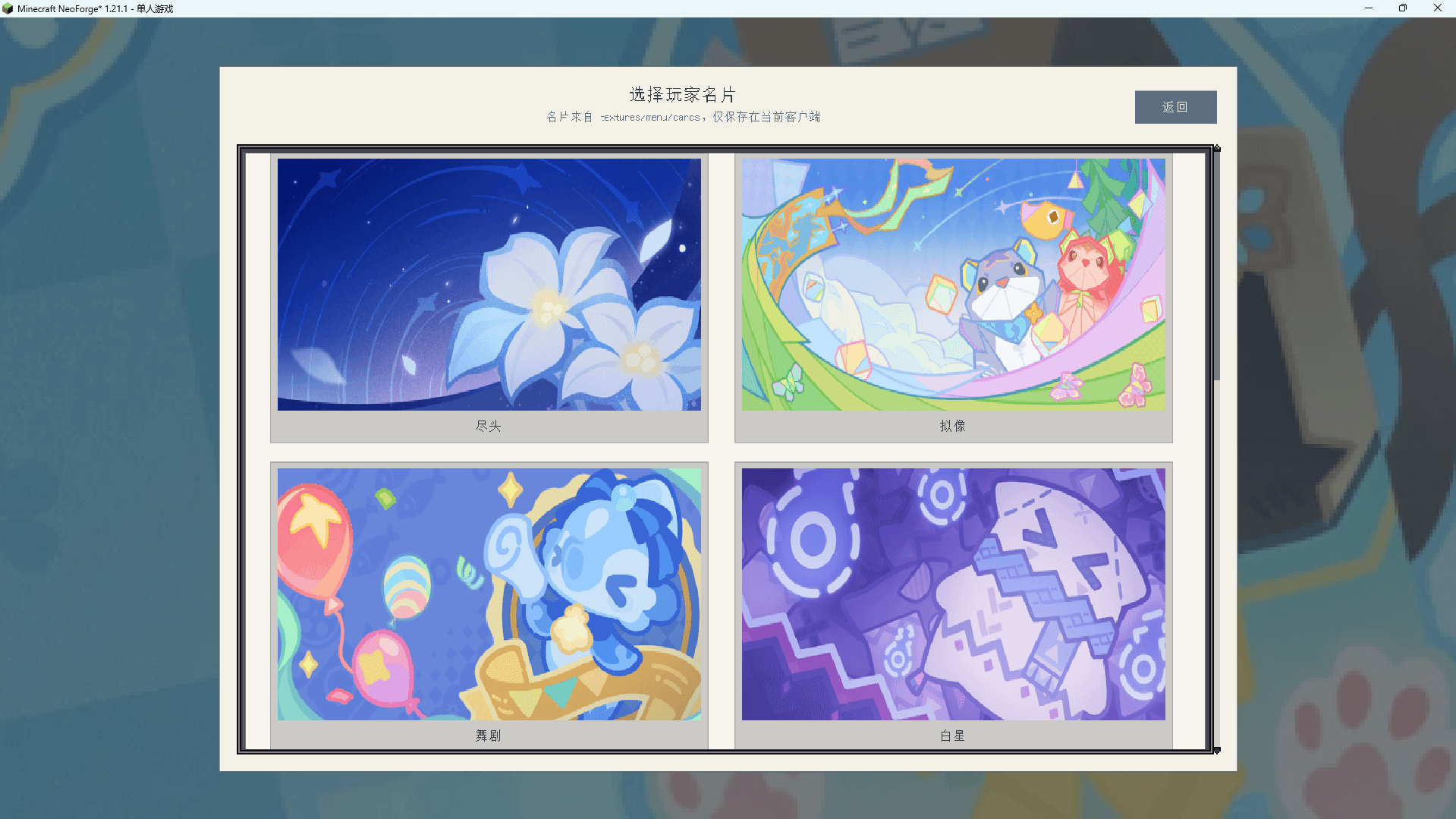
- Built-in profile-card and icon pickers. Card and icon resources are maintained in separate folders for easy server-side replacement and expansion.
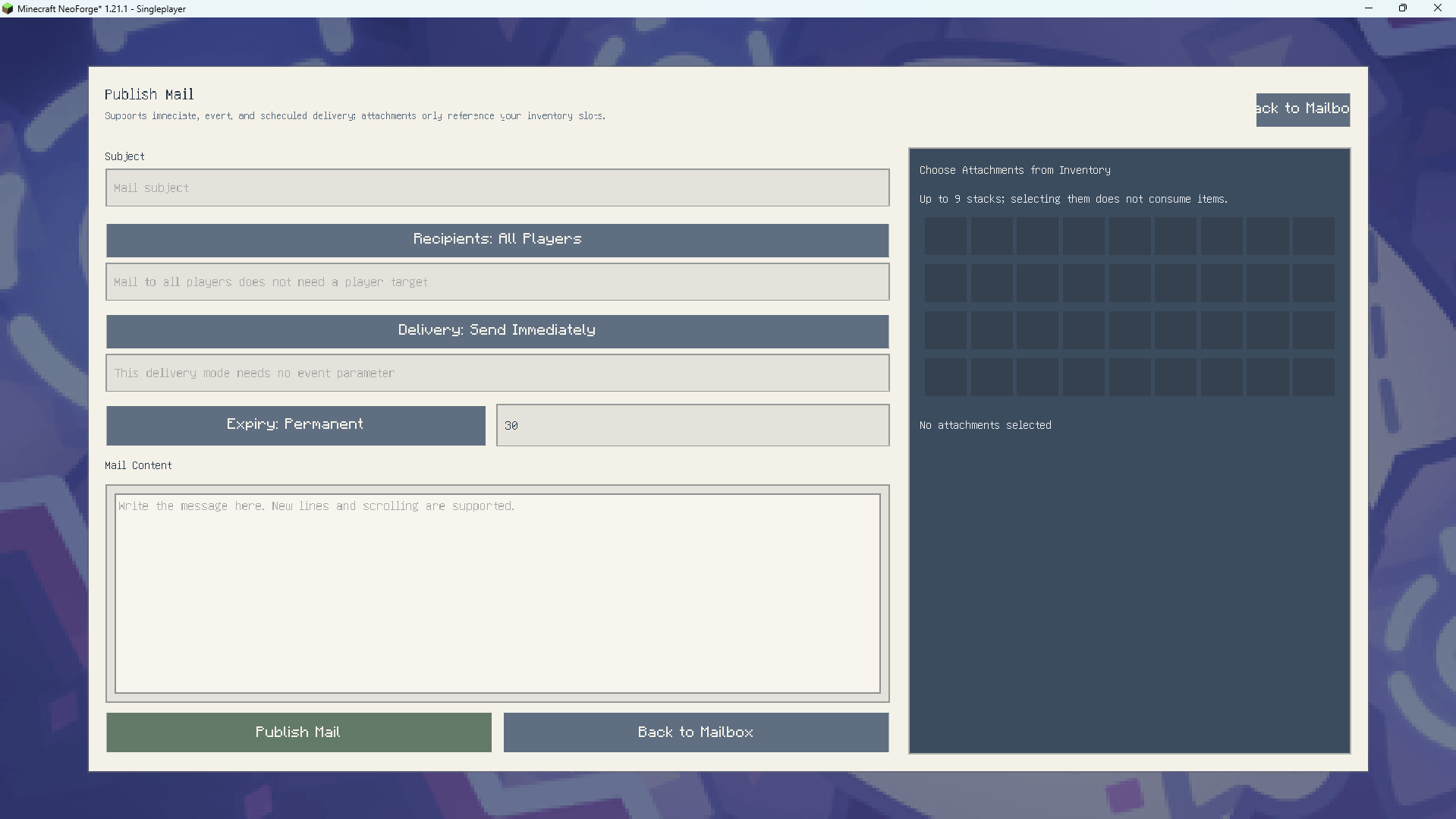
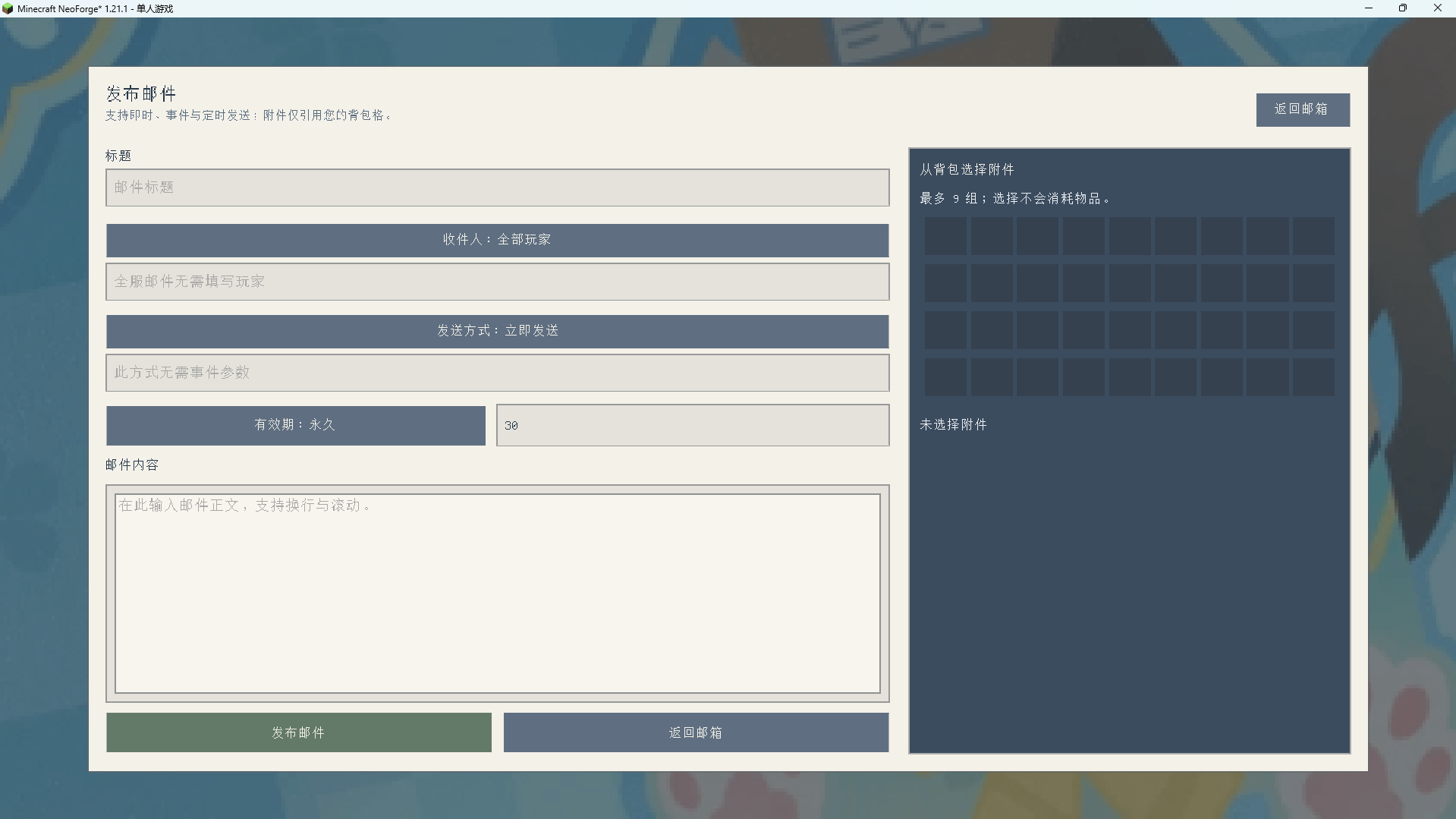
- Mailbox system: mail to all players or specific players, multiple attachments, claiming, read-state deletion, administrator recall, expiry dates, scheduled delivery, and event mail triggered by first join or advancements.
- Daily rewards: players can claim once per day; administrators can configure the reward template from their inventory.
- Optional **ViScriptShop** integration: when ViScriptShop is installed, the player's balance is displayed in the profile-card area.
## Commands
| Command | Description |
| --- | --- |
| `/bm` | Open Blockshin Menu |
| `/bm edit` | Open the administrator menu editor (requires OP permission level 2) |
| `/bm reload` | Reload the menu configuration (requires OP permission level 2) |
| `/bm daily` | Claim the daily reward |
| `/bm daily setfrominventory` | Configure the daily reward from the administrator's current inventory |
| `/bm daily status` | View the daily reward configuration |
| `/bm daily clear` | Clear the daily reward configuration |
`/daily` is also available as a shortcut for claiming daily rewards.
## Requirements and Installation
**Required:**
- Minecraft **1.21.1**
- NeoForge **21.1.228** or a compatible version
- LDLib2 **2.2.28 - 2.3.x**
Place the JAR in the `mods` folder on both the client and server, then launch the game. Server configuration is stored under `serverconfig` in the world save directory.
## Administration and Resource Maintenance
- Icon resources: `assets/blockshin_menu/textures/menu/icons/`
- Profile-card resources: `assets/blockshin_menu/textures/menu/cards/`
- Icon manifest: `assets/blockshin_menu/menu/icons.json`
- Profile-card manifest: `assets/blockshin_menu/menu/cards.json
The Blockshin Menu Team