


Blockpilot
- By
Description
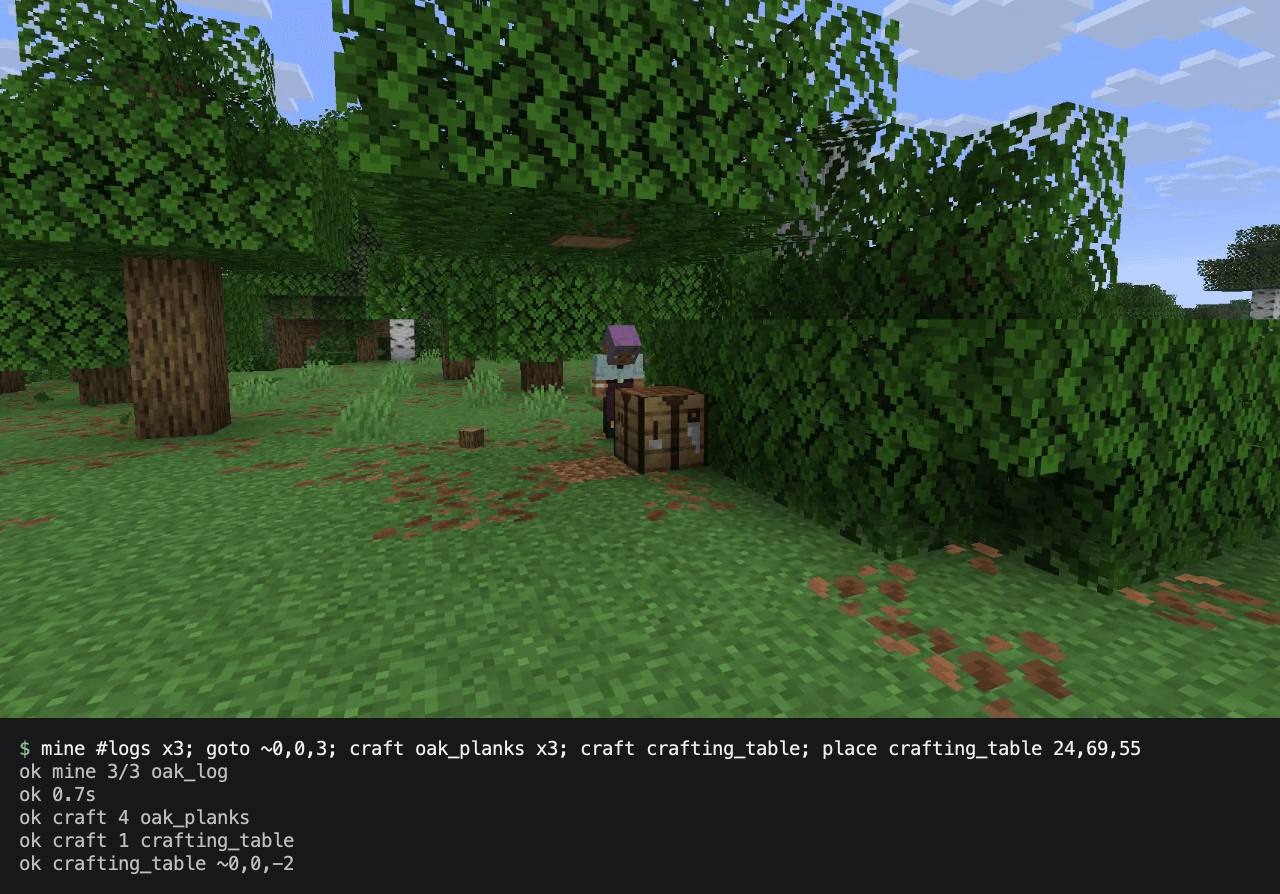
Blockpilot lets AI agents and scripts see and play Minecraft through a fast, token-efficient local interface. Connect an AI agent, or run commands from a shell, and it can look around, walk, mine, craft, fight mobs, use containers and take screenshots as your player.
Blockpilot doesn't include an AI of its own. You bring the agent or the script.
What you can do with it
- Play-test your mod while you develop it. Create disposable test worlds, script a scenario, assert the results, and capture screenshots, video and performance data. Actions go through the game's normal input, so your mod sees ordinary player behaviour.
- Let an AI agent play. Agents connect over MCP and get short text replies, logs and screenshots, which keeps their token use low.
- Automate the game from a script. Run a list of commands from any shell and check the exit code.
Getting started
Install the file for your loader and Minecraft version, then start the game. Fabric also needs Fabric API.
At every start, the game writes a launcher to <game dir>/blockpilot/blockpilot (blockpilot.cmd on Windows), which needs nothing else installed. The game dir is your instance's folder in the CurseForge app, or the default .minecraft folder.
The easiest way to start is to tell your agent that Blockpilot is installed and where your game dir is. It can work out the rest from there, including how to connect.
For AI agents: the launcher serves MCP over stdio. Add it to your agent once and it keeps working when the game restarts. With Claude Code:
claude mcp add --transport stdio blockpilot -- "<game dir>/blockpilot/blockpilot" --mcpFrom a shell or script: the launcher runs commands separated by ; and prints one reply per command. The first error stops the script.
"<game dir>/blockpilot/blockpilot" --wait-world "select iron_pickaxe; mine #logs x3; inv"ok hand:iron_pickaxe
ok mine 3/3 oak_log
ok
~ 1:iron_pickaxe dur247/250
+ 5:oak_log x3
! got oak_log x3What's included
- Seeing the game: player status, nearby blocks and entities, block and entity lookups, the inventory, and what's on screen
- Acting as the player: pathfinding, mining, placing, using items, fighting, crafting and moving items between containers
- Raw input: mouse, keyboard, typing, and clicks on any screen, including modded ones
- Testing: test worlds, world snapshots, waits, assertions and server commands in singleplayer
- Observing: screenshots, contact sheets, placed cameras, MP4 recording with sound, sounds, particles, chat and logs
- Performance: capture server, client and network performance, and simulate a busy server, a slow client or a laggy network
Run help <command> for the full form of any command. Mods can also add their own commands through Blockpilot's API.
You stay in control
- Blockpilot only listens on
127.0.0.1, behind a token it creates. - Real keyboard or mouse input stops what the agent is doing, and F8 turns agent control off.
- The game window can stay in the background while an agent drives it.
Blockpilot only runs on the client. Check a server's rules before using it in multiplayer, because many don't allow automation.
Supported versions
NeoForge and Fabric on Minecraft 1.21.1 and 26.1.2.
NOT AN OFFICIAL MINECRAFT PRODUCT. NOT APPROVED BY OR ASSOCIATED WITH MOJANG OR MICROSOFT.
Blockpilot Team
