BlockPalette Studio
- By
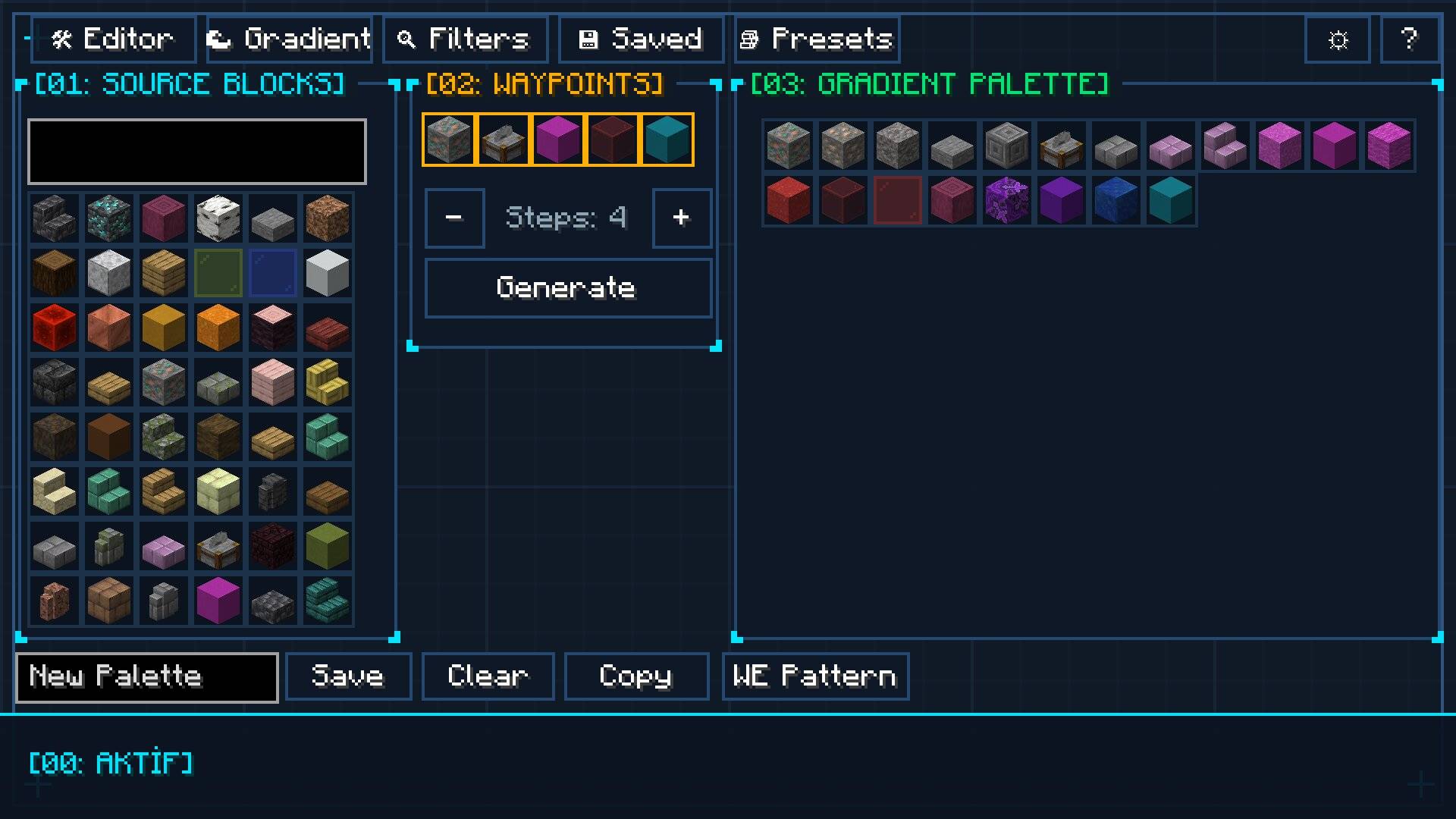
The ultimate in-game architect studio for Minecraft builders featuring Ponder-style 3D wall dioramas, WorldEdit command studio with custom ratios, multi-mod filtering, color harmony algorithms, smooth block gradients, and builder preset libraries.
2026-08-05_17.26.27.jpg
Description
🎨 BlockPalette Studio
BlockPalette Studio is a professional in-game building assistant, 3D architectural simulator, WorldEdit export engine, and color theory studio designed for Minecraft builders, architects, and designers. It analyzes block textures in real-time to generate smooth color harmonies, organic gradients, interactive 3D wall dioramas, customizable WorldEdit commands with smart ratios, and builder preset libraries.
🌟 Key Features
⚡ 1. Advanced WorldEdit Studio & Architect Command Engine
- 13 Essential WorldEdit Architect Commands:
- Core & Surfaces:
//set,//replace,//walls,//outline,//overlay,//line(NEW!),//faces - Brushes & 3D Shapes:
//brush sphere,//brush cyl,//cyl,//hcyl,//sphere,//hsphere
- Core & Surfaces:
- Special Air, Water & Lava Blocks: Easily construct ruined/decayed walls (
50%stone,50%air), water channels, or lava mixtures with dedicated[+ Air],[+ Water], and[+ Lava]buttons. - Interactive Live EditBox: Real-time editable command line! Tweak commands, flags (
-h), masks (!air), dimensions, or block IDs directly with keyboard input. - 1-Click Smart Ratio Presets: Instantly apply
Equal (1:1),70% Dominant,Cascading (50%, 30%, 15%...), andRandomweight distributions. - Block Weight Tuner, Reordering & 1-Click Deletion: Adjust ratios via
[-][+]or mouse scroll, shift block order with[◀][▶], and delete blocks instantly by clicking[-]at 1x weight. - Automatic Singleplayer & Multiplayer Support:
- Singleplayer: 100% unlimited direct JVM execution (supports 10,000+ characters with 0 packet limits!).
- Multiplayer: Built-in network packet guard that safely copies >256 character commands to clipboard to prevent server disconnects.
- Radius (
r) & Height (h) Controls: Compact dimension steppers for cylinder, line, and brush commands. - Raw Block List Export: 1-click button to export comma-separated block lists (
stone,andesite...).
🧱 2. Ponder-Style 3D Wall Diorama & Texture Simulator
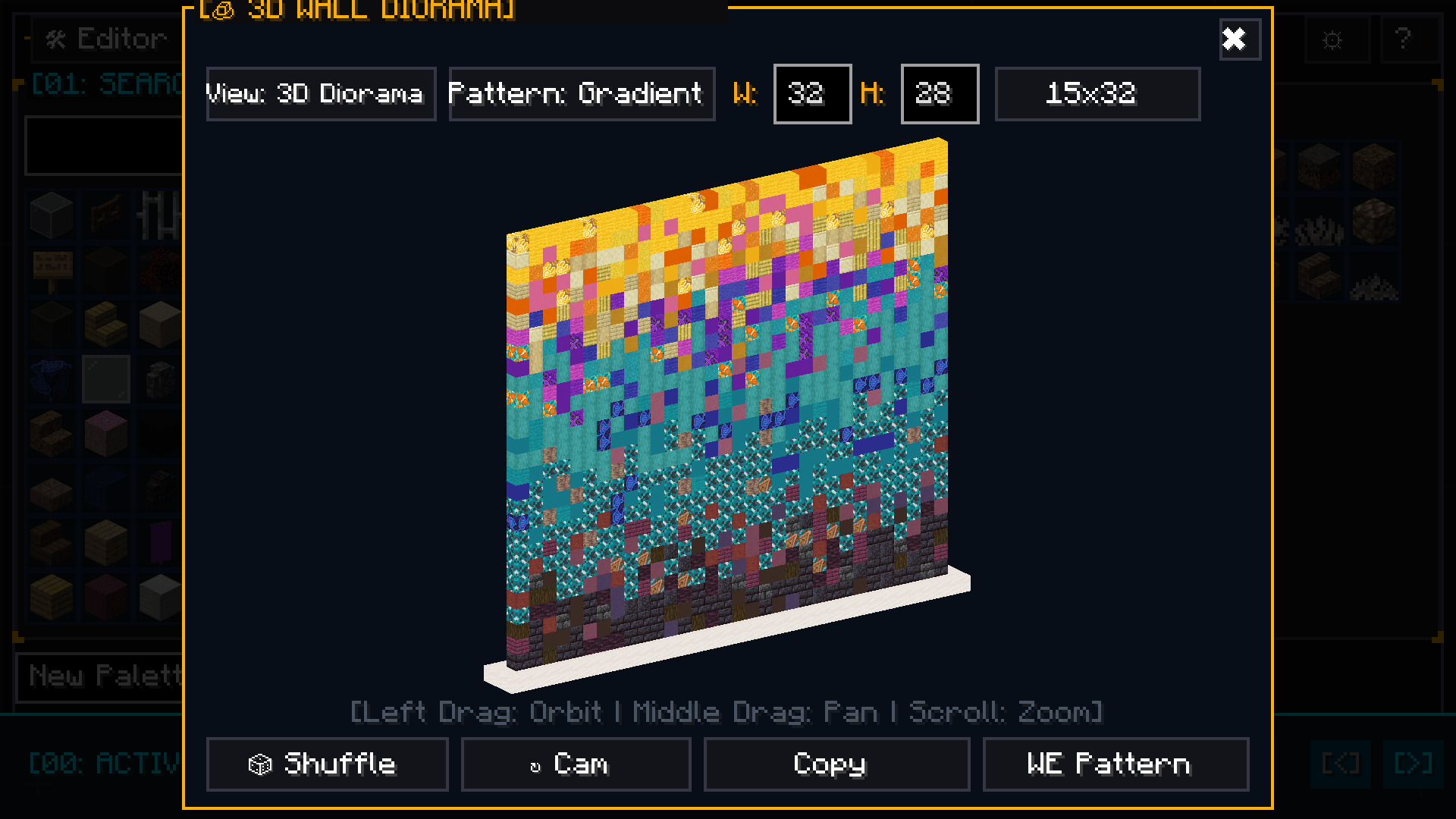
- Interactive 3D Isometric Diorama: Preview your palette on an elegant marble pedestal platform directly inside the GUI.
- Free 360° Camera: Rotate freely with mouse drag (
Yaw/Pitch) and zoom in/out with the scroll wheel. - 2D Seamless Texture Mode: Inspect connected, borderless block textures in a flat repeating wall.
- 3 Distribution Modes: Natural Noise Clusters, Vertical Height Gradient, and Random Dither with live
[ 🔀 Re-Roll ].
🔍 3. Multi-Select Mod Filter & Visual Category Icons
- Visual Minecraft Block Icons: Every category button features an intuitive block icon (Oak Log for Wood, Stone Bricks for Stone, Terracotta, Glass, Iron Ore, etc.).
- Color-Coded Filter States: Bright Green
[✔ Included]and Bold Red[✖ Excluded]for instant visual clarity. - Multi-Mod Filtering: Select and combine blocks from multiple installed mods simultaneously.
- Live Search Bar: Instantly search and filter through hundreds of mods by name.
- 1-Click Actions: Instant "Select All" and "Clear All" buttons for effortless modpack management.
🎯 4. Real-Time Color Theory & Harmony Engine
- Automatic Texture Analysis: Dynamically extracts the dominant perceptual RGB and HSV colors directly from block textures (including modded blocks).
- 6-Model Color Harmony Popup Grid: View and select all 6 color models at once with detailed color theory tooltips (Similar, Analogous, Complementary, Triadic, Split-Complementary, Monochromatic).
- Advanced Color & Material Filters: Filter by Tone (
Warm,Cool,Neutral), Brightness, Saturation, and Block Material.
🌈 5. Smart Block Gradient Generator
- Perceptual Color Pathfinding: Generates seamless, natural block-to-block gradients between any two chosen blocks.
- Curve Shaping: Fine-tune transition pacing with
Linear,Smooth S-Curve,Ease-In, andEase-Out. - Step Control: Create gradients ranging from 3 to 15 blocks in length.
📋 6. Builder Presets & Palette Management
- Curated Built-In Presets: Medieval, Gothic, Cyberpunk, Rustic Wood, Modern Clean, Nether, and more.
- Save & Load Custom Palettes: Store unlimited palettes in a scrollable card grid.
- Eyedropper Tool (
VKey): Sample any block from your world or inventory directly into the studio. - JEI Integration: Press
R(Recipes) andU(Usages) while hovering over any block. - Custom UI Design Mode: Resize and reposition studio panels to fit your exact screen workflow.
🎮 Default Controls & Keybindings
| Key / Action | Description |
|---|---|
C |
Open BlockPalette Studio GUI |
V |
Eyedropper — Sample targeted block into studio |
| Left Click & Drag | Rotate 3D Wall Diorama (360°) / Drag UI Panels in Design Mode |
| Scroll Wheel | Zoom 3D Diorama / Adjust Block Weights / Scroll Grids |
R / U |
View JEI Recipe / Usage for hovered block |
ESC |
Close Modals / Return to Game |
📦 Installation & Dependencies
- Platform: Forge 1.20.1 (Recommended Forge version
47.1.0or higher) - Dependencies: None! BlockPalette Studio runs standalone out of the box.
- Optional Integrations: JEI (Just Enough Items) & WorldEdit.
The BlockPalette Studio Team