BlockExporter - Icon Export Tool
- By
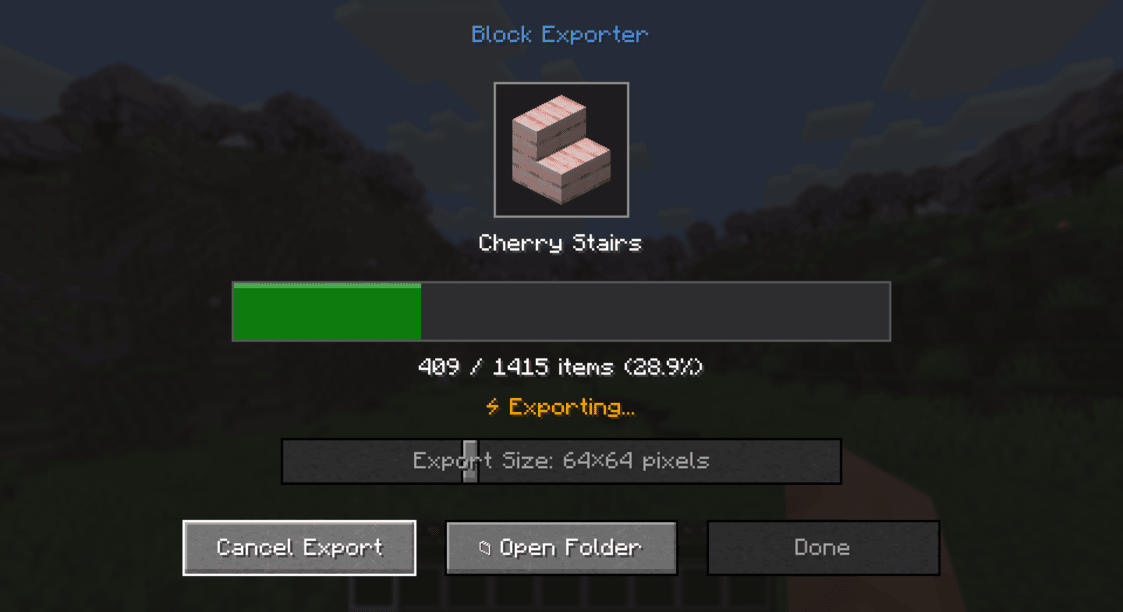
Export item icon renders as they appear in inventory slots.
BlockExporter - Icon Export Tool
A Minecraft mod that exports item icon renders as they appear in inventory slots.
Supported Platforms
- Modern Minecraft with:
- Fabric
- NeoForge
- Forge
- Minecraft Beta 1.7.3 & Alpha 1.1.2_01 (with ModLoader)
Requirements
- One of the supported mod loaders mentioned above
Usage
- Install the mod along with the required API for your mod loader
- Launch Minecraft
- Press the "i" key to open the export menu
- Find the exported textures in the
item_exportsfolder inside your Minecraft directory
Output Format
- Each texture is saved as a PNG file
- File naming format:
namespace_itemid.png(e.g.,minecraft_diamond.png) - Available output sizes: 16x16, 32x32, 64x64, 128x128, 512x512, 1024x1024 pixels
- Images include transparency where applicable
License
This project is licensed under the MIT License - see the LICENSE file for details.
BlockExporter - Icon Export Tool Team