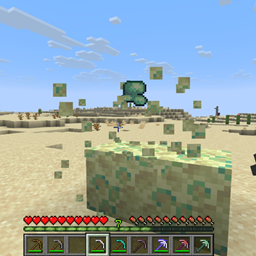
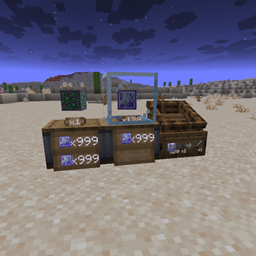
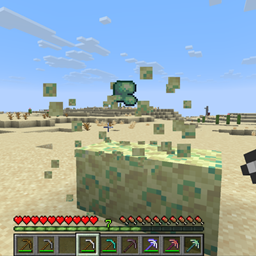
Think obsidian takes too long to mine? Wish you had a vanilla way to augment farming? Ever thought it'd be cool to have the block UNDER a rail affect the minecart? Think torchflower ought to emit light? Wish dirt path blocks made you walk faster?
Me too!!
Block Properties Configurer is a highly customizable NeoForge mod that gives players, server owners, and modpack creators control over a wide variety of block properties and gameplay mechanics.
Create high-speed minecart networks; build functional piston-operated railway junctions; customize tool harvesting; allow blocks to supply a jump boost; change plant growth limits, and experiment with entirely new uses for familiar materials.
Block Properties
Mining Hardness
Increase or decrease how long blocks take to mine.
Make blocks instantly breakable or completely unbreakable.
Blast Resistance
Adjust how resistant blocks are to explosions.
Make structures more durable or easier to destroy.
Friction
Make surfaces more slippery or provide greater traction.
Light Emission
Assign custom light levels from 0 to 15.
Customize light emission for most blocks.
Hostile Spawn Prevention
Prevent natural hostile mob spawning on selected surfaces.
Turn ordinary building materials into spawn-resistant flooring.
Mining and Tool Customization
Harvest Overrides
Allow or deny drops independently of normal tool requirements.
Correct Tool Overrides
Change which tools are considered appropriate for mining selected blocks.
Useful for custom mining progression and modpack balancing.
Roads, Movement, and Jumping
Player Road Speed
Assign movement-speed multipliers to selected surfaces.
Make dedicated roads faster than ordinary terrain.
Horse Road Speed
Independently configure horse movement bonuses.
Make roads and paths useful for mounted transportation.
Jump Multipliers
Increase or decrease jump velocity based on the block beneath the player.
Create surfaces that allow unusually high jumps.
Does not change the block's landing bounce behavior.
Contact Effects
Apply horizontal push and vertical launch effects when entities stand on selected blocks.
Create conveyor-like surfaces and launch pads. Parkour!
Advanced Minecart Transportation
Configure the foundation block directly underneath the track, allowing different materials to serve different transportation purposes.
Maximum Speed
Increase or decrease minecart maximum speed.
Build high-speed railways using configurable foundation materials.
Create slower sections for stations, junctions, or difficult terrain.
Powered-Rail Acceleration
Customize acceleration independently of maximum speed.
Create powerful acceleration sections.
Control how quickly minecarts reach their permitted speeds.
Braking Foundations
Apply configurable speed retention to minecarts.
Create gradual braking sections or powerful deceleration zones.
Combine braking with maximum-speed limits for more precise control.
Stationary Minecart Launching
Launch occupied minecarts from a standstill on powered rails, based on the rider's horizontal facing direction.
Configure launch velocity according to the foundation material.
Useful for train stations/stops
Piston-Movable Rails and Railway Junctions
Set foundation blocks to carry attached rails when pushed or pulled by horizontal pistons.
Move rails, minecart and passenger all together along with the piston-moved block
Build functional piston-operated track-switching systems using ordinary Minecraft materials.
Rails count toward the vanilla 12-block piston movement limit.
These systems can be combined to create complex transportation networks with dedicated acceleration, cruising, braking, launching, and switching sections.
No additional rail or minecart blocks are introduced.
Farming and Plant Growth
Custom Plant Growth Heights
Change the maximum natural growth height of supported plants.
Configure different limits for different plant types.
Some plants retain additional vanilla growth restrictions, and not every plant growth mechanic has been verified.
Crop Growth Foundations
Modify natural crop growth rates according to the block directly beneath farmland.
Give materials such as podzol, moss, or rooted dirt useful agricultural properties.
Configuration
All settings are controlled through a TOML configuration file:
config/blockpropertiestweaker-server.toml
The file is generated automatically and includes explanations, valid value ranges, and examples.
Each feature can be configured independently.
Example Configuration
[hardness]
overrides = ["minecraft:deepslate*=2.6", "minecraft:obsidian=40"]

[blast_resistance]
overrides = ["minecraft:end_stone*=15"]

[friction]
overrides = ["minecraft:blue_ice=0.995"]

[light_emission]
overrides = ["minecraft:budding_amethyst=3"]

[prevent_natural_hostile_spawns]
overrides = ["minecraft:polished_andesite=1"]

[road_speed]
player_overrides = ["minecraft:polished_andesite=1.18"]
horse_overrides = ["minecraft:polished_andesite=1.3"]

[contact_effects]
horizontal_push = ["minecraft:lime_glazed_terracotta=0.1"]
vertical_launch = ["minecraft:magenta_glazed_terracotta=0.55"]

[minecart_foundation]
max_speed_multiplier = ["minecraft:copper_block=3.0"]
acceleration_multiplier = ["minecraft:copper_block=3.0"]
braking_speed_retention = ["minecraft:iron_block=0.85"]
stationary_launch_speed = ["minecraft:gold_block=2"]

[plant_growth_height]
overrides = ["minecraft:sugar_cane=4", "minecraft:cactus=5"]

[jump_factor]
overrides = ["minecraft:shroomlight=1.15"]

[crop_growth_foundation]
overrides = ["minecraft:podzol=1.5"]

[piston_rail_attachment]
overrides = ["minecraft:gold_block=1"]
These are examples of possible configurations, not required settings or default gameplay changes.
Wildcard Support
Block Properties Configurer supports wildcard matching, allowing entire families of blocks to share the same configuration.
For example:
minecraft:deepslate*=2.6
This can match multiple blocks whose registered IDs begin with deepslate.
Other patterns can match blocks across different namespaces or select families of modded blocks.
Rules can also target individual blocks when precise control is needed.
Modded Block Support
The mod supports registered blocks from other mods using their normal identifiers.
For example:
examplemod:custom_block=5.0
Most configurable multipliers support a broad range of values, allowing server owners to decide how extreme or subtle their changes should be.