Black Souls:Options
A fan-made mod for 《BlackSouls II》, mainly creating options functionality and adding covenants for each creature.
Interactive interface
When the player wears an iron helmet (can be modified in the configuration file) and right-clicks on a creature, the following interface can be opened: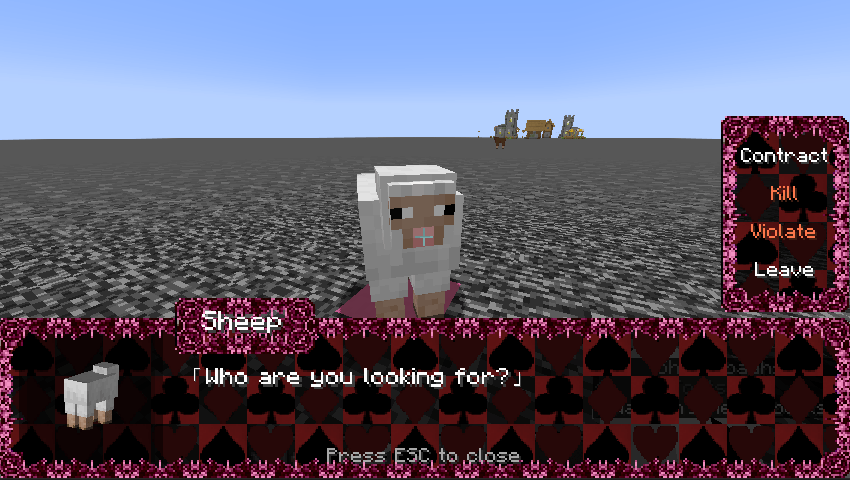
[Contract]
Consume 100 souls (experience) to make a contract with a target and gain a special ability.
After making the contract, press ESC and you will see a [Contract List] button in the top left corner.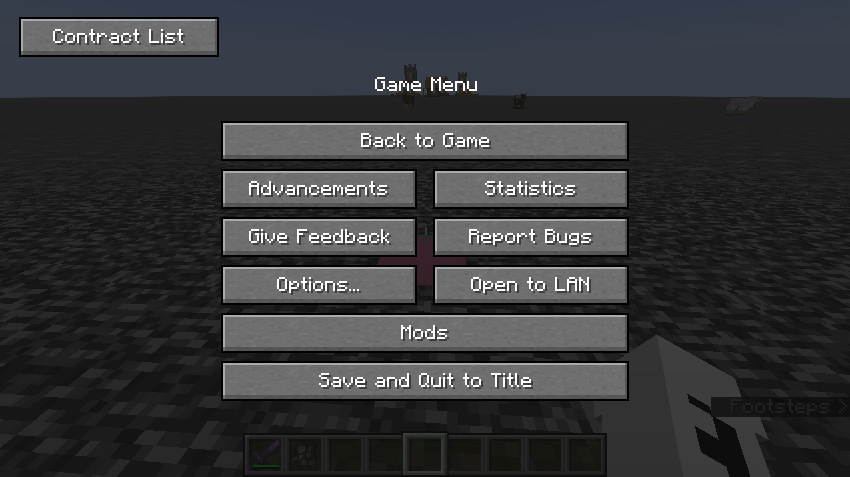
Opening the contract interface allows you to view the detailed contract information of the creature, and you can activate or deactivate its abilities at any time. The tracking button in the top right corner, when triggered, will create a red line connecting the player to the contract target's location.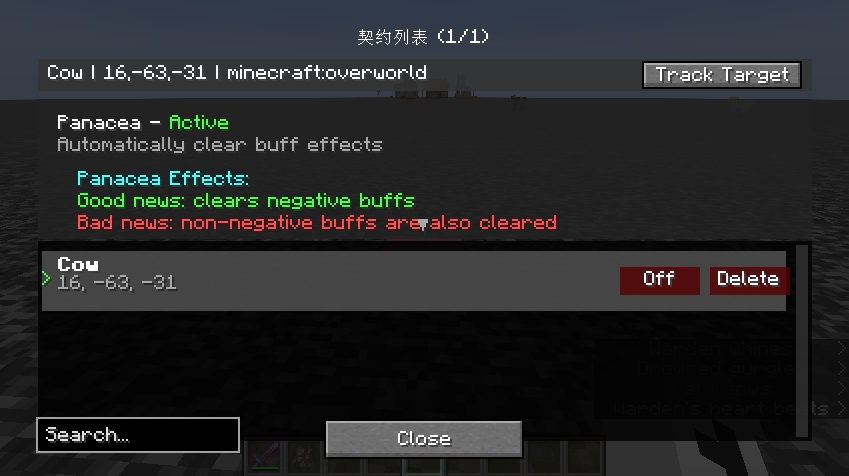
[Kill]
By default, triggering this option will execute an attack on the target. If the instant kill mode is activated in the configuration file, the target will be directly killed.
[Violate]
Just like in the main game, if the player has a contract with the target, triggering it will automatically remove the contract with the target. After a flash of light, 6 points of satiety will be deducted and a weakened effect will be applied for 30 seconds.
Black Souls:Options Team