Disable, remove or blacklist any biome, vanilla or modded, from an easy in-game menu.
Choose which biomes generate in the Overworld, the Nether, the End, and dimensions from mods or datapacks. Each disabled biome is replaced by the closest enabled one, so terrain still blends in naturally.
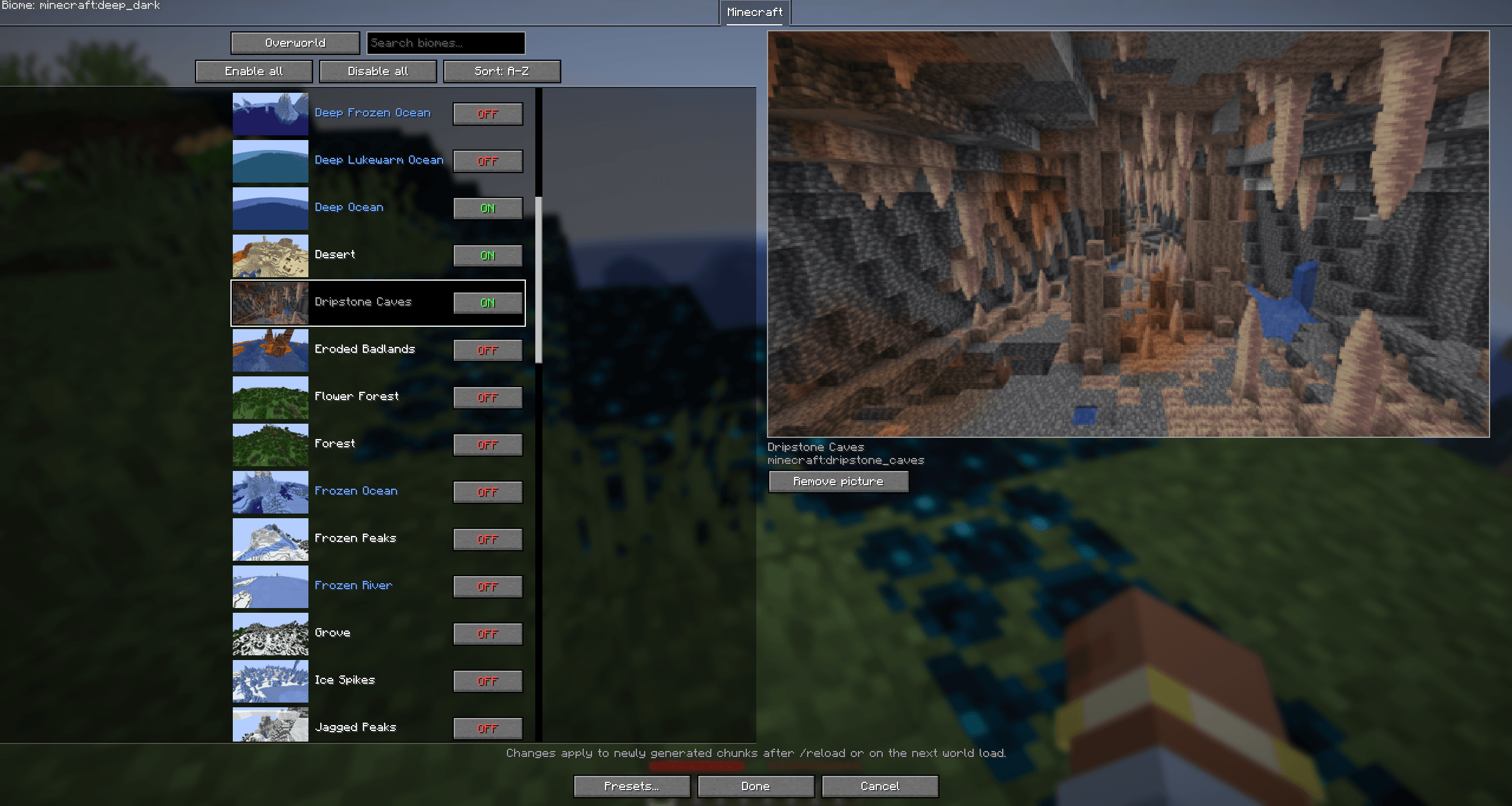
No more config-file digging: search, toggle, save presets, done. Works client-side or server-only, so players don't need it to join.
Useful for modpack makers, server owners and regular players who want to control world generation.
Available for Minecraft 1.21.1 (NeoForge 21.1+) and 1.21.11 (NeoForge 21.11+), plus Fabric with Fabric API on both. On Fabric, Mod Menu is needed to open the config screen.
Features
- Toggle any biome in the Overworld, the Nether, the End and modded dimensions
- In-game menu with search, a tab per mod, bulk on/off and biome previews
- Presets you can save, load and share as JSON files
- Works on servers, and players don't need the mod to join
- Compatible with TerraBlender, Lithostitched and Blueprint
Changes apply to newly generated chunks after /reload or a world reload. Existing chunks aren't touched.
Configuration
Open the menu from Mods → Biome Pick'n'Choose → Config. On a server, operators can run /biomepicknchoose config (needs the mod on the client).
Or edit config/biomepicknchoose.json directly. Unlisted biomes stay enabled:
{
  "biomes": {
    "minecraft:dark_forest": false,
    "minecraft:plains": false
  }
}
Presets use the same format, so you can drop a preset file in as the config on any loader.
Biome previews
To capture biome pictures in singleplayer:
- /biomepick_preview capture [namespace] photographs every biome
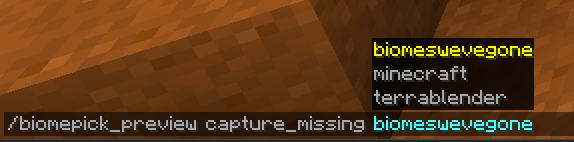
- /biomepick_preview capture_missing [namespace] only does the ones without a picture
- /biomepick_preview cancel stops a capture
Compatibility
Works with biome mods that use TerraBlender, Lithostitched or Blueprint, including Oh the Biomes We've Gone, Biomes O' Plenty and Terralith.
Dimensions with their own biome source (like the Twilight Forest) or a single fixed biome aren't affected.
Source on GitHub. Also available on Modrinth.