Biome Painter
- By
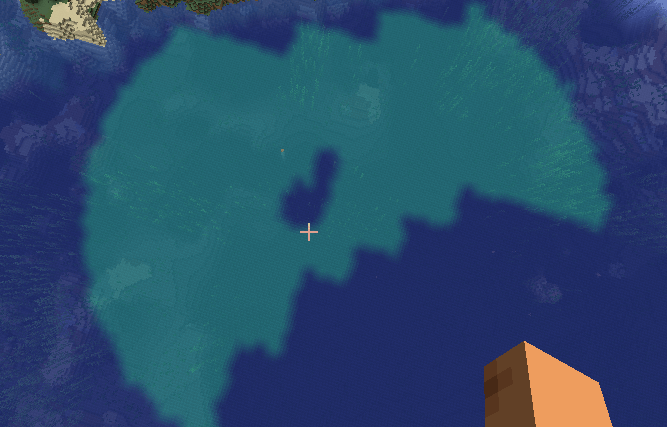
Biome Painter enables dynamic biome editing without requiring world regeneration. Modify biomes directly in existing worlds, manage biome regions, perform large-scale biome conversions, and synchronize changes across clients.
3.png
Description
BiomePainter is a runtime biome editing tool that lets you change biomes in existing worlds without regenerating terrain.
It allows you to replace biomes in an area, store those changes as persistent regions, and reapply them later if needed. Regions are saved automatically and survive restarts, making it easier to manage large-scale biome projects without having to repeat the same work.
The mod includes commands for painting, converting, inspecting, deleting, and restoring biome regions, along with undo support because people make mistakes and sometimes turn half the world into a desert by accident.
Changes are synchronized between the server and connected players, and a lightweight API is available for developers who want to build on top of BiomePainter.
Commands
Paint a biome region
Replace one biome with another around your current position and save it as a persistent region.
/biomepaint start <from> <to> <radius>Example:
/biomepaint start minecraft:plains minecraft:desert 128List available biomes
Displays all registered biome IDs.
/biomepaint listView nearby biome information
Shows nearby biome samples.
/biomepaint nearbyView current region
Displays information about the region you are currently inside.
/biomepaint currentRepaint all regions
Reapplies all saved biome regions.
/biomepaint repaintallConvert all regions
Converts all saved regions to a new biome.
/biomepaint convertall <to> <radius>Undo changes
Undo the most recently created region.
/biomepaint undoUndo a specific region.
/biomepaint undo <id>Delete regions
Delete the region you are currently standing in.
/biomepaint delete hereList all saved regions with clickable delete actions.
/biomepaint delete listDelete a specific region.
/biomepaint delete id <id>Help
Display the built-in help menu.
/biomepaint helpThe Biome Painter Team

![Items Displayed [Fabric] project image](https://media.forgecdn.net/avatars/thumbnails/860/338/256/256/638266813017239662.png)