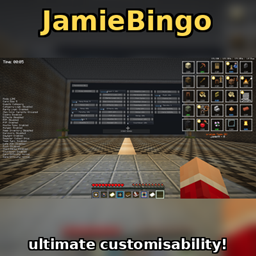
Bingo overlay
- By
Adds a bingo overlay to the play.bingomc.net server to make card viewing easy
An upgrade to the play.bingomc.net server's /search command which makes it easier to see what is on your card via an overlay.
Press m to edit card size + position, and get access to sliders on the bottom left to edit icon and text size. Also in this mode, hovering your cursor over an item shows the crafting recipe for it, and right clicking on an item on the card marks it as completed in the event that you accidentally reset the card midgame or something didn't register.
Press n to hide/show the card overlay.
Press v to hide/show the map in your offhand.
(old) 1.21.11 only: Auto reroll card feature: If playing on singleplayer, then when in 'm' mode, hovering over an item and pressing 'p' on it adds it to a blacklist which you can view by pressing 'p' (right clicking an item on the blacklist removes it from blacklist), pressing 'O' auto generates new cards until one without any items on your blacklist appears in which it will play a ringing sound to alert you.
Keybinds can be customised in control settings uner bingo overlay.
Bingo overlay Team