BEYOND THE WINDOW
- By
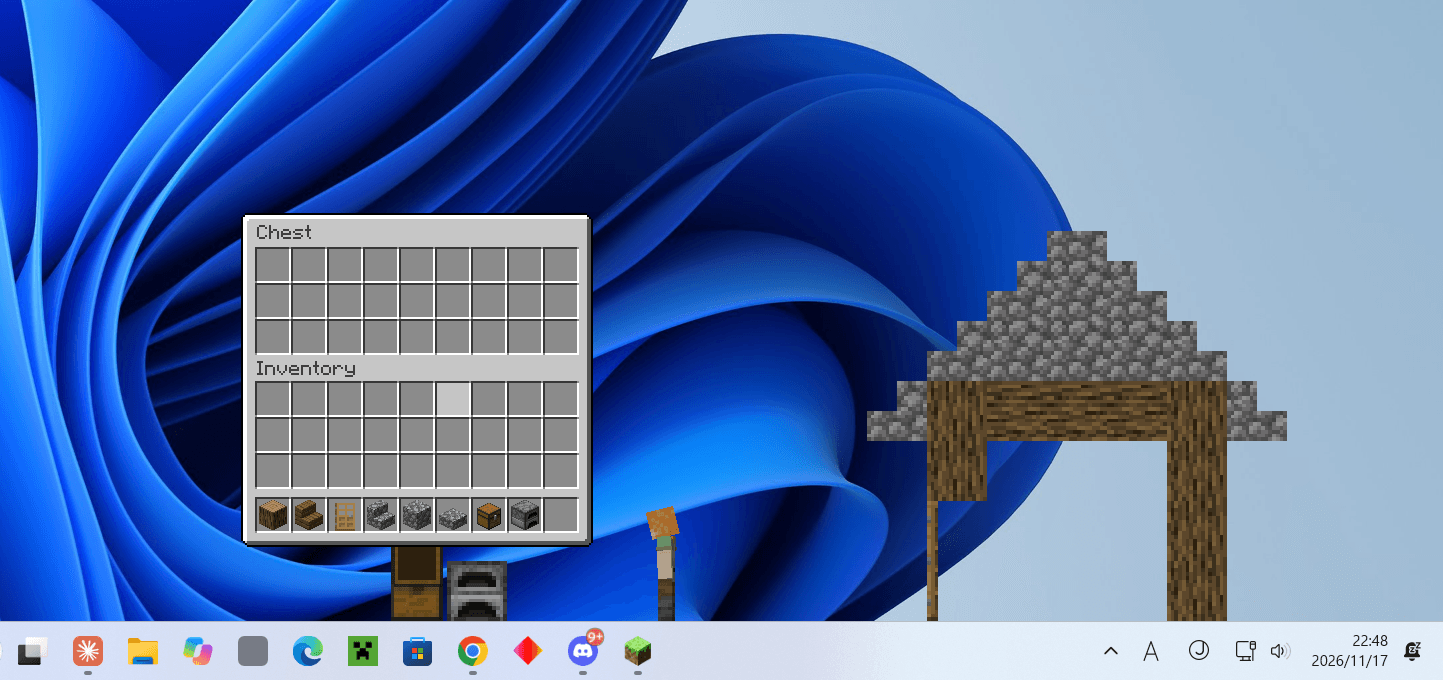
Your character breaks out of the game window onto your real Windows desktop.
ã¹ã¯ãªã¼ã³ã·ã§ãã 2026-11-17 224800.png
ã¹ã¯ãªã¼ã³ã·ã§ãã 2026-11-17 224931.png
ã¹ã¯ãªã¼ã³ã·ã§ãã 2026-11-17 225102.png
ã¹ã¯ãªã¼ã³ã·ã§ãã 2026-11-17 224832.png
Description
BEYOND THE WINDOW
What if your Minecraft character could step out of the game window — onto your real Windows desktop?
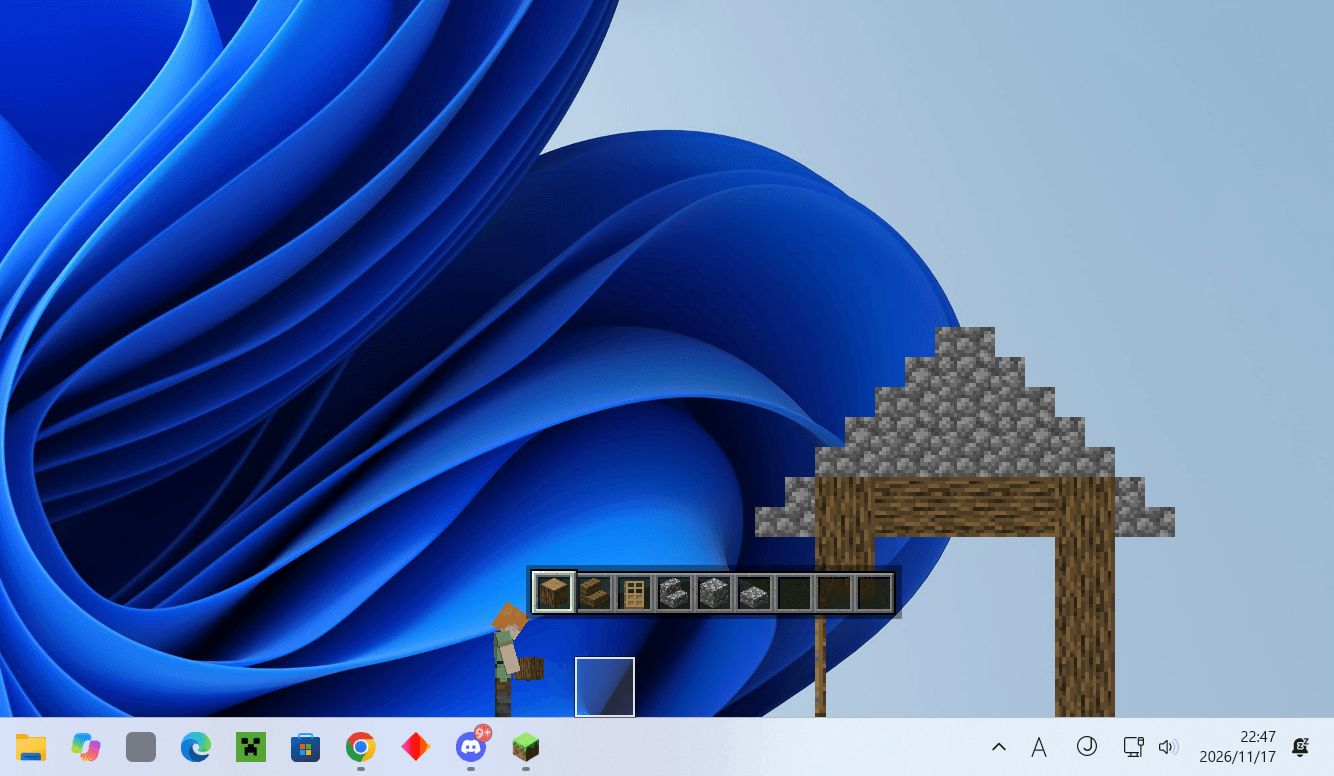
Press G and the game turns into a side view of the world. Walk to the edge of the window, smash through the glass, and you are standing on your actual taskbar. Jump onto the windows you have open, mine your desktop icons, blow them up with TNT, dig a hole through the taskbar into a secret underground, or dive into a folder and explore it from the inside.
Your files are never touched. Everything that "breaks" only breaks on screen. Icons come back with a key press, and nothing on your PC is moved, renamed or deleted.
✨ Features
🪟 Leave the window
- The game window becomes a cut-away side view of your world, pinned to your screen
- Walk or jump through the window edge onto the desktop — glass shards fly
- Stand on the taskbar, on the title bars of your open windows and on desktop icons
- Windows you stand on carry you along when they move — even to another monitor
- Jump back into the window any time
⛏️ Build and break on your desktop
- Place and mine real blocks right on your desktop — it is real Minecraft, with vanilla physics
- Chests, crafting tables, furnaces and other screens open right above their block, on the desktop
- Point at a cell with the mouse to place or mine exactly there — building bridges is easy
- Your desktop builds are saved and come back next time
🖼️ Mine your icons
- Hold left click on a desktop icon to "mine" it — it disappears and drops as an item with that icon's picture
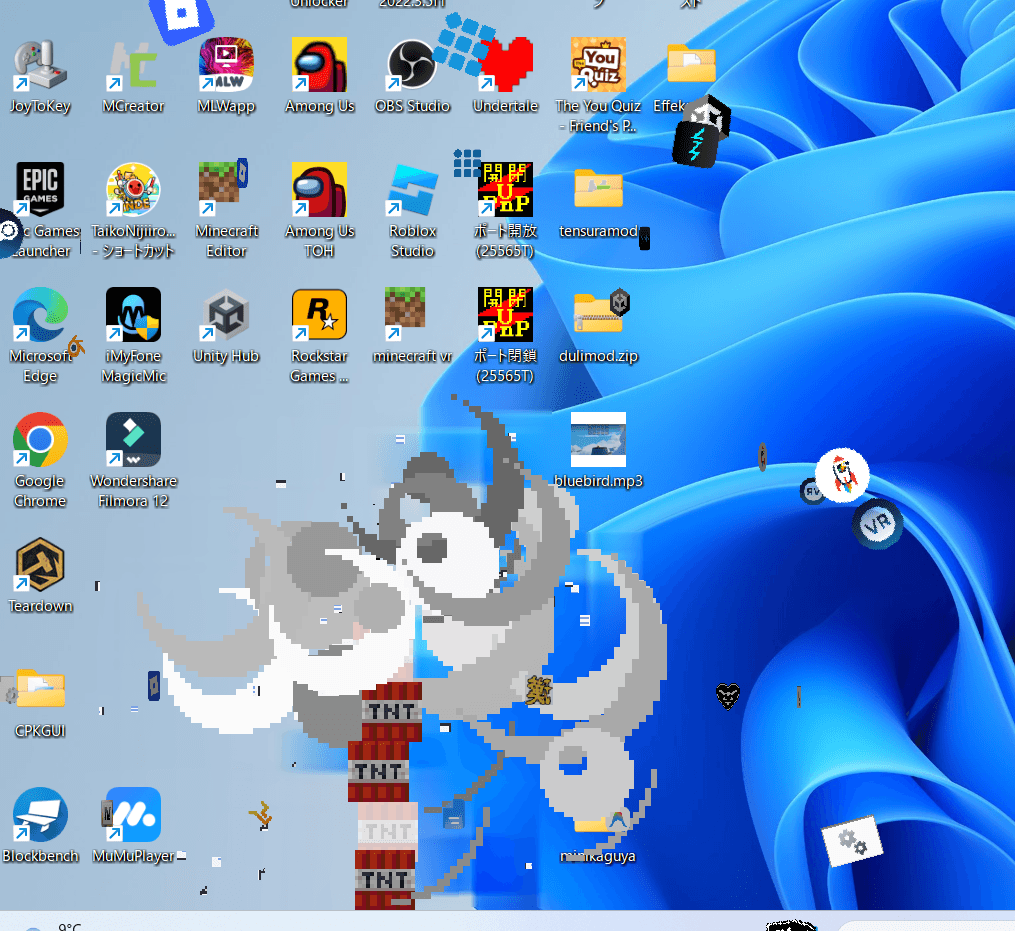
- TNT and creepers blow icons off the desktop — the icons fly away spinning
- Right-click with the icon item to put the icon back
🕳️ Dig below the screen
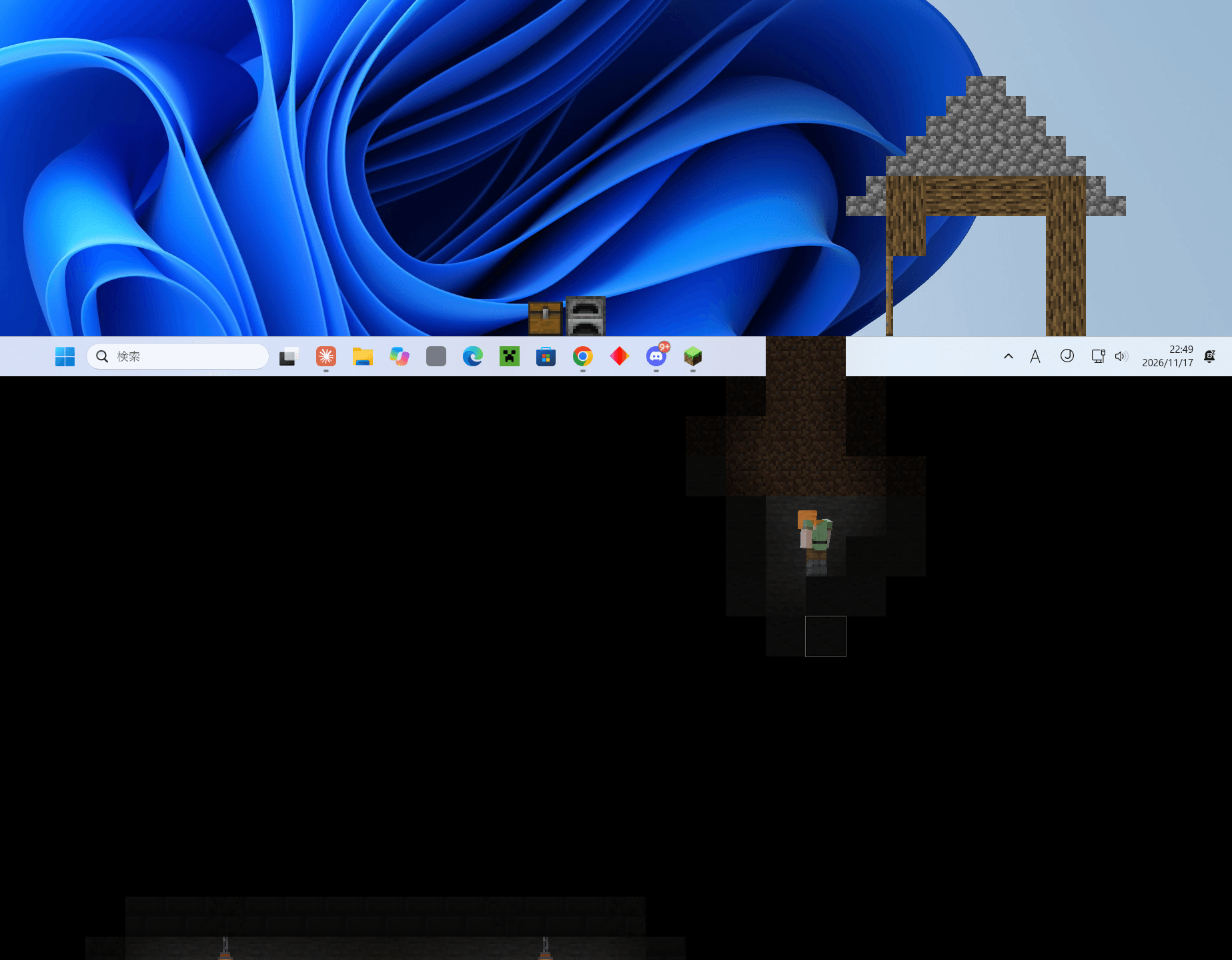
- Break through the taskbar and fall into a hidden underground below your screen: dirt, stone, ores, caves and a secret treasure room
- The screen scrolls down to follow you
- Taskbar shards look like the piece of your taskbar they came from
📁 Dive into folders
- Right-click a folder icon (or stand on it and press S) to shrink into it
- You pop out inside a file-explorer-style window showing the folder's real contents
- Climb your files, mine them (visually), dive deeper into sub-folders, and come back out
🖥️ Made for your setup
- Full HD, WQHD, 4K — blocks are always as tall as each monitor's taskbar
- Multiple monitors (also with different scaling) form one connected desktop
- The HUD (health, hunger, hotbar…) floats next to your character and only appears when something changes
🎮 Controls
| Key | Action |
|---|---|
| G | Start / stop desktop mode (brings you back home) |
| A / D | Walk |
| Space / W | Jump |
| Shift | Sneak (you won't fall off edges) |
| S | Drop through a window top or icon / dive into a folder |
| Left click | Mine (blocks, taskbar, icons) |
| Right click | Place / use / open a folder |
| Delete ×2 | Restore the broken desktop |
| H | Show the controls |
| Esc | Pause and use your PC normally |
Keys can be changed in Options → Controls → BEYOND THE WINDOW.
🔒 Is it safe?
- No file, folder, shortcut, registry entry or system setting is ever changed.
- The mod only reads: window positions, desktop icon positions and pictures, the colours on screen, and the contents of folders you dive into.
- Nothing is sent anywhere. Icon pictures and names stay on your PC (
config/deskbreak/). - "Mined" icons are just covered with a piece of your wallpaper.
📋 Requirements
- Windows 10 / 11 only
- Minecraft 1.20.1, Forge 47.x
- Singleplayer (multiplayer is work in progress)
⚠️ Known limitations
- Not compatible with mods that replace Minecraft's rendering: Embeddium, Rubidium, Oculus, OptiFine (the game will stop at startup with a message).
- Multiplayer: desktop mode cannot be started on servers yet (WIP).
- While you drag the game window by its title bar, the game pauses (a Windows limitation).
- Going underground requires the taskbar at the bottom of the screen.
🇯🇵 日本語
Minecraft のキャラクターが、ゲームの窓を飛び出して本物の Windows デスクトップへ。
G キーで世界が横からの断面になり、窓の端からデスクトップへ出られます。 タスクバーやウィンドウの上を歩き、デスクトップにブロックを置き、アイコンを掘ったり TNT で吹き飛ばしたり。 タスクバーを掘れば画面の下の地下へ、フォルダを右クリックすればその中へ潜り込めます。
- 実ファイル・設定は一切変更しません。 壊れるのは画面の上だけ。Delete 2 回で元に戻ります。
- Windows 専用 / Minecraft 1.20.1 / Forge 47.x / シングルプレイ(マルチプレイは開発中)
- 描画を置き換える MOD(Embeddium / Rubidium / Oculus / OptiFine)とは併用できません。
Made by Dulimo
BEYOND THE WINDOW Team