BetterShulkure
- By
This mod allows you to quickly find items inside your shulker boxes without wasting hours searching through all of them.
2026-05-07_19.22.23.png
2026-05-07_19.22.14.png
Capture dâécran 2026-05-07 193715.png
Description
# Better Shulkure
Better Shulkure is a Minecraft Fabric mod that enhances the user experience with Shulker Boxes by adding customizable visual display features.
## Features
### Visual Display of Shulker Boxes
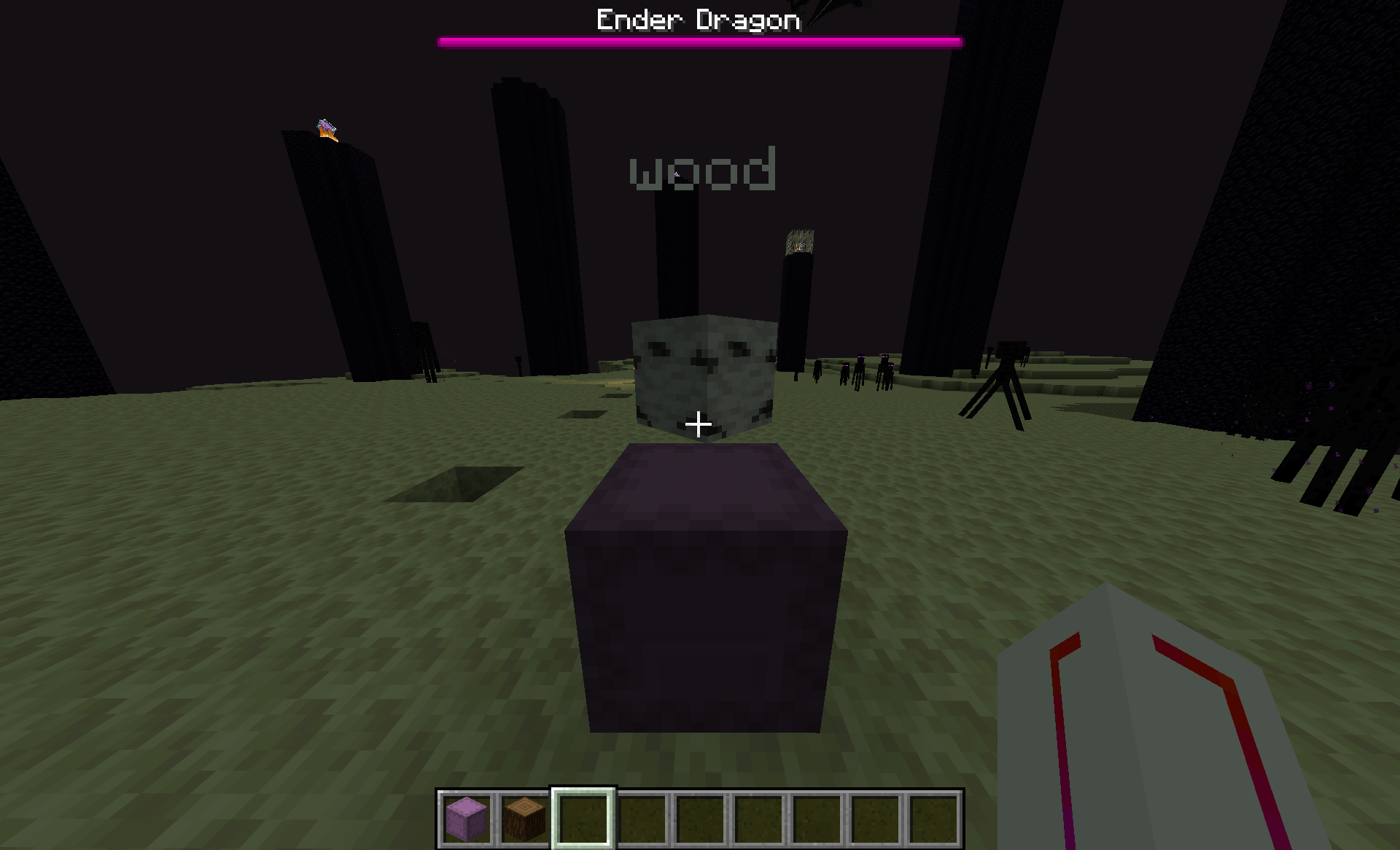
- **Representative Item Display**: Shulker Boxes can display a floating item above them to indicate their contents.
- **Custom Text Display**: Add descriptive text to your Shulker Boxes (up to 80 characters).
- **Rotation Mode**: Three modes available:
- **Lock**: The item stays fixed in a given direction.
- **Rotate**: The item slowly rotates around the Shulker Box.
- **Follow**: The item follows the player's direction.
### Advanced Configuration
- **Visibility Radius**: Control the maximum distance at which displays are visible (15-320 blocks).
- **Scale and Position**: Adjust the size and height of displayed items.
- **Rotation Speed**: Customize the rotation speed of items.
- **Text Color**: Choose the color of the displayed text.
- **Switch Mode**: Rotate through multiple representative items at regular intervals.
## How to Use
### Activation/Deactivation
- Press **G** to toggle the global display on/off.
- Press **J** to open the configuration screen.
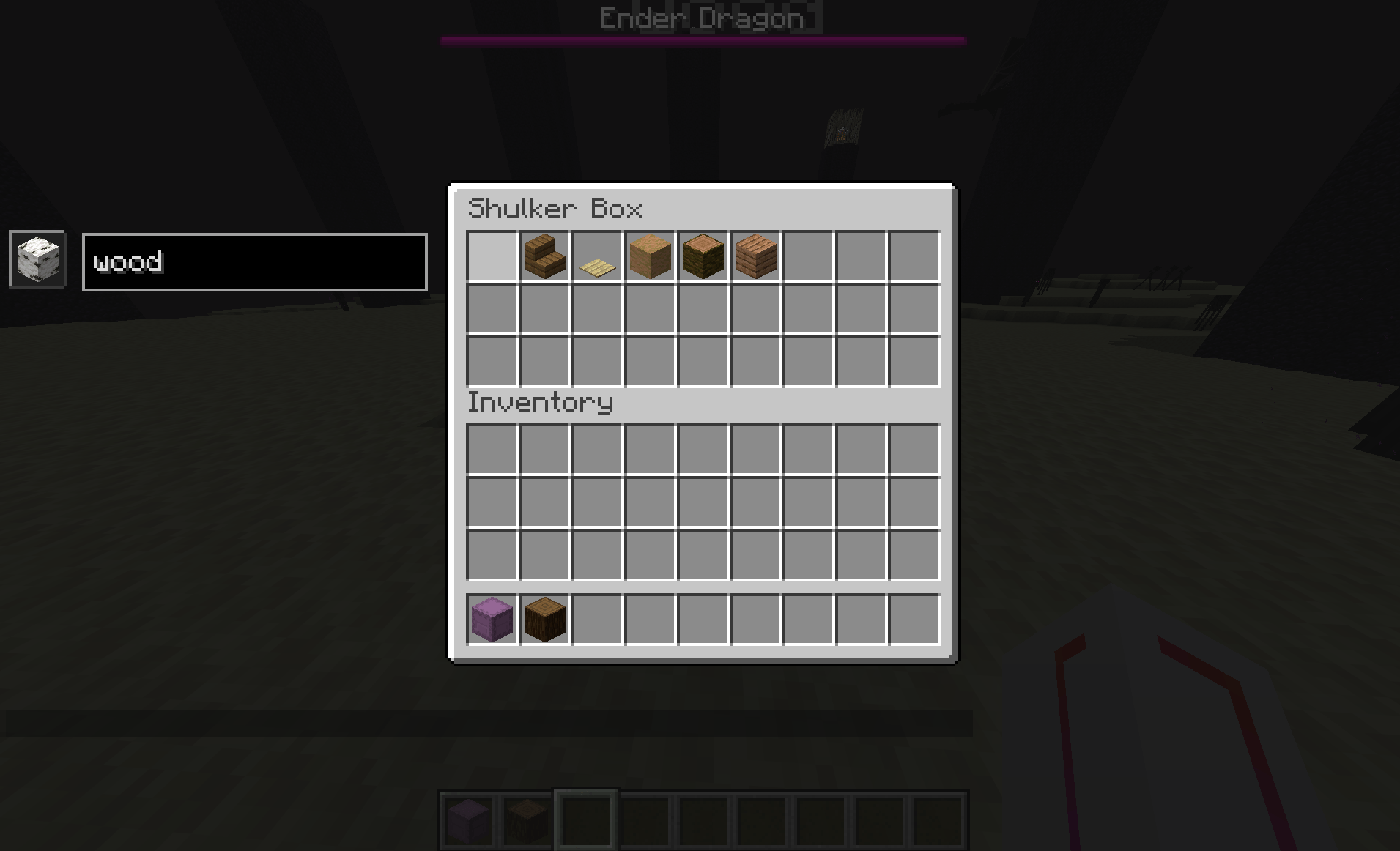
### Configuring Shulker Boxes
1. Open a Shulker Box.
2. Use commands or the interface to set the representative item and text.
3. Close the Shulker Box - data is automatically saved.
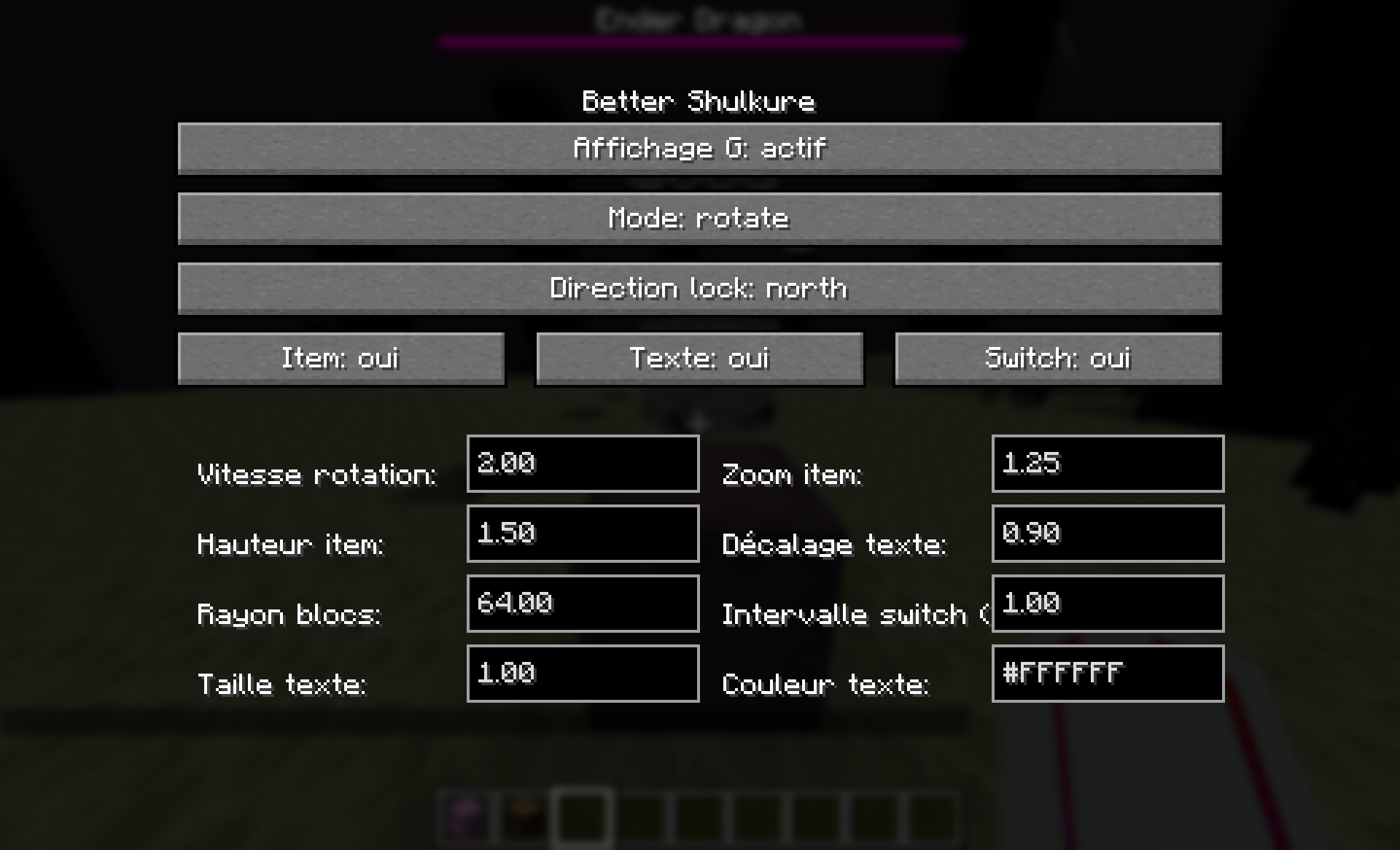
### Configuration Screen
The configuration screen (J key) allows you to customize:
- **General Display**: Enable/disable display.
- **Rotation Mode**: Choose between Lock, Rotate, and Follow.
- **Fixed Direction**: For Lock mode, choose the direction (North, East, South, West, Up, Down).
- **Display Options**: Enable/disable item and text display.
- **Visual Settings**: Adjust scale, height, radius, speed, etc.
- **Text Settings**: Size, vertical offset, color.
## Compatibility
- **Minecraft**: 1.21.11
- **Fabric Loader**: >= 0.18.4
- **Fabric API**: Required
- **Java**: >= 21
## Installation
1. Install Fabric Loader and Fabric API.
2. Download the mod JAR file.
3. Place the file in your Minecraft instance's `mods` folder.
4. Launch the game!
## Configuration
The client configuration file is located at `.minecraft/config/better-shulkure-client.json`.
Example configuration:
```json
{
"enabled": true,
"rotationMode": "ROTATE",
"lockedDirection": "NORTH",
"rotationSpeed": 4.0,
"scale": 1.25,
"verticalOffset": 1.5,
"displayRadius": 64.0,
"itemSwitch": false,
"switchIntervalSeconds": 3.0,
"textColor": 16777215,
"textScale": 1.0,
"textVerticalOffset": 0.95,
"showItem": true,
"showText": true
}
```
BetterShulkure Team