BetterRewards
- By
Create and manage promotional codes to reward players with items. Perfect for events, giveaways, and starter bonuses. Includes anti-abuse protection and real-time statistics.

Screenshot 2026-04-07 125003.png

Screenshot 2026-04-07 125249.png
Screenshot 2026-08-18 124334.png
Screenshot 2026-08-18 124734.png
Description
BetterRewards Mod
A complete promotional code system for Minecraft servers. Server administrators can create custom codes that reward players with items, with full control over quantities, usage limits, and expiration dates.
Overview
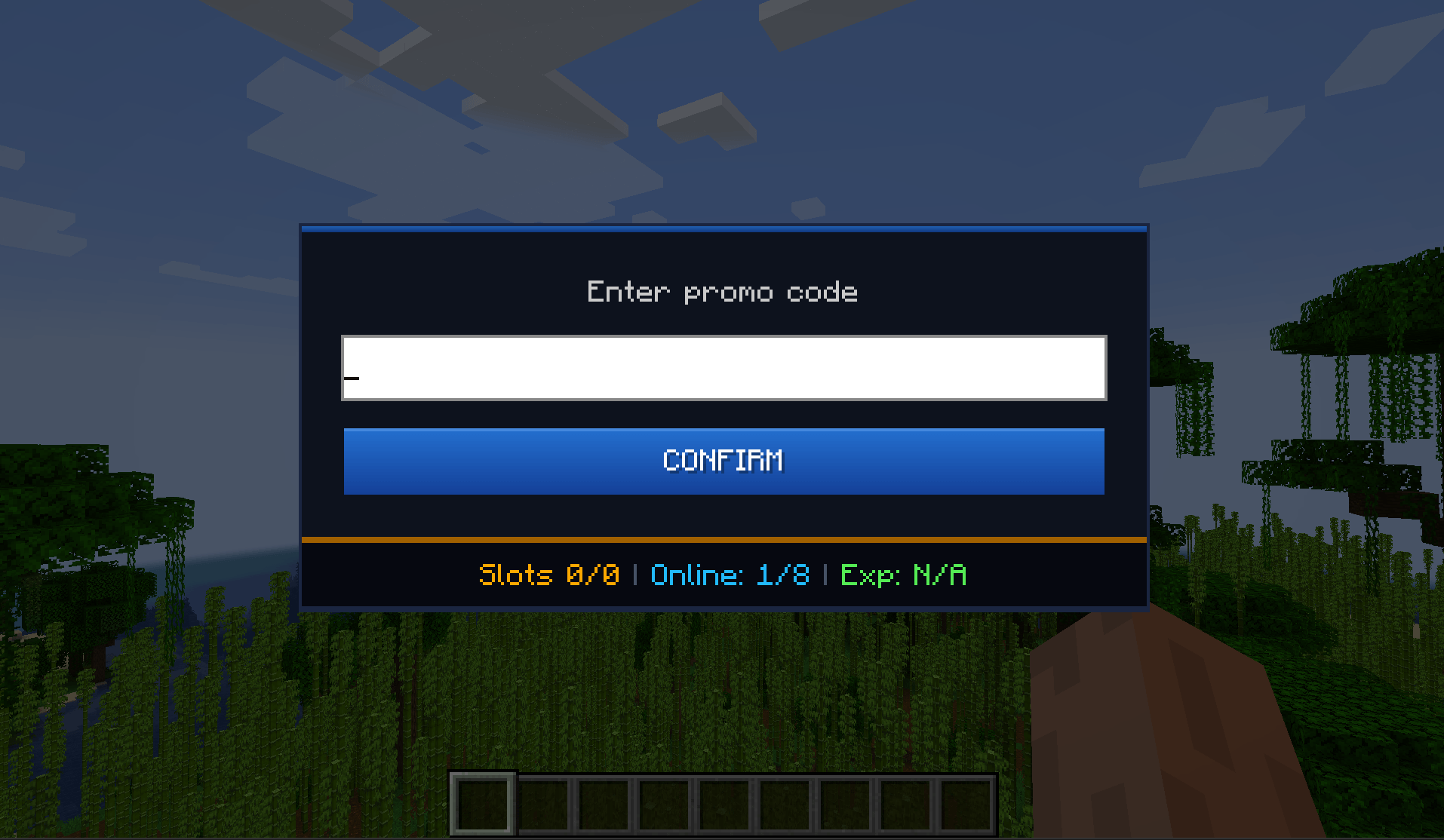
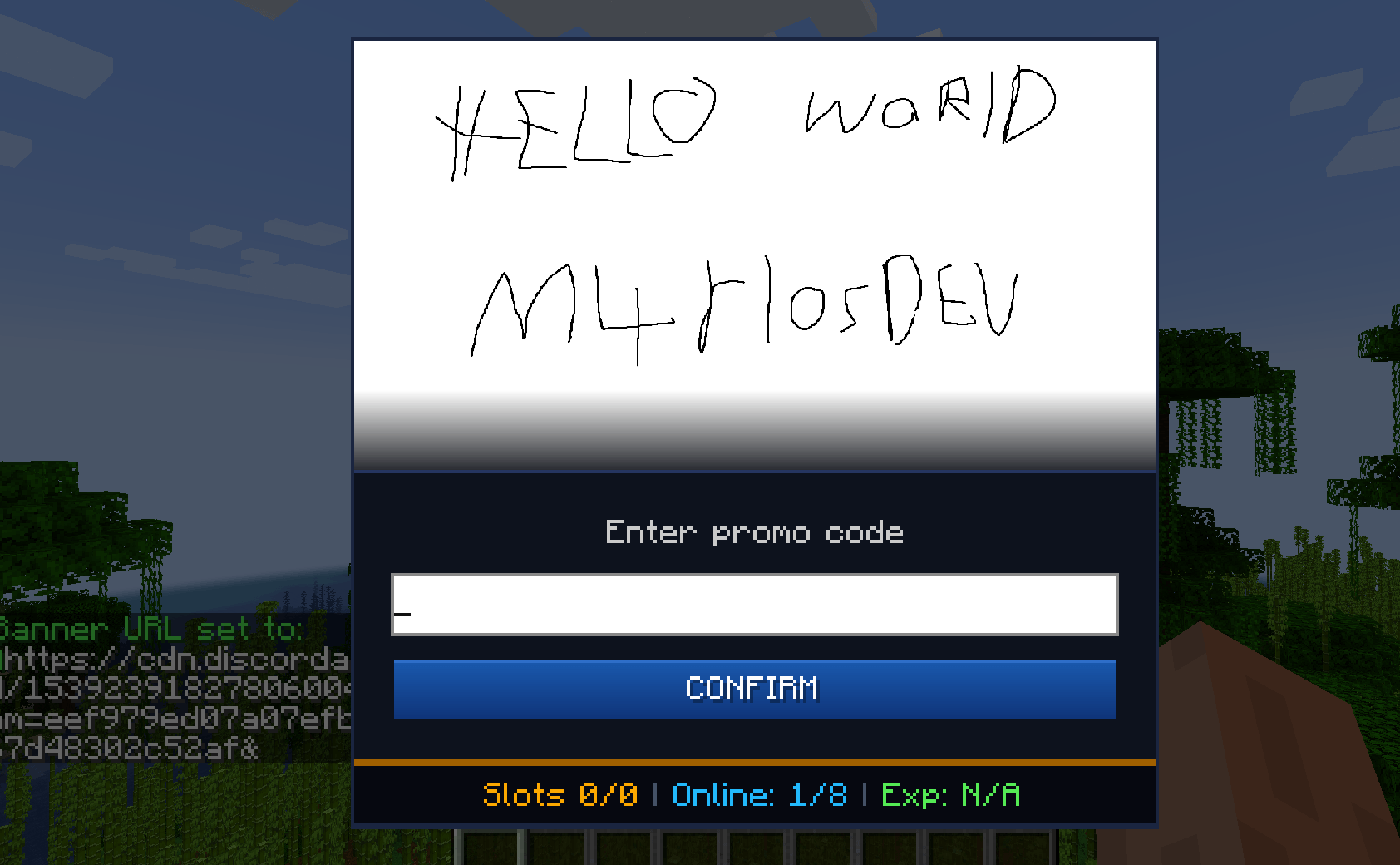
BetterRewards adds an intuitive in-game interface for redeeming promotional codes.
Perfect for:
- 🎁 Starter rewards for new players
- 🎉 Event bonuses for seasonal events and special occasions
- 🏆 Achievement rewards for giveaways and contests
- 👥 Community perks for Discord members, supporters, and more
Key Features
✅ Simple GUI — Players use
/promoand enter a code✅ Flexible rewards — Add multiple items with custom quantities
✅ Admin controls — Create and delete codes in-game using commands
✅ Usage limits — Set maximum redemptions or expiration dates
✅ Anti-abuse — Each player can claim each code only once
✅ Statistics — Track total redemptions and unique players
✅ Offline-mode support — Designed to work on offline-mode servers
✅ Online-mode support — Works normally on online-mode servers
✅ Auto-save — Redemption data is automatically persisted
✅ Multiple Minecraft versions — Check the available files for supported versions
Installation
Server Administrators
- Download the
.jarfile for your Minecraft version. - Place it inside your server's
mods/folder. - Start the server.
- Configuration files will be generated automatically.
- Optionally edit
server_config/promocodemod-server.tomlto add default codes. - Restart the server after making configuration changes.
Make sure you download the correct BetterRewards build for your Minecraft and modloader version.
Players
BetterRewards is primarily designed for servers.
Depending on the server configuration and Minecraft/modloader version, the mod may also be required on the client. Always follow the installation instructions provided by the server administrator.
Quick Start
Create Your First Code
/promocode create WELCOME minecraft:diamond 5Players can then use /promo, enter WELCOME, and receive 5 diamonds.
Multiple Items
/promocode create STARTER minecraft:diamond 3 minecraft:iron_sword 1 minecraft:bread 10 0 0Rewards:
- 3 Diamonds
- 1 Iron Sword
- 10 Bread
- Unlimited total uses
- No expiration
Limited Event Code
/promocode createraw HALLOWEEN:minecraft:pumpkin,20;minecraft:orange_dye,10|50|0This code:
- Gives 20 Pumpkins
- Gives 10 Orange Dye
- Allows 50 total redemptions
- Never expires
Delete a Code
/promocode delete WELCOMECommand Reference
Player Commands
| Command | Purpose |
|---|---|
/promo |
Open the promo-code redemption GUI |
/promocode help |
Display available commands |
Administrator Commands
Administrator commands require OP Level 2+.
Create a Code
/promocode create <CODE> <item> <count> [maxUses] [expiryEpoch]Multiple rewards:
/promocode create <CODE> <item1> <count1> <item2> <count2> [item3] [count3] [maxUses] [expiryEpoch]Raw format:
/promocode createraw <CODE:item1,count1;item2,count2|maxUses|expiryEpoch>Delete a Code
/promocode delete <CODE>Help
/promocode helpParameters
| Parameter | Value | Description |
|---|---|---|
CODE |
Letters, numbers, _, - |
Example: WELCOME, SUMMER2026, EVENT_01 |
item |
Minecraft item ID | Format: namespace:name |
count |
1–64 |
Quantity of the item |
maxUses |
0–999 |
0 means unlimited |
expiryEpoch |
Unix timestamp | 0 means the code never expires |
Example Item IDs
minecraft:diamond
minecraft:emerald
minecraft:golden_apple
minecraft:enchanted_golden_apple
minecraft:netherite_sword
minecraft:diamond_pickaxe
minecraft:diamond_axe
minecraft:iron_sword
minecraft:bread
minecraft:coal
minecraft:iron_ingot
minecraft:oak_log
minecraft:obsidian
Additional items may be available depending on the Minecraft version you are running.
Expiration Dates
Expiration dates use Unix timestamps in seconds.
Examples:
| Date | Epoch |
|---|---|
| 1 January 2025 | 1735689600 |
| 1 July 2025 | 1751328000 |
| 1 January 2026 | 1767225600 |
Use:
0for a code that never expires.
You can use a Unix timestamp converter to generate timestamps for other dates.
Configuration
The server configuration can be found at:
server_config/promocodemod-server.tomlExample:
[[promocodes]]
codes = [
    "EARLY_EASTER:minecraft:diamond,5;minecraft:golden_apple,3|100|0",
    "FREESTART:minecraft:iron_sword,1;minecraft:bread,10|200|0",
    "DIAMONDS4ALL:minecraft:diamond,64|10|0"
]
Format
CODE:item1,count1;item2,count2|maxUses|expiryEpochRestart the server after changing the configuration.
How It Works
- Player opens the GUI using
/promo. - Player enters a promo code.
- Player clicks CONFIRM or presses Enter.
- BetterRewards validates the code.
- If valid, the configured rewards are added to the player's inventory.
If the inventory is full, overflow items are dropped at the player's feet.
Invalid redemptions display an appropriate error, such as:
- Invalid code
- Code already redeemed
- Code expired
- Maximum uses reached
Statistics
BetterRewards keeps track of promo-code usage.
The GUI can display information such as:
Redeemed
25 / 100Meaning 25 of the available 100 redemptions have been used.
Players
10Meaning 10 unique players have redeemed rewards.
Anti-Abuse Protection
Each player can redeem each promotional code only once.
Redemption information is persisted between server restarts.
This helps prevent players from repeatedly claiming the same reward.
Offline-Mode Servers
BetterRewards supports offline-mode servers.
However, offline-mode servers cannot provide the same identity guarantees as authenticated online-mode servers. Server administrators should monitor suspicious activity and disable or delete problematic codes if necessary.
Data Storage
Redemption data is automatically saved to:
world_folder/promocodes_data.jsonThe file contains information including:
- Codes redeemed by players
- Total redemptions for each code
- Custom codes created through commands
Manual editing is not recommended.
If you need to modify the file manually, create a backup first.
Examples
Welcome Bonus
/promocode create WELCOME minecraft:diamond 5 minecraft:iron_sword 1 minecraft:bread 20 0 0Rewards:
- 5 Diamonds
- 1 Iron Sword
- 20 Bread
- Unlimited uses
- No expiration
Limited Anniversary Event
/promocode create ANNIVERSARY minecraft:golden_apple 3 100 1767225600Rewards 3 Golden Apples with a maximum of 100 total redemptions.
Complex Reward
/promocode createraw STARTER:minecraft:diamond,10;minecraft:emerald,5;minecraft:enchanted_golden_apple,2|50|0Rewards:
- 10 Diamonds
- 5 Emeralds
- 2 Enchanted Golden Apples
- Maximum 50 redemptions
- No expiration
Seasonal Giveaway
/promocode create XMAS minecraft:red_concrete 20 minecraft:green_concrete 20 minecraft:gold_block 5 0 0Troubleshooting
"Invalid item"
Check the exact Minecraft item ID.
Example:
minecraft:acacia_lognot:
acacia logItem availability can also depend on your Minecraft version.
"Code already exists"
Delete the existing code first:
/promocode delete OLDCODEThen create it again.
Player Cannot Redeem a Valid Code
Check whether:
- The player already redeemed the code
- The code has expired
- The maximum number of redemptions has been reached
Items Do Not Appear
Check the player's inventory.
If the inventory is full, overflow rewards are dropped at the player's feet.
Server Error After Editing Configuration
Check:
promocodemod-server.tomlfor syntax errors and verify that all configured item IDs are valid for the Minecraft version being used.
Compatibility
- Minecraft: Multiple versions supported
- Modloader: Check the individual download/file for compatibility
- Server: Supported
- Client: Depends on the selected version/build
- Offline Mode: Supported
- Online Mode: Supported
Always download the file that matches your exact Minecraft version and modloader.
Known Limitations
- Maximum of 3 reward items through the standard
createcommand - Use
createrawfor more complex reward configurations - Item quantities are limited to
1–64per reward entry - Administrator codes are created through commands or configuration files
- Codes are case-insensitive and stored internally in uppercase
Licence
Redistribution without credit is not permitted.
The BetterRewards Team