Better Player Model
Better Player Model is a powerful Fabric mod designed for animated custom player models, featuring high-performance rendering, local browsing, and seamless multiplayer synchronization.
Platform Compliance Notice
To comply with CurseForge guidelines regarding native code distribution, this release is compiled as the Pure Java Edition.
- No Native Binaries: This package is completely free of external
.dll, .so, or .dylib executable files.
- Compatibility: Features full fallback support utilizing pure Java for model rendering and Molang animation processing.
- Alternative Editions: Due to platform-specific constraints, the Native Edition (which includes platform-specific Rust/C++ SIMD optimization binaries) is hosted on our GitHub and Modrinth pages.
https://modrinth.com/mod/betterplayermodel
Note about CurseForge releases
CurseForge files may appear later than Modrinth/GitHub because new uploads are sometimes held for manual review or rejected for non-existent reasons. If the latest version is not available here yet, please check:
Key Features
- Universal Model Support: Load any
.ysm or Blockbench .json models with ease.
- Bedrock-Grade Animations: Full MoLang support for fluid, complex, and scripted animations.
- In-Game Browser: Manage your models, categories, and textures directly from the menu.
- Seamless Sync: Works as a client-side mod, but offers full multiplayer synchronization when installed on the server.
Multiplayer
- Client-only: You can still see your own models and browse your library on any server.
- Full Sync: When the server also runs the mod or our plugin, every player will see your custom animations and models!
Compatibility & Setup
- Format: Supports
.json (Blockbench) and .ysm (Encrypted).
- Location: Place your models in
config/better_player_model/custom.
- Performance: Fully compatible with Sodium, Iris, and other optimization mods.
Dependencies
Where to find models?
Looking for high-quality player models? You can browse and download hundreds of community-made models from the Yes-steve-model community repository: Download Models Here
Contacts
Visit our Official Discord Server for the mod. Get sneak peeks of upcoming updates, suggest new features, report bugs, and chat with the developer and the community.
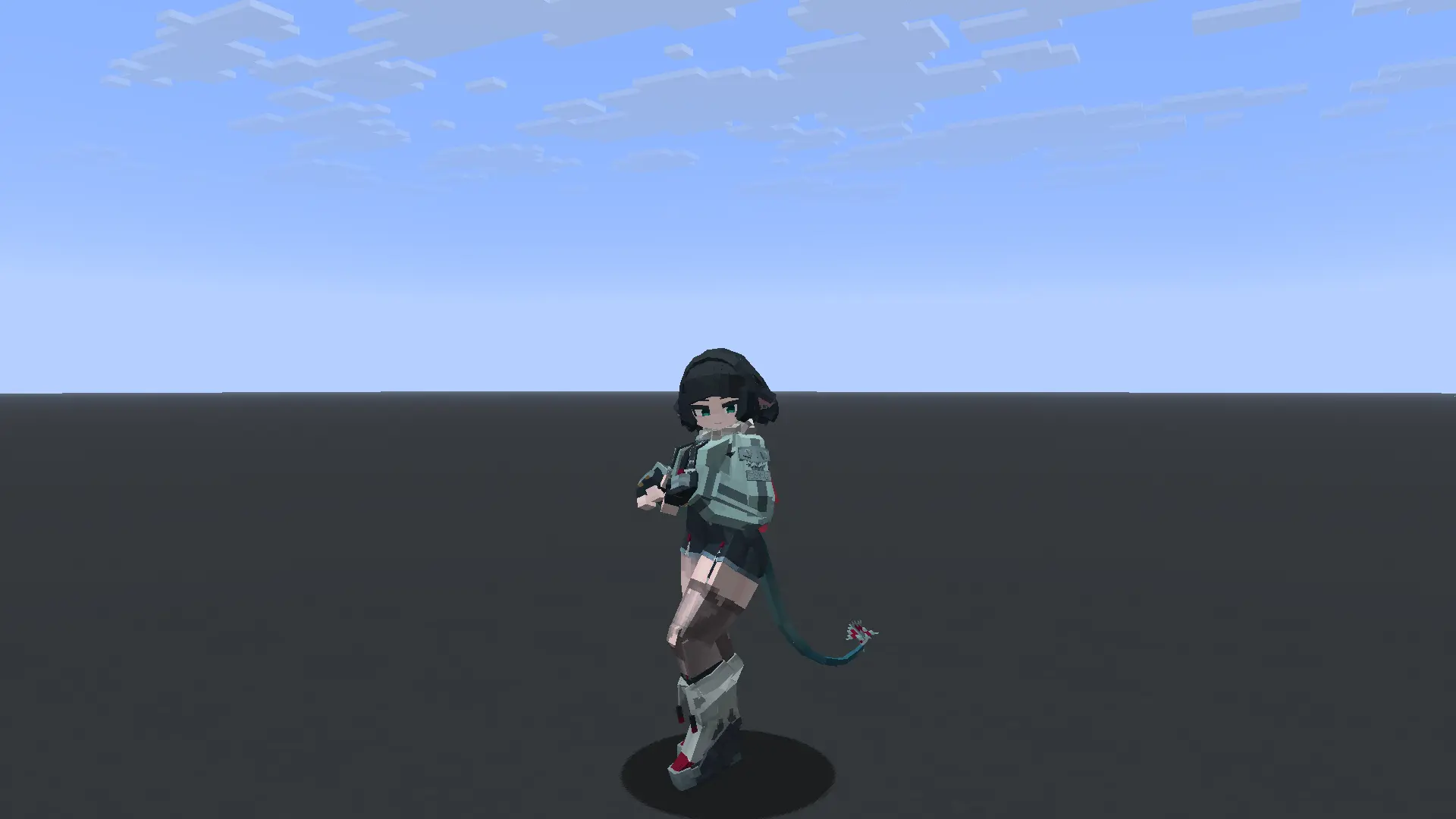
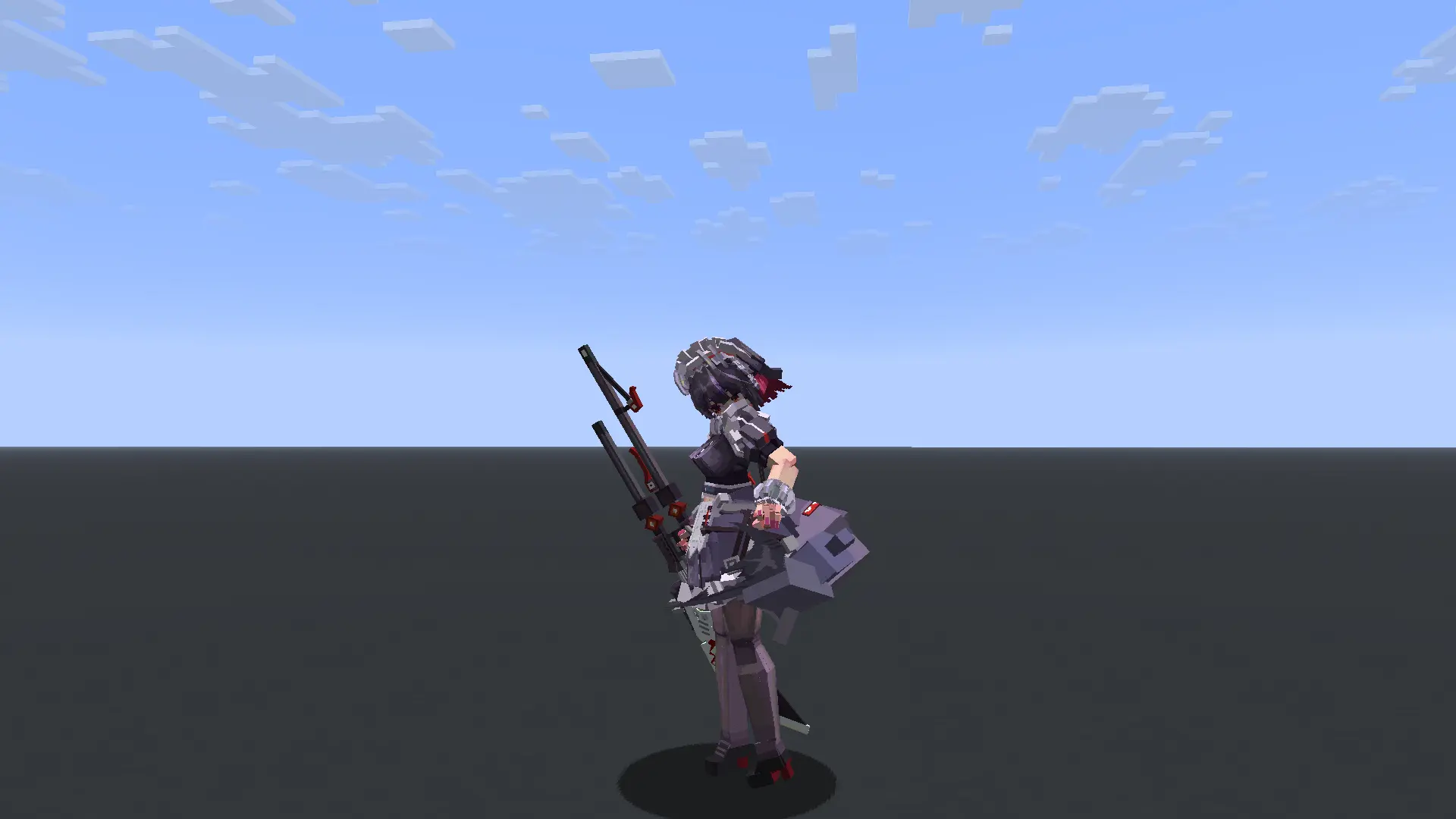
Demonstration

Credits
This project is built upon the incredible work of the following teams and individuals:
- OpenYSM & YSMParser (Model parsing pipeline)
- Fox-model-loader by Micaftic (Base architecture)
- Yes Steve Model by Elfmcys (Original concepts)
Network Troubleshooting Guide: Model Sync Timeouts and Disconnections
If players with slower or unstable internet connections (such as Wi-Fi, mobile data, or satellite links like Starlink) are consistently disconnected while joining your server or during model synchronization, this guide explains how to fix the issue.
Why Is This Happening?
- Bandwidth Saturation (Bufferbloat): When a player joins, the server transfers missing custom player models. If the server tries to push this data faster than the player's connection can download it, the network buffers on the player's router or operating system overflow.
- Delayed Ping/Keep-Alive Packets: Because the connection is saturated, critical game packets (like Minecraft's
KeepAlive packets which verify the player is still connected) are queued behind the model files. If the client cannot respond to these packets within 15–30 seconds, the server times them out and kicks them.
- Large Model Files: If your server hosts many models, or if some models are particularly large (e.g., several megabytes each), the initial download size might be substantial (tens of megabytes), lengthening the critical sync window.
Solution 1: Configure Bandwidth Limits on the Server (Recommended)
Version 1.0.6 introduces a per-player bandwidth limiter to prevent connection saturation. You can restrict the speed at which model chunks are sent.
- Open your server's config directory:
config/better_player_model-server.toml.
- Locate the
[server_scheduler] category and configure the limits:
   [server_scheduler]
       # Global bandwidth limit for model distribution across all active players (in Mbps)
       # Default: 100
       BandwidthLimit = 25

       # Bandwidth limit per individual player (in Mbps)
       # This prevents slow connections from getting overwhelmed.
       # Default: 5 (Recommended: 3 to 10)
       PlayerBandwidthLimit = 5
Setting PlayerBandwidthLimit to 5 Mbps (~625 KB/s) allows models to download steadily without saturating the link, leaving plenty of room for gameplay and Keep-Alive traffic.
Solution 2: Increase Network Connection Timeouts
By default, Minecraft kicks a player if it doesn't receive network responses within 30 seconds. You can increase this read timeout to 120 seconds.
For Dedicated Servers:
Add the following Java system property to your server's startup script or command line:
-Dnet.minecraft.network.readTimeout=120
For Clients (in Prism Launcher or other launch options):
- Open your launcher's settings for the Minecraft instance.
- Under Java -> Java Arguments, add:
-Dnet.minecraft.network.readTimeout=120
Solution 3: Use Timeout-Extension Mods
Alternatively, you can install one of the following server-side and client-side mods to handle timeouts automatically:
Built-in Models & Assets Credits
This mod includes the "Wine Fox" (酒狐) model built-in by default to provide a high-quality out-of-the-box experience.
- Model Name: Wine Fox (酒狐)
- License: CC BY-NC-SA 4.0
- Original Authors:
- 完美冻结 (Model & Core)
- 星屑海螺 (Animations)
- 哥斯拉 / 映素团队 (Modifications)
- 白帆小喵, 蓝玫瑰, 墨染逝羽, Maks怜悯, 浅陌菌, 祸御神, 羊毛 (Textures, UI, Sound, and specific additions)
Huge thanks to these creators for their incredible work on the model! If you wish to use this model elsewhere, please ensure you respect the original CC BY-NC-SA 4.0 license.
License
Licensed under MIT. All original licenses and copyright notices are preserved. MIT License