BlockCraftStudio | Better Blur
Create a server, get 25% off your first month

Create Server

Description
🌫️ Better Blur
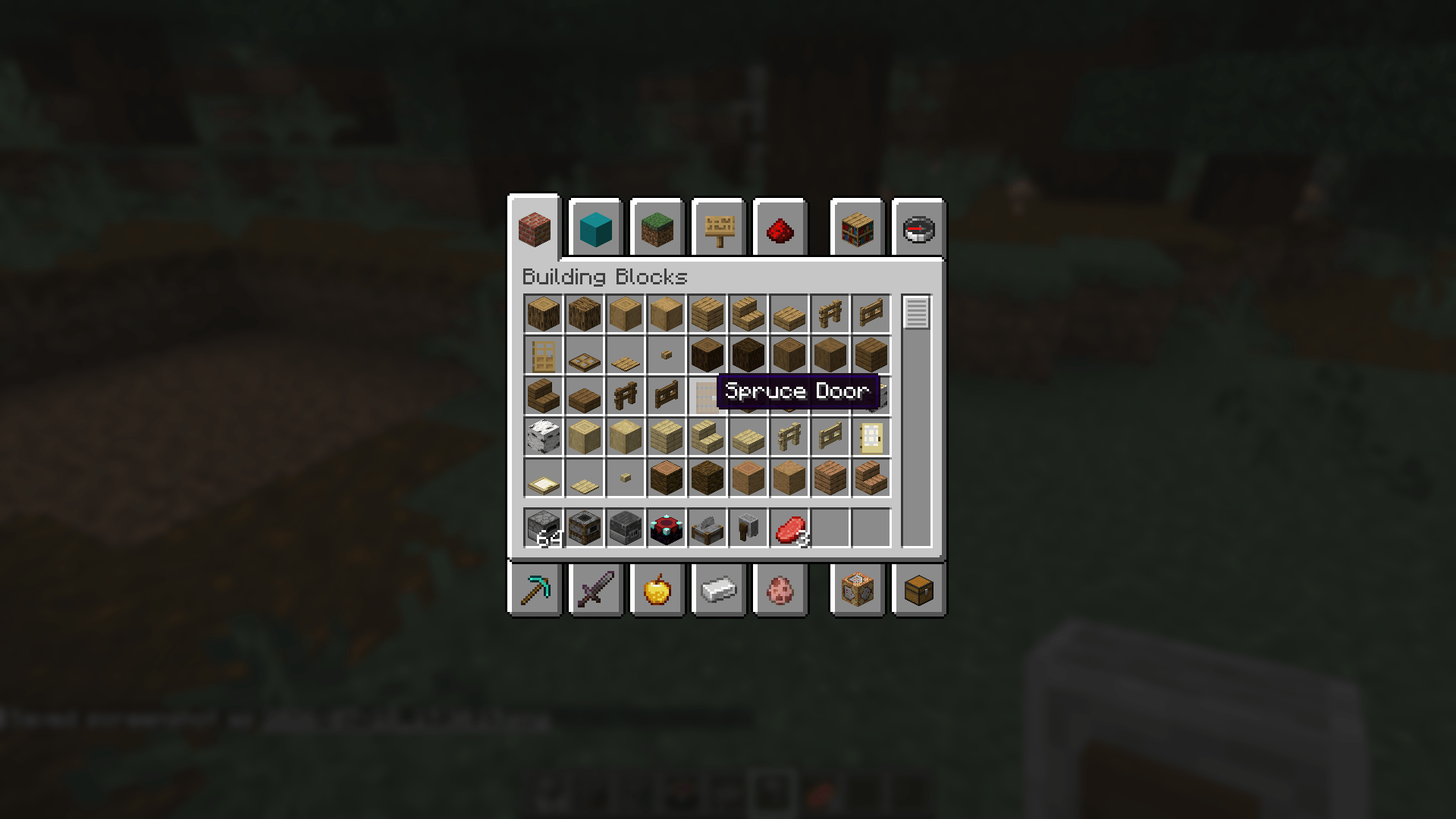
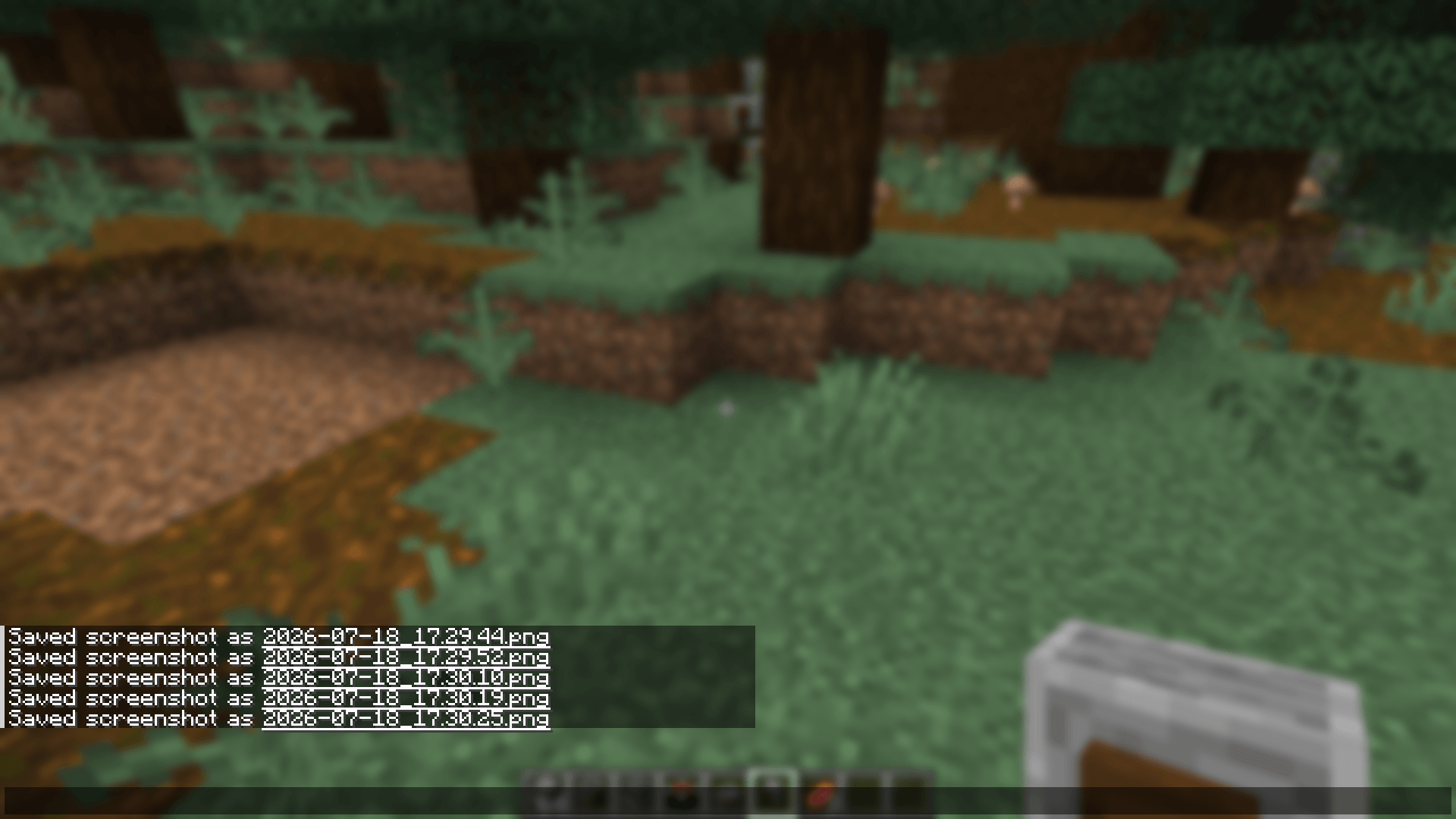
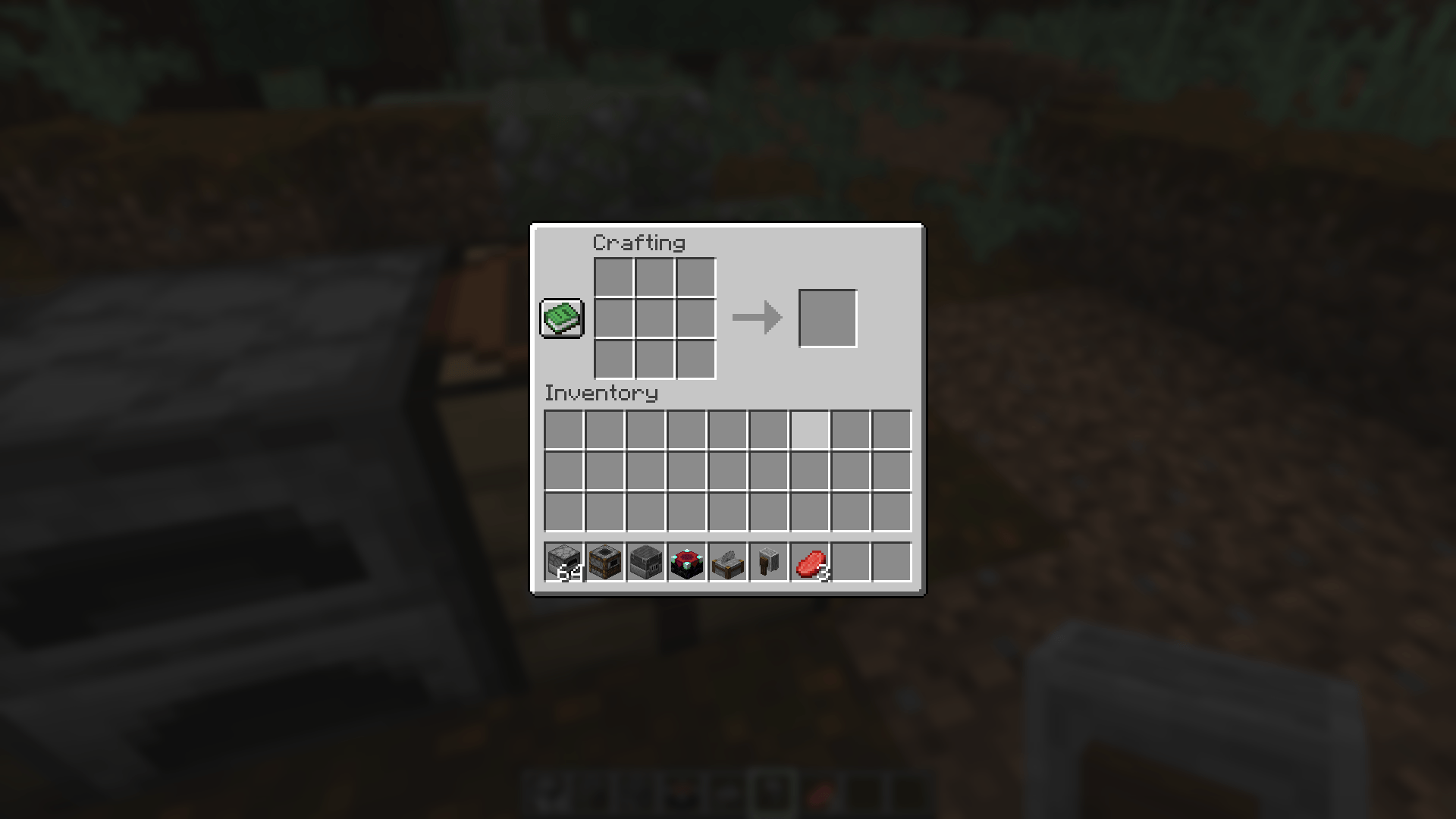
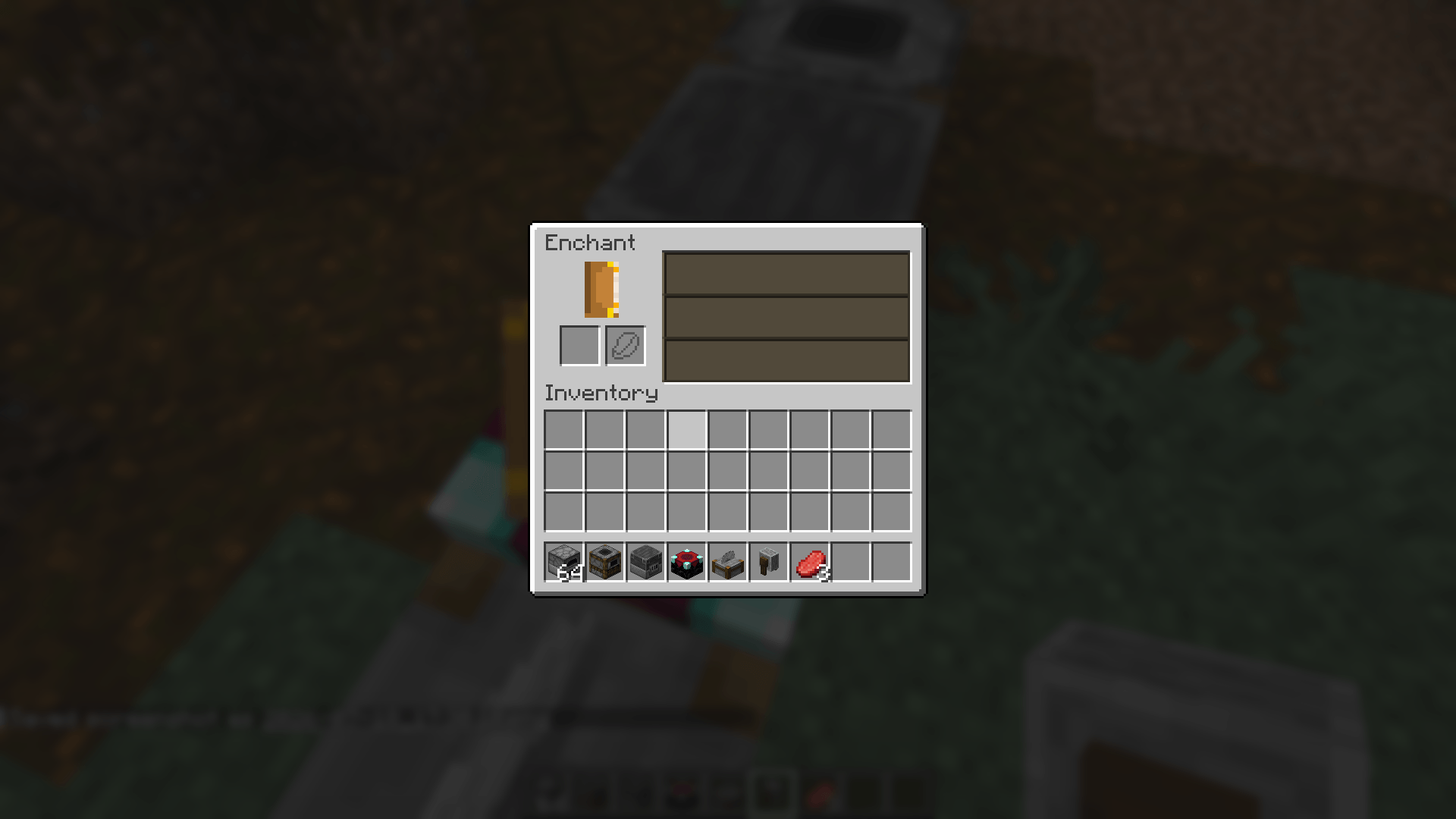
Better Blur adds a real, shader-based blur behind your inventory, furnace, smoker, other container screens, chat, and the pause menu — using Minecraft's own vanilla blur engine, not a custom re-implementation.
Unlike overlay-based "fake blur" mods, Better Blur Fabric reuses vanilla's native post-process blur shader, so it renders with the same quality and performance characteristics as Minecraft's built-in menu blur, just extended to more screens with full control over where it appears.
-------------------------------------------------------------------
✨ Features
- 🌫️ Native, shader-accurate blur — built on Minecraft's own vanilla blur engine.
- 🎒 Blurs inventory, furnace, smoker, crafting table, anvil, and other container screens.
- ⏸️ Blurs the pause menu.
- 💬 Blurs behind chat.
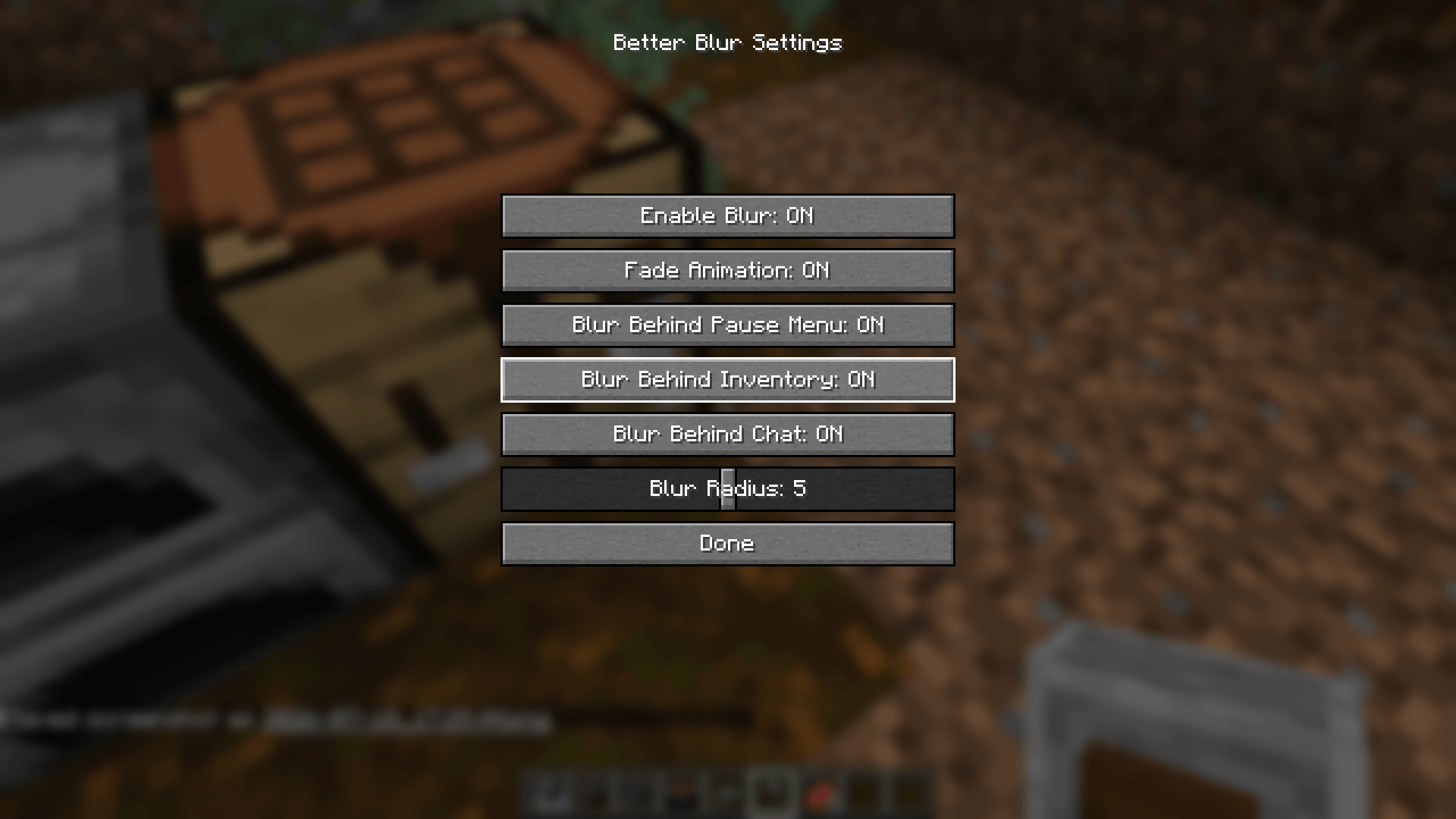
- 🎚️ Fully configurable blur radius via an in-game slider.
- 🌊 Smooth fade in/out animation when screens open and close.
- 🧩 Independent per-screen toggles — turn blur on or off for inventory, chat, and pause menu separately.
- 🚫 Main menu and world-loading screens are never blurred, so they stay exactly vanilla.
- ⚙️ Lightweight — no custom shader pipeline, no extra GPU overhead beyond vanilla's own blur.
-------------------------------------------------------------------
🎮 Opening the Config Menu
Better Blur Fabric ships with a dedicated keybind to open its settings screen at any time.
- ⌨️ Default keybind: B
- 🔁 Rebind it anytime from Options → Controls → Key Binds → Better Blur.
- 🧰 If you have Mod Menu installed, you can also open the config from the Mods list — no keybind required.
-------------------------------------------------------------------
✅ Why Choose Better Blur Fabric?
Minecraft's vanilla blur is limited to the pause menu. Better Blur Fabric extends that same native effect to the screens you actually spend the most time in — your inventory, furnaces, smokers, and chat — without touching the main menu or loading screens, so the game still boots up exactly the way you expect.
Everything is adjustable: radius, animation, and which screens get blurred, all from one simple in-game menu.
-------------------------------------------------------------------
📌 Compatibility
- ✔ Minecraft Java Edition 1.21.1
- ✔ This build: Fabric Edition
- ✔ Requires the Fabric API
- ✔ Optional: Mod Menu integration
- ✔ Client-side only
- 🔜 Forge, NeoForge, and Quilt editions in development
-------------------------------------------------------------------
Give your inventory, furnaces, smokers, chat, and pause menu the same polished, native blur Minecraft already uses for its pause screen — with Better Blur Fabric.
More from BlockCraftStudio
ShadePlus enhances Minecraft's vanilla look by reducing dull texture shading, making blocks and items appear brighter, cleaner, and more vibrant while preserving the original style and performance.
ShadePlus enhances Minecraft's vanilla look by reducing dull texture shading, making blocks and items appear brighter, cleaner, and more vibrant while preserving the original style and performance.