Description
Berlit_ATRM
A visual editor for Avaritia's 9×9 recipes for Minecraft 1.7.10 — a counterpart to MTRM (MineTweakerRecipeMaker), but for the Extreme Crafting table. The interface is styled after the Berlit mod (dark panel, teal border, 9-slice kit).
Dependencies
| Mod | Version | Required |
|---|---|---|
| Minecraft Forge | 1.7.10-10.13.4.1614 | required |
| Avaritia | 1.13 (1.7.10) | required |
| MineTweaker 3 (CraftTweaker 1.7.10 in GTNH packs) | 3.0.x | required |
How to use
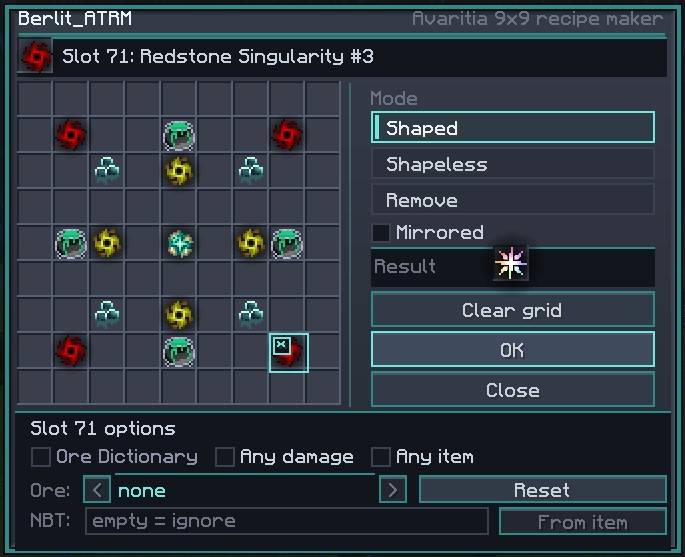
/atrm— open the editor./mt reload— reload scripts.- Pick up an item from your inventory (bottom of the screen) or from NEI and click the grid slot you want. A ghost appears in the slot and the item stays on your cursor.
- Hover over the top-left corner of a slot and press
*to select it, then configure the ingredient:- Ore Dictionary — the ingredient accepts any ore dictionary entry (the
<>arrows switch between entries); - Any damage — ignore the damage value;
- Any item — any non-empty item matches;
- NBT — filter by tag (SNBT). An empty field means NBT is not checked; matching works on the "all specified keys must be present" principle;
- From item — insert the current item's tag into the NBT field.
- Ore Dictionary — the ingredient accepts any ore dictionary entry (the
- Put the result item into the Result slot (top right of the menu). The stack size is the amount produced by the recipe.
- OK — the recipe is added. For a shapeless recipe, switch the mode to Shapeless.
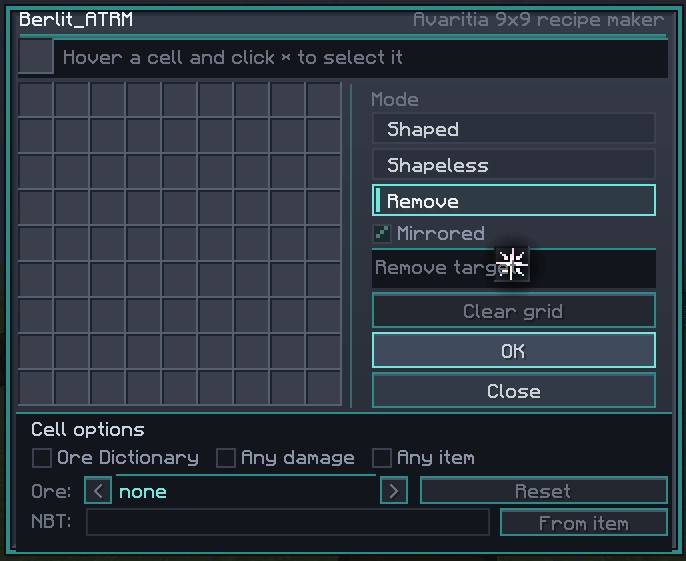
- Remove + an item in Result + OK — remove recipes with that result.
- Clear grid — clear the grid. Close — close the editor.
Right-clicking a slot clears it as well. Shift-clicking a ghost slot does nothing (so you don't accidentally drag the item away).
Saving and export
.minecraft/Scripts/BerlitATRM.zs
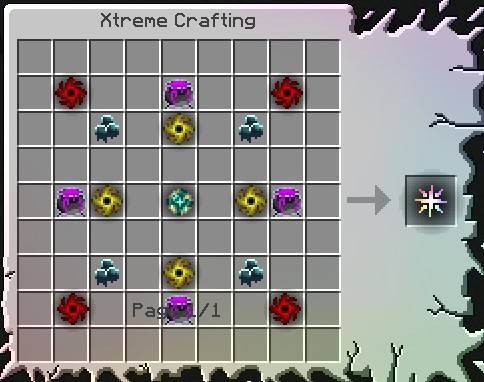
Recipes are added directly to ExtremeCraftingManager, so they work in the Extreme Crafting table.
Removals of built-in recipes are saved too: on the next launch they are re-applied after Avaritia
has initialized.
License
MIT (see LICENSE).
Berlit ATRM Team