Before You Click
- By
See the consequences before you click: block chains, fluids, and explosions previewed in advance.
🔷 Before You Click
Preview the consequences before you act.
Before You Click is a fully client-side Fabric mod for Minecraft 1.21.1 that shows what may happen before you break a block, place a liquid, or trigger an explosion.
Simply hold Left Alt to display a context-sensitive preview. The simulation is visual only and never modifies the real world.
📸 Screenshots
💧 Liquid Flow Preview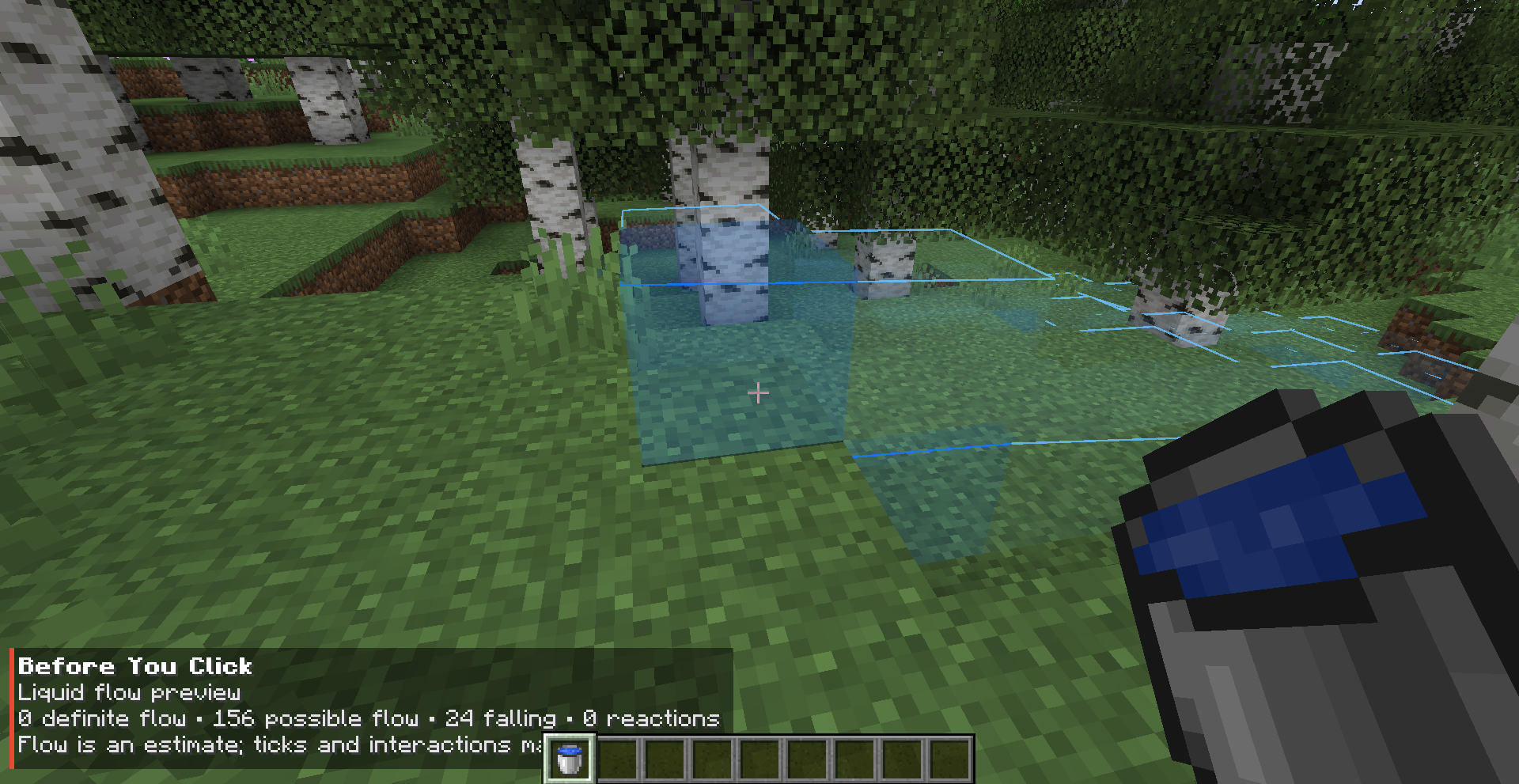
|
⛏️ Falling Block Preview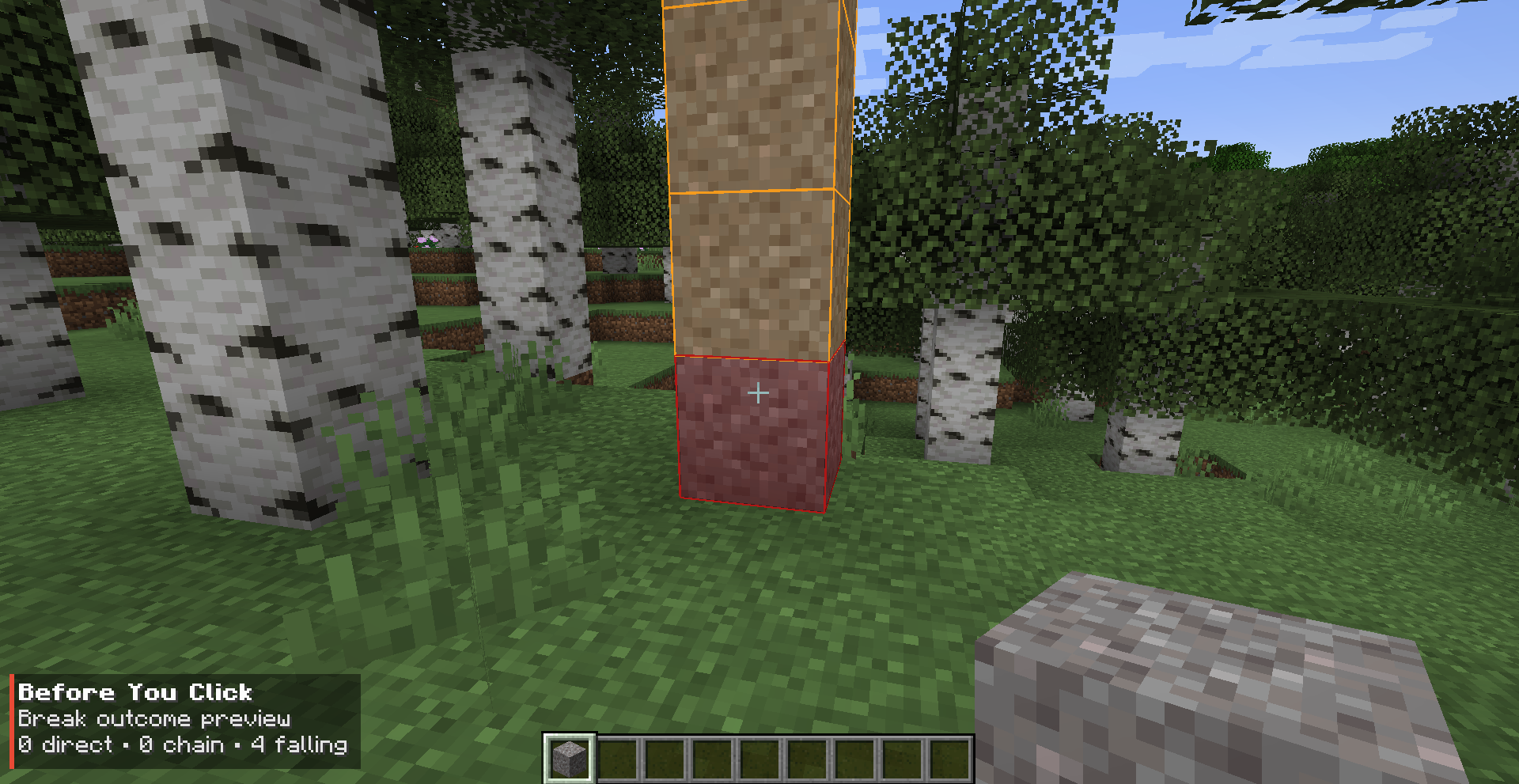
|
🔗 Support Chain Preview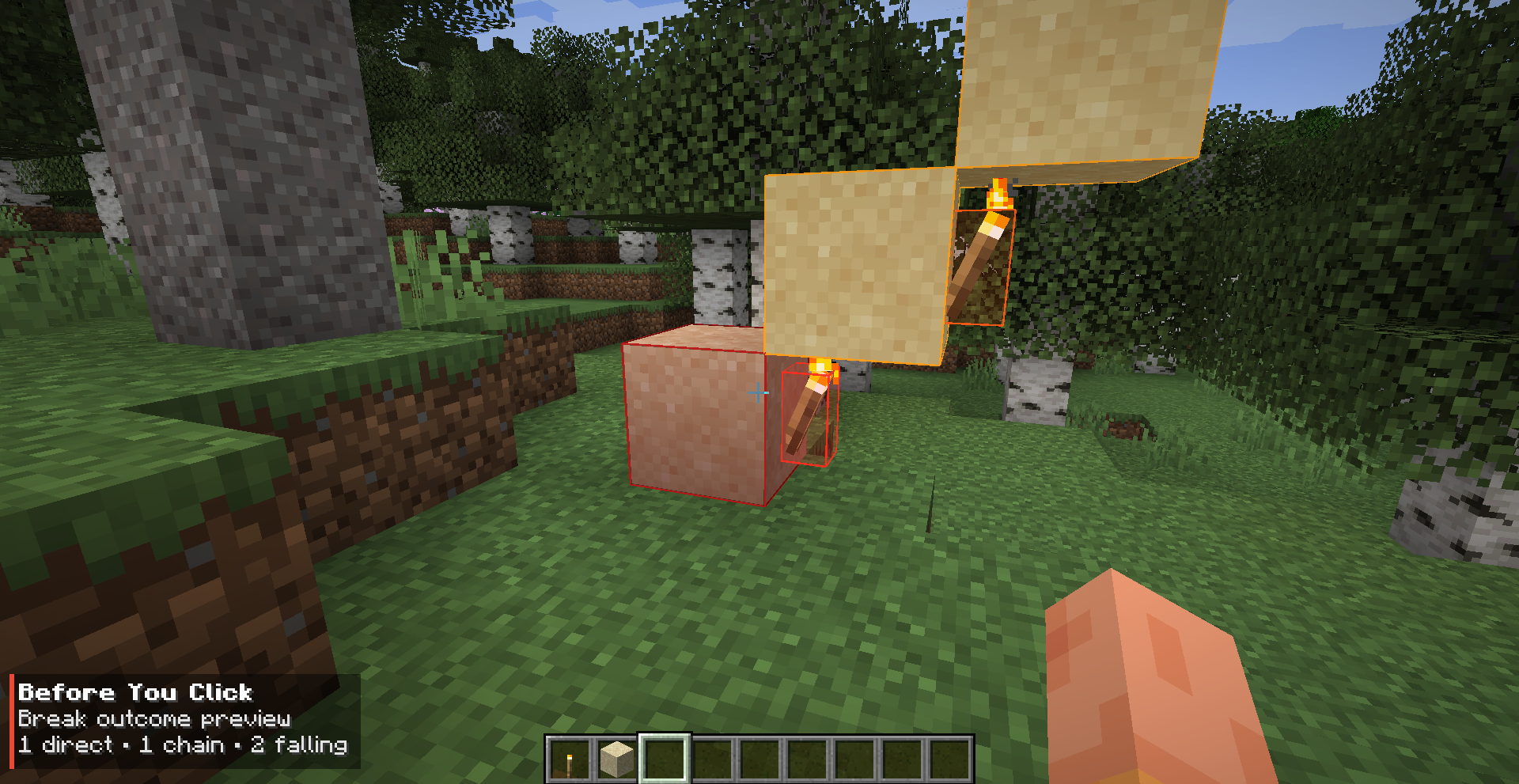
|
🛤️ Rail Dependency Preview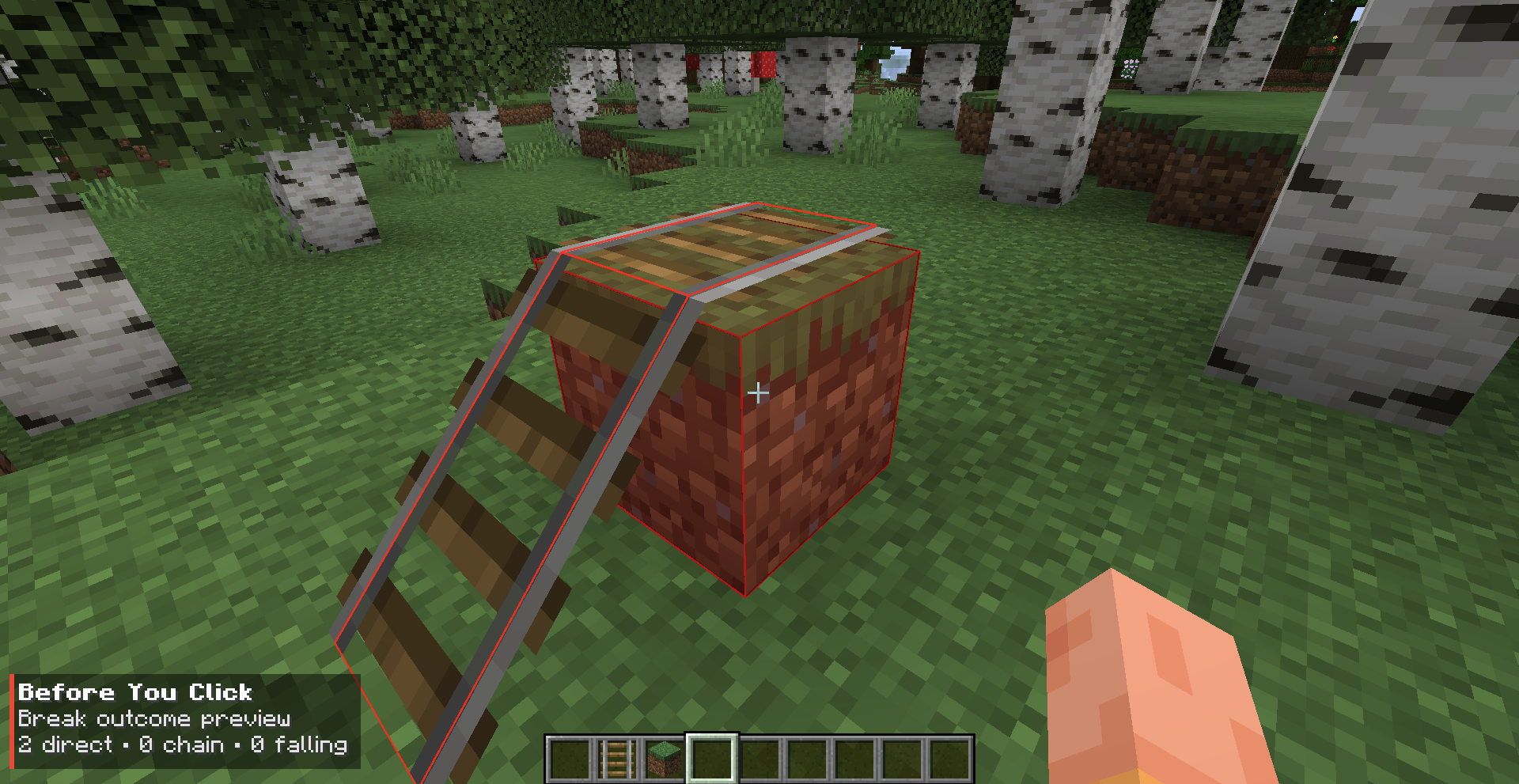
|
⛏️ Break Preview
See which blocks may be affected before breaking the targeted block.
The preview supports:
- Unsupported blocks
- Chained support failures
- Sand, gravel, concrete powder, and anvils
- Modded
FallingBlocksubclasses - Doors, beds, and tall plants
- Torches, ladders, buttons, and levers
- Redstone dust, repeaters, and comparators
- Flat, curved, and ascending rails
- Horizontal and vertical scaffolding
- Pointed dripstone
- Waterlogged blocks
Many modded support-dependent blocks can also work automatically through Minecraft's standard BlockState#canPlaceAt placement rules.
The simulation temporarily treats blocks queued for removal as air during bounded support checks. This allows dependency chains to be previewed without modifying the actual world.
💧 Liquid Preview
Preview the likely result before placing water, lava, or liquid from an entity bucket.
The mod can visualize:
- Source placement
- Waterlogging
- Horizontal spreading
- Vertical drops
- Nearby pits and ledges
- Blocked placement
- Water and lava reaction points
- Water evaporation in ultrawarm dimensions
- Fish buckets and other entity buckets
The liquid simulation is intentionally bounded and approximate, allowing it to remain lightweight and responsive.
It does not reproduce Minecraft's complete fluid tick scheduler, infinite-source rules, or every possible complex terrain interaction.
💥 Explosion Preview
Preview dangerous interactions involving:
- TNT
- Beds in explosive dimensions
- Charged Respawn Anchors
- End Crystals
- TNT chain reactions
- TNT and End Crystal combinations
The explosion preview can display:
- Estimated blast areas
- Explosion wave boundaries
- Estimated affected blocks
- Detected explosion events
- Chain progression
- Player danger status
Large explosion chains are calculated gradually across multiple client ticks to reduce freezing and sudden frame drops.
TNT normally requires flint and steel or a fire charge to display a preview. This can be changed with the previewTntWithoutIgniter configuration option.
Explosion results are estimates. Actual destruction depends on blast resistance, shielding, ray exposure, entity state, and Minecraft's internal explosion calculations.
✨ Specialized Rendering
Different preview types use visuals designed specifically for their purpose:
- Color-coded block outlines
- Simplified full-body bed outlines
- Shape-following rail overlays
- Liquid flow routes and reaction markers
- Explosion wave surfaces
- Context-sensitive HUD information
Preview geometry is cached and rebuilt only when the result changes.
Moving the camera does not restart an unchanged simulation. Releasing the preview key, changing targets, changing held items, or leaving the world clears temporary preview data.
🎮 Controls
The default preview key is:
Left Alt
Hold the key to display the preview.
The key can be changed from Minecraft's Controls menu.
The configuration also supports toggle mode, allowing the preview to be enabled and disabled with a single press.
⚙️ Configuration
The configuration file is created automatically at:
config/beforeyouclick.jsonAvailable settings include:
- Hold or toggle activation
- Individual preview categories
- HUD visibility
- Rendering options
- Refresh rate
- Simulation limits
- Explosion chain limits
- TNT preview without holding an igniter
Important default values:
{
  "toggleMode": false,
  "previewTntWithoutIgniter": false
}
🖥️ Client-Side Only
Before You Click is completely client-side.
- No server installation required
- No custom network packets
- No server-side classes
- No world modifications
- Works on vanilla and Fabric servers
- Other players do not need the mod
- Automatically recognizes modded falling blocks
- Tested with Sodium
- Tested with Iris and shaders
Unsupported or heavily customized modded blocks fail safely instead of crashing the game.
⚠️ Known Limitations
The previews are estimates and may not always match the final result perfectly.
- Complex natural terrain can cause small differences in liquid routing.
- Liquid simulation is not a complete copy of Minecraft's fluid tick scheduler.
- Explosion destruction depends on resistance, shielding, ray exposure, and Minecraft's internal calculations.
- Long TNT chains may display their waves and detected events without showing every affected-block overlay.
- Blocks controlled by scheduled ticks, block entities, or custom server logic may require dedicated compatibility support.
- Item frames and paintings are entities and are not included in break-chain previews.
- Piston movement and complete redstone-state simulation are not included in version 1.0.0.
📦 Requirements
- Minecraft 1.21.1
- Fabric Loader 0.19.3 or newer
- Fabric API 0.116.14 or newer
- Java 21
📥 Installation
- Install Fabric Loader for Minecraft 1.21.1.
- Install Fabric API.
- Place
beforeyouclick-1.0.0.jarinside the Minecraftmodsfolder. - Launch the game.
The mod does not need to be installed on the server.
🔗 Source Code
The project is open source:
Think first. Preview the result. Then click.
The Before You Click Team