Barrelporters
- By
End-themed Sender and Receiver barrels for wireless item transfer, with named networks, filters, upgrades, routing modes, and configurable transfer speed.
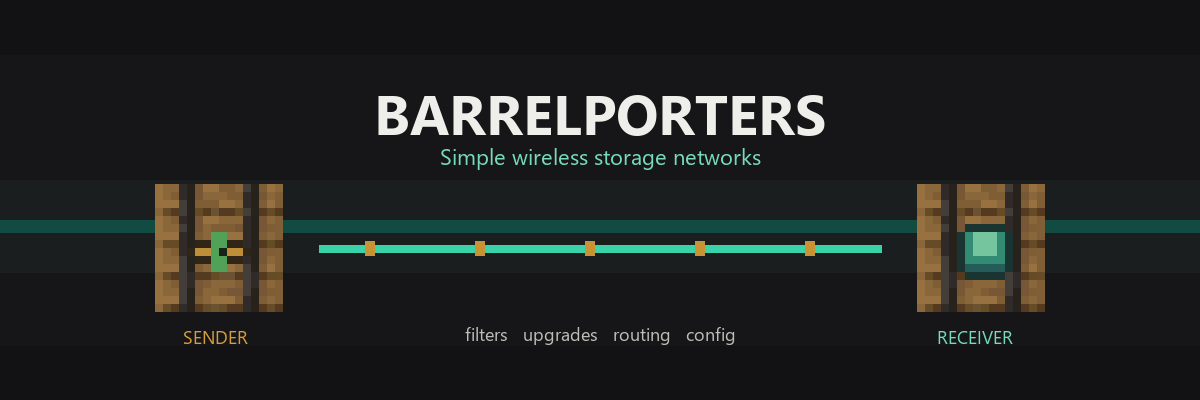
barrelporters_banner.png
ttvbenjiarml | Barrelporters
Create a server, get 25% off your first month

Description
Barrelporters
Barrelporters adds two End-themed storage blocks for wireless item movement. Sender Barrelporters pull items from their own inventory and send them to Receiver Barrelporters that use the same network name. You can control where items go with filters, routing modes, upgrades, redstone, and config options.
Features
- Sender Barrelporters
- Receiver Barrelporters
- Name-based networks
- Wireless item transfer
- 1-tick optimized transfer
- Default 10 stacks / 640 items per Sender per tick
- Configurable speed and transfer amount
- Admin commands
- Permission-protected runtime config
- Config file
- Inventory GUI with 27 storage slots and 4 upgrade slots
- Sorting
- Filters
- Overflow storage
- Receiver priorities
- Speed upgrades
- Range upgrades
- Dimensional upgrade
- Network cards
- Barrelporter wrench
- Hopper and pipe automation
- Redstone control
- Safe item transfer
- Original End-themed visuals
Singleplayer and Multiplayer
Barrelporters works in singleplayer, LAN, and dedicated multiplayer servers. For multiplayer, install the mod on the server and on every connecting client. The server controls transfer logic, inventories, commands, and config. Clients need the mod for blocks, items, models, textures, GUI, and translations.
How to Start
- Place a barrel.
- Use Eye of Ender to create a Sender.
- Place another barrel.
- Use Ender Pearl to create a Receiver.
- Make sure both have the same network name.
- Put items in the Sender.
- Items teleport to the Receiver.
Speed and Performance
Transfers run every 1 tick by default. Each Sender moves up to 10 source stacks or 640 items per tick by default. Admins can change ticks, stacks, items, and limits using commands or the server config. Large networks use cached sender and receiver positions and only loaded chunks are considered. The default per-network connection limit is 9,999,999,999, while performance safety caps prevent runaway lag.
Commands
/barrelporters info/barrelporters block/barrelporters speed set global stacks 10/barrelporters speed set global items 640/barrelporters speed set block stacks 64/barrelporters limit set connections 9999999999/barrelporters reload
Networks
Matching names connect Barrelporters. Unnamed barrels use Barrel. The Network Card copies a network from one Barrelporter and applies it to another.
Sorting and Filtering
Filter Upgrade enables allowlist and denylist filtering. Sorting Upgrade makes Senders prefer matching filtered Receivers, then compatible stocked Receivers, then unfiltered storage, then overflow Receivers.
Upgrades
- Filter Upgrade: enables filters.
- Sorting Upgrade: improves receiver selection.
- Speed Upgrade: increases stack and item throughput.
- Priority Upgrade: enables receiver priority routing.
- Overflow Upgrade: enables overflow storage.
- Range Upgrade: increases range from 256 to 1024 blocks.
- Dimensional Upgrade: allows loaded cross-dimensional receivers.
- Void Upgrade: safe by default and inactive unless explicitly enabled later.
Automation
Hoppers and item pipes can insert and extract from the 27-slot main inventory on every side except the front face. Upgrade slots are protected from automation, making the blocks useful for farms, mines, and storage rooms.
Safety
Items are only removed after successful insertion. Full Receivers do not delete items. Unloaded chunks are not force-loaded. Cross-dimension transfer requires Dimensional Upgrade and a loaded target chunk. Void Upgrade does nothing by default.
Compatibility
- Minecraft Java Edition 26.1.2
- NeoForge 26.1.2.30-beta
- Install on both client and server
- No required Mod Menu dependency
FAQ
Q: Does this work in singleplayer?
A: Yes.
Q: Does this work on servers?
A: Yes, but the mod must be installed on both the server and every client.
Q: Do Barrelporters force-load chunks?
A: No.
Q: How fast are they?
A: By default, every Sender can move up to 10 stacks or 640 items every tick.
Q: Can I change the speed?
A: Yes, through commands and config.
Q: Can I change the network connection limit?
A: Yes. The default is 9,999,999,999 for the network limit values, with performance safety caps.
Q: Will items disappear if no receiver exists?
A: No. Items stay in the Sender.
Q: Can I sort items?
A: Yes, use Filter and Sorting upgrades.
Q: Can it work across dimensions?
A: Yes, with Dimensional Upgrade, but only to loaded receivers.
Q: Is the Void Upgrade dangerous?
A: It does nothing unless explicitly enabled.
Credits
Original code and assets created for this project. Barrelporter block models reference vanilla Minecraft barrel textures at runtime but do not redistribute Mojang texture files.
The Barrelporters Team