BakeryAuth
Discord authentication and manual client verification for NeoForge servers.
BakeryAuth links Minecraft accounts to Discord, requires approval for every login, and provides client reports for administrator review.
Features
Discord Account Linking
- One-time
/link code system
- Minecraft UUID to Discord account binding
- Required Discord role support
- Guild membership verification
Login Approval
Every login must be approved through Discord DM:
- Login requests are sent automatically
- Approve or deny requests using Discord buttons
- Temporary login sessions
- Helps protect linked Minecraft accounts from unauthorized access
Client Reports
After a successful login, the client can submit information about installed mods and resource packs to the server.
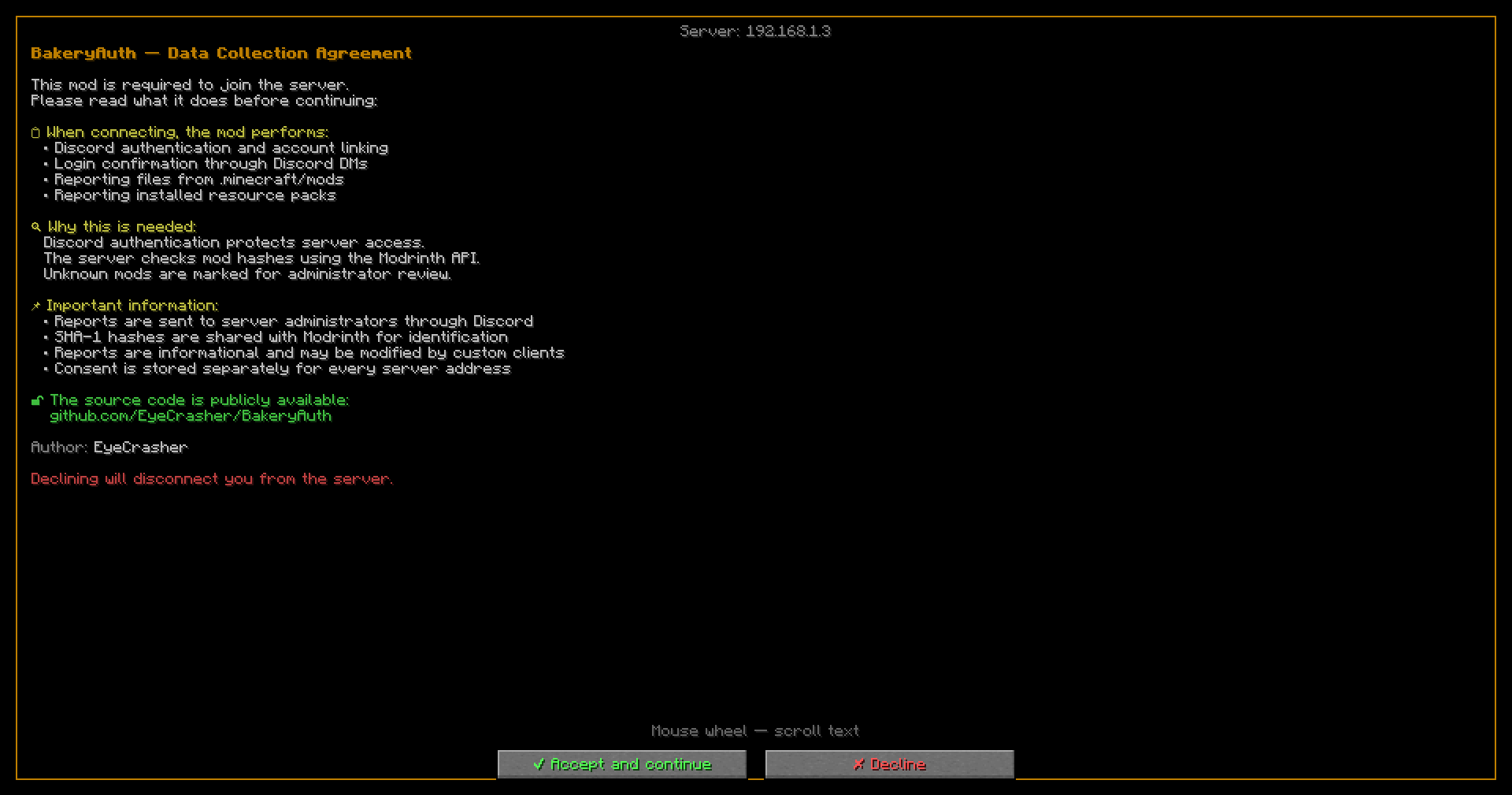
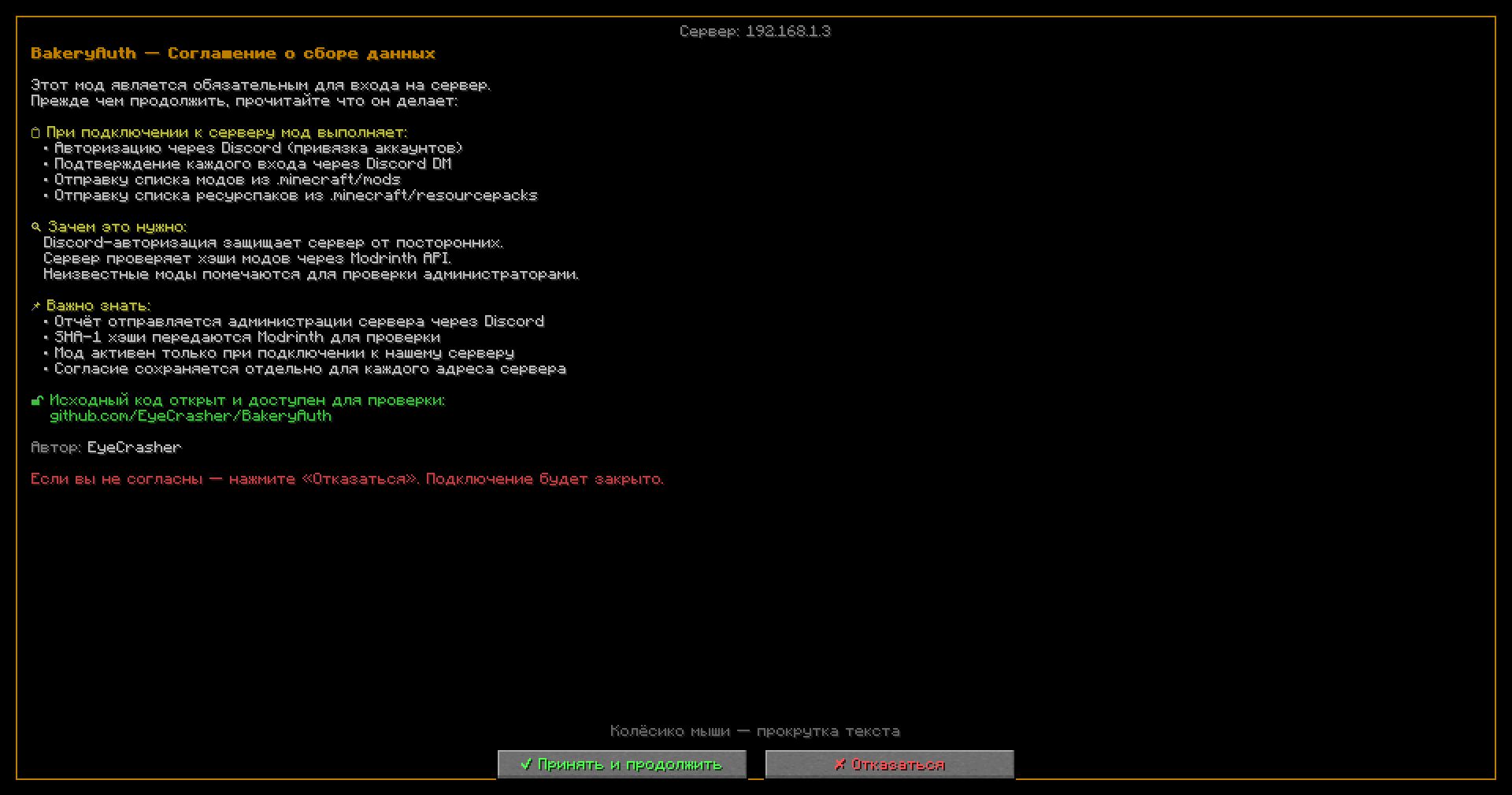
Players are shown a consent screen before any data is collected. Declining the consent screen disconnects the player without sending a report.
- Scans the
mods and resourcepacks directories
- Calculates SHA-1 hashes for installed mods
- Identifies mod hashes through the Modrinth API
- Sends informational reports through a Discord webhook
- Marks unknown mods for manual administrator review
- Never automatically blocks players based on report results
Localization
- Complete English and Russian translations
- Configurable using
server.language=en or server.language=ru
- Customizable player disconnect messages
Server Security
- Required on both the client and server
- Client version and handshake verification
- Configurable handshake and login timeouts
- Automatic login-session expiration
- Rate limits and report-size limits
Requirements
| Component |
Version |
| Minecraft |
1.21.1 |
| Loader |
NeoForge |
| Java |
21 |
Installation
Server
Download the latest bakeryauth-*-all.jar release.
Place the JAR into the server's mods directory.
Start the server once.
Edit the generated configuration file:
config/bakeryauth.properties
Restart the server.
Client
Every player must install the same BakeryAuth version as the server.
Discord Setup
- Create a Discord bot.
- Enable the Server Members Intent.
- Invite the bot to your Discord server.
- Configure:
- Bot token
- Guild ID
- Player role ID
/link channel ID
- Optionally create a webhook for client reports.
Commands
Commands require permission level 3.
/bakeryauth info <player>
Displays account-link, Discord-role, guild-membership, and login-session information.
/bakeryauth unlink <player>
Removes a player's Discord link and active login session.
/bakeryauth reload
Reloads supported server configuration settings.
Privacy
Data sent from the client to the server after consent:
- Installed mod file names, sizes, and SHA-1 hashes
- Resource-pack names, types, sizes, metadata presence, and top-level entries
SHA-1 hashes are submitted by the server to the Modrinth API for file identification. Reports can be sent to server administrators through a configured Discord webhook.
Before any report is collected, players are shown a consent screen explaining what is shared and why. Declining disconnects the player without sending a report.
Consent is stored locally for each server address and is requested again when the agreement version changes.
The client never receives:
- Discord bot token
- Discord webhook URL
- Server configuration secrets
BakeryAuth activates client reporting only when connected to a server running BakeryAuth and matching one of the addresses configured by that server.
Login Flow
Join server
     |
     |- BakeryAuth missing or incompatible?
     |      -> Connection rejected
     |
     |- Account not linked?
     |      -> Receive /link code
     |
     |- Missing Discord membership or role?
     |      -> Access denied
     |
     |- Login request created
     |      -> Discord DM sent
     |
     |- Approve
     |      -> Reconnect and join server
     |      -> Consent screen shown when required
     |      -> Client report sent after consent
     |
     `- Deny
            -> Access denied
Configuration Example
server.language=en

discord.token=BOT_TOKEN
discord.guildId=123456789012345678
discord.playerRoleId=987654321098765432
discord.linkChannelId=111122223333444455

bakery.webhookUrl=https://discord.com/api/webhooks/...
bakery.serverIps=play.example.net,127.0.0.1:25565

security.loginExpireMinutes=5
security.handshakeTimeoutSeconds=30
Player disconnect messages can also be customized using the message.* configuration options.
Open Source
Source code is available on GitHub. Issues and contributions are welcome.
License
GPL-3.0-only