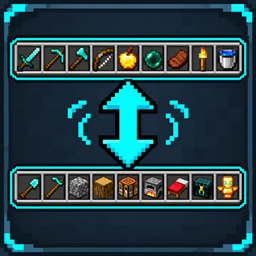
Backpack Side GUI Reborn
- By
Access and manage your Sophisticated Backpacks inventory alongside open containers without switching screens. Accede y administra el inventario de Sophisticated Backpacks junto a los contenedores abiertos sin cambiar de pantalla.
English
Backpack Side GUI is an unofficial Minecraft 26.3 adaptation of the Backpack Side GUI concept by Locknar, designed to integrate Sophisticated Backpacks directly into your inventory and container screens.
Manage your backpack without constantly switching between different inventory interfaces.
Features
- Displays your backpack inventory alongside open containers and the player inventory.
- Automatically detects your equipped or carried Sophisticated Backpack.
- Supports manual item transfers, stack splitting, and Shift-click actions.
- Supports oversized stacks and respects storage slot limits.
- Includes scrollable backpack contents.
- Provides a collapsible side panel.
- Integrates with Curios and JEI when installed.
- Supports transfers to Sophisticated Storage containers in server-assisted mode.
- Disabled by default to preserve the standard Minecraft interface.
Interface controls
| Control | Function |
|---|---|
| Left Click | Pick up or place items |
| Right Click | Split stacks or place individual items |
| Shift + Left Click | Quickly transfer items |
| Mouse Wheel | Scroll through backpack contents |
| Minus / Plus button | Collapse or expand the panel |
| Shift > Chest / Inv | Change the Shift-click transfer destination |
The default Shift-click destination is the open container when supported; otherwise, it is the player inventory.
No additional keyboard shortcuts are required.
Commands
The panel is disabled by default. Activate it using the following client-side commands:
/backpacksidegui activate— Enables the backpack panel./backpacksidegui deactivate— Disables the backpack panel./backpacksidegui toggle— Switches between enabled and disabled./backpacksidegui status— Displays the current activation status.
Preferences are saved individually for each player. Administrator permissions are not required.
Installation modes
Client-side only
Provides a live backpack preview and access to native backpack actions. Direct simultaneous transfers between the backpack and an open container are not available in this mode.
Client and server
Enables the complete interactive experience, including direct backpack-to-container transfers and configurable Shift-click destinations.
Required dependencies
- NeoForge.
- Sophisticated Backpacks.
- Sophisticated Core.
Optional integrations
- Sophisticated Storage.
- Curios API.
- Just Enough Items (JEI).
Español
Backpack Side GUI es una adaptación no oficial para Minecraft 26.3 del concepto original de Locknar, diseñada para integrar Sophisticated Backpacks directamente en las interfaces del inventario y los contenedores.
Características
- Muestra el contenido de tu mochila junto a los cofres y otros contenedores abiertos.
- Detecta automáticamente la mochila equipada o transportada.
- Permite transferencias manuales, división de stacks y acciones con Shift + clic.
- Respeta los límites de almacenamiento y las mejoras de tamaño de stacks.
- Permite desplazarse por el contenido de mochilas grandes.
- Incluye un panel minimizable.
- Integración con Curios y JEI.
- Compatible con transferencias a Sophisticated Storage cuando está instalado en el servidor.
- Desactivado por defecto.
Controles
| Control | Función |
|---|---|
| Clic izquierdo | Recoger o colocar objetos |
| Clic derecho | Dividir stacks o colocar objetos individuales |
| Shift + clic izquierdo | Transferencia rápida |
| Rueda del ratón | Desplazarse por la mochila |
| Botón menos / más | Minimizar o expandir el panel |
| Shift > Chest / Inv | Cambiar el destino de las transferencias rápidas |
No requiere configurar teclas adicionales.
Comandos
/backpacksidegui activate— Activa el panel./backpacksidegui deactivate— Desactiva el panel./backpacksidegui toggle— Alterna su estado./backpacksidegui status— Consulta su estado actual.
La configuración se guarda individualmente para cada jugador y no requiere permisos de administrador.
Modos de instalación
Solo cliente: visualización de la mochila y acceso a sus acciones nativas, con limitaciones en las transferencias directas.
Cliente y servidor: funcionalidad completa, incluyendo transferencias directas entre mochila y contenedores.
Dependencias obligatorias
- NeoForge.
- Sophisticated Backpacks.
- Sophisticated Core.
Integraciones opcionales
- Sophisticated Storage.
- Curios API.
- Just Enough Items (JEI).
Backpack Side GUI Reborn Team