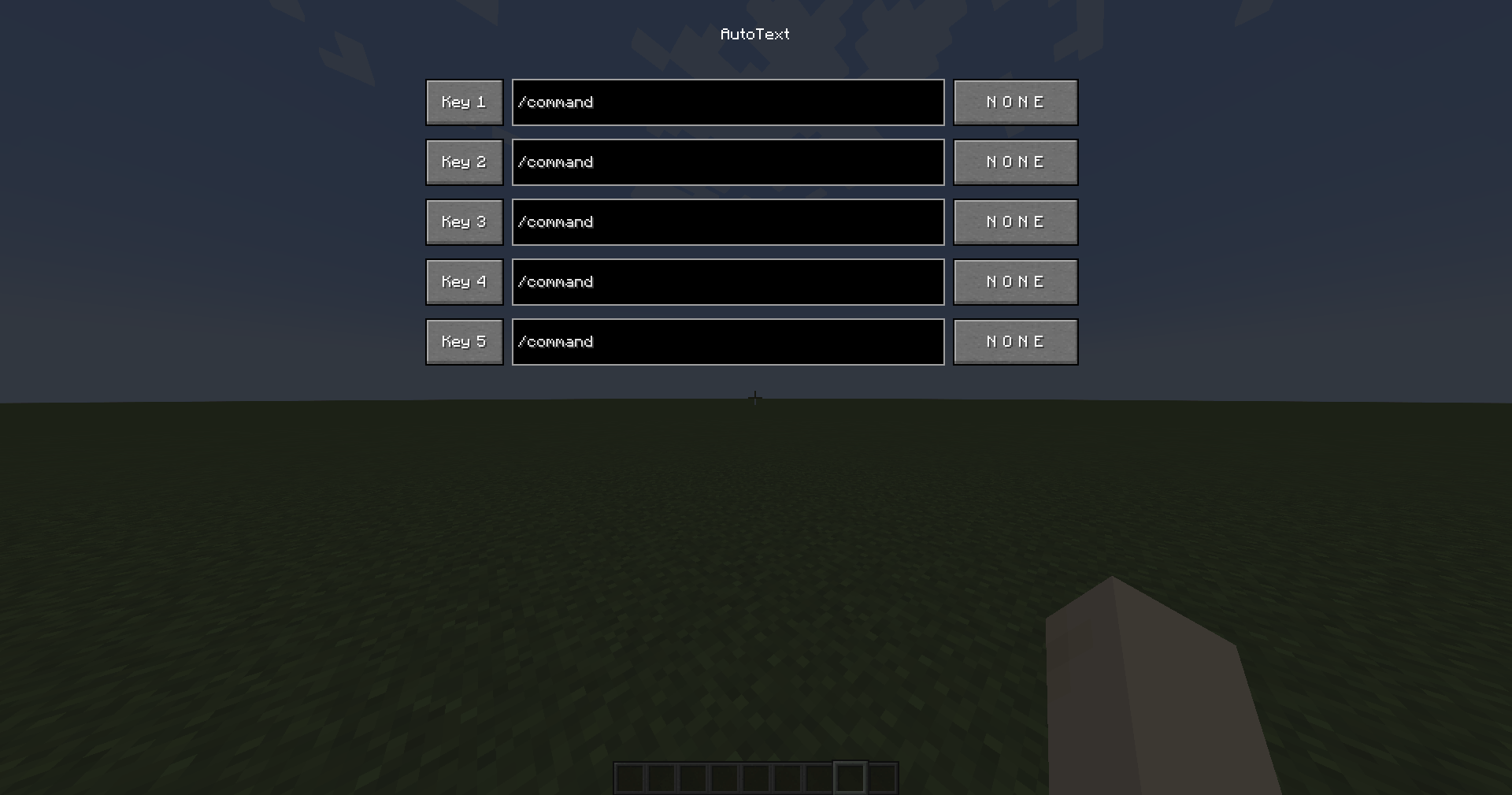
A preview of the clean, dark-themed user interface to bind your custom macros and keys.
Description
AutoText
5 customizable macro slots to send commands or chat messages instantly with a single keypress.
Tired of typing /spawn, /home, or /warp shop over and over? AutoText lets you bind up to 5 commands or chat messages to any keyboard key or mouse button. Press the key → the command fires immediately. No menus, no delays.
✨ Features
- 5 Macro Slots — Each with its own command and independent keybind
- Keyboard & Mouse Support — Bind any key (A-Z, 0-9, F1-F12) or mouse button (LMB, RMB, MMB, side buttons 4 & 5)
- Smart Execution — Macros only fire when you're actually in-game. Won't execute while your inventory, settings, chest, or any other menu is open
- Duplicate Prevention — Assigning a key to a new macro automatically clears it from the old one
- Mod Menu Integration — Open the configuration screen directly from Mod Menu
- Persistent Storage — All macros are saved to
config/autotext.jsonand persist across game restarts - Clean UI — Dark-themed interface with no blur shader for crisp, readable text
🎮 How to Use
- Press
P(configurable in Controls) to open the AutoText menu - Type your command in the text field (e.g.,
/spawnorHello everyone!) - Click the
N O N Ebutton on the right → it turns to? ? ? - Press any key or mouse button to bind it
- Close the menu with
ESCand press your bound key in-game to execute!
To clear a keybind: Click the bind button, then press ESC — it resets to N O N E.
📦 Requirements
- Fabric Loader 0.16+
- Fabric API
- Minecraft 1.21.4
- Java 21
- Mod Menu (optional, for in-mod-menu configuration)
- FalconMods
⚠️ Server Anti-Cheat Notice
AutoText is completely safe and does NOT trigger anti-cheat systems. It uses the exact same chat methods as vanilla Minecraft — servers cannot tell the difference between AutoText and manual typing.
AutoText Team
Owner