

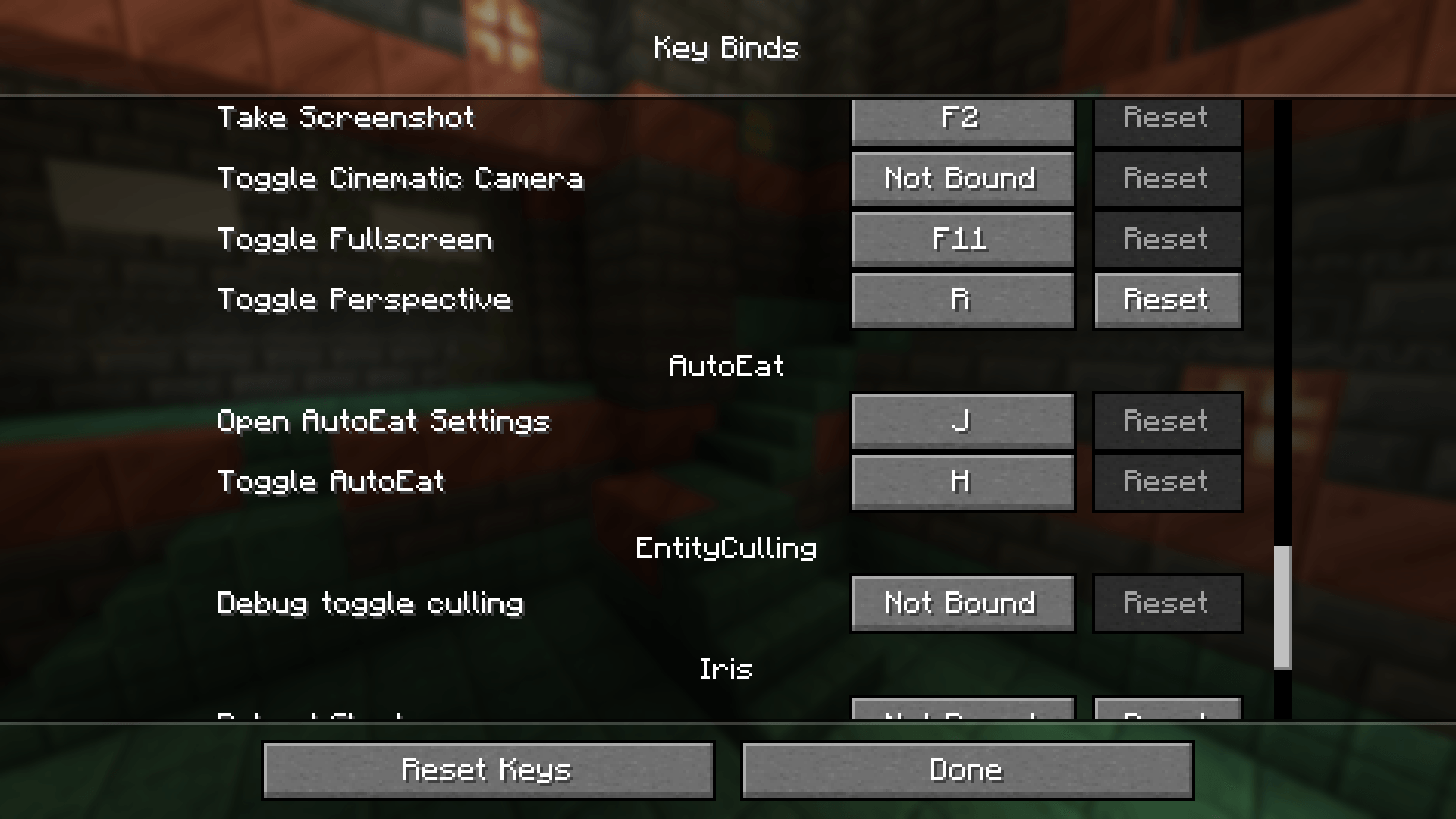
Displays the key bind configuration for AutoEat. By default, press 'H' to toggle AutoEat and 'J' to open the settings menu.
![Thumbnail Front-facing view showing AutoEat activated. The "[AutoEat] Enabled" message confirms automatic eating is active while holding premium foods.](https://media.forgecdn.net/attachments/1310/207/5-jpg.jpg)
Front-facing view showing AutoEat activated. The "[AutoEat] Enabled" message confirms automatic eating is active while holding premium foods.
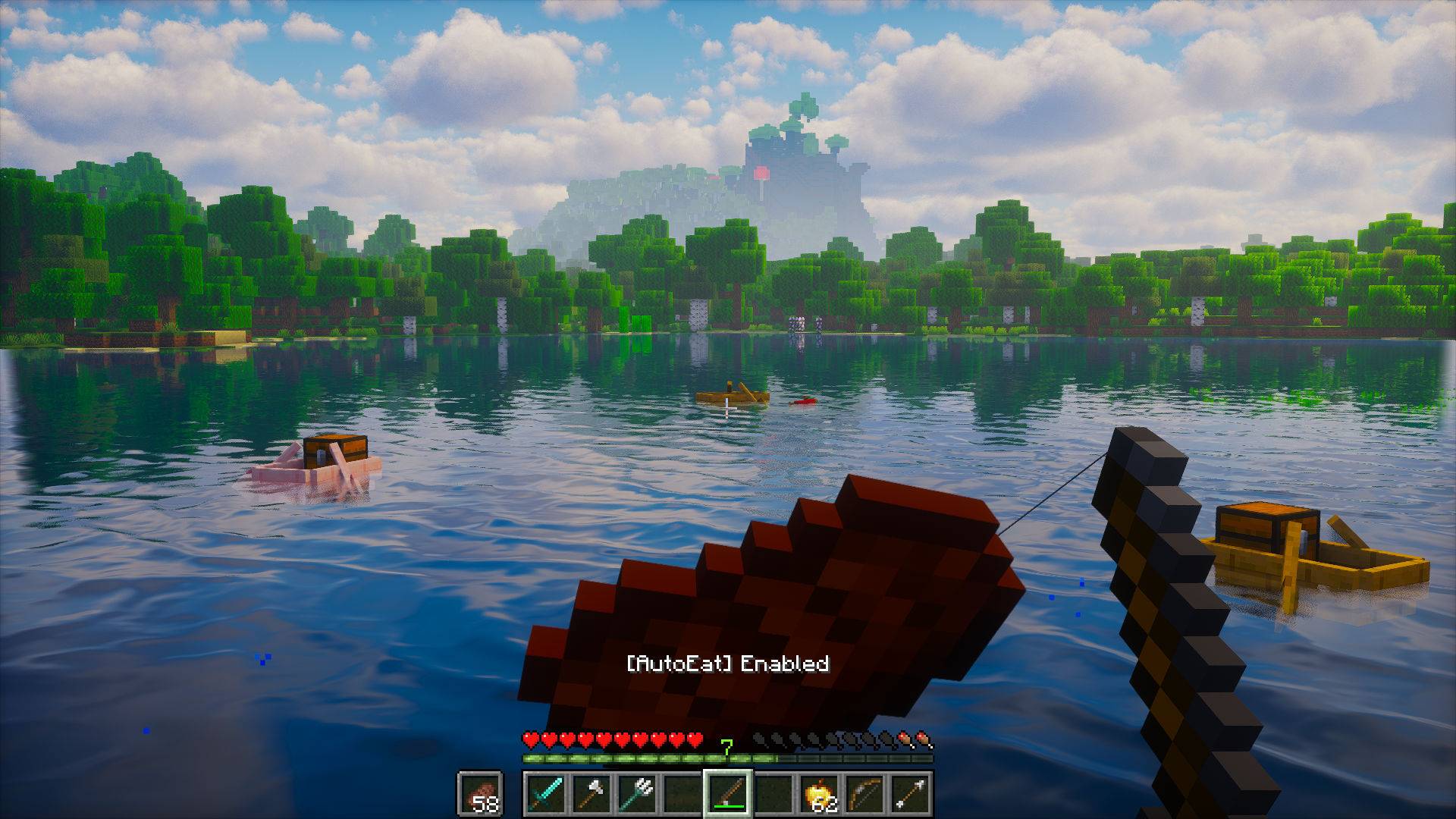
In-game view while fishing, showing AutoEat active. Offhand support lets you fish while the mod automatically keeps your hunger full.
![Thumbnail In-game fishing view with AutoEat turned off. The "[AutoEat] Disabled" message indicates automatic eating is paused while continuing to fish manually.](https://media.forgecdn.net/attachments/1310/208/2-jpg.jpg)
In-game fishing view with AutoEat turned off. The "[AutoEat] Disabled" message indicates automatic eating is paused while continuing to fish manually.
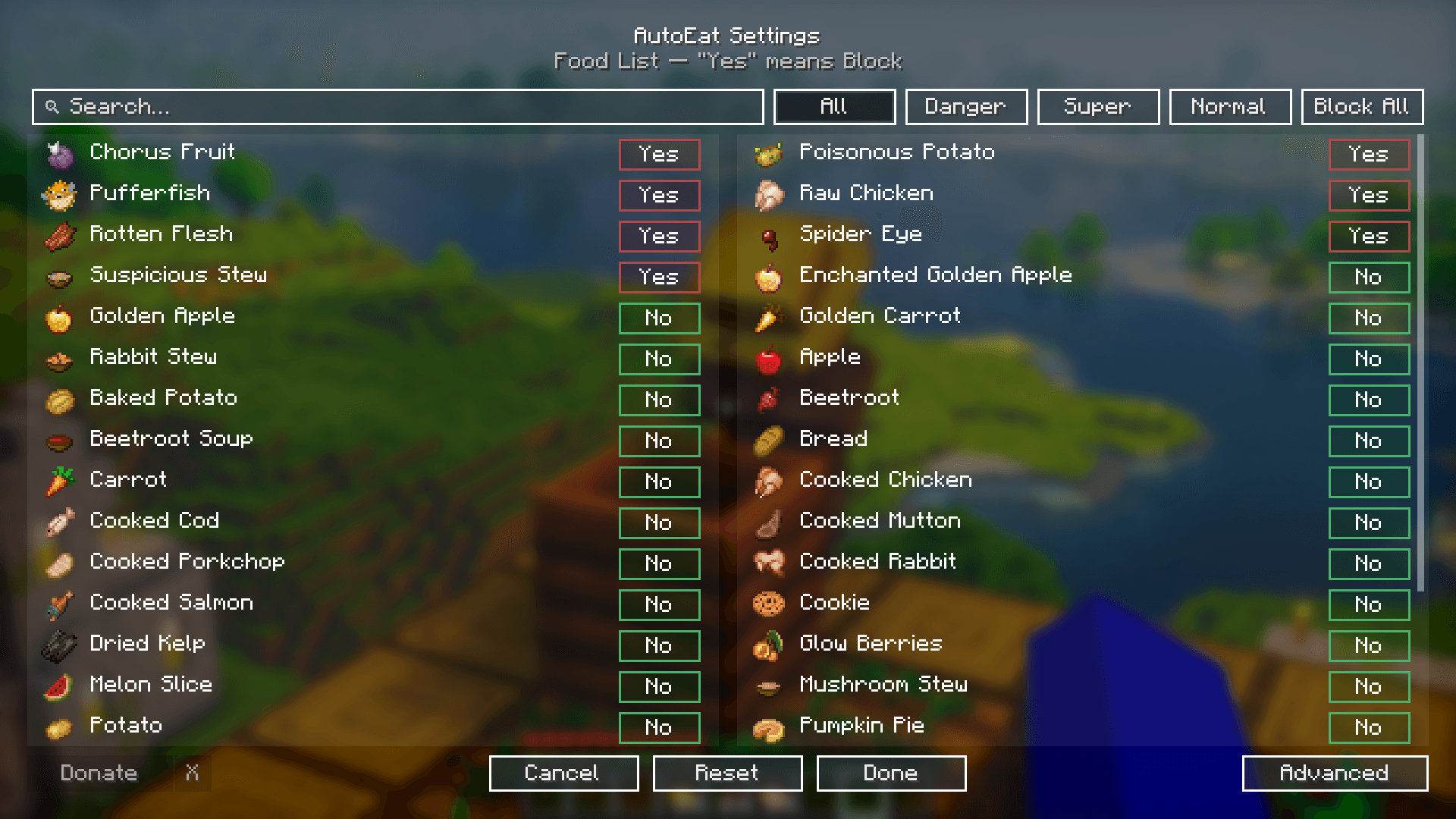
Easily toggle features, adjust hunger thresholds, and manage advanced options without leaving your world.
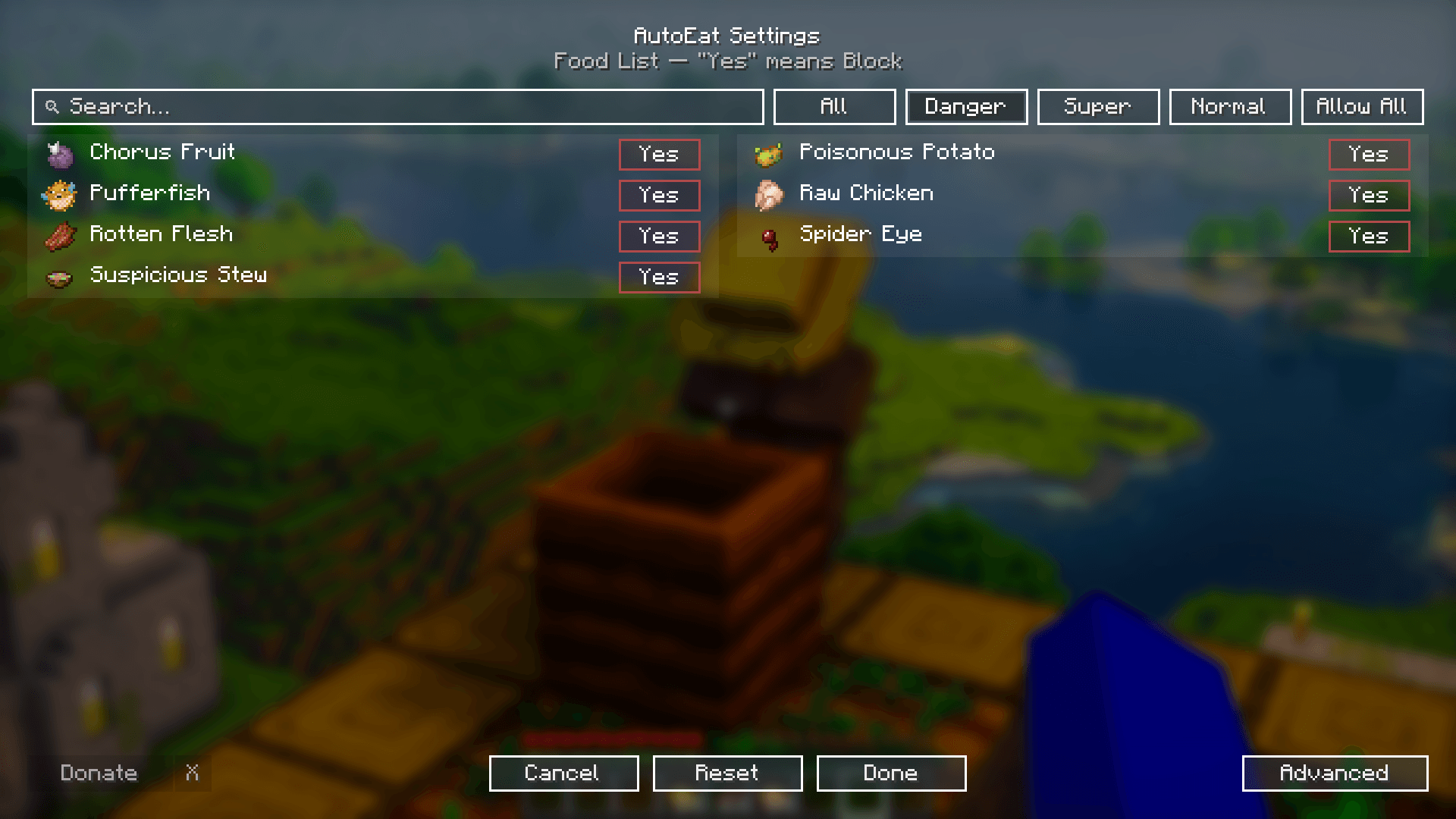
Quickly block dangerous foods like Rotten Flesh, Pufferfish, and Spider Eyes to stay safe while AutoEat runs automatically.
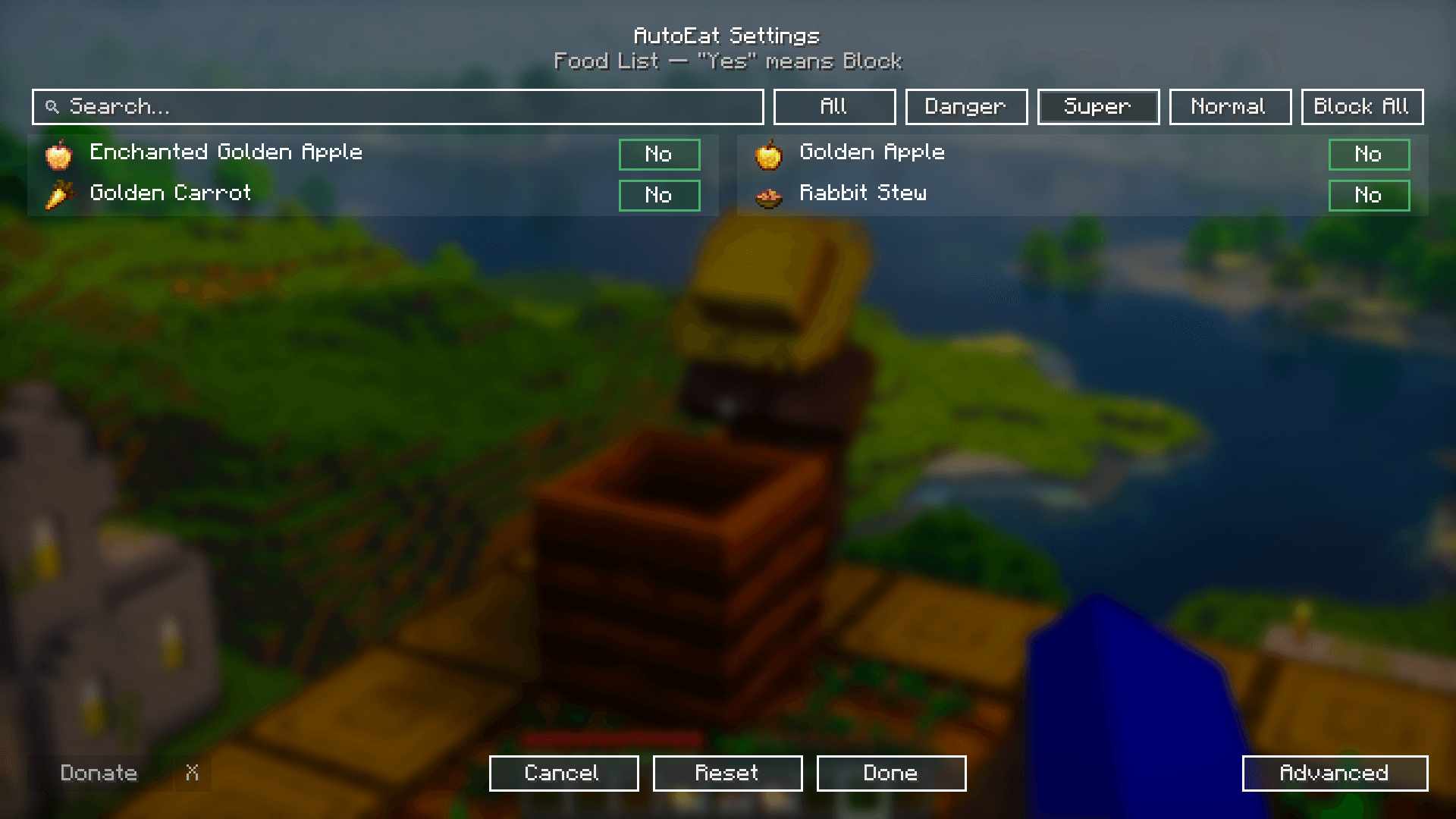
Shows how AutoEat prioritizes Super (premium) foods like Golden Apples and Golden Carrots when panic mode is enabled.
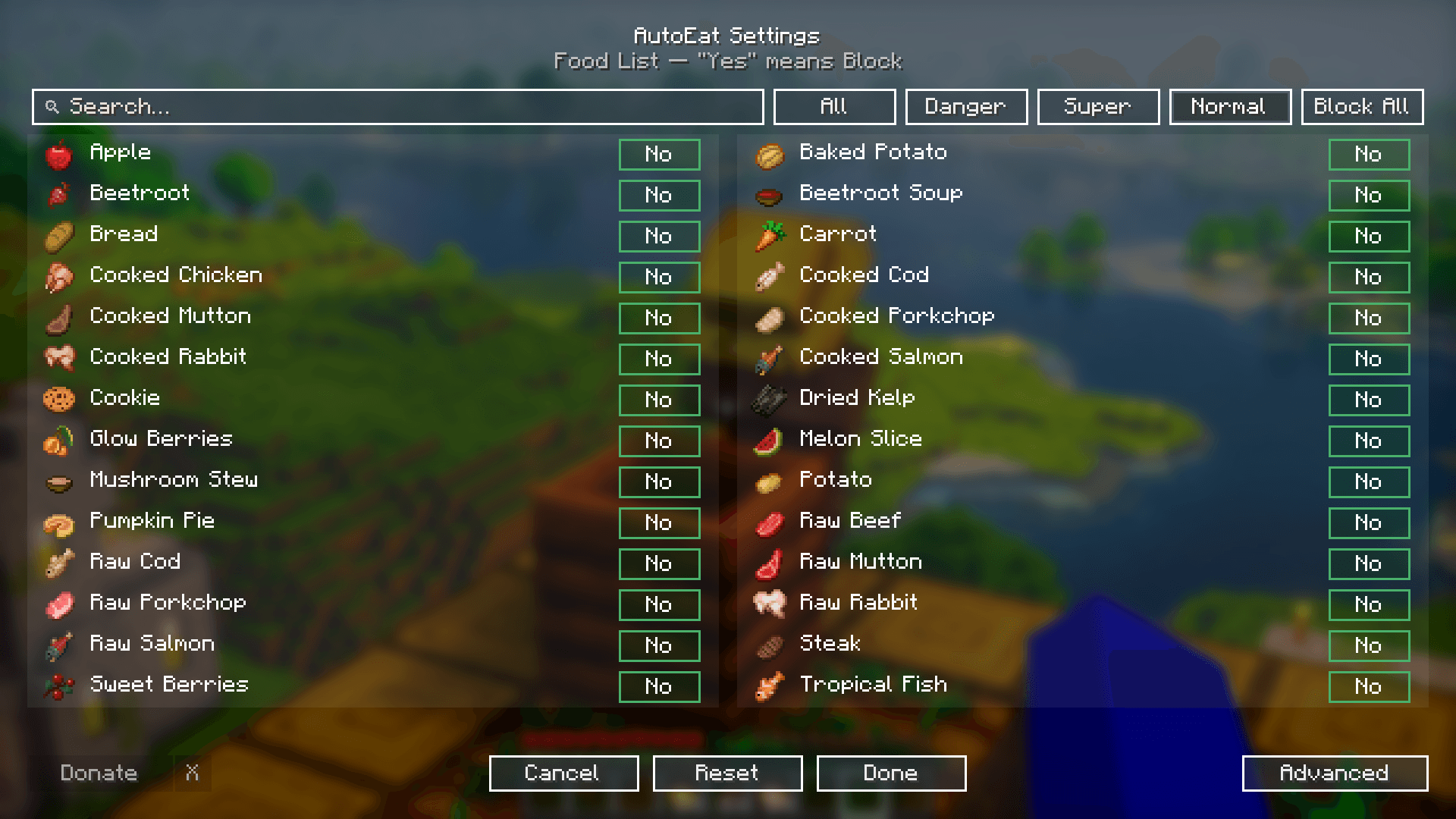
A full list of normal foods AutoEat can consume, from basic fruits and vegetables to cooked meals.
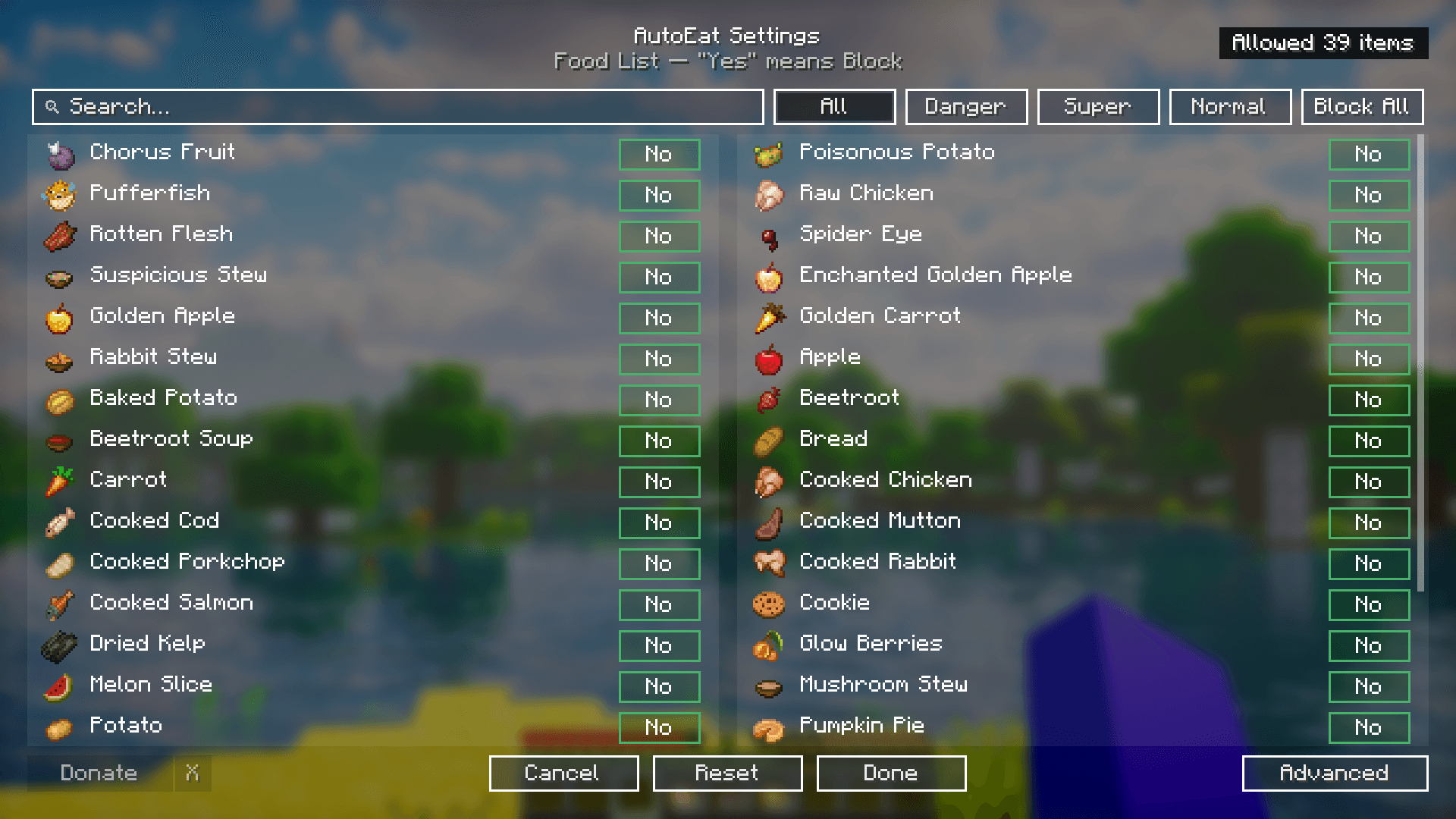
Demonstrates the "Allow All" state in AutoEat. All foods in the selected category are unblocked, allowing AutoEat to consume any item automatically. The button changes to "Block All" to reverse this setting.
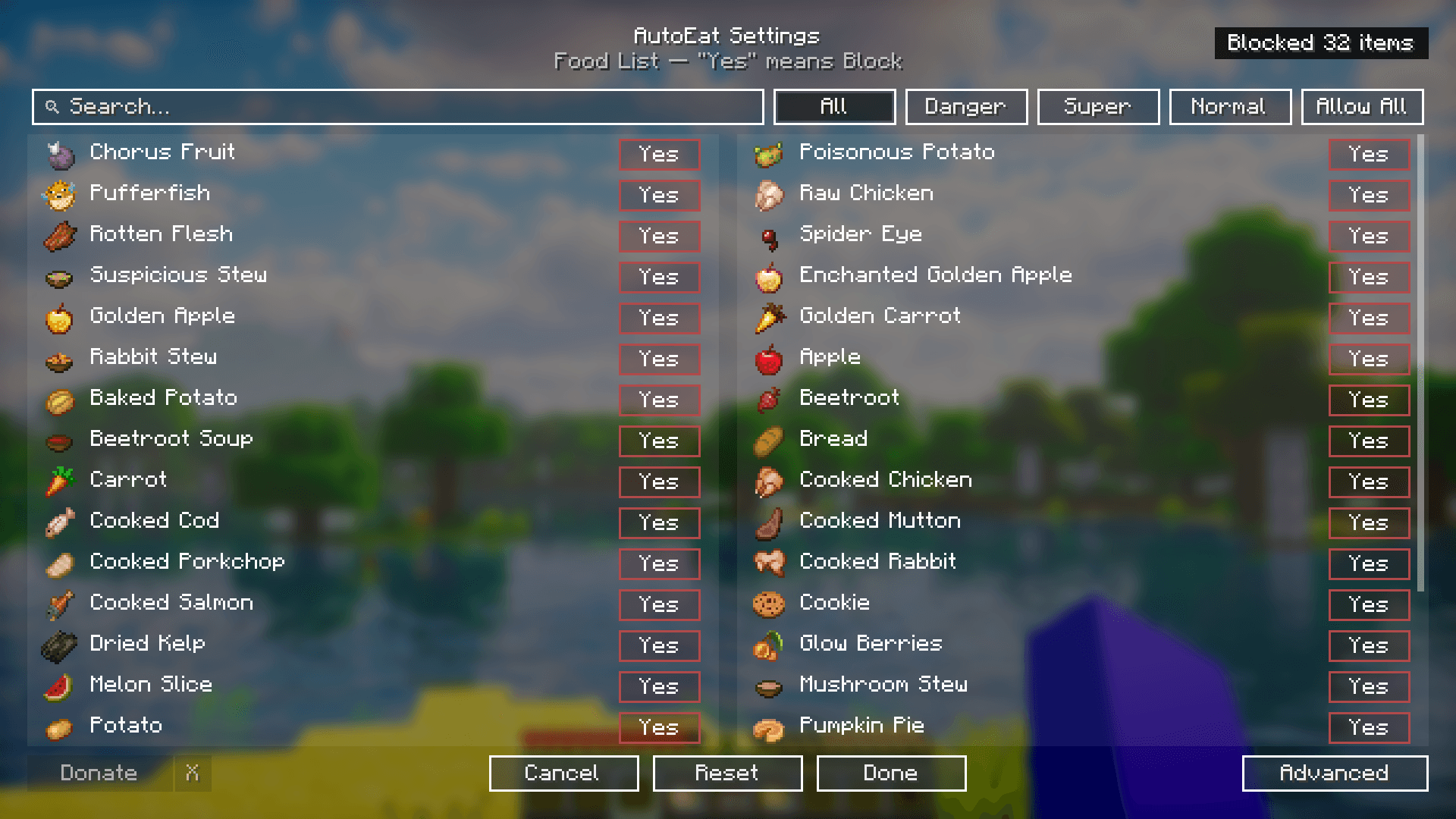
Demonstrates the "Block All" feature in AutoEat. Clicking this button blocks every food item in the selected category, preventing AutoEat from consuming any of them until you click "Allow All" to revert.
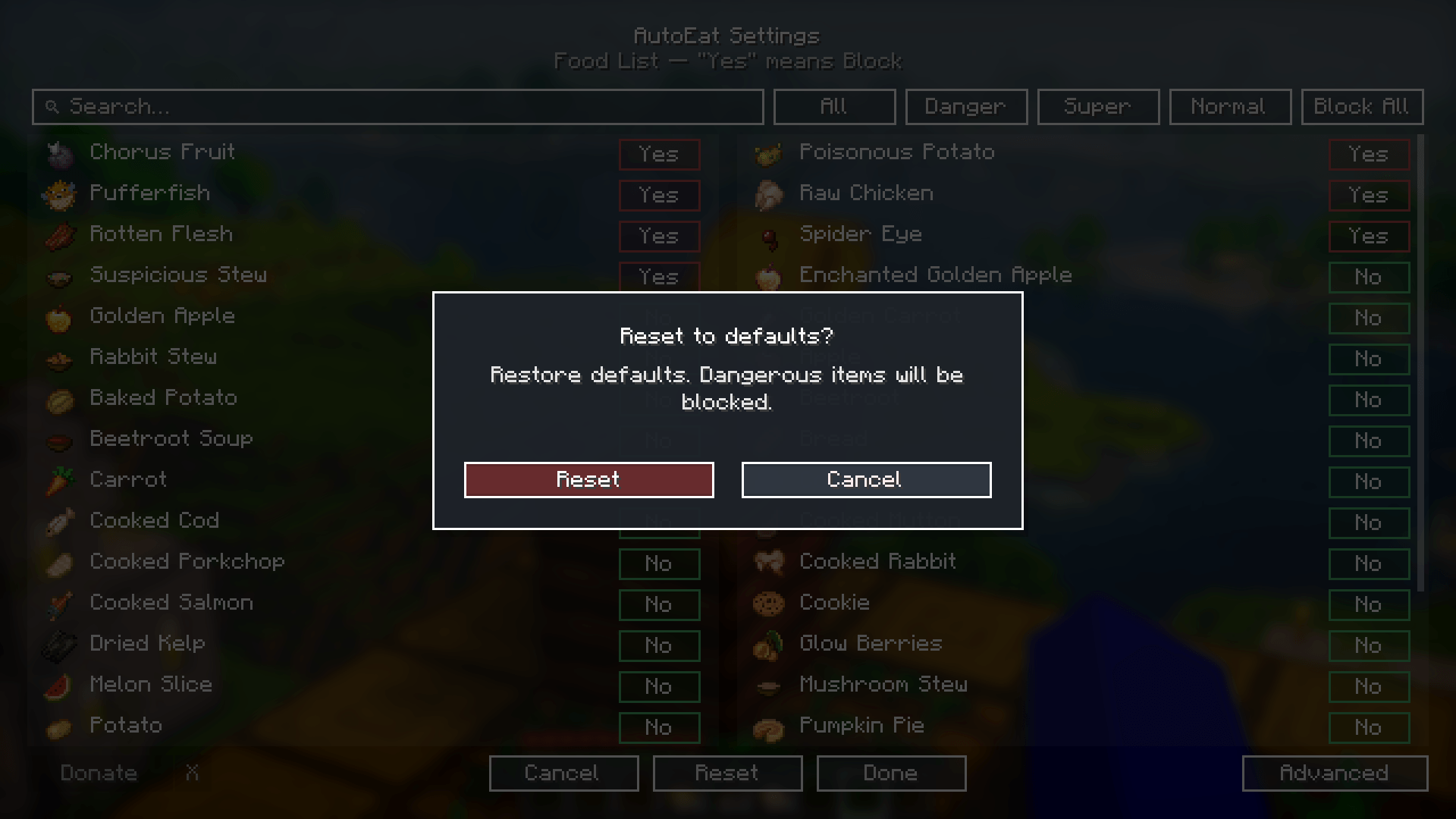
Shows the confirmation popup for resetting to default settings. This restores the original configuration, where dangerous foods are blocked by default.
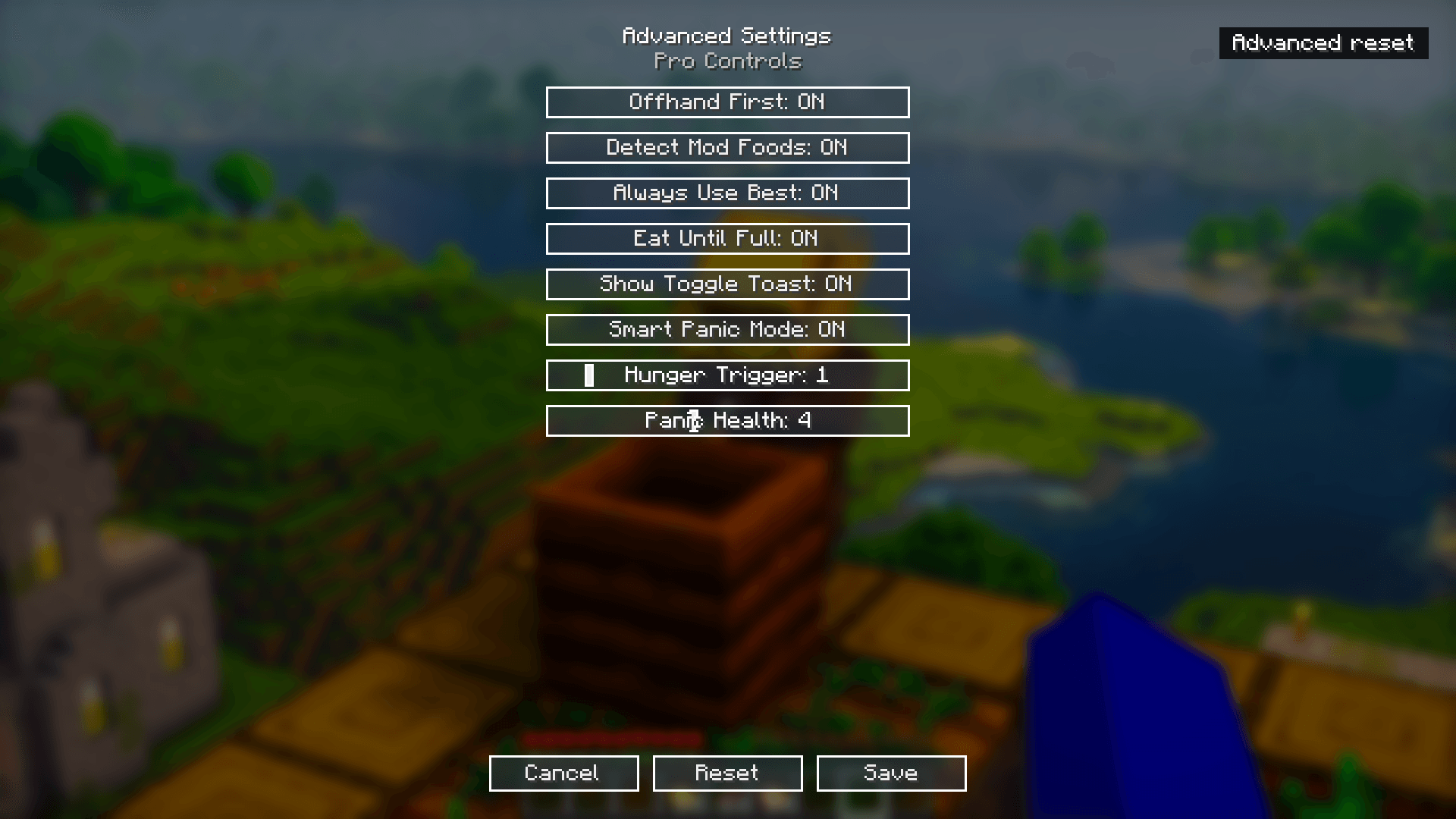
Shows AutoEat's advanced settings menu, including options for Offhand First, Smart Panic Mode, Eat Until Full, and adjustable hunger and panic health thresholds.
![Thumbnail In-game view showing AutoEat activated. The "[AutoEat] Enabled" message confirms the mod is ready to keep your hunger full automatically.](https://media.forgecdn.net/attachments/1310/205/7-jpg.jpg)
In-game view showing AutoEat activated. The "[AutoEat] Enabled" message confirms the mod is ready to keep your hunger full automatically.
![Thumbnail In-game view showing AutoEat toggled off. The "[AutoEat] Disabled" message indicates that automatic eating is paused until re-enabled.](https://media.forgecdn.net/attachments/1310/206/6-jpg.jpg)
In-game view showing AutoEat toggled off. The "[AutoEat] Disabled" message indicates that automatic eating is paused until re-enabled.

