Auto Torch skr
- By
åºé´èªå¨æç«æåè½-compressed.png
设置é¢æ¿_cn-compressed.png
设置é¢æ¿_en-compressed.png
æ¾ç¤ºå ç §å¼ºåº¦åè½-compressed.png
Description
Auto Torch
English | 简体中文
An automatic torch placement and light level overlay mod for Minecraft 1.7.10~26.3 on NeoForge, Forge, and Fabric.
Motivation
Digging out a perimeter is tedious, and placing torches by hand makes it easy to miss spots. Existing light level overlays also do not account for the special spawning conditions of drowned and swamp slimes, which makes building swamp mob farms or lighting riverbeds inconvenient. That is why this mod was created.
Overview
- Press
Gby default to open the selection panel and configure automatic torch placement within a selected area or near the player. - Press
F7by default to toggle the light level overlay, including special checks for drowned and swamp slimes.
| Nearby Torch Placement | Light Level Overlay | Area Torch Placement |
|---|---|---|
| Client-side only | Client-side only | Client and server |
Screenshots
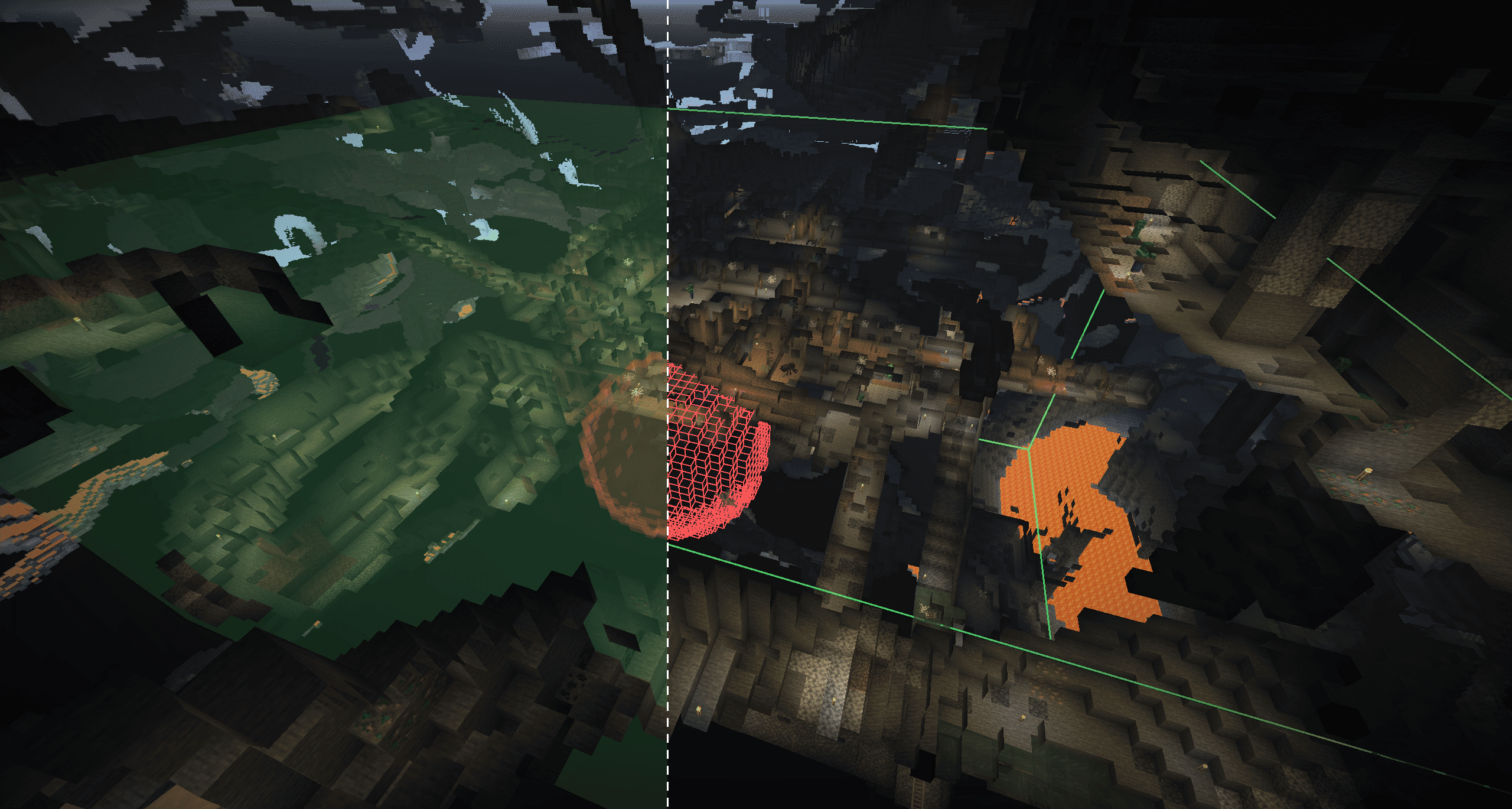
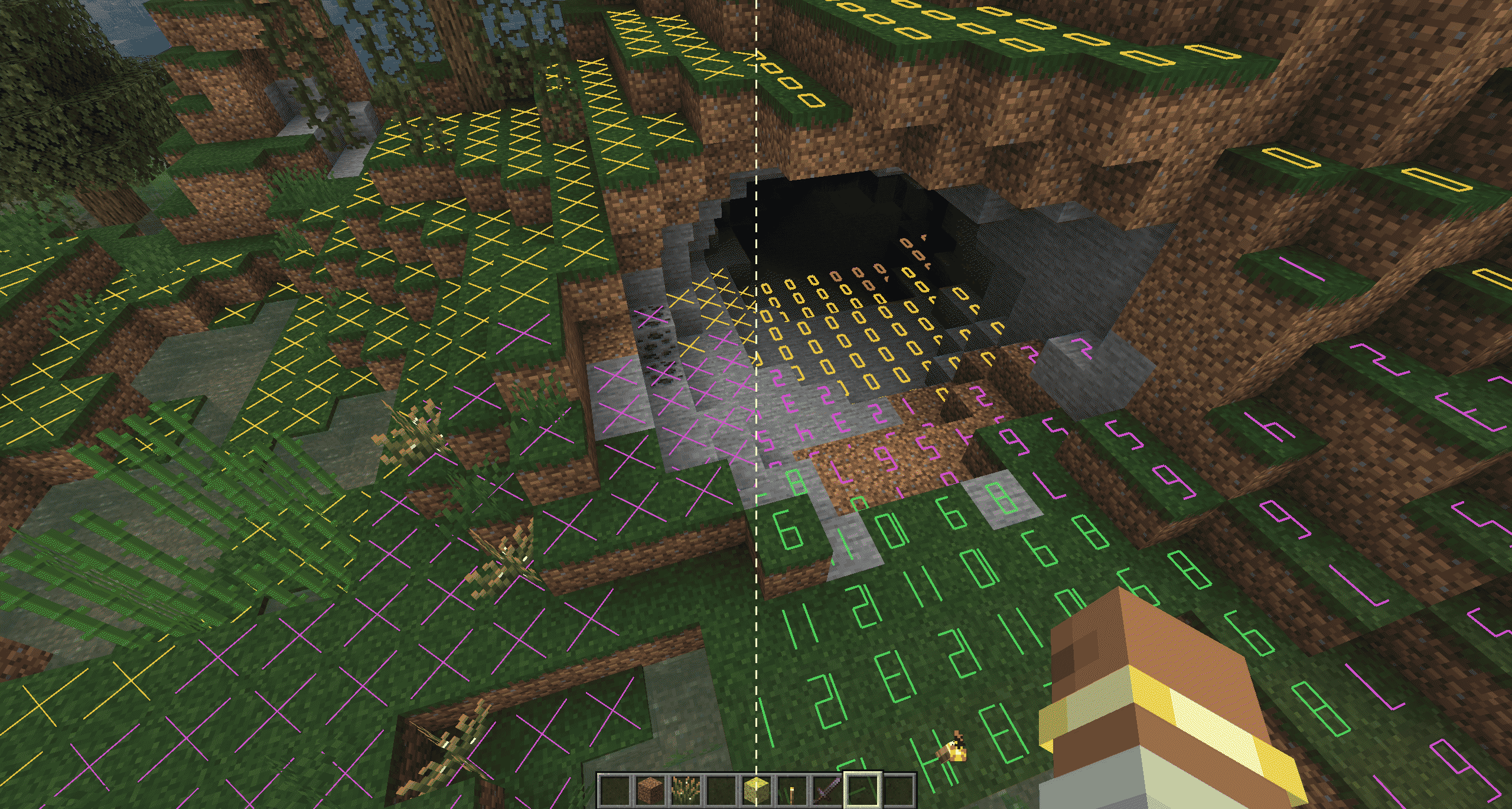
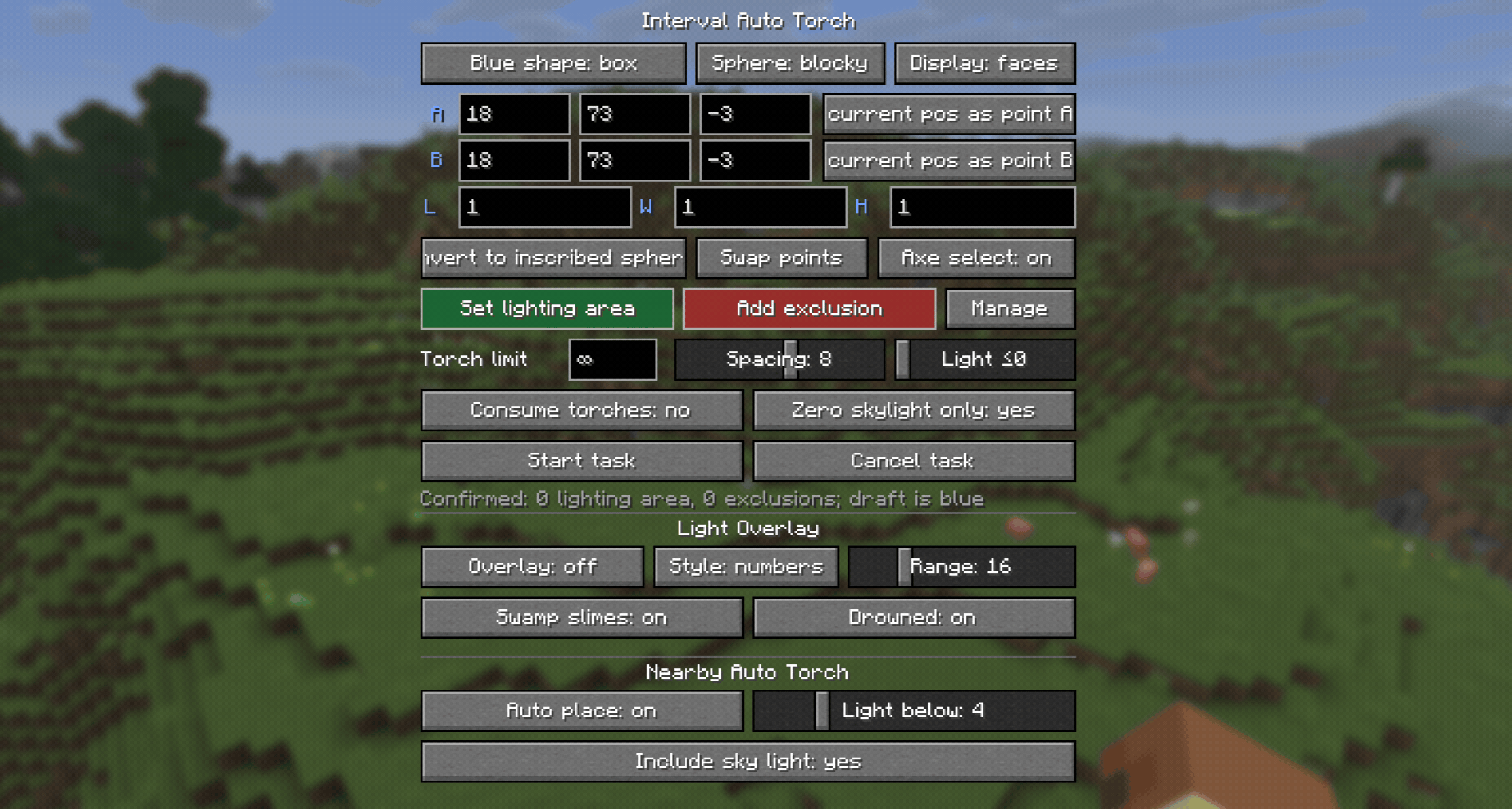
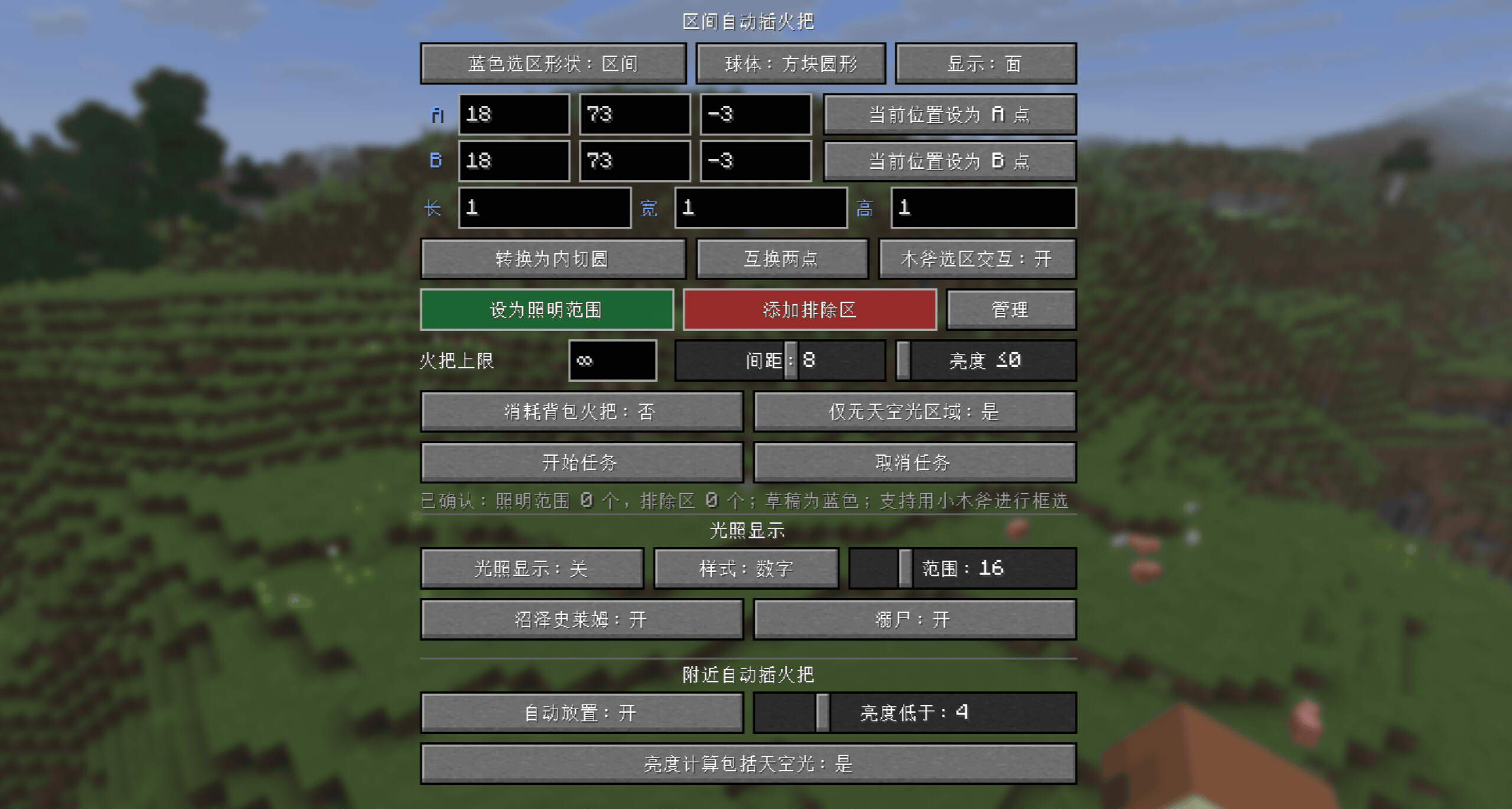
Usage
- Press
Gby default to open the selection panel andF7to toggle the light level overlay. Both key bindings can be changed. - Light level overlay: Supports
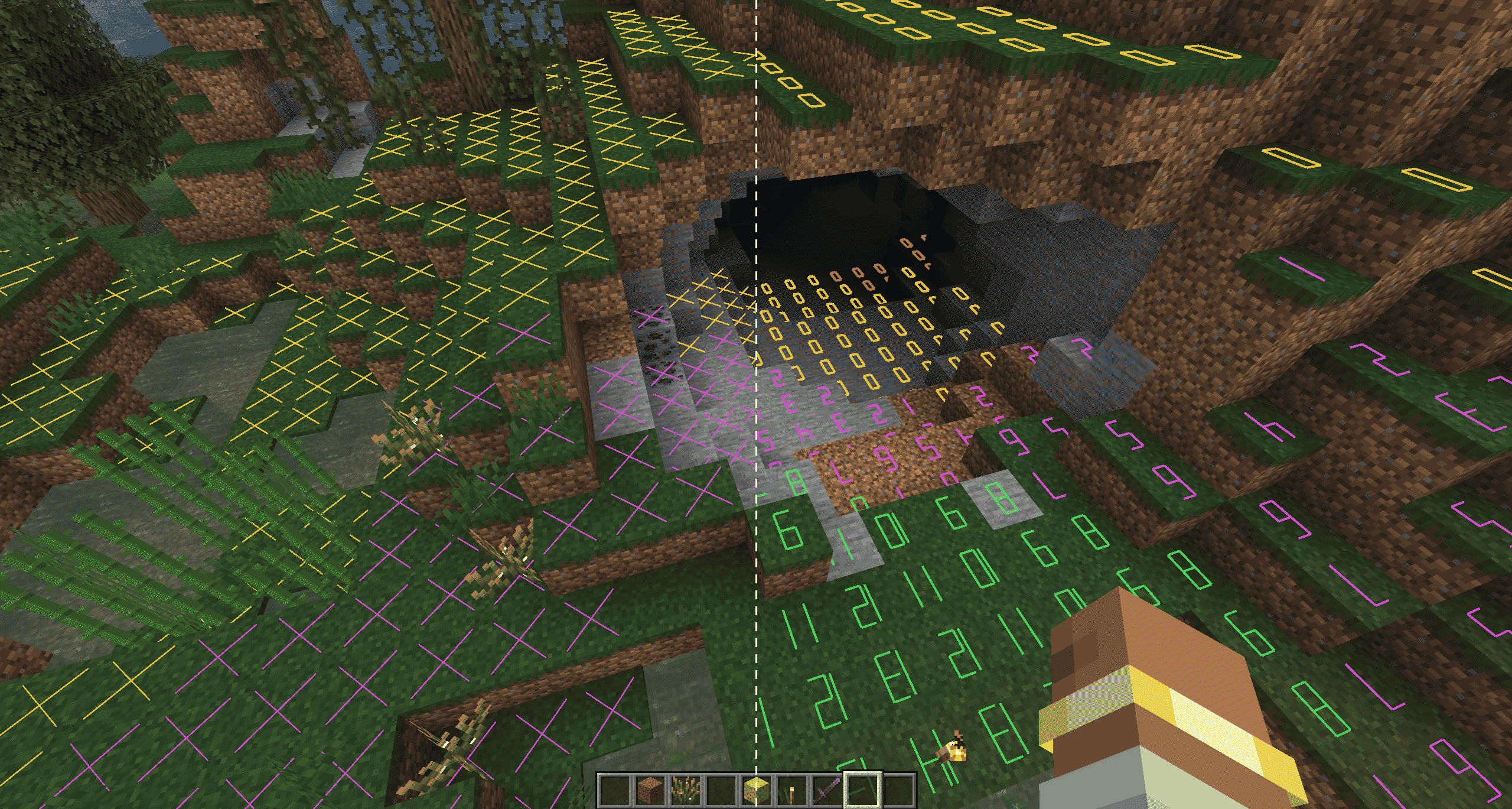
Xmarkers and numeric block light levels, with a display range of 1-64 blocks (performance optimized).
| Color | Meaning |
|---|---|
| Red | Mobs can spawn at any time |
| Yellow | Mobs can spawn at night |
| Green | Mobs cannot spawn |
| Purple | Swamp slimes can spawn at night |
| Cyan | Drowned can spawn |
- Nearby automatic torch placement: Searches for valid positions within two blocks of the player and uses vanilla right-click interaction to place torches from the player's inventory. A torch is placed only when the light level is below the configured threshold, with an option to include sky light in the calculation.
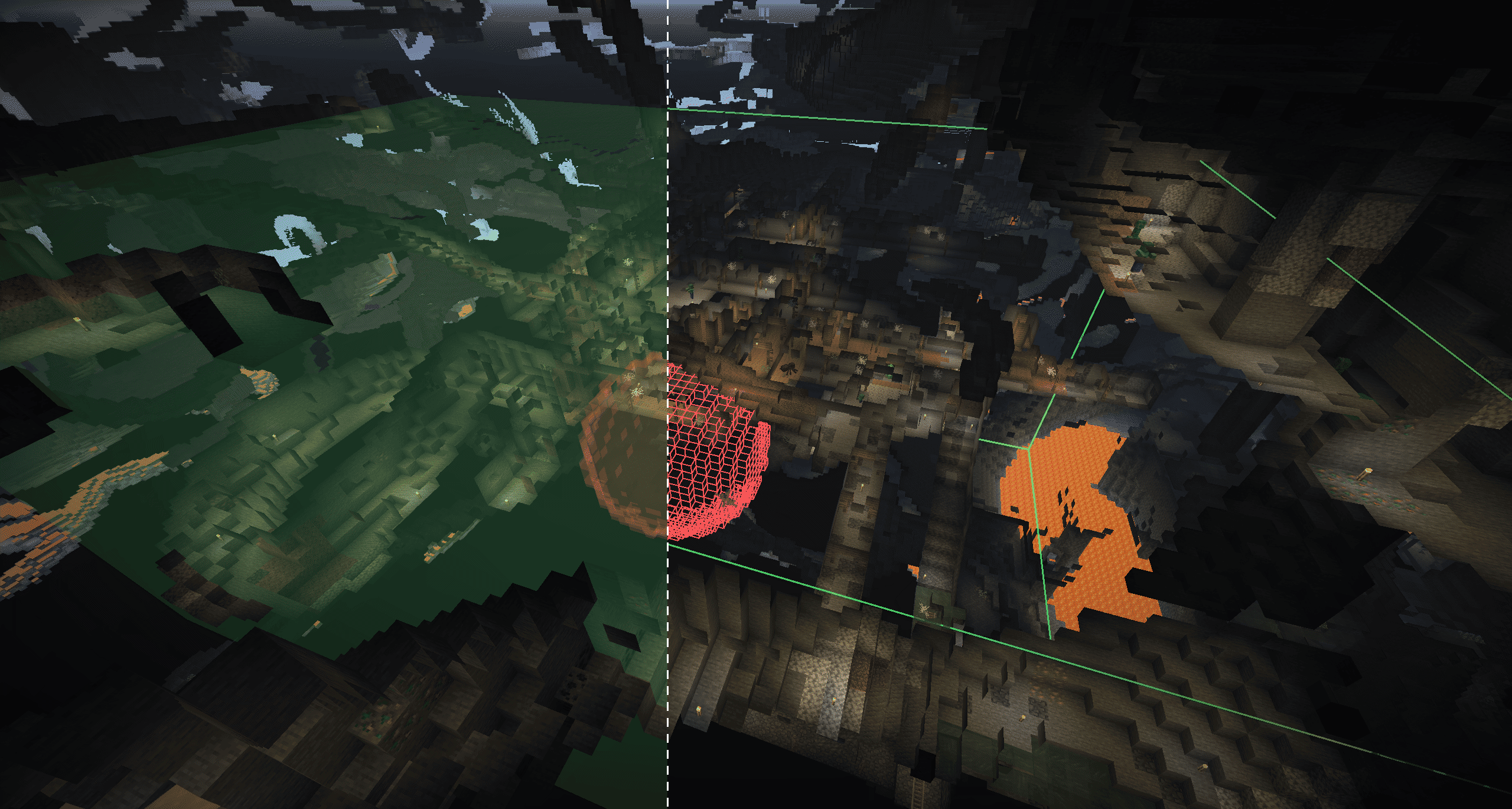
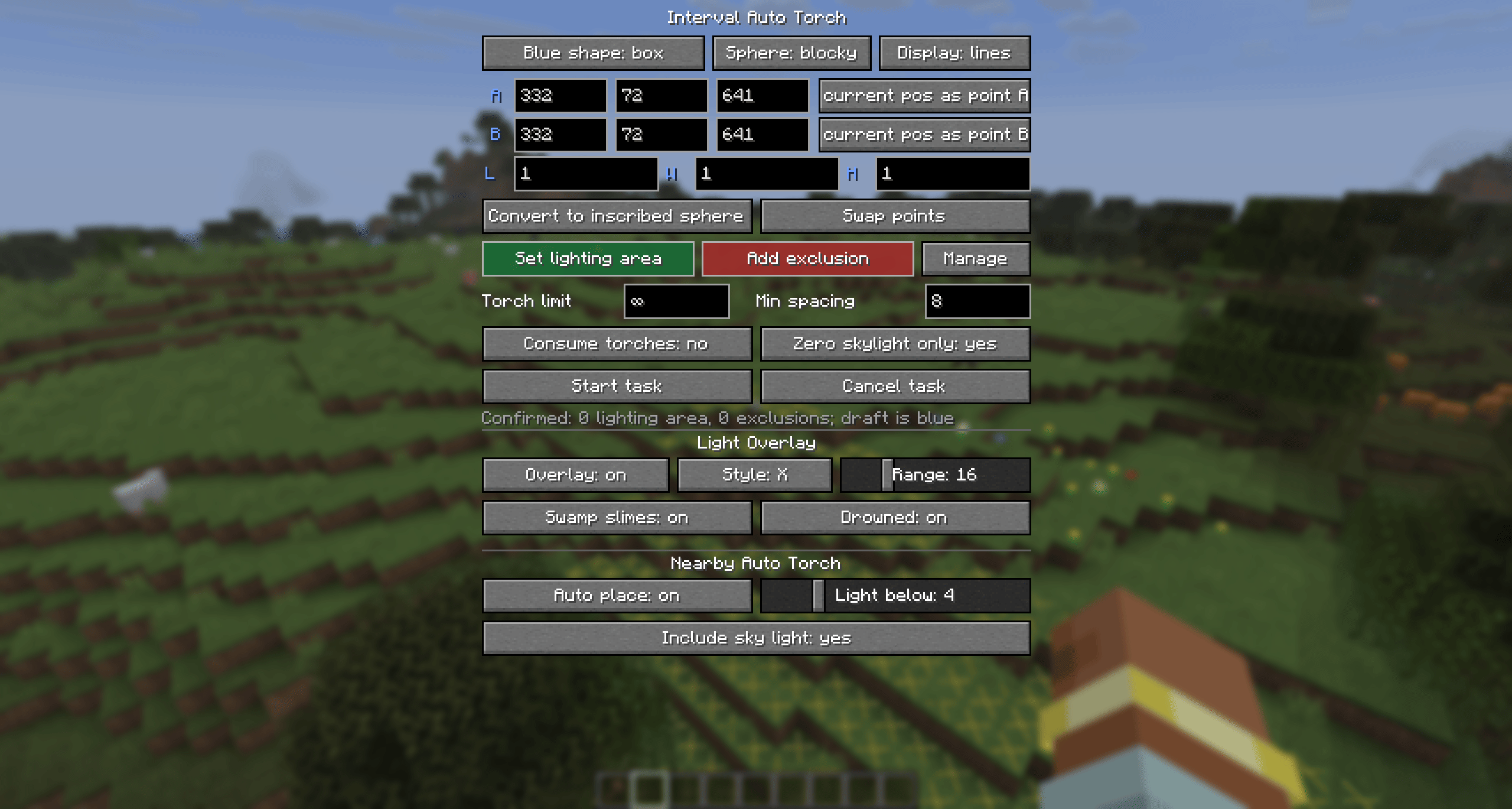
- Area automatic torch placement: Select points A and B to define a cuboid (opposite corners) or sphere (center/radius), with wooden axe selection support. Set the selection as the lighting area (green) or an exclusion area (red), then click "Start Task." One lighting area and multiple exclusion areas are supported. (Lighting a maximum-size area of ordinary natural terrain generally takes about half an inventory, or roughly 1,000 torches, with the default settings.)
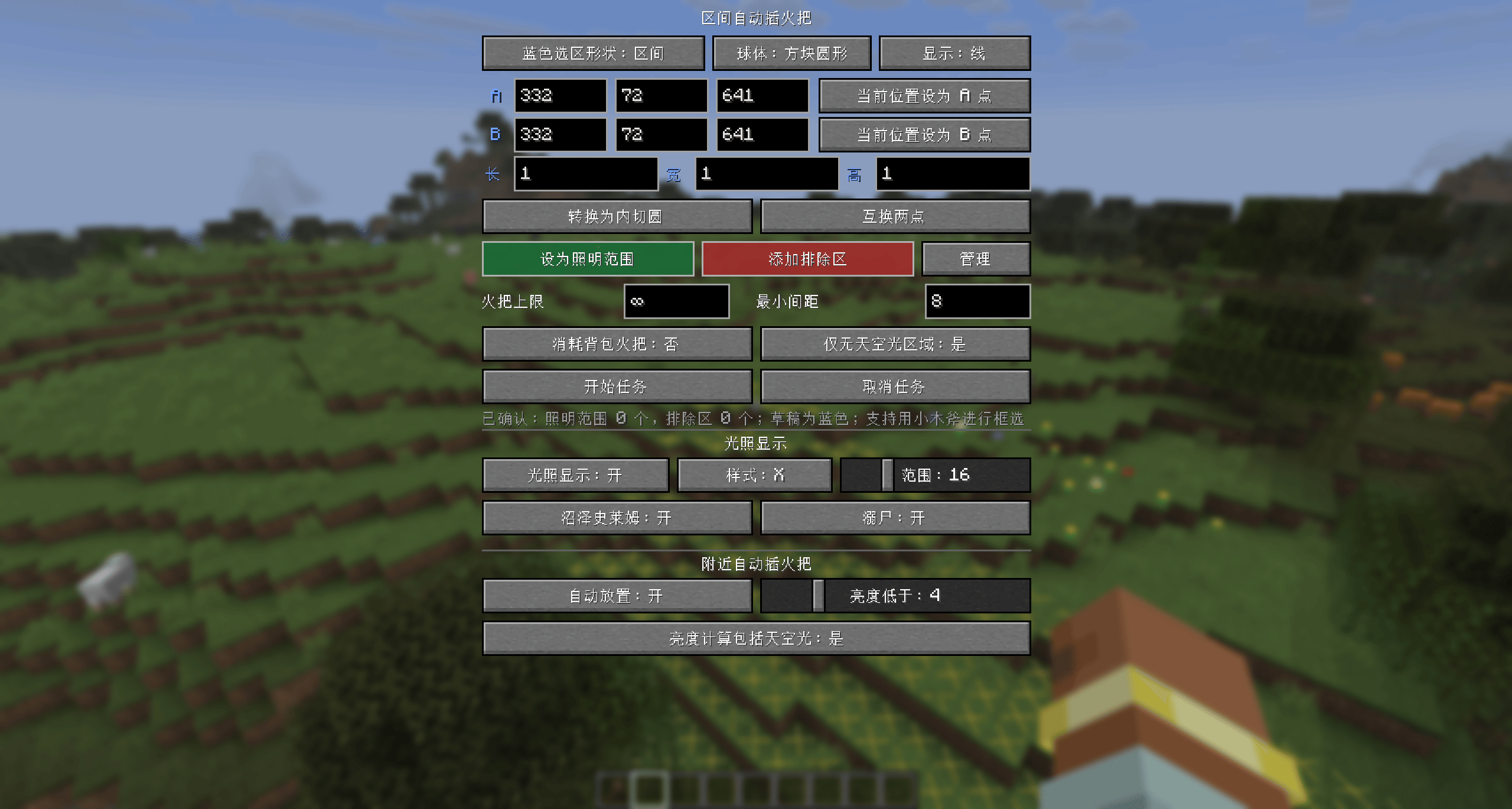
- All features are available in the settings panel shown above.
Features
Nearby Automatic Torch Placement
- This feature is entirely client-side; the server does not need the mod installed.
- When enabled, it scans every 10 ticks within a horizontal radius of 2 blocks and a vertical range of -2 to +1 blocks around the player, prioritizing the nearest dark position.
- Torches are placed only in air blocks with no fluid, where a torch can remain in place and will not collide with the player.
- It uses regular torches from the offhand or hotbar and places them through vanilla right-click interaction. Placement therefore remains subject to server rules such as Adventure mode restrictions, land protection, and interaction range.
- The light threshold that triggers placement can be set from 1 to 16. You can also choose whether sky light is included when evaluating the light level. When sky light is excluded, outdoor areas are evaluated using block light only.
- If the mod temporarily switches hotbar slots to place a torch, it automatically switches back afterward. A failed position is not retried for 40 ticks.
Light Level Overlay
- This feature is entirely client-side. Press
F7by default to toggle it, or configure it from theGpanel. - The area around the player is scanned incrementally, with a configurable horizontal display range of 1-64 blocks. The overlay refreshes automatically when the player moves, and scanning work is spread across frames.
- Both
Xmarkers and numeric light levels are supported. The number is the block light level, while its color indicates the spawning risk at that position. - Standard markers check the foot and head spaces, the collision surface of the block below, and vanilla ground-mob spawning conditions, avoiding false spawn markers at positions where mobs cannot stand.
- An optional swamp slime check evaluates height, biome, block light, and vanilla slime spawning conditions, marking risk positions in purple.
- An optional drowned check evaluates continuous water, the biome spawn list, sea level, and block light, marking the top of valid water columns in cyan.
Area Automatic Torch Placement
- The client handles selection and task settings, while the server validates, scans, and places torches. In multiplayer, the mod must be installed on both the client and server.
- Points A and B can be entered in the panel, set to the current position, or selected by left- and right-clicking with a wooden axe. Wooden axe selection can be disabled; while enabled, it intercepts those interactions to prevent accidental block breaking.
- A cuboid uses A and B as opposite corners. A sphere uses A as its center and the straight-line distance from A to B as its radius. The panel can convert between an inscribed sphere and a circumscribed cube.
- Each player can configure one green lighting area and multiple red exclusion areas. Selections can be rendered as translucent faces or outlines, and smooth sphere rendering is also available.
- Tasks process only positions with a block light level of 0, air at both foot and head level, and a safe block to stand on below. When "Underground Only" is enabled, positions with sky light are also skipped.
- The mod first tries to place a torch beneath each dark position. If that is not possible, it randomly searches nearby for a valid placement position. Only loaded chunks are processed; the mod never force-loads chunks.
- Scanning runs in two passes. The first uses the configured minimum spacing, while the second uses tighter spacing to fill positions that remain dark. Scan and placement work are rate-limited per tick, and tasks from multiple players take turns receiving the available budget.
- A maximum torch count can be set per task;
0means unlimited. Inventory consumption can be configured separately for Survival and Creative mode. The server validates all task settings, and its Survival consumption rule takes precedence in multiplayer. - Each player can have only one active task. Starting a new task replaces the old one, and reopening the panel allows the active task to be canceled.
Configuration Files
Boolean options in configuration files use true or false without quotation marks.
Client Configuration
File: config/autotorch-client.toml
[nearbyAutoTorch]
# Whether nearby automatic torch placement is enabled.
enabled = false
# Attempt to place a torch when the light level is below this value. Range: 1-16.
lightThreshold = 4
# true: use the greater of block light and sky light; false: use block light only.
includeSkyLight = true

[lightOverlay]
# Whether the light level overlay is enabled.
enabled = false
# Horizontal display range centered on the player. Range: 1-64 blocks.
horizontalRange = 16
# true: show numeric light levels; false: show X markers.
showNumbers = false
# Whether to mark locations that meet the vanilla spawning conditions for swamp slimes.
detectSwampSlimes = false
# Whether to mark locations that meet the vanilla spawning conditions for drowned.
detectDrowned = false

[selectionOverlay]
# Whether to display the lighting area and exclusion areas.
enabled = true
# true: show outlines only; false: show translucent faces.
linesOnly = false
# Whether to use smoother rendering for spherical selections.
smoothSpheres = false

[lightingTaskDefaults]
# Default maximum number of torches per task. Range: 0-4096; 0 means unlimited.
maxTorches = 0
# Default minimum spacing between torches. Range: 3-12 blocks.
minSpacing = 8
# Whether to process only positions without sky light by default.
undergroundOnly = true
# Whether Creative mode consumes torches from the inventory by default.
creativeConsumeTorches = false
# Whether Survival mode consumes torches from the inventory by default in single-player.
# In multiplayer, the server's gameplay.survivalConsumesTorches setting takes precedence.
survivalConsumeTorches = true
# Whether left- and right-clicking with a wooden axe selects points A and B.
woodenAxeSelectionEnabled = true
Server Configuration
File: <world directory>/serverconfig/autotorch-server.toml
[limits]
# Maximum allowed length of any side of a cuboid. Range: 1-257 blocks.
maxBoxAxisLength = 257
# Maximum allowed radius of a spherical selection. Range: 1-160 blocks.
maxSphereRadius = 160
# Maximum number of exclusion areas allowed in a single task. Range: 0-32.
maxExclusions = 32
# Maximum number of torches that can be set for a single task. Range: 1-4096.
maxTorchesPerTask = 4096
# Whether clients may set the maximum torch count to 0 (unlimited).
allowUnlimitedTorches = true
# Lower and upper bounds for torch spacing configurable by clients. Both range from 3-12.
minSpacing = 3
maxSpacing = 12
# Maximum number of tasks that can run concurrently across the server. Range: 1-1024.
maxConcurrentTasks = 64

[gameplay]
# Whether Survival mode tasks must consume regular torches from the player's inventory.
survivalConsumesTorches = true

[performance]
# Maximum number of blocks scanned by each task per tick. Range: 1-120000.
scanBudgetPerTaskTick = 12000
# Maximum number of torches placed by each task per tick. Range: 1-64.
placeBudgetPerTaskTick = 8
# Maximum total number of blocks scanned by all tasks per server tick. Range: 1-240000.
globalScanBudgetPerTick = 24000
# Maximum total number of torches placed by all tasks per server tick. Range: 1-256.
globalPlaceBudgetPerTick = 16
# Maximum number of attempts to find a valid torch position near each dark position. Range: 1-128.
randomPlacementAttempts = 32
Lowering scanBudgetPerTaskTick and globalScanBudgetPerTick reduces the per-tick load caused by scanning but increases task duration. The same tradeoff applies to placement budgets. Server-wide budgets are hard limits, and the budget each task actually receives is also divided according to the number of tasks running concurrently.
Limits and Safety
- By default, each side of a cuboid is limited to 257 blocks, while a sphere is limited to a radius of 160 blocks (320-block diameter). Server administrators can adjust these limits in the configuration.
- The mod does not force-load chunks; unloaded chunks encountered during scanning are skipped. (With a render distance of at least 8 chunks, the relevant area will generally be loaded.)
- The spawnability check uses conservative rules suitable for common vanilla hostile mobs and does not include special handling for other mods.
- Land-claim plugins are not supported. Placement uses vanilla
/setblockbehavior.
The Auto Torch skr Team