Auto Sprint Plus – Auto Sprint Without Holding CTRL
- By
Auto Sprint Plus makes sprinting easier without holding CTRL key. It also provides you with complete hands free movement control for travelling and exploration.
Fu4th | Auto Sprint Plus
Create a server, get 25% off your first month

Auto Sprint Plus
Automatic Sprint & Hands Free Movement for Minecraft
Auto Sprint Plus is a lightweight auto sprint mod for Minecraft that automatically keeps you sprinting while moving forward — no more holding CTRL or double tapping W.
The mod also includes directional auto walking, allowing hands-free movement in any direction for exploration, building, travel, and long gameplay sessions.
Features
- Automatic sprint while moving forward
- No need to hold
CTRL - No more double tapping
W - Directional auto walking
- Client-side only
- Lightweight and fast
- Fully customizable keybinds
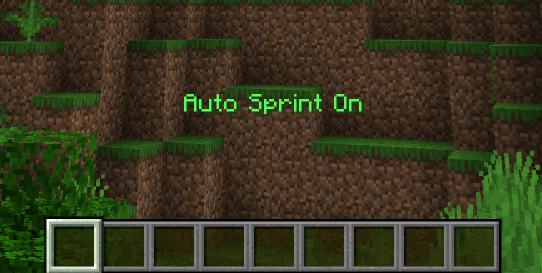
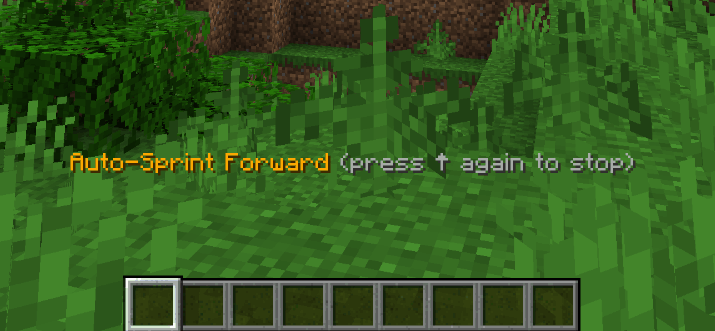
- Clean notification system
- Works on most multiplayer servers
Perfect For
- Survival
- PvP
- Exploration
- Parkour
- Long-distance travel
- Building projects
- Accessibility & reduced hand strain
Main Features
Automatic Sprinting
Simply move forward and sprint automatically.
No more:
- Holding
CTRL - Double tapping
W - Constantly toggling sprint
Directional Auto Walk
Move continuously in any direction without holding movement keys.
Useful for:
- Long travel sessions
- Straight-line building
- Cinematic recordings
- Relaxed gameplay
Clean Interface
Toggle notifications on or off to keep your screen clean while playing or recording videos.
Fully Customizable
All keybinds can be changed directly from Minecraft's standard controls menu.
Default Controls
| Key | Action |
|---|---|
R |
Toggle Auto Sprint |
Up Arrow |
Auto walk forward |
Left Arrow |
Auto walk left |
Right Arrow |
Auto walk right |
Down Arrow |
Auto walk backward |
H |
Toggle notifications |
To stop auto walking:
- Press the same arrow key again
- Or manually press a movement key
Installation
Requirements
- Minecraft
1.21.xor26.1.x - Fabric Loader
- Fabric API
Steps
- Install Fabric Loader
- Download Fabric API
- Download Auto Sprint Plus
- Place both files into your
modsfolder - Launch Minecraft and enjoy
Why Use Auto Sprint Plus?
Minecraft includes toggle sprint, but Auto Sprint Plus provides a smoother and more seamless hands-free movement experience.
Ideal for:
- Massive biome exploration
- AFK movement
- Long gaming sessions
- Comfortable controls
- Reduced repetitive key pressing
Technical Details
- Client-side only
- Works on vanilla multiplayer servers
- Lightweight with minimal resource usage
- No server installation required
- Safe and simple to use
Accessibility
Auto Sprint Plus helps reduce repetitive hand movement and finger strain during extended gameplay sessions.
Keywords
Auto Sprint Mod, Toggle Sprint, Minecraft Auto Sprint, Hands Free Movement, Auto Walk Mod, Fabric Sprint Mod, Client Side Utility Mod, Minecraft QoL Mod
Sample Images
Auto Sprint Plus – Auto Sprint Without Holding CTRL Team