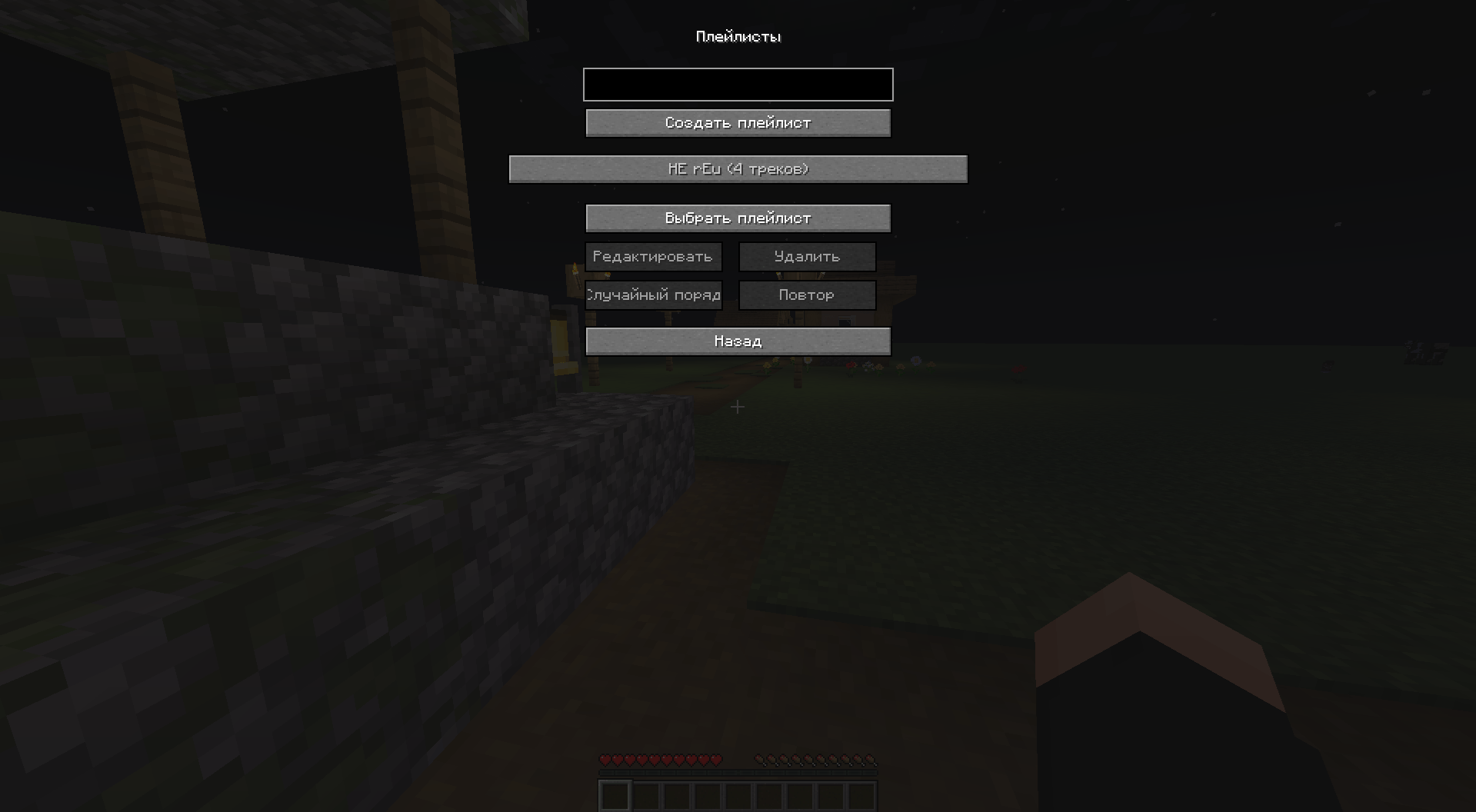
In game GUI 2
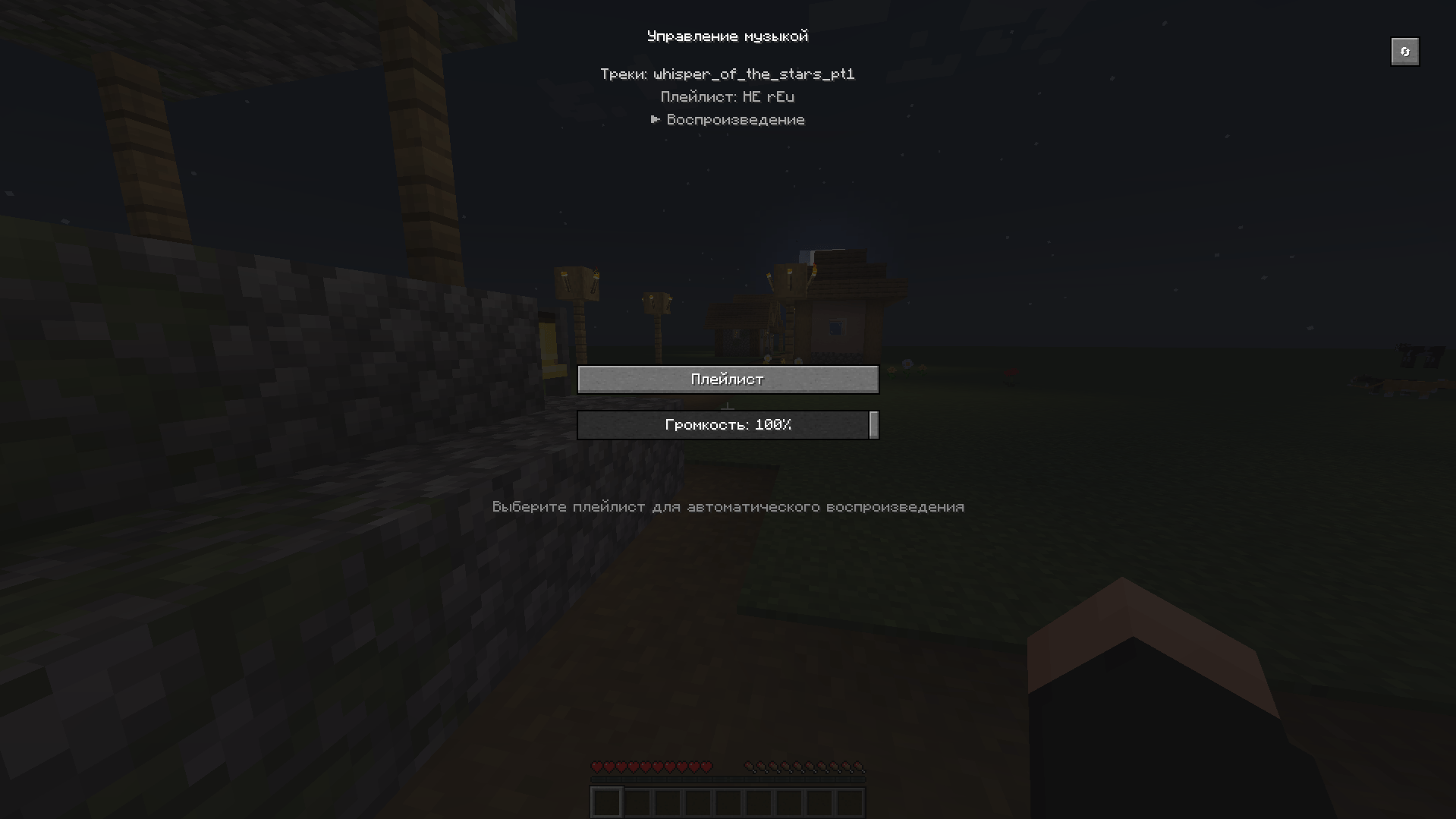
In game GUI
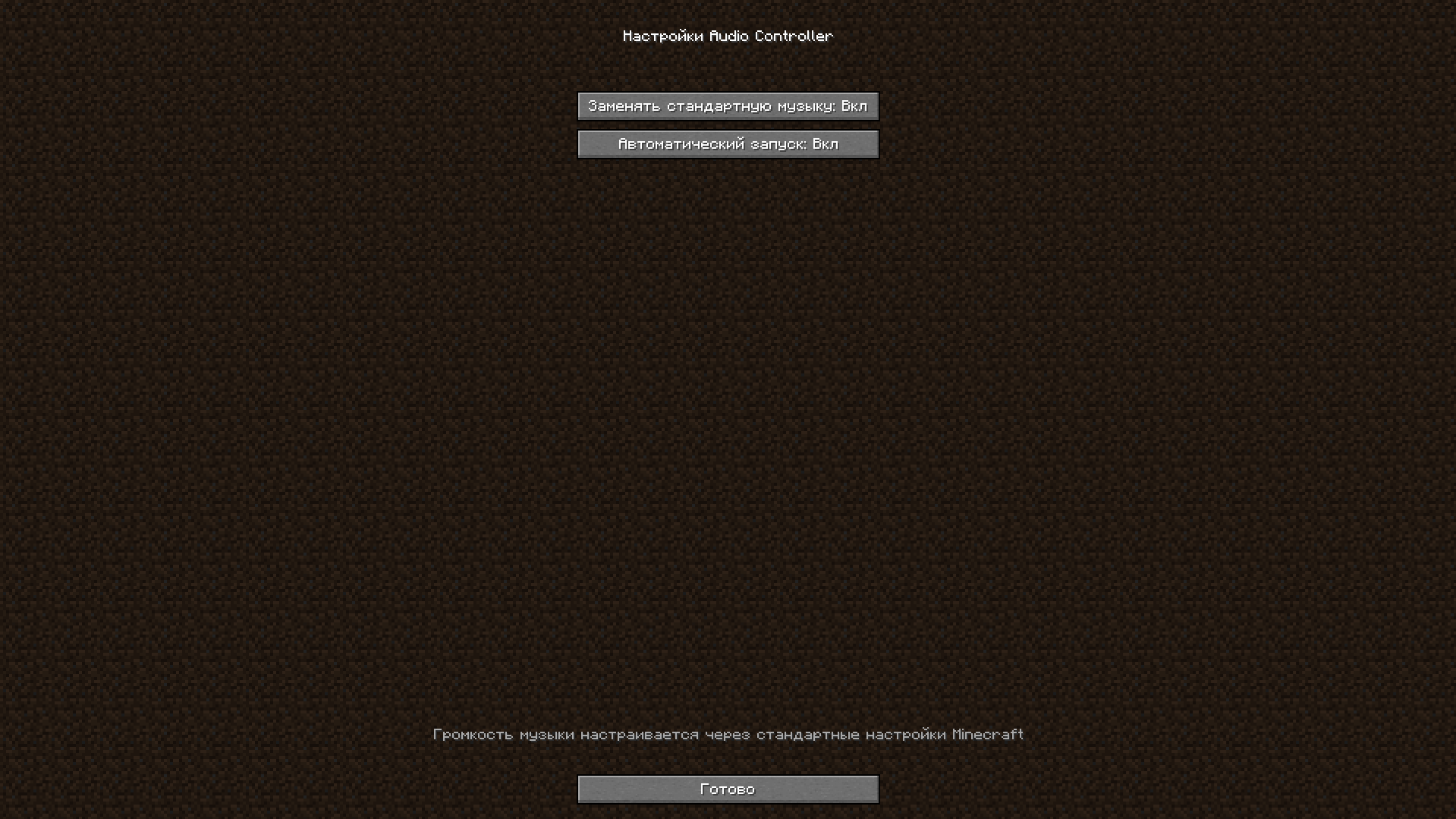
Config Menu
Description
Audio Controller Mod
A Minecraft 1.20.1 Forge mod that allows adding custom music and managing it through a convenient interface.
Author: skaletun
Features
- 🎵 Play custom OGG files directly via LWJGL OpenAL
- 📁 Automatic music folder scanning
- 🎼 Create and manage playlists
- 🎲 Automatic playlist playback with random track selection (like vanilla Minecraft)
- 🔄 Replace vanilla Minecraft music
- 🎚️ Integration with Minecraft volume settings ("Music" setting)
- ⏸️ Automatic music pause when game is paused
- 🚪 Automatic music stop when leaving the world
- ⚙️ Mod configuration via mods menu (Mods → Config)
- ⌨️ Hotkeys for GUI access
- 🌍 Full localization (Russian, English)
Adding Music
- Place OGG files in the
config/audiocontroller/music/folder - Open the mod GUI (default key M)
- Click the refresh button (🔄) to scan for new files
Music Control
Hotkeys:
M- Open music management GUI
Config
- The mod can also be configured via the mods menu
Automatic Playlist Playback
The mod works on the same principle as vanilla Minecraft - music plays automatically:
- Open the mod GUI (key
M) - Click the "Playlist" button
- Select a playlist from the list
- Click "Select Playlist"
- The playlist will automatically start playing with random track selection
- After each track ends, the next random track from the playlist automatically starts
- Interval between tracks is controlled automatically (like vanilla Minecraft - ~10 minutes)
Creating Playlists
- Open the mod GUI
- Click the "Playlist" button
- Enter playlist name and click "Create Playlist"
- Select the playlist and click "Edit" to add tracks
- Configure playlist parameters:
- Shuffle - random track playback order
- Repeat - repeat playlist after all tracks finish
Configuration
Mod settings are located in config/audiocontroller-client.toml:
replaceVanillaMusic- Whether to replace vanilla Minecraft musicautoPlay- Automatically start music when entering the game
Important: Custom music volume is controlled through the standard "Music" setting in Minecraft options. Changing volume in Minecraft settings automatically applies to custom music.
Features:
- Music automatically pauses when game is paused (ESC key)
- Music automatically stops when exiting to main menu
- Music only plays when the player is in a world
Playlist Format
Playlists are saved in JSON format
Technical Details
- The mod uses LWJGL OpenAL for direct OGG file playback, completely bypassing Minecraft's SoundManager
- Playback is implemented via STB Vorbis for OGG file decoding
- Volume is synchronized with Minecraft settings in real-time
- Playlists are automatically saved and loaded when entering a world
- Music automatically pauses when game is paused and stops when leaving the world
- Mod settings are accessible through the mods menu (Mods → Config)
License
MIT
Support
If you encounter any issues, create an issue in the project repository: https://github.com/skaletun/AudioControllerMod/issues
The AudioController Team