Attribute Display Style
- By
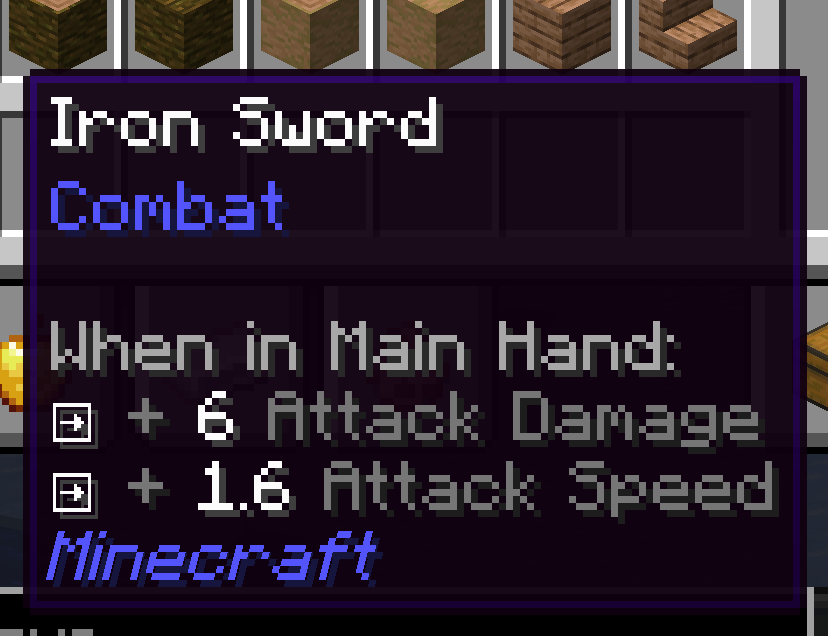
Attribute Display Style replaces Minecraft's default item attribute lines with a compact, configurable layout.
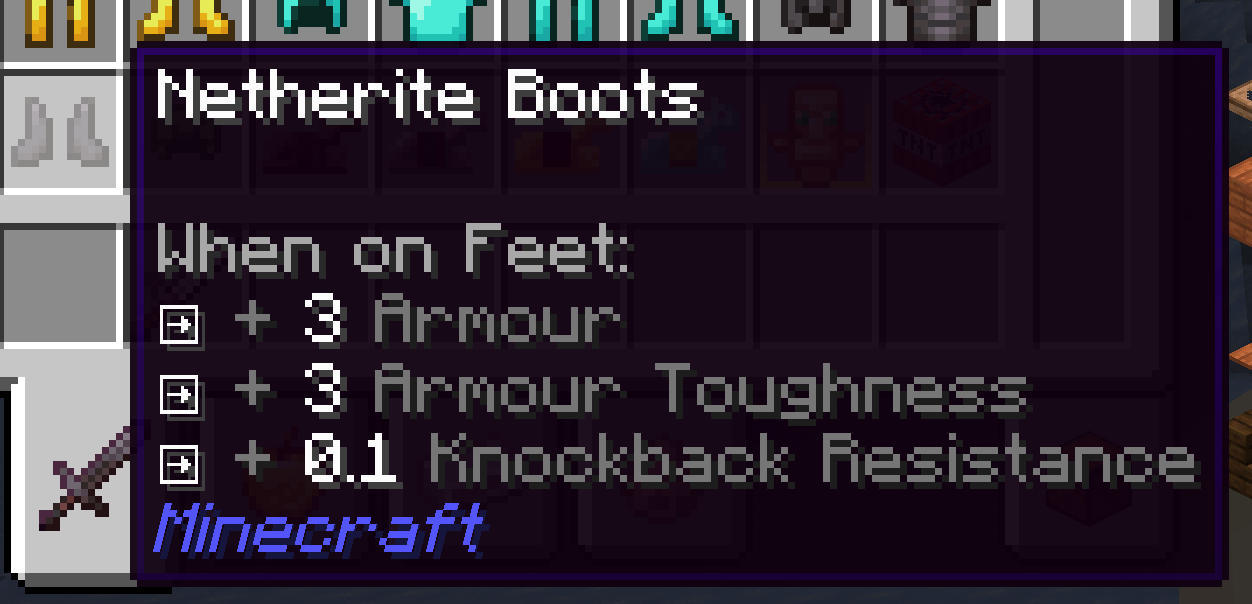
QQ20260927-221151.png
QQ20260927-221141.png
Description
Attribute Display Style
Make item attribute tooltips easier to scan—and style them your way.
Attribute Display Style replaces Minecraft's default item attribute lines with a compact, configurable layout. Modifiers for the same attribute and operation are combined into one line by default. Hold Shift to expand the line and see the contributing modifiers.
Features
- Clear grouped stats: Combine repeated modifiers while keeping their individual sources available with Shift.
- Style every line: Set separate prefixes, glyphs, and colors for positive or negative single, merged, and expanded lines.
- Use your own icons: Choose text or Unicode glyphs, or use private-use glyphs backed by bitmap icons from a resource-pack font.
- Show selected bonuses as percentages: Configure attribute IDs whose additive values should display as percentages (for example,
0.05as+5%). - Readable weapon totals: Attack damage and attack speed show the total with the player's base value. Hold Shift to inspect the item's contribution and enchantment damage bonus.
- Works with other attribute tooltips: Restyles and merges supported attribute lines from Curios slot lists and Confluence item prefixes. Neither mod is required, and unrelated tooltip lines are left alone.
Client-side configuration
The config file is config/attribute_display_style.json. Edit it while the game is running, then run /attribute_display_style reload to apply changes. You can also press F3+T to reload resources and the config.
This is a client-side mod. Install it on your client; no server installation or operator permission is needed. It works in single player and when joining a server.
Supported versions
| Loader | Minecraft |
|---|---|
| Forge | 1.20.1 |
| NeoForge | 1.20.4, 1.21.1, 26.1.2 |
Choose the download that matches your Minecraft version and loader.
The Attribute Display Style Team