![[TACZ] Attachment Animations logo](https://media.forgecdn.net/avatars/thumbnails/2118/562/64/64/639275939409124563.png)
================================================================================
Attachment Animations (acc_anime) · User Guide (English)
Author: Chizuru
================================================================================
This mod gives TaCZ (Timeless and Classics Zero) attachments their own
animation state machine: whatever the gun is doing, the attachment plays the
matching animation. Works with any gun pack. Just install and play.
--------------------------------------------------------------------------------
◆ Recommended for use with the **[TACZ] I-X Tactica Equipments Gun Pack**.
[TACZ]I-X Tactica Equipments - Minecraft Customization - CurseForge
--------------------------------------------------------------------------------
--------------------------------------------------------------------------------
1. Requirements & Installation
--------------------------------------------------------------------------------
· Minecraft Java Edition 1.20.1
· Forge loader 47 or newer (a "loader" is the base that lets you install mods,
Forge being one of them)
· TaCZ mod 1.1.2 or newer is REQUIRED (this mod only adds attachment animations
for TaCZ guns)
Installation: drop Attachment-Animations-1.20.1-x.x.x.jar into your .minecraft/mods folder.
Multiplayer: install the mod on BOTH client and server so kill animations are
triggered properly (kills are confirmed on the server, then the client is
notified to play the animation).
--------------------------------------------------------------------------------
2. Basic Gameplay (works out of the box, no setup needed)
--------------------------------------------------------------------------------
Once an animated attachment is equipped, it automatically follows the gun:
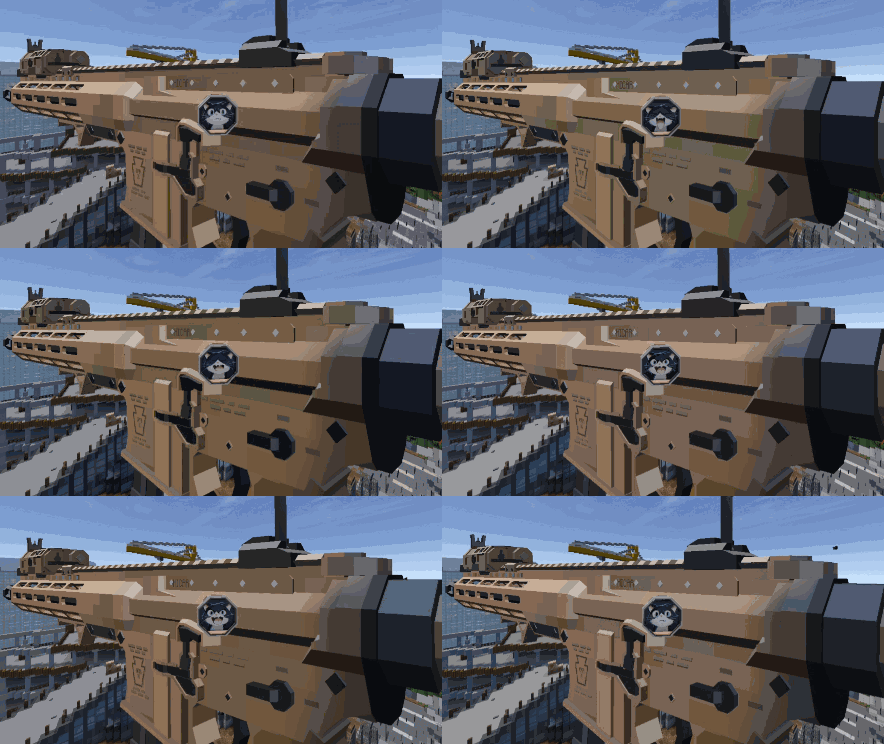
Gun action Attachment animation
---------------------- ----------------------
idle / doing nothing idle (loop)
firing shoot
inspecting inspect
empty inspecting inspect_empty
tactical reload reload_tactical
empty reload reload_empty
aiming down sights aiming
kill with the gun kill (random pick among kill_1..kill_100 variants)
hold Check-Ammo key check_ammo
When the gun action ends, the attachment snaps back to the first frame of idle
immediately. If the attachment has no matching animation, it falls back to idle
automatically, so even a single idle animation is usable. Several kills within
a short time only play the kill animation once.
◆ Check Ammo
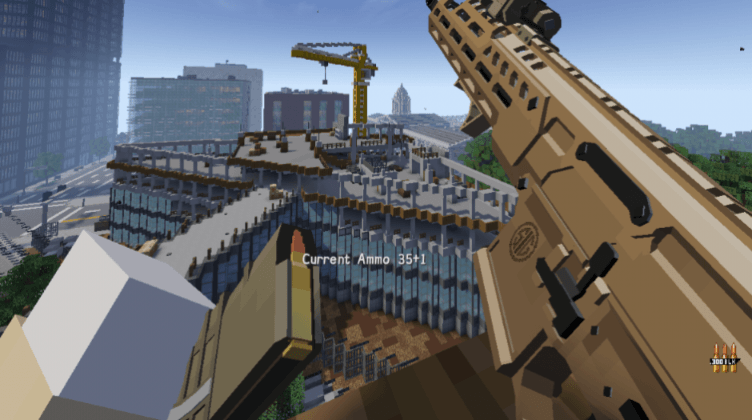
Default key: R (shares TaCZ's reload key):
· short tap - reloads as usual (TaCZ behaviour unchanged)
· hold ~0.6 s+,
then release - triggers the check_ammo animation; about 0.5 s later
the current ammo count appears above the hotbar and
fades out after about 2 s
Rebind it under Options > Key Controls > category "Attachment Animation".
After rebinding, TaCZ's R reload works completely as before; holding the new
key and releasing it still triggers Check Ammo.
--------------------------------------------------------------------------------
3. In-Game Settings Screen
--------------------------------------------------------------------------------
Open it: from the title screen or pause menu, go to the Mods list, select
"Attachment Animations" (this mod's display name; mod id acc_anime) and press the
Config button. The screen text follows your game language
(Chinese and English built in).
Options (hover any widget for a tooltip; press "Save & apply" to take effect
instantly, no restart needed):
· Random kill anim On: pick randomly among the made variants
kill / kill_1..kill_100;
Off: always play kill (or the lowest-numbered kill_N).
· No repeat pick The random pick never repeats the previous variant
(only works when Random kill anim is on).
· Hold threshold How many ms counts as a long press for Check Ammo
(default 600). A short tap still reloads.
· Ammo delay Ms before the ammo number appears after triggering
(default 500).
· Ammo stay Ms the ammo number stays visible (default 2000).
· Kill wait How long (ms) a kill waits for firing/reloading/
inspecting to finish before being cancelled (default 900).
· Kill min Minimum duration (ms) of a kill episode (default 800).
· Kill default Default kill episode length (ms) when no kill animation
length is available (default 1500).
· Kill max Maximum duration (ms) of a kill episode (default 4000).
· Action priority Which gun action wins when several play at once,
comma separated. Allowed members: reload / shoot / aim /
inspect_empty / inspect.
Default: reload, shoot, aim, inspect_empty, inspect.
· Prefix aliases For gun packs with non-standard animation naming,
comma separated, format "gunAnimationPrefix=action",
e.g.: fire=shoot, ads=aim.
Action must be shoot / inspect / inspect_empty / reload /
aim. Longer prefixes match first and can override built-in
rules. Leave empty for built-in matching only.
Settings are saved to .minecraft/config/acc_anime-client.toml (pure client-side
settings, not synced to servers). You may edit that file directly; changes then
apply after a game restart. Any invalid entry silently falls back to its
default with a log note - bad values never crash the game.
"Cancel" / Esc closes without saving; "Reset" only dials the widgets back to
factory defaults until you save.
--------------------------------------------------------------------------------
4. Making Animations for Attachments (for gun pack / resource pack authors)
--------------------------------------------------------------------------------
This mod works with attachments from any pack. Provide an animation file and
the attachment comes alive. Two ways to hook it up (resolved in this order,
① first):
① Add an optional field to the attachment's display JSON
(display/attachments/<attachment path>.json):
"animation": "namespace:path"
pointing at any animation file. (TaCZ itself ignores this field, so the
game is unaffected.)
② By convention: put a file named after the attachment ID into the pack's
animations folder: <attachment path>.animation.json
Example: attachment tacz:stock_sba3 ->
assets/tacz/animations/stock_sba3.animation.json
Animation files are standard Bedrock-format animation JSON (format_version
1.8.0). Use these animation names inside "animations":
Name Used for loop suggestion
--------------- ---------------------------- ----------------
idle default stance (strongly true
recommended, always needed)
shoot while firing may loop
inspect while inspecting true
inspect_empty while empty-inspecting true
reload_empty empty reload once
reload_tactical tactical reload once
aiming while aiming down sights may loop
check_ammo Check Ammo key release once
kill after a kill once
kill_1..kill_100 optional kill variants once
Notes:
· Bone names must match the bones in the attachment's geo model; a parent bone
moves its children with it.
· The two reload animations are interchangeable: if you only make one, the
other reload type plays it too.
· Every missing action falls back to idle automatically - just add animations
one by one as needed.
· Any number of kill variants works with the random picker; the toggle is in
the settings screen.
Minimal example (gentle idle sway on a bone named "stock"):
{
"format_version": "1.8.0",
"animations": {
"idle": {
"loop": true,
"animation_length": 3.2,
"bones": {
"stock": {
"rotation": {
"0.0": [0, 0, 0],
"0.8": [0.084, 0.048, 0],
"1.6": [0, 0, 0],
"2.4": [-0.084, -0.048, 0],
"3.2": [0, 0, 0]
}
}
}
}
}
}
Demo animations are bundled inside this mod's jar for reference, under
assets/tacz/animations/: stock_sba3, muzzle_silencer_mirage, sight_acro_rifle,
grip_vertical_talon, grip_td, muzzle_compensator_trident, muzzle_choke_sg,
laser_compact (.animation.json files).
--------------------------------------------------------------------------------
5. FAQ
--------------------------------------------------------------------------------
Q1 I installed it but nothing happens.
A Make sure TaCZ 1.1.2+ is installed, the gun actually has an attachment
equipped, and that attachment has an animation file (at least an idle).
Q2 Attachments from someone else's gun pack don't move.
A That pack simply has no attachment animation files. Add a matching
<attachment path>.animation.json via a resource pack as described in
section 4, method ②. If the pack names its gun animations with
non-standard prefixes, add "Prefix aliases" in the settings screen.
Q3 Does it affect server performance / must the server install it?
A All animation playback is client-side. On multiplayer, install it on the
server too so kill notifications reach clients.
Q4 My setting changes don't apply.
A Use the in-game screen and press "Save & apply" for instant effect; editing
the toml file directly requires a game restart. Closing with "Cancel" / Esc
saves nothing.
================================================================================
Have fun! — Chizuru
================================================================================
[TACZ] Attachment Animations Team

![[TACZ]I-X Tactica Equipments project image](https://media.forgecdn.net/avatars/thumbnails/2120/970/256/256/639276743344600065.png)
![[TACZ] Original Sword project image](https://media.forgecdn.net/avatars/thumbnails/1344/334/256/256/638873741234428412.png)
![[TACZ] Annoying Villagers Weapons Pack project image](https://media.forgecdn.net/avatars/thumbnails/1159/100/256/256/638727618867959376.png)
![[TACZ]Black Ops6 gunpack project image](https://media.forgecdn.net/avatars/thumbnails/1140/322/256/256/638703758220252925.png)