Ascension Stability Fixes
- By
Crash fixes and world protection for Create, Twilight Forest, Infinite Railways and FTB Library on NeoForge 1.21.1.

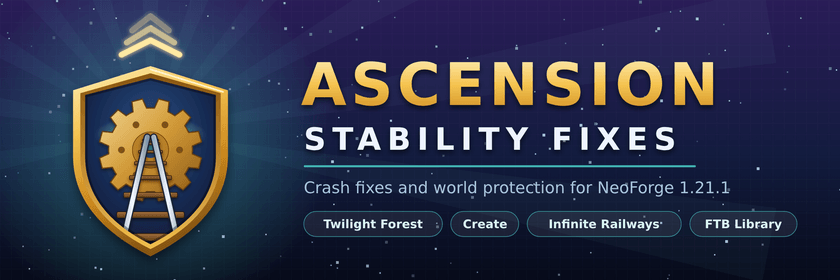
🛠️ Ascension Stability Fixes
Fewer crashes. Safer worlds. Zero setup.
Minecraft 1.21.1 · NeoForge · Client + Server · MIT · No dependencies
Big modpacks break in small, annoying ways. This mod patches four crashes and one world-wrecking bug so you can just play. Drop it in your mods folder and you're done.
Made for Jeff and Miku's Adventures Origins, but it works in any pack.
🤔 Is this for you?
Install it if your pack has any of these and you've ever seen:
- ❌ The game freezing on the loading screen or crashing before the title screen
- ❌ A world with Create trains crashing when it loads
- ❌ A wall of "already registered" errors at startup
- ❌ Infinite Railways tearing through a base you spent hours on
If you don't have one of these mods, that fix just stays asleep. It never gets in the way.
✅ What it fixes
🌲 Twilight Forest: startup crash or freeze
Sometimes the game crashes or hangs while loading because Twilight Forest sets itself up at the wrong moment. This mod makes it wait its turn.
Tested: 4 of 61 starts failed without the fix. 0 of 45 failed with it.
🚂 Create: train and track crashes
When lots of track is placed at once, or a world with trains loads, Create could trip over itself and crash the world or kick players. This mod keeps track updates in order, so they can't collide.
📚 FTB Library: "already registered" startup errors
About 1 in 60 starts, FTB Library saved its settings before it had read them, and the whole startup fell over with dozens of confusing errors. This mod stops that early save.
🛤️ Infinite Railways: protects your existing worlds
Adding Infinite Railways to a world you've already played can carve track and stations straight through your spawn and your builds. With this mod, old worlds only get railways in land nobody has explored yet. Brand new worlds get the full network as normal.
⚙️ Settings
Everything is on by default. Most players never need to open the config.
To switch a fix off, edit config/ascension_fixes-common.toml:
| Setting | What it controls |
|---|---|
createTrackSyncFix |
Create train and track crash fix |
ftbLibraryStartupFix |
FTB Library startup fix |
protectExistingWorlds |
Infinite Railways old-world protection |
The Twilight Forest fix is always on. It's harmless even after Twilight Forest fixes the bug itself.
❓ FAQ
Does it change gameplay? No. It adds no items, blocks, recipes or commands. It only fixes bugs.
Where do I install it? On the client and on the server. The two don't need the same version.
Can I add it to a world I'm already playing? Yes. That's exactly when the Infinite Railways protection matters most.
Can I remove it later? Yes. It adds nothing to your world, so it's safe to take out. The crashes it fixes may just come back.
Will I always need it? Not forever. Once Create or FTB Library fix these bugs themselves, you can turn that switch off.
Can I put it in my modpack? Yes, no need to ask. It's MIT licensed.
🔍 Searching from a crash log?
If your log mentions any of these, this mod fixes it:
TreeMap.rotateLeftorGameRules.getRule(...) is null(Twilight Forest)TrackGraphSync.edgeDataChanged(Create)- Lots of different mods reporting
already registeredat startup (FTB Library)
Ascension Stability Fixes Team