ArynATH
- By
A fully customizable HUD & interface: Health, look-at tooltip, styled TAB/scoreboard, dedicated slots, accessories. (BETA)
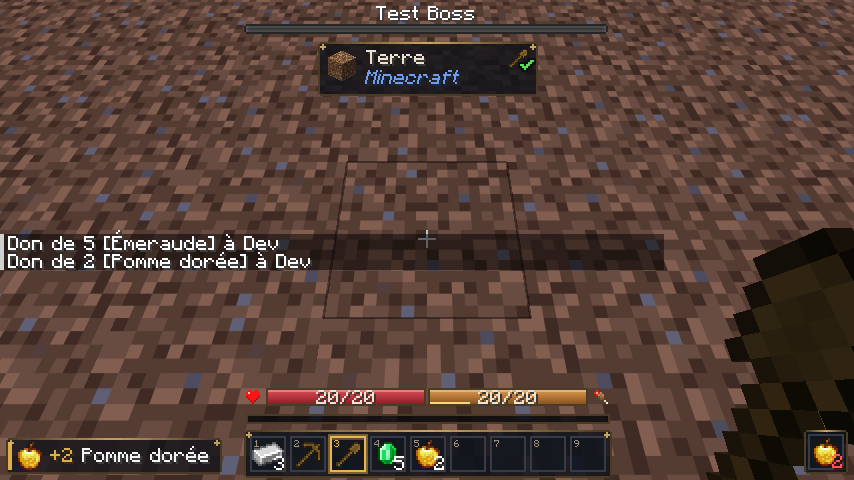
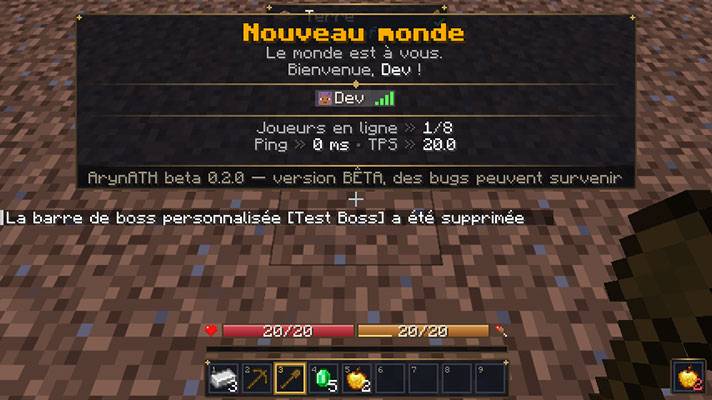
01-ath-en-jeu.png
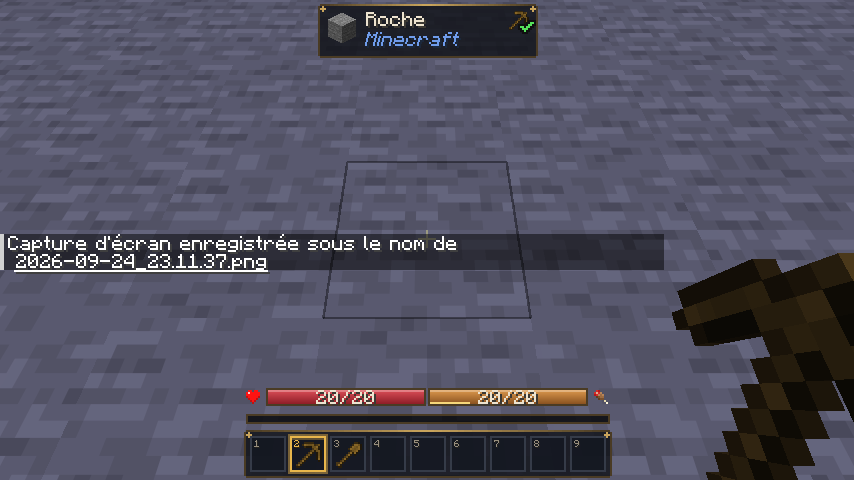
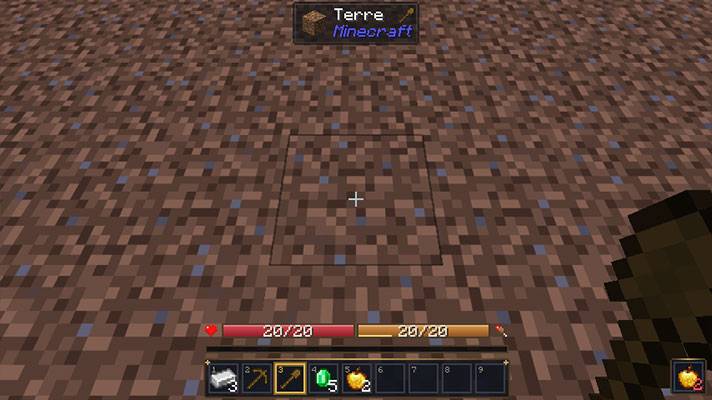
02-infobulle-regard.png
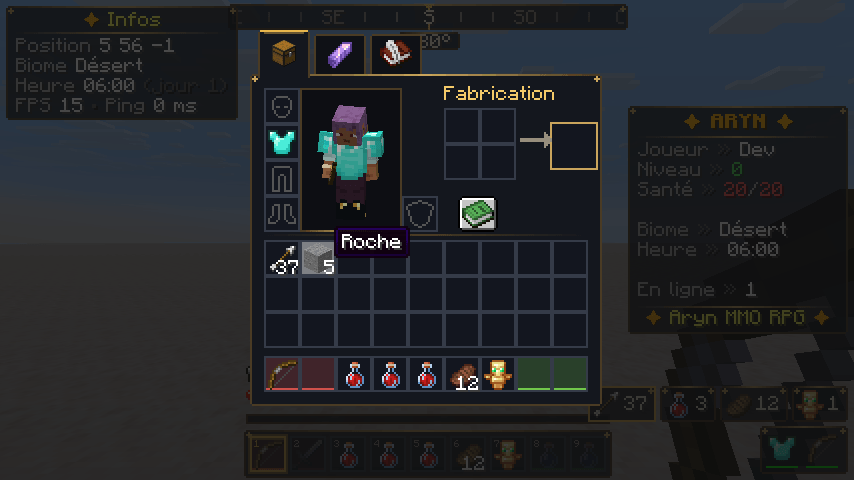
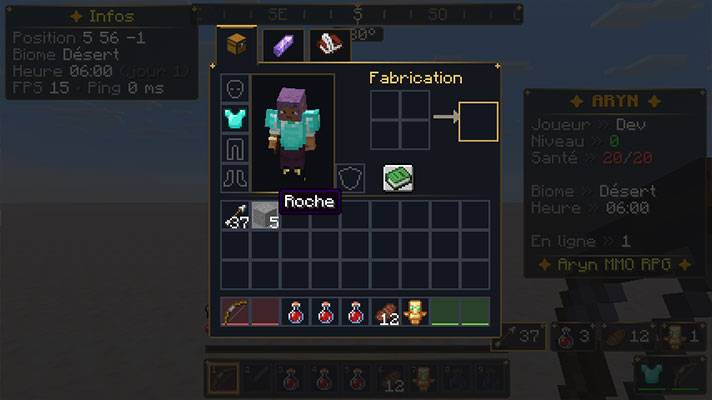
03-inventaire-slots-dedies.png
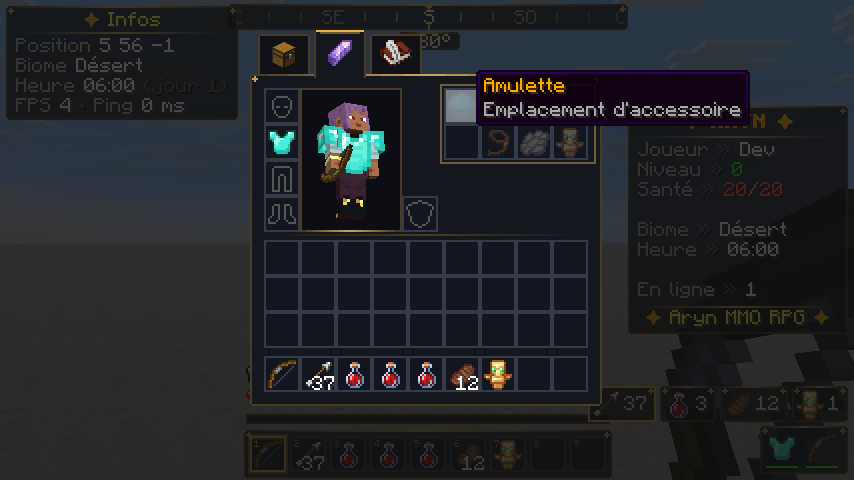
04-accessoires.png
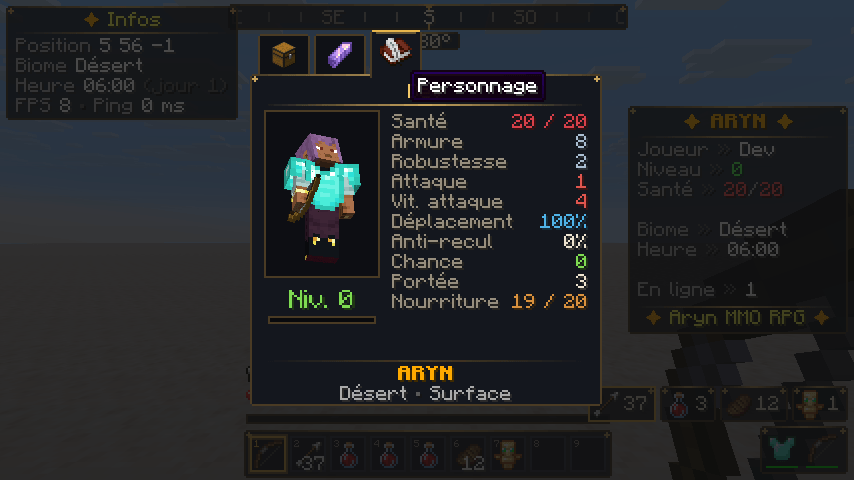
05-fiche-personnage.png
Description
ArynATH — Interface

⚠️ BETA — ArynATH is in active development. Bugs may occur: please report them!
Always back up your world and your config/arynath/ folder before updating.
ArynATH replaces and enriches the whole player interface — HUD, inventory, scoreboard and TAB list. It was created by Lone_off, and everything is customizable in game, without touching a single file.
---
✨ Features
🧭 Fully customizable HUD
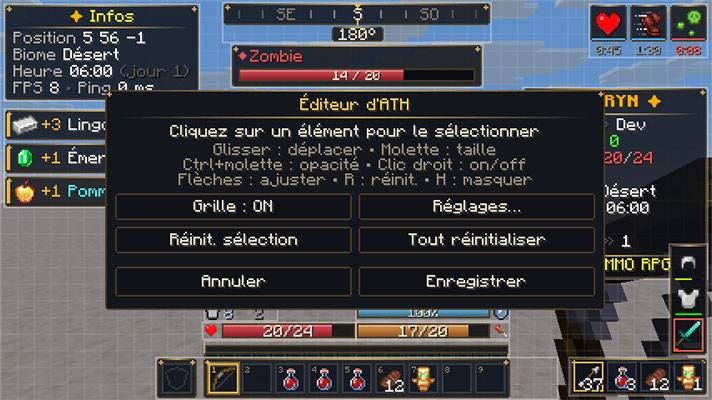
- Health (with golden **absorption**, damage trail, poison / wither / freeze colors), hunger & saturation, armor, air, mount health, experience, potion effects, durability, resource counters, loot feed, zone titles and a low-health vignette.
- Every element can be moved, scaled, faded, enabled or disabled, with detailed options.
- Visual HUD editor (H key): drag & drop, mouse-wheel size, Ctrl + wheel opacity, grid snapping.
- Configuration menu (O key) with a global search bar : every setting, no command needed.
🔍 Look-at tooltip (Jade style)
- Targeted block: name, mod, required / recommended tool with a green check mark or red cross, mining progress.
- Targeted creature: equipment and active effects with level and remaining time.
- Sits at the top center, below boss bars. Jade compatible: Jade's tooltip can take its place, at its position.
📋 Styled scoreboard & TAB list
- Server / world name, description, player grid with heads and ping, players online, ping and server TPS.
- Custom lines with placeholders (%player%, %tps%, %biome%, %score:<objective>% …) and color codes.
🎒 Inventory, character sheet & accessories
Themed inventory with tabs: Inventory, Accessories, Character sheet (statistics) and server menus.
- Dedicated slots per item category (weapons, tools, consumables, shield, custom items…), configurable by command or file and enforced server-side.
- Up to 16 accessory slots (amulet, rings, bracelets, belt, cape, relic) with item attributes applied.
🎨 Aryn theme
- Slate & gold fantasy theme; every color editable (hex) with a live preview.
---
🔗 Optional compatibility
Jade - Jade's tooltip replaces ArynATH's look-at tooltip and is displayed at its position.
ArynATH works perfectly without these mods.
---
📦 Installation
1. Install NeoForge 26.1.2.109 (or newer 26.1.x) for Minecraft 26.1.2, with Java 25.
2. Put the ArynATH.jar in the mods/ folder of the client and the server.
3. Configuration files are created in config/arynath/ on first launch.
> A client with ArynATH can also join a server without it: the HUD works with the local configuration
> (dedicated slots, accessories, TPS and creature effects are then unavailable).
⌨️ Default keys
O - Configuration menu
H - HUD editor
K - Character sheet
(unbound) - Accessories
💬 Commands
- /ath …(client): HUD, theme, counters, placeholders, reset — /ath help
- /arynath … or /aryn … (server, operators): slots, categories, accessories, sidebar, TAB list, server menus — /arynath help
🌍 Languages
English (default) · Français (French)
---
❓ FAQ
Is it client-side or server-side?
Both are supported. Install it on both for the full experience; client-only works with reduced features.
Can I use it in my modpack?
Please contact the author (Lone_off) before redistributing it.
I found a bug!
It's a beta — please report it with your game log and the steps to reproduce it.
---
Made by Lone_off for the Aryn (a futur project).
ArynATH Team