AreaScale
- By
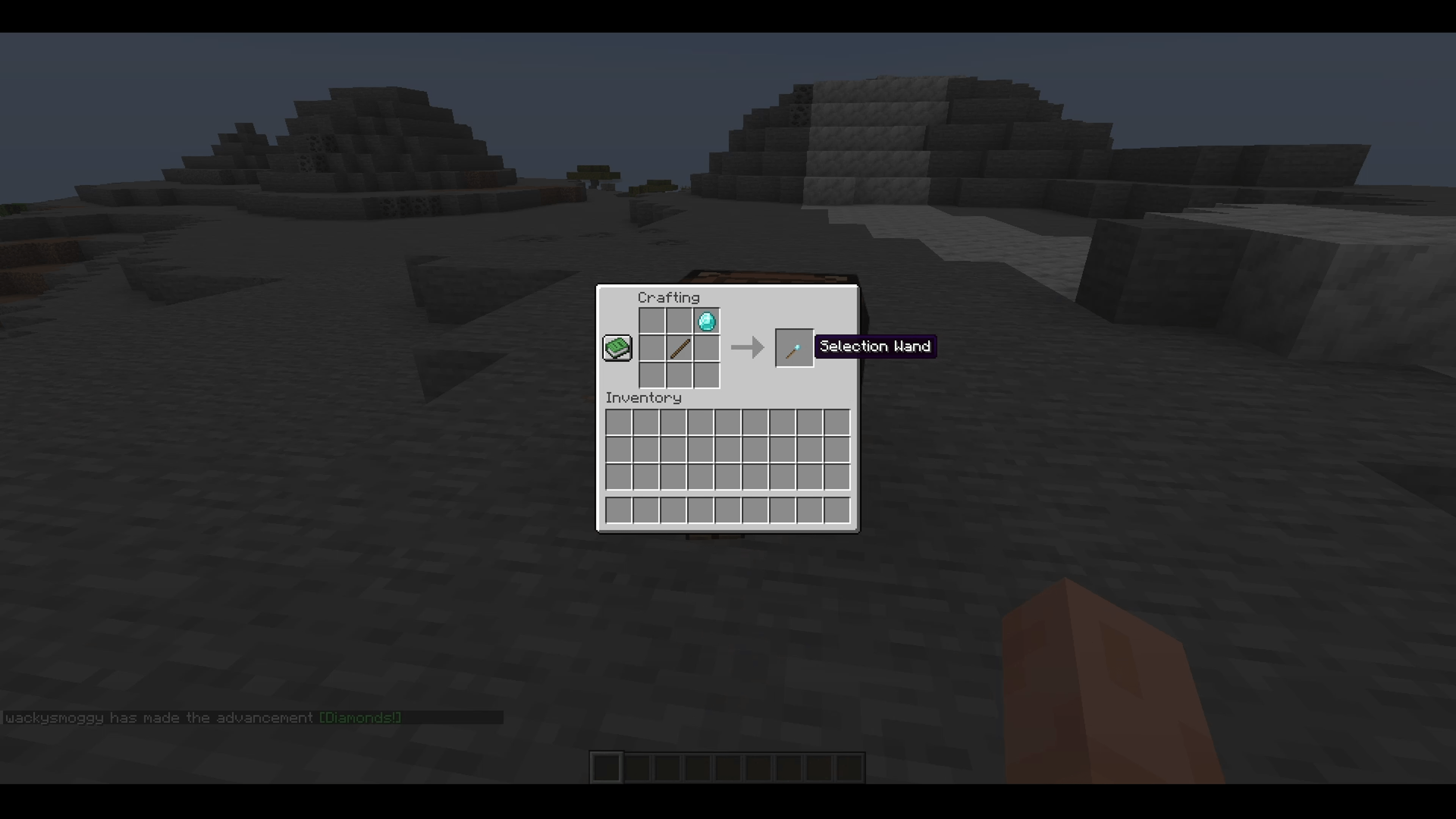
Selection Wand Recipe.png
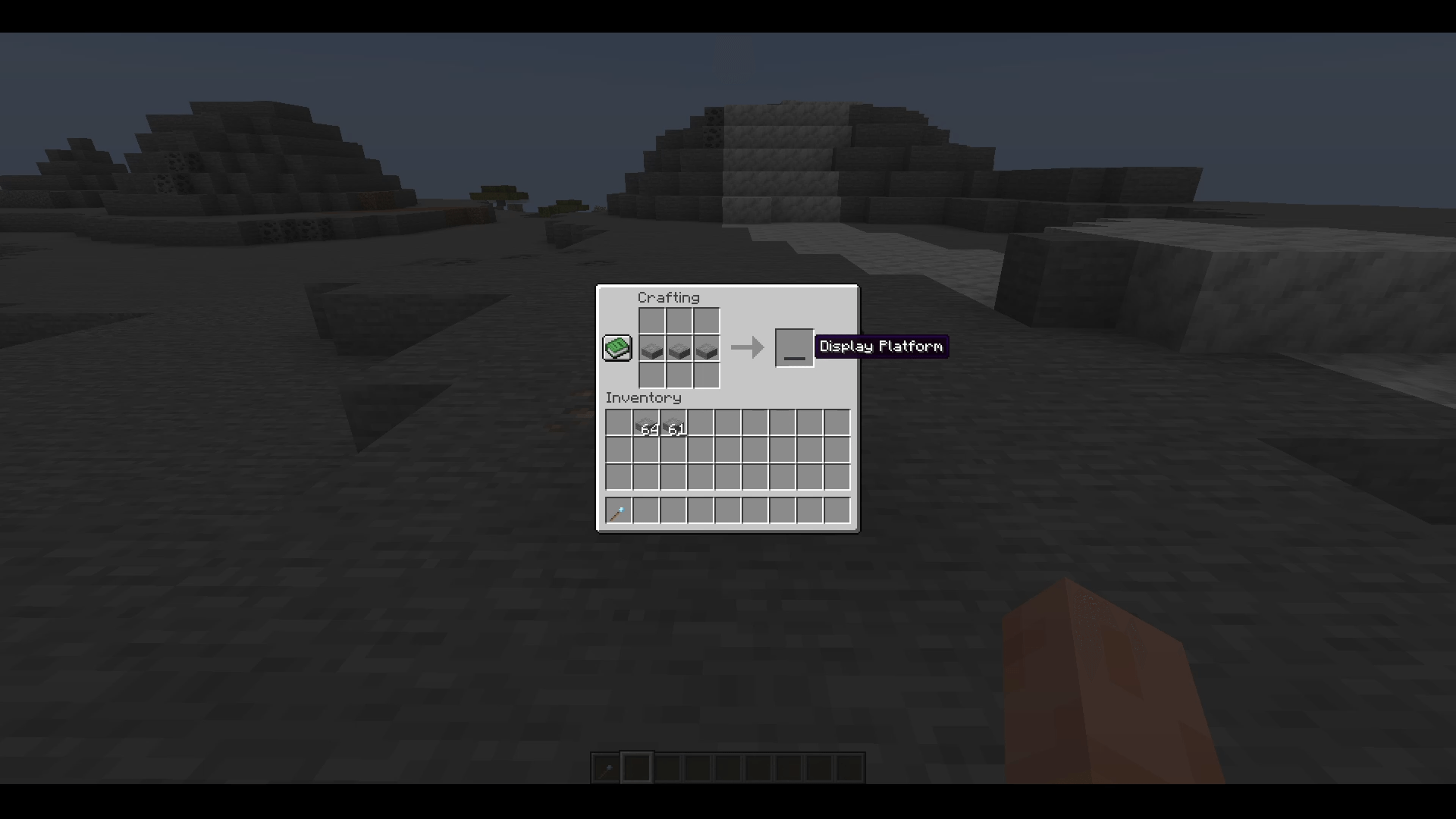
Display Platform Recipe.png
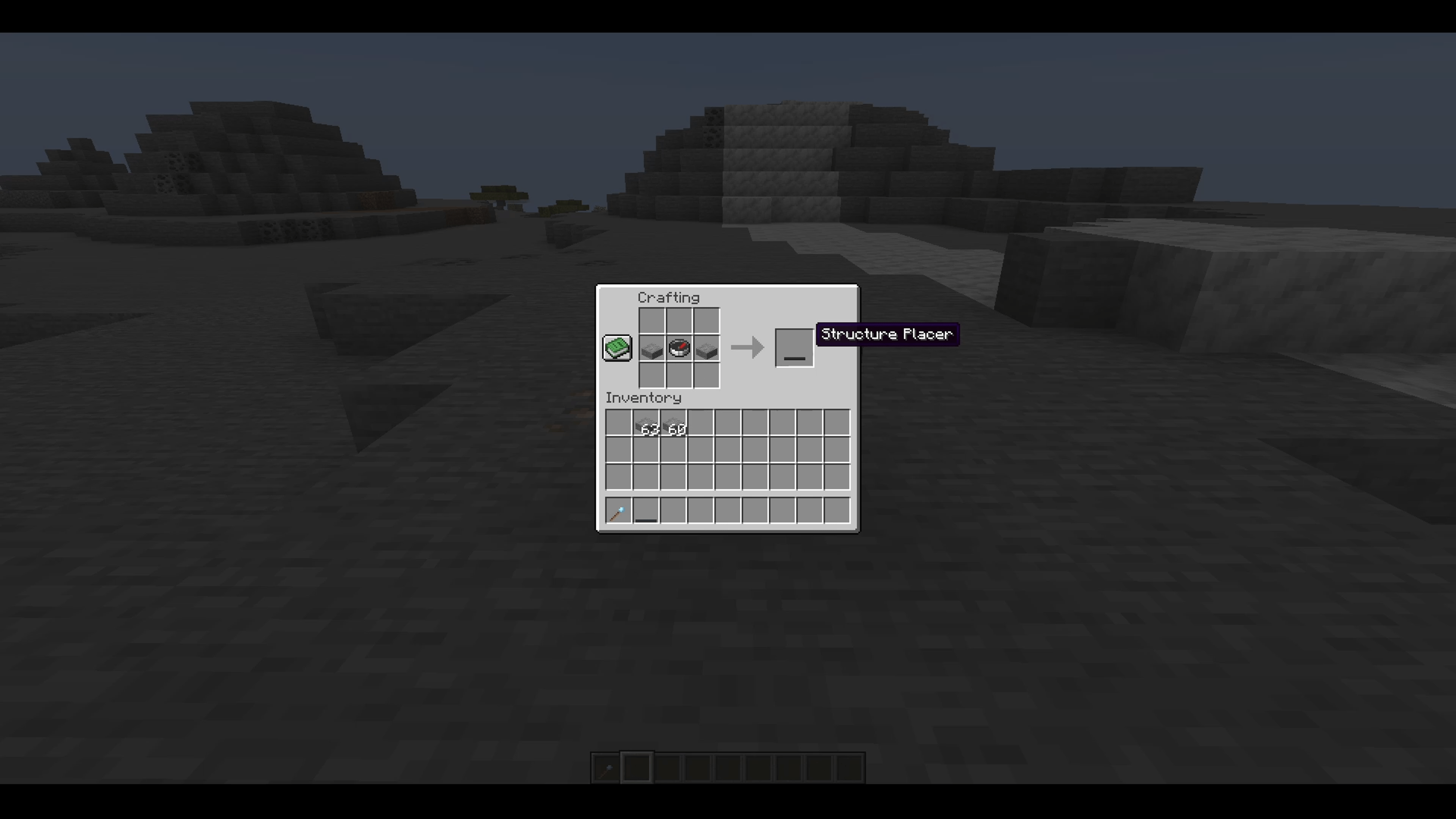
Structure Placer Recipe.png
Display Platform-Structure Placer.png
Area Selection.png
Area Shrink.png
Area Expand.png
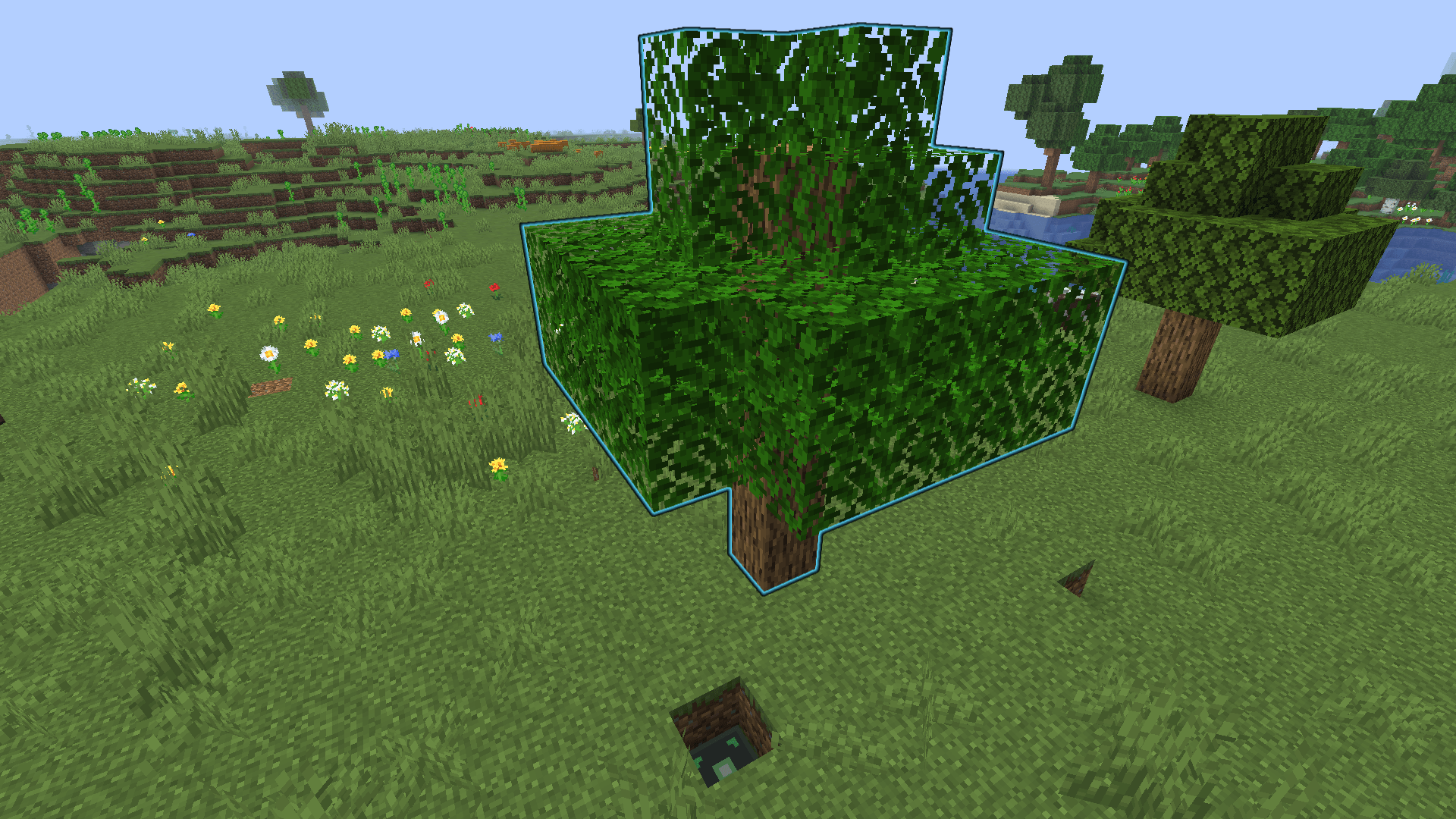
Area Place.png
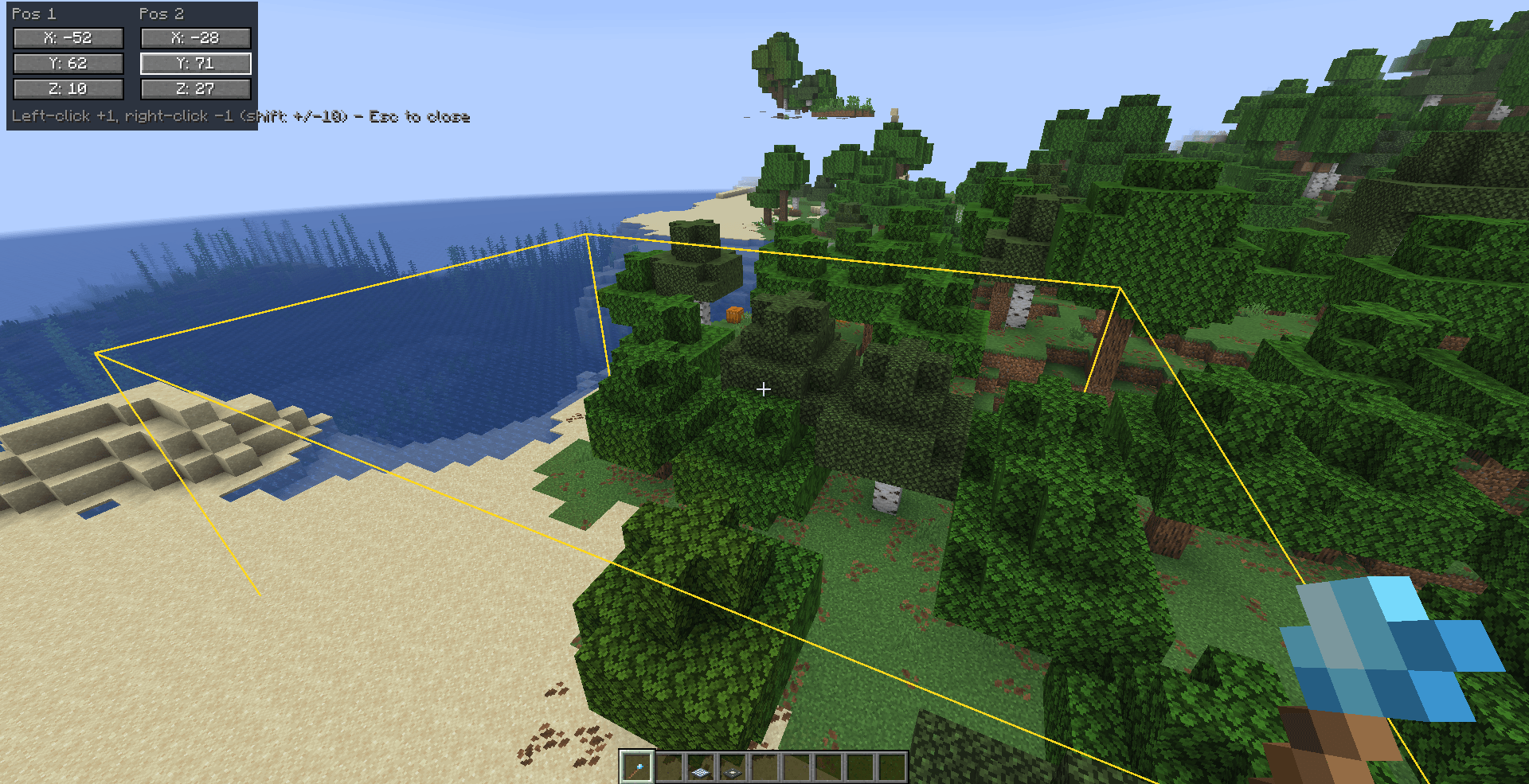
Area Coordinates Changer UI.png
Description
AreaScale
Capture any structure into a portable item at whatever scale you want then either put it on display as a miniature/giant diorama, or place it back down at its original size. Built for players who want to carry builds around, show them off, or trade them on a server (sell a compact farm, a shop design, a base blueprint…).
How it works:
1. Select an area:
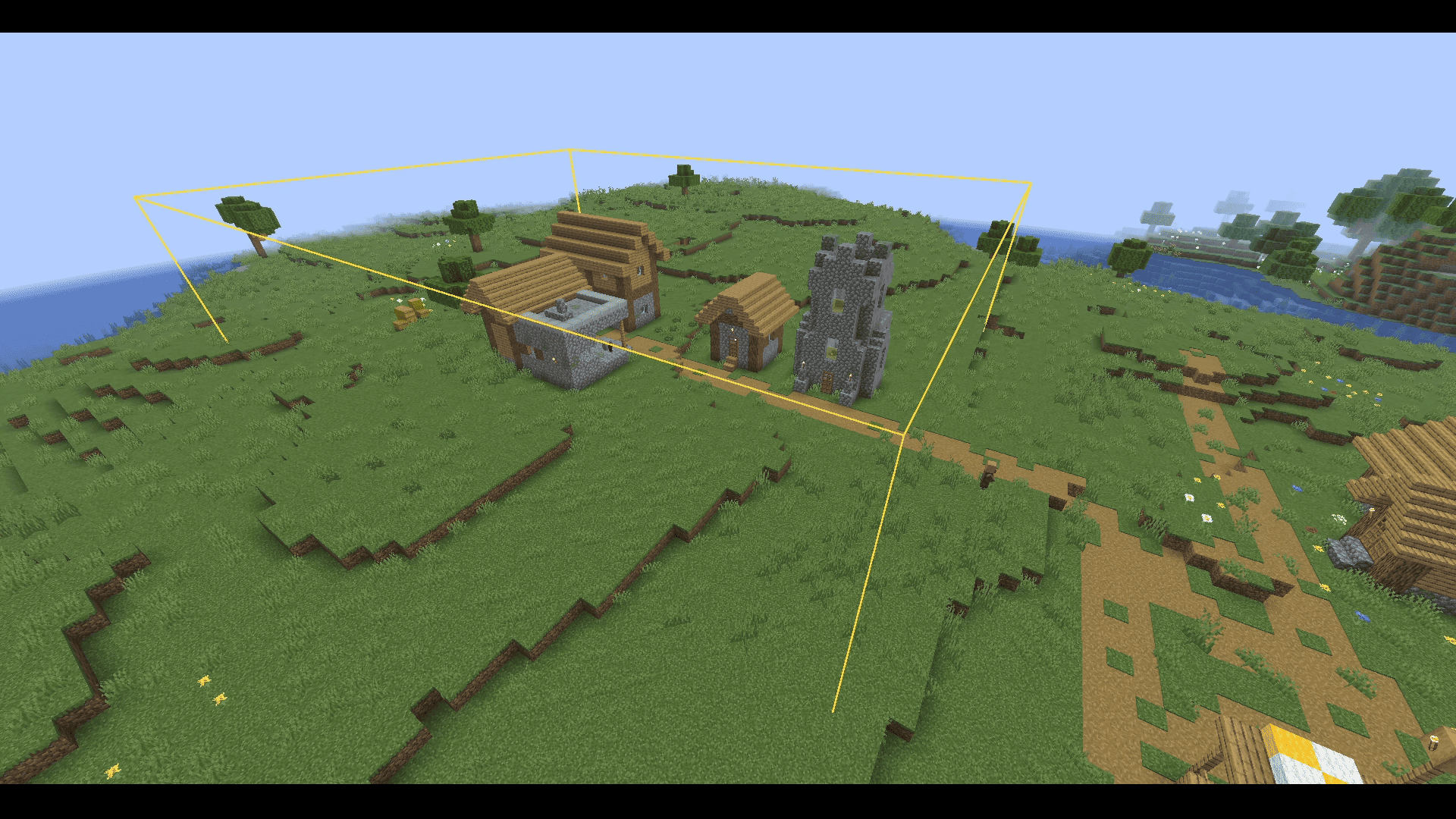
Craft or find the Selection Wand (stick + diamond, crafted diagonally). Left-click a block to set corner 1, right-click a block to set corner 2 - a wireframe box shows your selection live.
Prefer typing exact numbers? Press `U` (rebindable in Options > Controls > Area Scale) with a selection active to open a minimal overlay showing the six X/Y/Z values as real clickable buttons - no menu chrome, no dark background beyond a light legibility panel, so the world and the wireframe box stay fully visible. Left-click a value to +1 it, right-click to -1 (hold shift for +/-10).
2. Capture it:
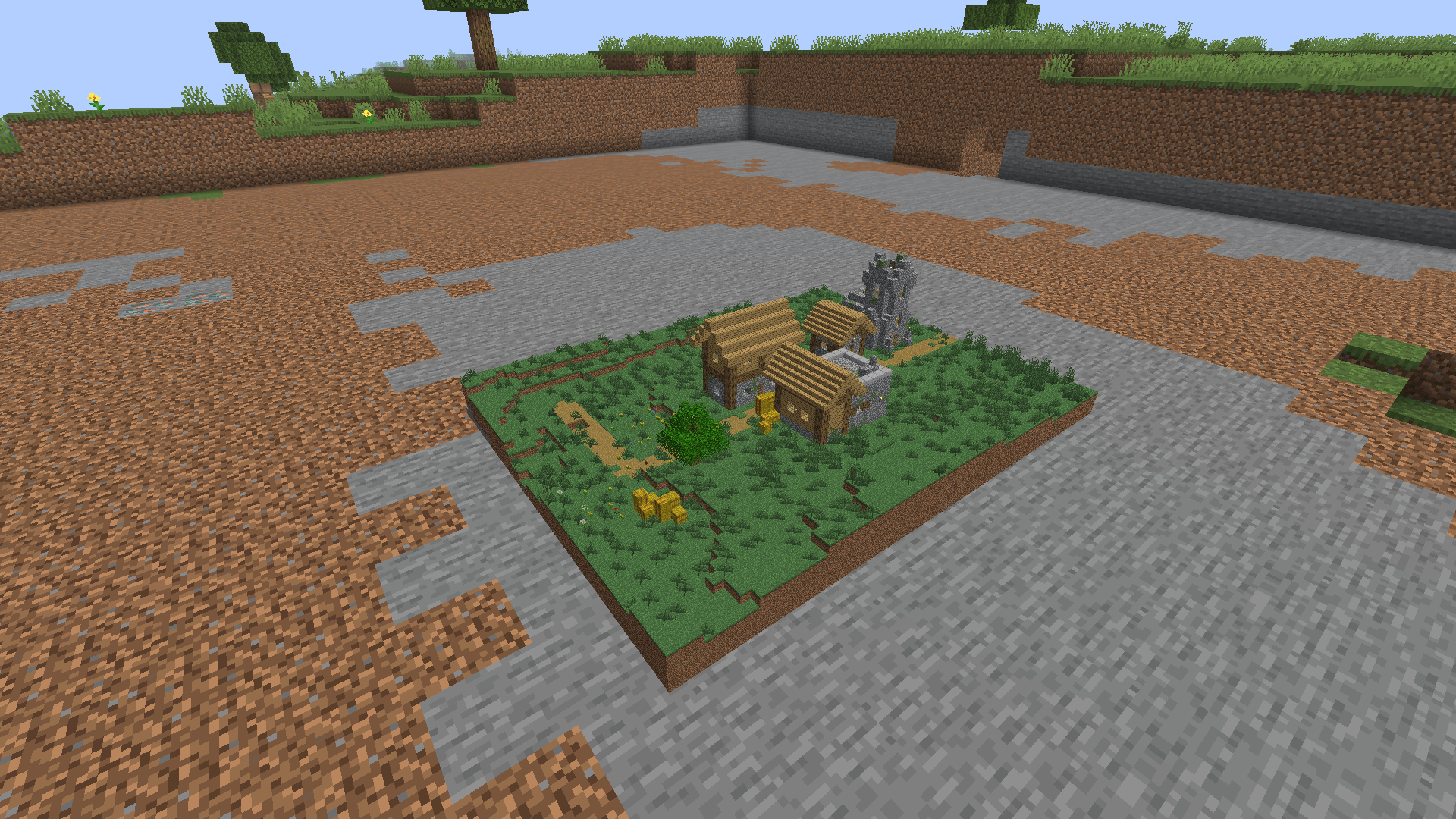
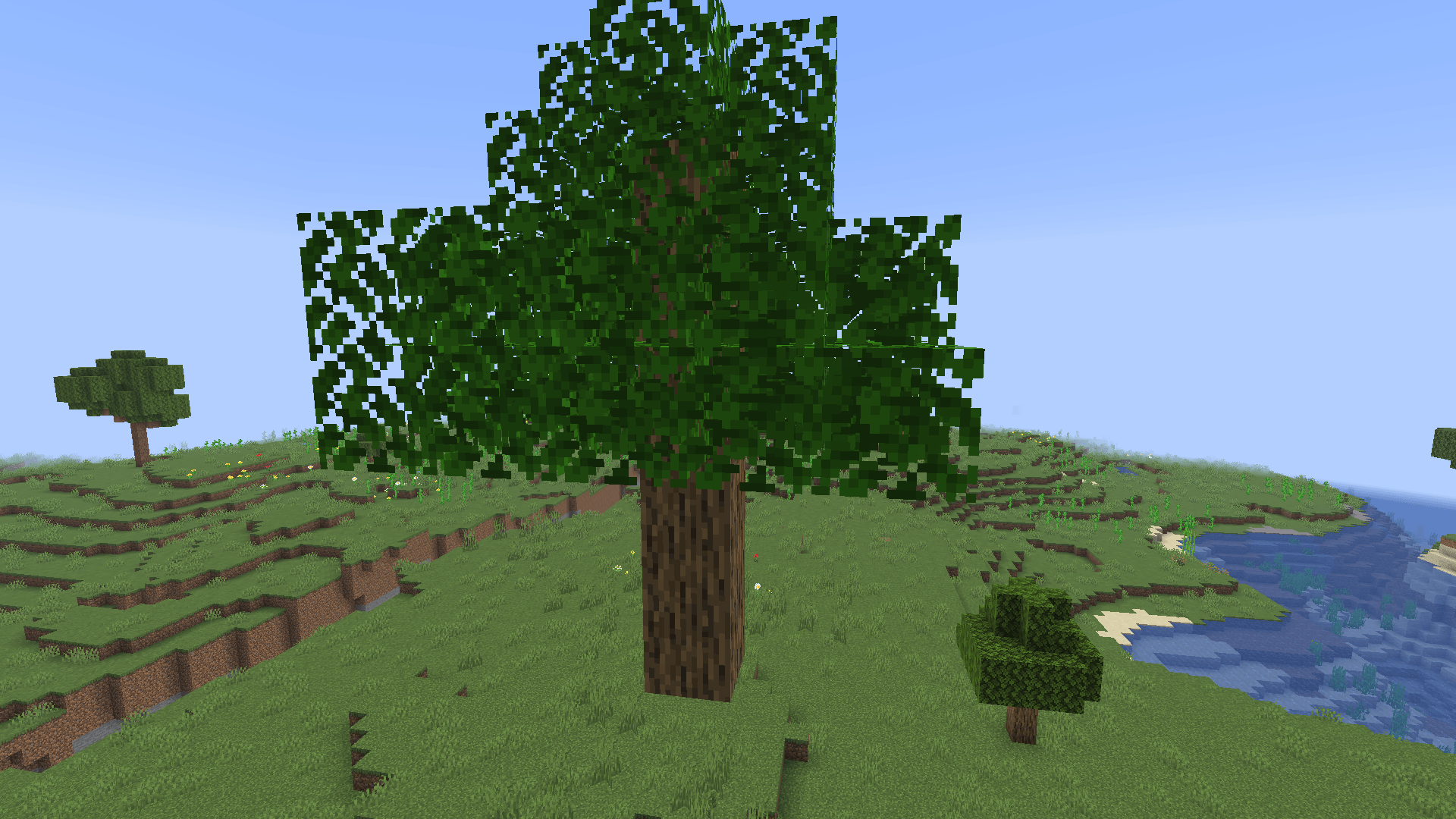
Run `/areascale expand ` or `/areascale shrink ` (e.g. `/areascale shrink 4` for 1/4 scale, `/areascale expand 3` for 3x). This removes the original blocks and gives you a Structure Capsule - a single item holding everything: every block, chest/shulker contents, sign text, spawner settings, and any armor stands, mobs, or other entities that were inside the selection.
3. Display it:
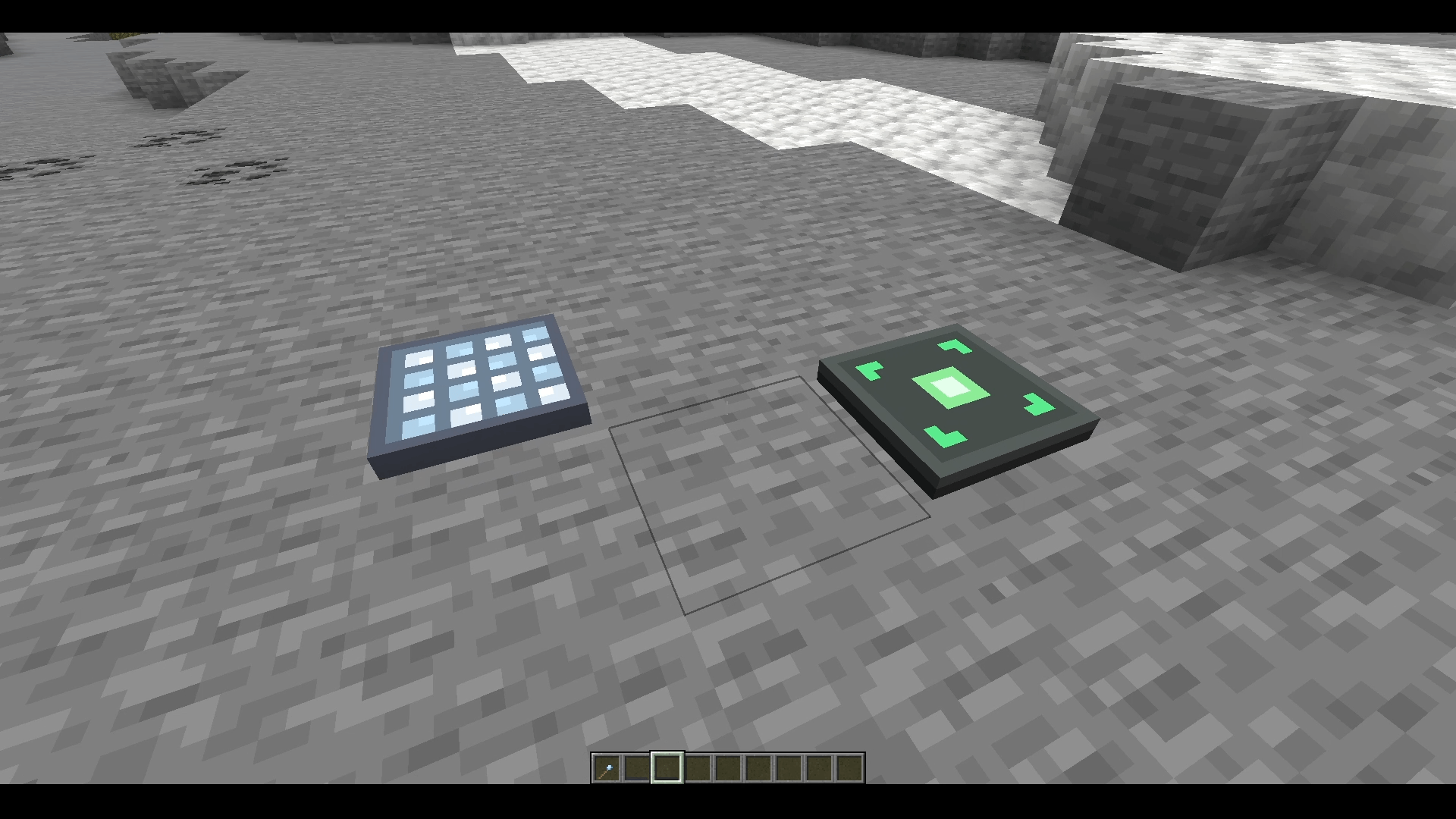
Place a Display Platform (3 stone slabs in a row) and right-click it with a filled capsule. The whole structure appears above it as a scaled diorama - genuinely any size, since it's rendered with display entities rather than real blocks. It rotates to face whichever way you were looking when you placed it. Right-click empty-handed to pick it back up.
4. Or place it back down:
Place a Structure Placer (stone slab / compass / stone slab) and right-click it with a capsule to see a glowing ghost preview at the structure's real, unscaled size - because a functioning farm needs to be built at its real size, not a diorama's cosmetic scale. Right-click again to confirm: it places every block, restores container contents and other block entity data, and respawns captured entities exactly where they were. If something's in the way, it tells you and doesn't consume the capsule.
5. Undo, if you change your mind:
`/areascale undo` (creative mode only) reverts your most recent capture.
Configurable for server admins:
- `config/areascale.json`: set `maxCaptureBlocks` (0 = unlimited) to cap how large a single capture can be.
- Hollowing (skipping interior blocks that could never be seen in the diorama) is computed geometrically, not from a hardcoded list - but `data/areascale/tags/block/` ships two empty tags (`never_occludes` / `always_occludes`) if you ever need to override a specific block manually.
Known limitations:
- Beds, chests, shulker boxes, standing/wall signs, banners, and decorated pots render as a rough placeholder in the diorama specifically - a vanilla rendering-engine limitation of decorative display entities, not data loss (their real data is fully preserved in the capsule). They look completely correct once placed for real with the Structure Placer.
- Water and lava show up as translucent colored glass in the diorama for the same reason (fluid rendering can't run on a floating display entity) - real fluid places correctly with the Structure Placer.
- Captured entities (mobs, armor stands, etc.) aren't shown in the diorama at all - there's no floor there for them to stand on - but their data is preserved and they're reconstructed correctly the moment the structure is placed for real.
- The diorama is purely decorative - no collision, can't be mined.
Requirements:
-[Fabric Loader](https://fabricmc.net/use/installer/) 0.17.2 or newer
- [Fabric API](https://modrinth.com/mod/fabric-api)
License:
GPL-3.0. Free to use on personal worlds and private servers. If you're using it on a monetized server or in monetized content, a credit back to this project is appreciated.
The AreaScale Team