Area Protection
- By
Protect regions with a wand and an in-game editor. Set per zone what can be broken, placed, used or hit, and toggle PvP, fire, explosions and mob spawning.
2026-10-12_14.56.58.png
2026-10-12_14.58.06.png
2026-10-12_14.57.39.png
2026-10-12_14.58.03.png
2026-10-12_14.58.11.png
Description
Disclosure: This is still a beta version, we will be releasing updates frecuently with new content and region fixes.
Area Protection
Area Protection lets you mark regions of your world and decide, one by one, what players can do inside them, yes, just like WorldGuard!
You pick the corners with a wand, name the region, and then open an in-game editor to say which blocks can be broken or placed, which items work, which mobs can be hit, and a long list of switches like PvP, fire, explosions or mob spawning.
It has to be installed on the server and on every client.

Selecting an area
Run /ap wand for the Area Wand. A golden axe works too, but only for admins.
| Shape | Left click | Right click |
|---|---|---|
| Box | Position 1 | Position 2 |
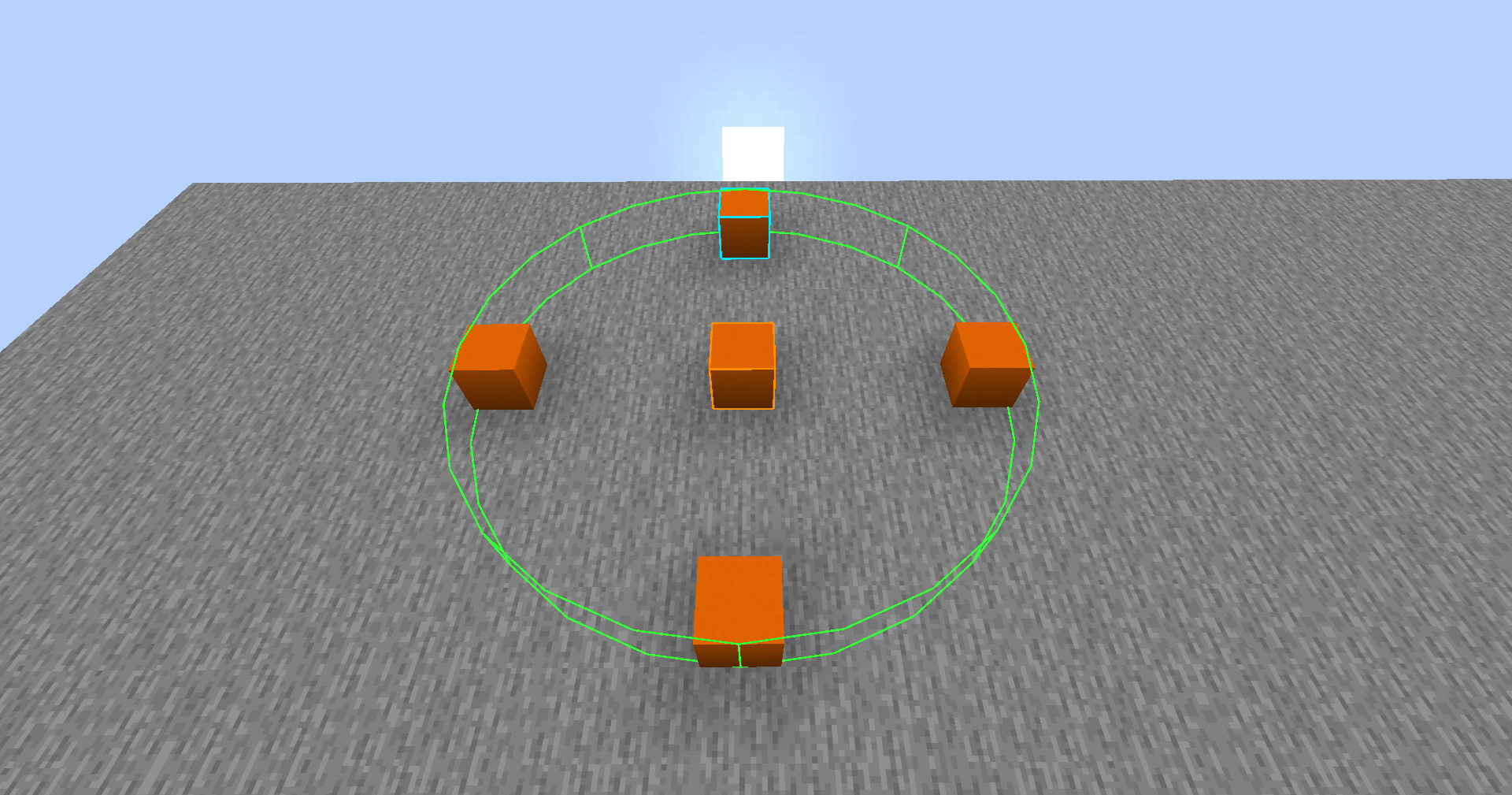
| Cylinder | Center | Edge, which sets the radius |
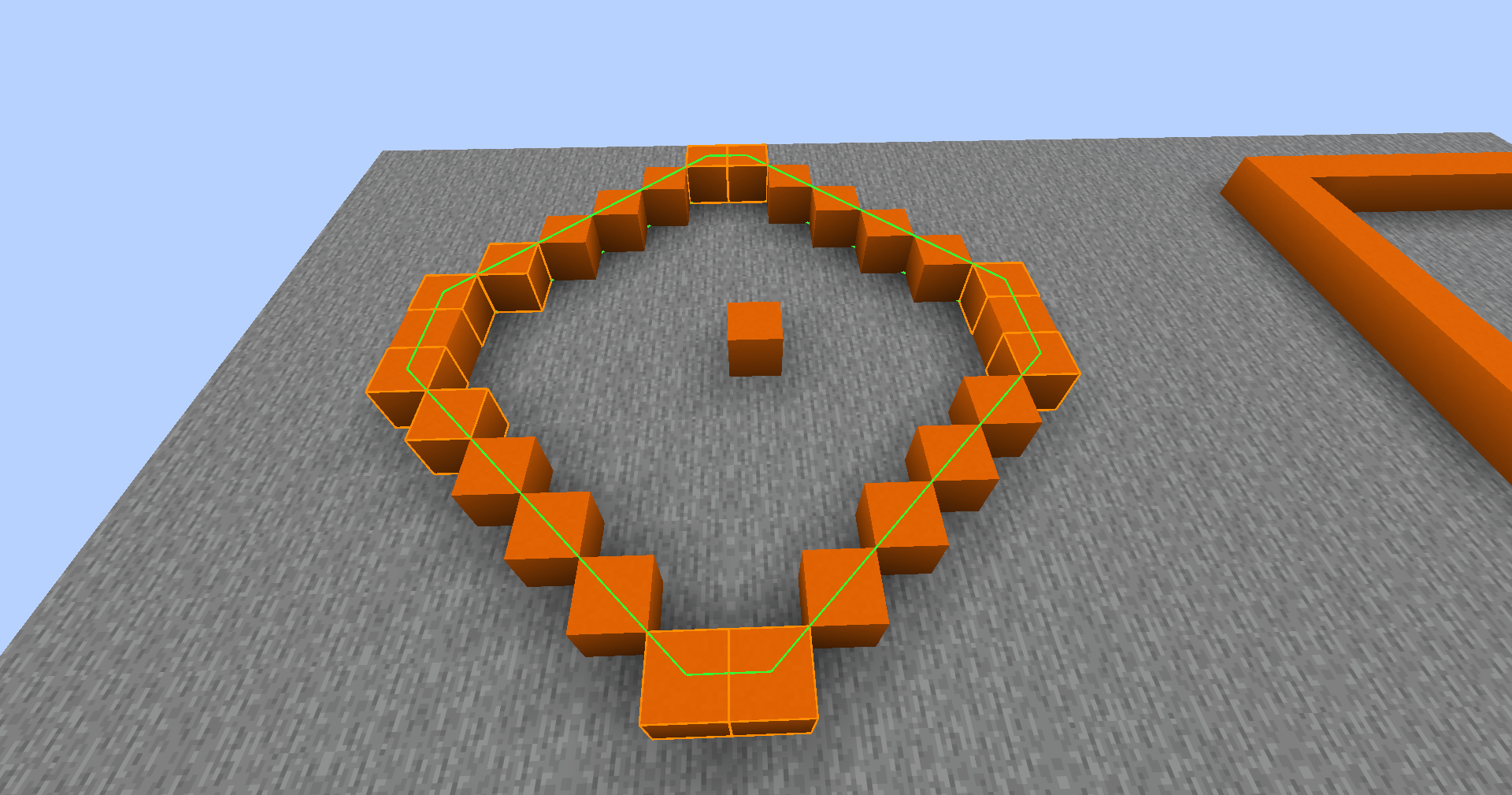
| Polygon | Remove the last point | Add a point |
Change the shape with /ap shape box|cylinder|polygon. While you hold the wand your selection is drawn in the world, and /ap show also outlines existing zones.
- Shift + left click clears the selection.
- Shift + right click asks for a name and creates the zone. It works while aiming at the sky too.
Zones made from a selection cover the full height of the world, so two points on the ground still protect everything above and below. If you want the exact heights you marked, set fullHeightZones to false in the config.
What a zone controls
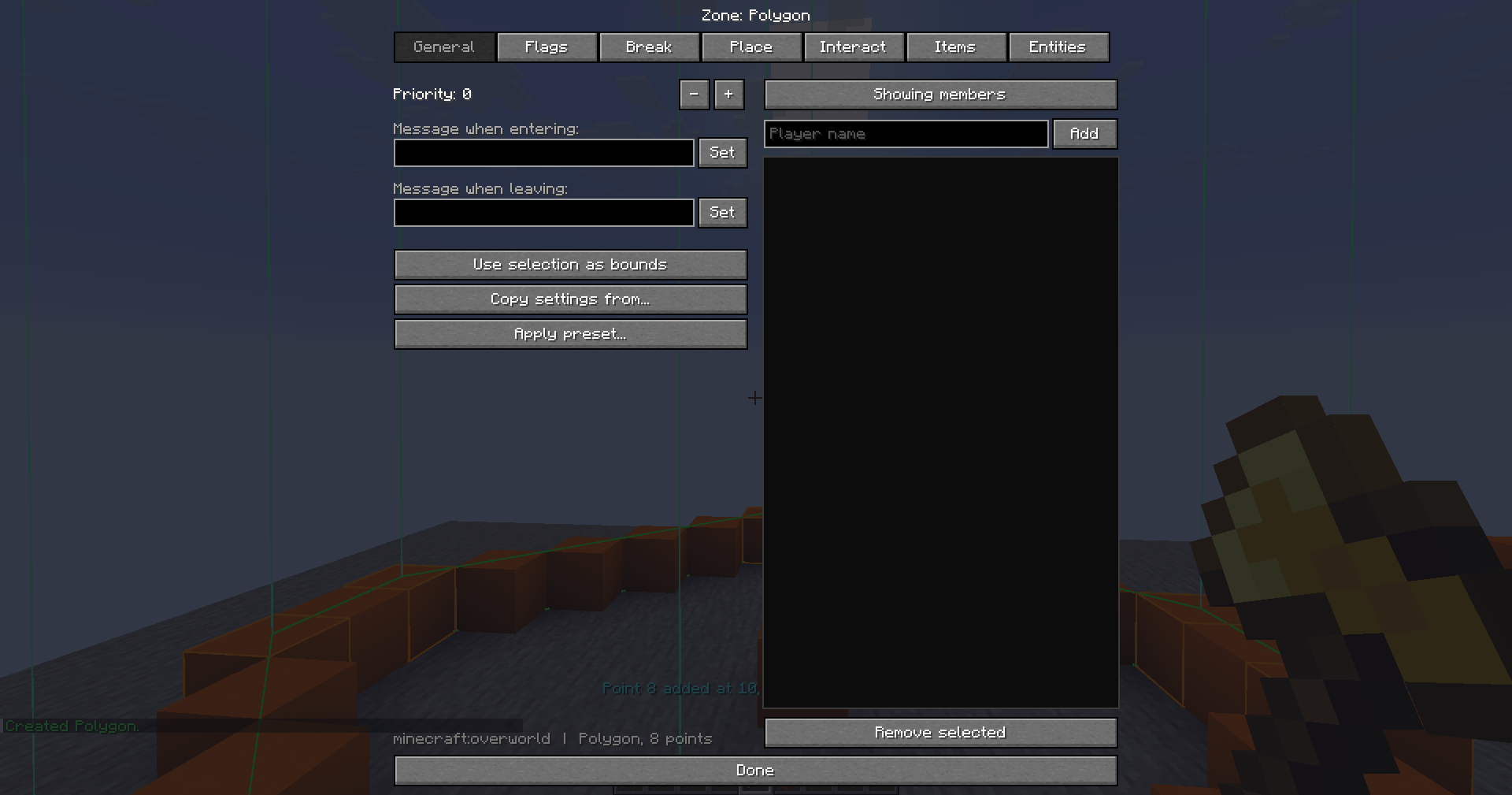
Five lists, each with a mode (allow all, deny all, whitelist or blacklist) and a group they apply to (non-members, members or everyone):
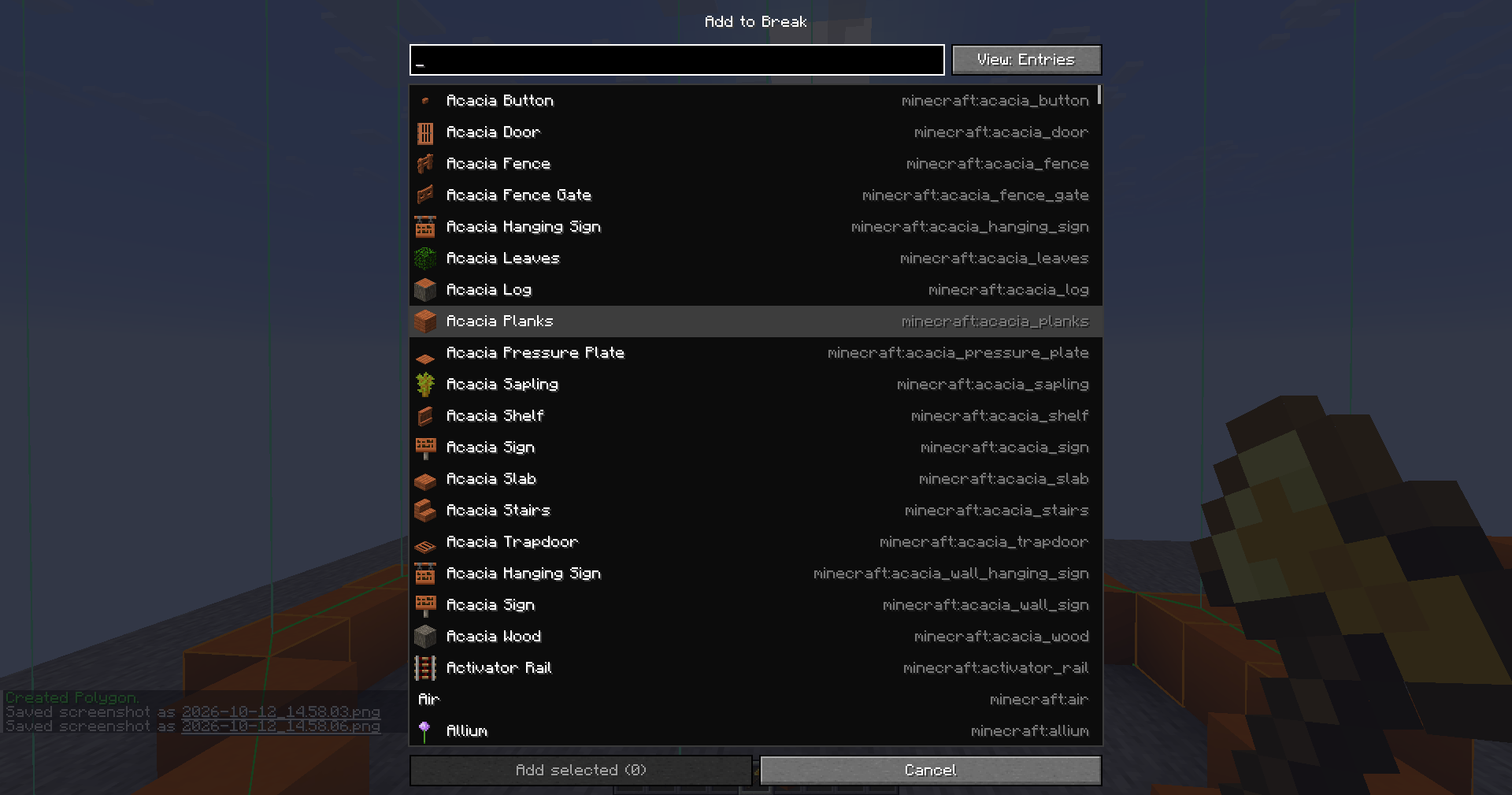
- Break
- Place
- Interact (doors, chests, buttons and so on)
- Items (buckets, ender pearls, tools)
- Entities (attacking or using them)
Entries can be a single block, item or entity, a tag like #minecraft:logs, or modid:* for everything from a mod, so modded content is covered without extra work. The picker in the editor has a search box and shows icons.
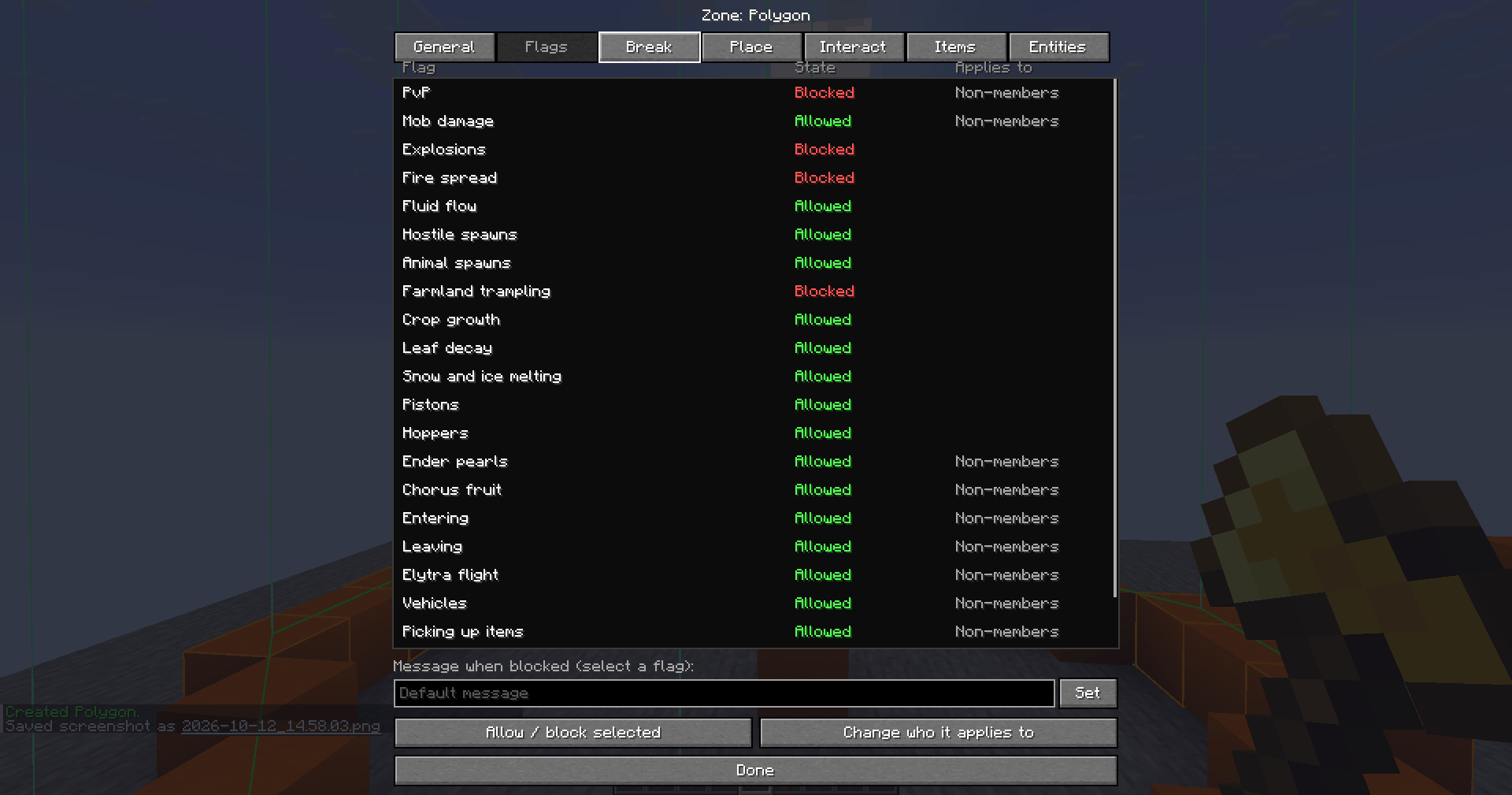
Flags can be turned on or off per zone: PvP, damage from mobs, explosions, fire spread, fluid flow, hostile and passive spawns, farmland trampling, crop growth, leaf decay, snow and ice melting, pistons, hoppers, ender pearls, chorus fruit, entering, leaving, elytra, vehicles, picking up and dropping items, and hunger. The ones that depend on a player can be limited to non-members, members or everyone.

Something you SHOULD know:
- Overlapping zones are resolved by priority first, then by size, so the smaller one wins a tie.
- Each rule and flag can have its own "denied" message, and zones can show a message when you enter or leave.
- Zones can be box, cylinder, polygon, or global (a whole dimension).
- Presets (
spawn,shop,plot), copying settings between zones, and export and import to share setups. - Zones are per dimension.
The editor
Press I, or use /ap gui. The editor has tabs for general settings, flags, and one for each rule list. Only admins can open it, and for everyone else the key is hidden from the controls screen.

Owners and members
Each zone can have owners and members. Owners can change the rules, flags and members of their own zone without being operators. Members count as the members group for rules that apply to non-members only.
Player plots
Off by default. Turn on plotsEnabled in the config and players can claim their own box with /plot. You set the limits: plots per player, maximum volume and maximum width. Plots can never overlap another zone.
Commands
/ap is short for /areaprotection.
| Command | Who | What it does |
|---|---|---|
/ap wand |
admins (everyone if plots are on) | Gives the Area Wand |
/ap pos1, /ap pos2 |
admins | Sets a position at your feet |
/ap clear |
wand users | Clears the selection |
/ap shape box|cylinder|polygon |
admins | Changes the selection mode |
/ap expand <amount> <direction> |
admins | Grows the selection. vert goes from bedrock to the build limit |
/ap contract <amount> <direction> |
admins | Shrinks the selection |
/ap create <name> |
admins | Makes a zone from the selection |
/ap global <name> |
admins | Makes a zone for the whole dimension |
/ap delete <zone> |
owners, admins | Deletes a zone |
/ap redefine <zone> |
admins | Moves a zone to the current selection |
/ap rename <zone> <new name> |
admins | Renames a zone |
/ap priority <zone> <number> |
admins | Sets the priority |
/ap copy <zone> <source> |
admins | Copies rules, flags and messages |
/ap preset <zone> spawn|shop|plot |
admins | Applies a preset |
/ap flag <zone> <flag> <true|false> |
owners, admins | Turns a flag on or off |
/ap group <zone> <key> <group> |
owners, admins | Sets who a rule or flag applies to |
/ap message <zone> <key> <text> |
owners, admins | Sets a denied message |
/ap list, /ap info |
owners, admins | Lists zones or shows one |
/ap tp <zone> |
owners, admins | Teleports you to a zone |
/ap member add|remove|list <zone> [player] |
owners, admins | Manages members |
/ap owner add|remove|list <zone> [player] |
admins | Manages owners |
/ap gui |
admins | Opens the editor |
/ap show [true|false] |
owners, admins | Outlines nearby zones |
/ap bypass |
admins | Ignore zone rules until you run it again |
/ap export <zone|all>, /ap import <file> |
admins | Share zones as files |
/ap reload |
admins | Reloads the config and zones |
/plot wand|clear|claim|list|delete|member |
everyone, when plots are on | Player plots |
Permissions
Admin means operator level 2 by default. You can change the level with adminPermissionLevel in the config.
If you install fabric-permissions-api (optional), the node areaprotection.admin decides who is an admin, so you can hand it out through LuckPerms or a similar mod.
Operators do not skip the rules. Zones apply to everyone, and an admin who wants to build in a protected area runs /ap bypass first. Fake players (automation mods) are checked like normal players unless you turn on fakePlayersBypass.
Configuration
config/areaprotection.json holds the global settings: admin level, fake player bypass, enter and leave messages, full height zones, the plot options and the default denied messages. Zones live in config/areaprotection/, one file each.
Not covered YET
Redstone power, command filtering and block drop control have no stable hook across versions, so they are not part of the mod. Fire that is started by something other than fire spread can still appear inside a protected zone.
Reporting problems
Open an issue on GitHub or get on my Discord, make sure to include your Minecraft version, the mod version and logs/latest.log.
Area Protection Team