ArdaNPCs
- By
Create configurable NPCs with branching dialogue, quests, shops, roles, factions, patrols and persistent player progression—all through an in-game editor for Fabric.
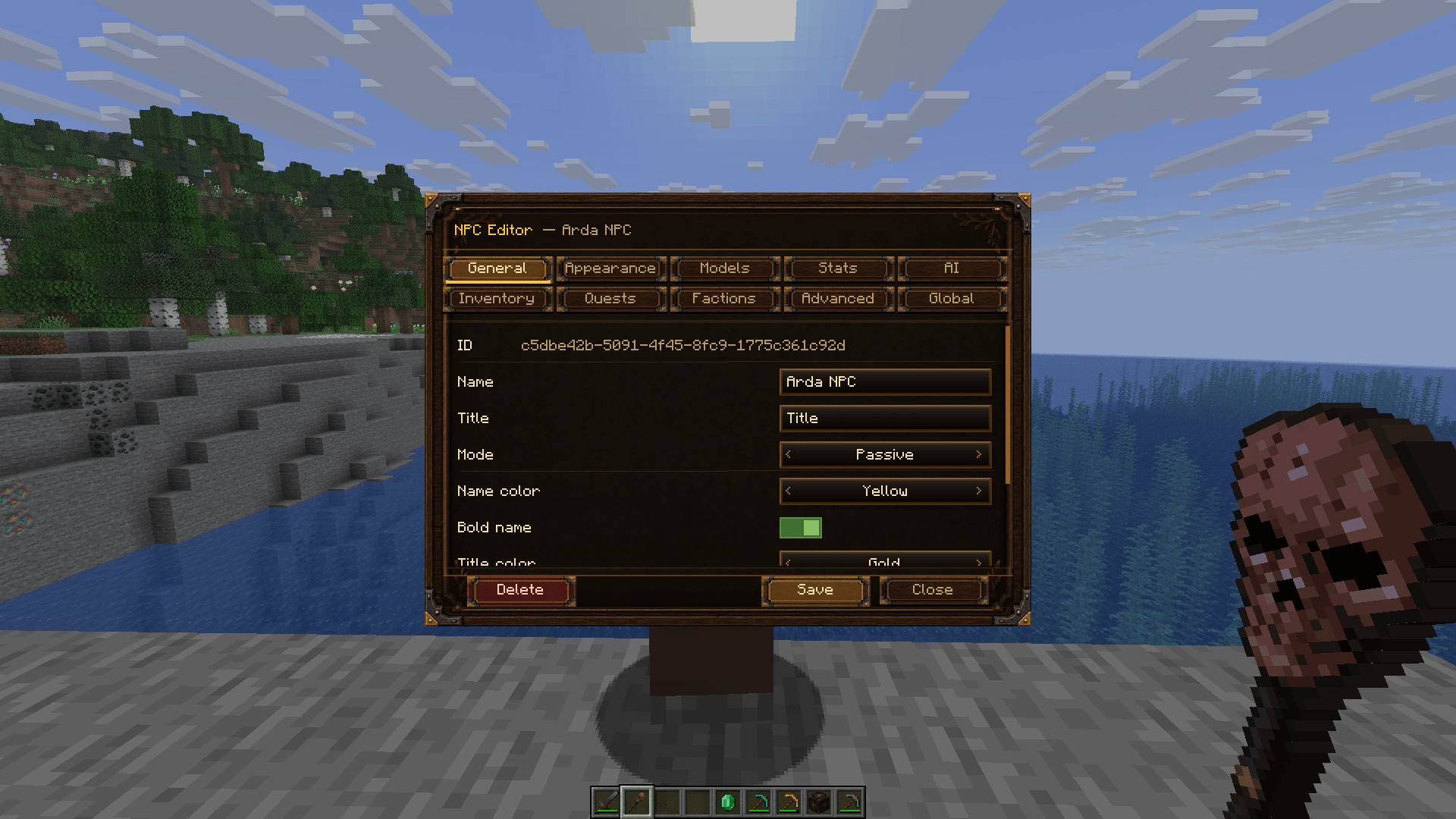
ardanpcs-admin-editor-en.png
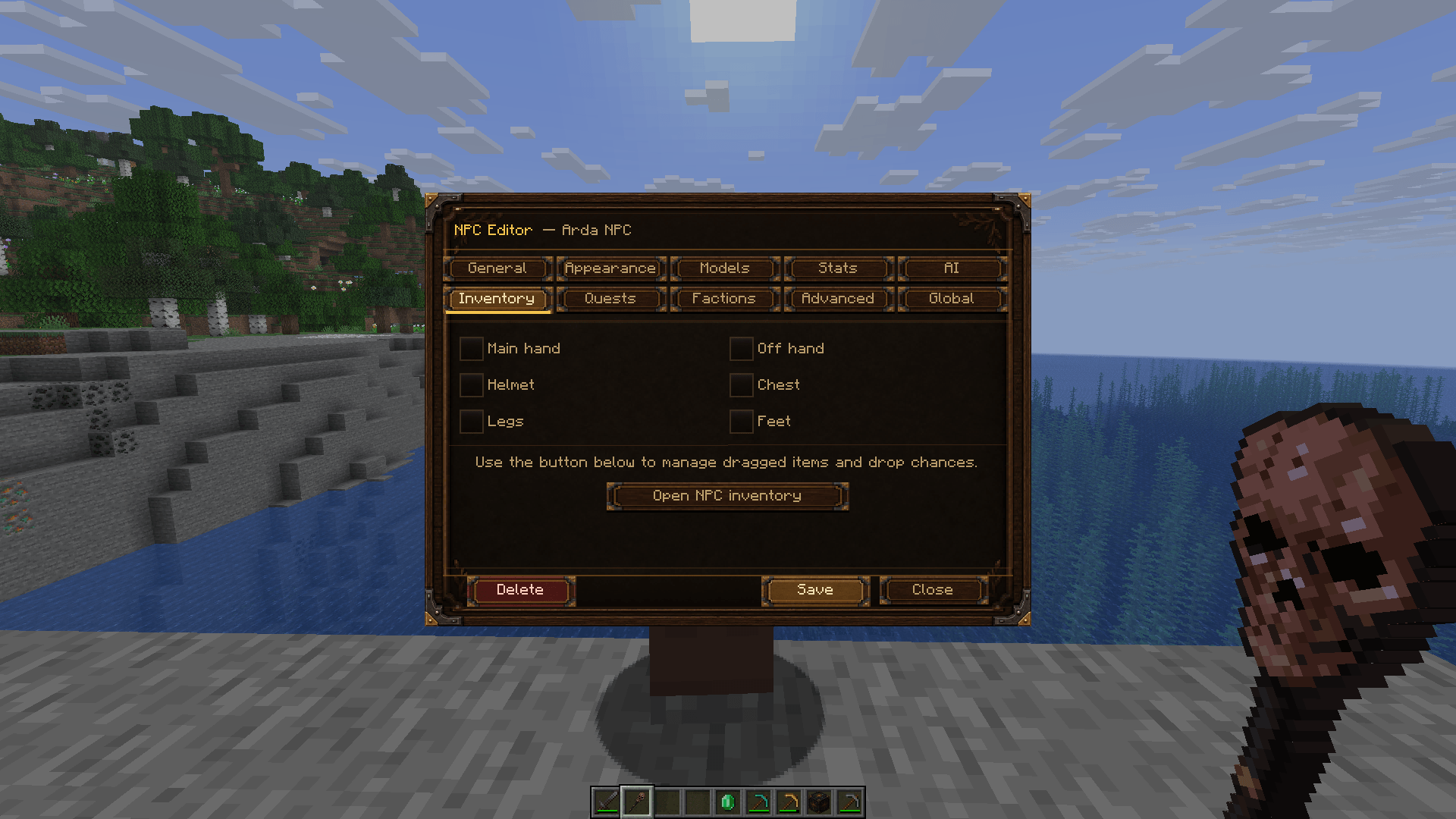
ardanpcs-inventory-editor-en.png
ardanpcs-model-selector-en.png
ardanpcs-npc-manager-en.png
Description
ArdaNPCs – Complete NPC, Quest & Shop Toolkit
Build living worlds without writing scripts
ArdaNPCs is an all-in-one NPC toolkit for adventure maps, role-playing servers and single-player worlds. It gives creators an in-game editor for building characters, conversations, objectives, services and long-term player progression.
The fixed interface text follows each player's selected Minecraft language. English and Czech are included in the same mod file; world content such as NPC and faction names, descriptions, dialogue and quest text remains exactly as entered.
Create and manage NPCs
- Create NPCs with the Arda NPC Wand or administration commands.
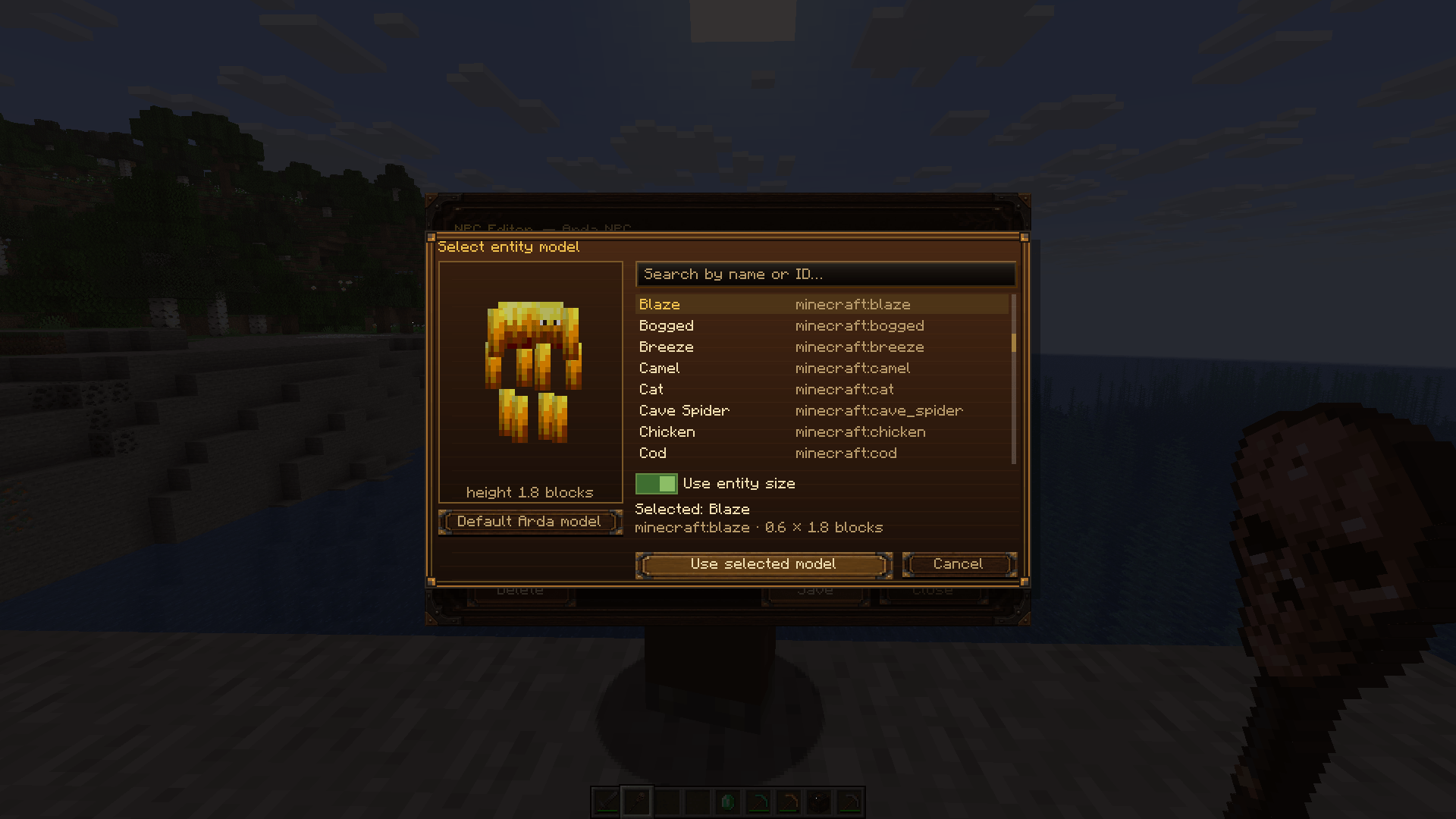
- Configure names, titles, skins, models, scale, equipment and presentation.
- Tune health, damage, resistances, melee and ranged combat, projectiles, drops and respawn.
- Use passive, neutral or aggressive behavior.
- Choose standing, free movement, patrol and guard behavior.
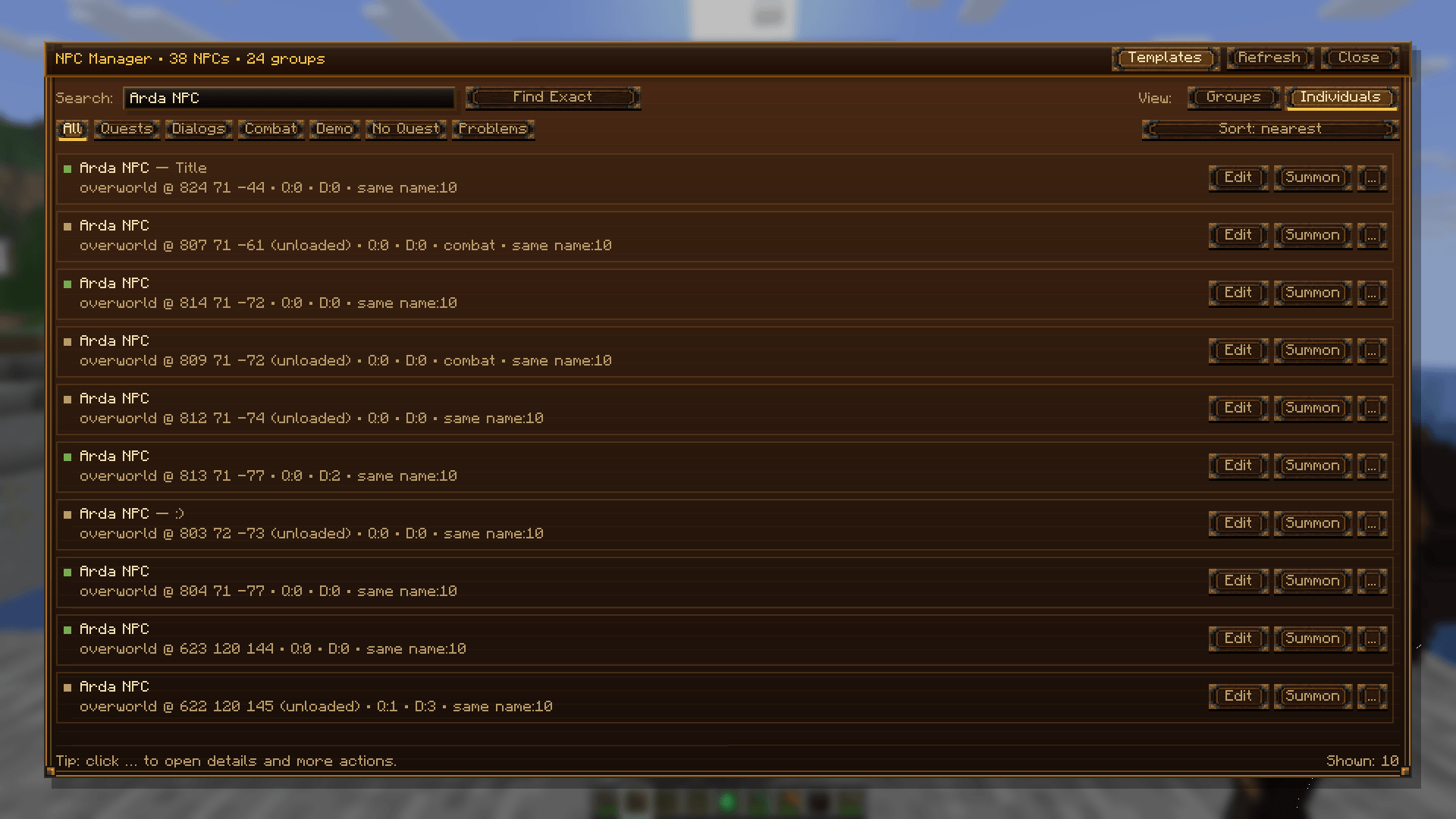
- Organize NPCs through the manager, groups and reusable templates.
Dialogue and quests
- Build branching dialogue with responses and conditions.
- Keep conversation history readable while a dialogue is active.
- Create TALK, COLLECT, KILL, ESCORT, LOCATION and MANUAL objectives.
- Configure repeat rules, completion NPCs, item or experience rewards and turn-in behavior.
- Give players a quest journal and clear quest markers above NPCs.
- Build escort routes from editable path nodes, waits and route events.
Shops, roles and factions
- Create NPC traders with buying and selling offers.
- Add daily purchase and sale limits, reputation-based prices and timed events.
- Assign the Trader, Guard, Banker or Teleporter role.
- Define factions, relationships and persistent player reputation.
- Inspect and repair player quest, dialogue and reputation data through admin tools.
Persistence and server safety
ArdaNPCs stores world data under <world>/data/ardanpcs/. Player quest progress is stored
per player, while critical operations use validation, backups and recovery safeguards.
Administrative changes, rewards and purchases are checked by the server. Storage files are
protected individually; the file system cannot guarantee one absolute transaction across
several different files.
Always back up the complete world before updating any server mod.
Quick start for administrators
- Install ArdaNPCs and Fabric API on both the server and every client.
- Join with operator level 2.
- Use the Arda NPC Wand or run
/ardanpcs create <name>. - Open the manager with
/ardanpcs manager.
The command root /ardanpc is an alias of /ardanpcs.
Useful commands:
/ardanpcs create <name>
/ardanpcs list
/ardanpcs info <uuid>
/ardanpcs remove <uuid>
/ardanpcs save
/ardanpcs reload
/ardanpcs manager

/ardanpcs template list
/ardanpcs template save <npcUuid> <name>
/ardanpcs template spawn <templateUuid>
/ardanpcs template delete <templateUuid>
Requirements
- Minecraft 1.21.8
- Fabric Loader 0.19.3 or a compatible newer 1.21.8 release
- Fabric API 0.136.1+1.21.8 or a compatible release
- Java 21 or newer
- The same ArdaNPCs version on server and clients
ArdaNPCs is a Fabric mod and is not compatible with Forge or NeoForge.
Installation
- Install Fabric Loader for Minecraft 1.21.8.
- Place Fabric API and the ArdaNPCs release JAR in the
modsfolder. - For multiplayer, install the same files on the dedicated server and all connecting clients.
Compatibility note
The retired scripting item and block IDs can still load safely in older worlds, but ArdaNPCs
does not execute scripts. The old data/ardanpcs/scripts.json file is ignored.
Very large servers should profile hundreds of simultaneously fighting or patrolling NPCs before production use. Remote skins depend on their host and the client's network, while GUI scale, resolution and other screen-changing client mods can affect the visual result.
License
All Rights Reserved. See the included license file for the permitted uses.
ArdaNPCs is an independent project and is not affiliated with or endorsed by Microsoft or Mojang Studios.
The ArdaNPCs Team