Architect's Delight
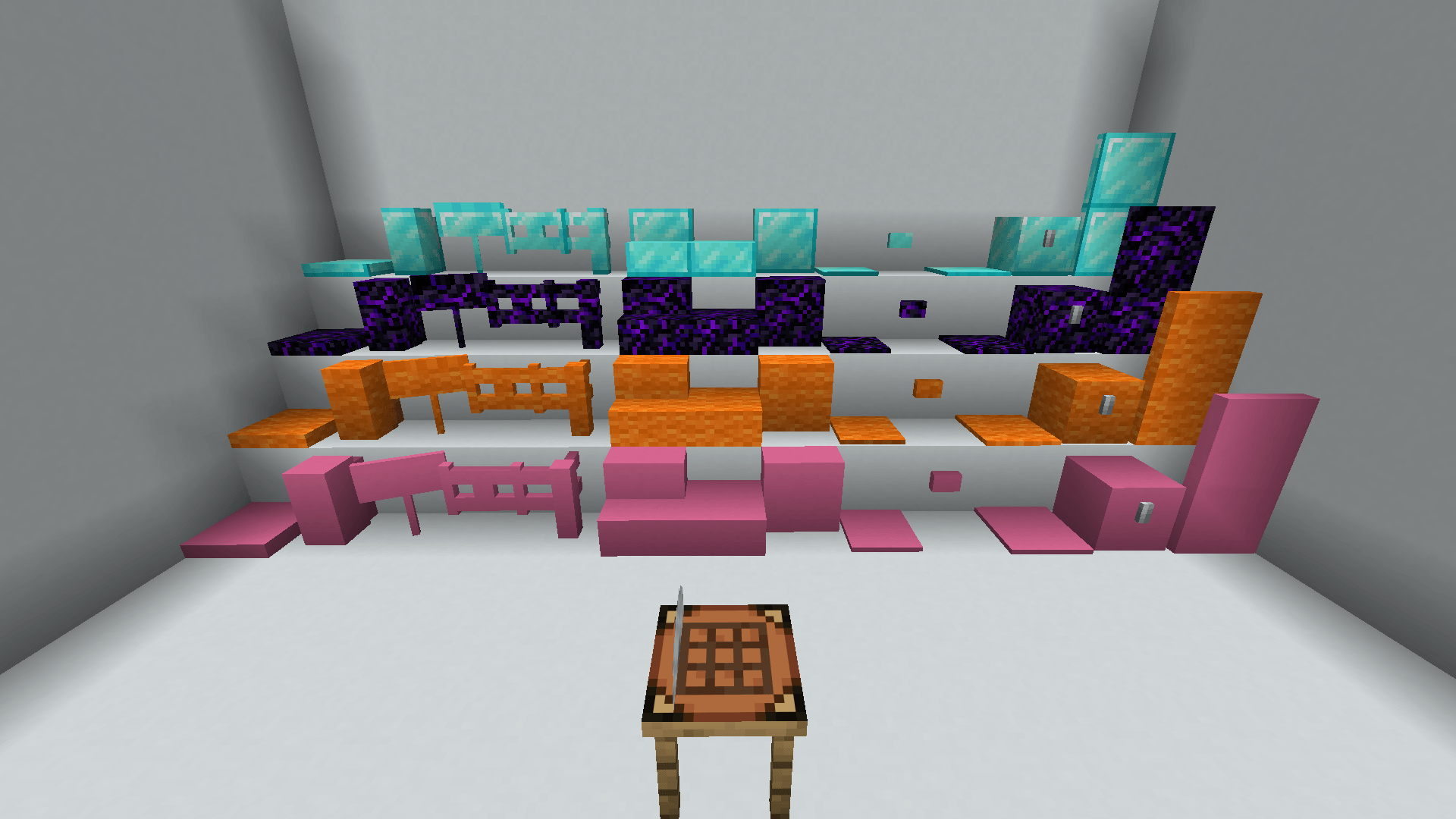
Transform almost any vanilla block into stairs, slabs, vertical slabs, walls, fences, doors, trapdoors and more, with advanced placement tools, live previews, post-placement editing and full resource pack compatibility.
2026-07-25_18.25.57.png
JOYKIX_x | Architect's Delight
Create a server, get 25% off your first month

Description
🏛️ Architect’s Delight
Architect’s Delight lets you transform almost any vanilla block into new architectural variants while keeping its original texture.
Use the Architect’s Table to create:
🧱 Stairs, slabs and vertical slabs
🚪 Doors, trapdoors and reinforced variants
🪵 Walls, fences and fence gates
📦 Chests, signs, buttons, pressure plates, carpets
👁️ Visual Placement
A transparent preview shows exactly how the block will be placed before you click.
Press the configurable placement key to cycle through or rotate the available states:
- Choose top or bottom slabs
- Rotate stairs and vertical slabs
- Select specific wall or fence connections
- Disable automatic connections
- Lock a precise shape before placing it
Each item remembers its own placement mode, so you can keep several versions of the same block in your hotbar and switch between them instantly.
✂️ Architect’s Chisel
Already placed the block?
Use the Architect’s Chisel to change its state without breaking it:
- Right-click: next state
- Sneak + right-click: previous state
🧩 Mixed Slabs
Combine two slabs made from different materials inside the same block.
This also works with vertical slabs, opening up many new building possibilities.
🎨 Resource Pack Compatible
Architect’s Delight uses vanilla textures only.
Every architectural variant automatically inherits the texture of its original block, allowing it to work naturally with resource packs.
Available for Fabric and NeoForge.
The Architect's Delight Team