Applied Metalworks
Connect your Productive Metalworks foundry to Applied Energistics 2 and make casting part of your autocrafting setup. Request an item from your ME network, and let your machines handle the melting, alloying and casting.
Spend less time moving materials between machines and more time building your factory.
Choose your setup
ME Foundry Interface
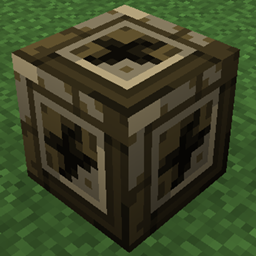
Add this block to your foundry to connect it to AE2. It uses the foundry's controller to melt materials and handles casting inside the Interface, so you don't need a separate casting table or basin for each request.
It holds 9 casts and picks the one needed for the recipe.
Extended ME Foundry Interface
Need more casting options? The Extended Interface works with your foundry in the same way, with 36 cast slots for a larger collection of casts.
ME Foundry Automation Core
A compact, all-in-one option for your late-game factory. The Automation Core handles melting, alloying and casting in a single block, with 36 cast slots and four casting stations that can work at the same time.
Install foundry capacitors to use FE, or fuel tanks to use lava. Adding more capacity modules increases how much energy or fuel it can store.
Features
- Craft on request: use AE2 processing patterns in an attached Pattern Provider. Your machines work when you request something through the network.
- Automatic cast selection: keep your casts in the machine and let it choose the right one.
- Melting and alloying: supply solid materials or molten fluids through your patterns.
- More than ingots: supports casting onto recipe ingredients, such as pouring molten redstone onto fire bricks to make foundry capacitors.
- Acceleration cards: speed up your casting setup as your factory grows.
- Matching menus and textures: AE2-style screens and layered brick colors that fit your foundry.
- Recipe display: check which recipe your machine is working on.
Getting started
Connect an Interface inside your foundry, or place an Automation Core for a standalone setup. Connect it to your ME network, add your casts and place a Pattern Provider next to it.
Put your processing patterns in the provider, then request the finished items through AE2. Automation Cores also need a capacitor with FE or a fuel tank with lava before they can work.
Requirements and optional support
Made for Minecraft 1.21.1 on NeoForge. Install the mod on both the client and server.
Required mods:
- Applied Energistics 2
- Productive Metalworks
Optional support:
- AppliedFlux for supplying energy through your ME network.
- Jade for checking machine information at a glance.
Applied Metalworks Team